Canopy - Parental Control App
- 407.00
- 4.0
- Installs
- 100.00K
- Price
- Free

Screenshots


Analysis by Reviewed
Ever had that moment when you realize that kids in this digital age are just way too tech-savvy for their own good? That's where Canopy swoops in like a superhero in a digital cape! This app is all about giving parents a bit of peace of mind while their kids surf the vast, sometimes wild, internet. Let's dive into what makes this app a must-have for modern-day parenting.
Keeping Tabs with Ease
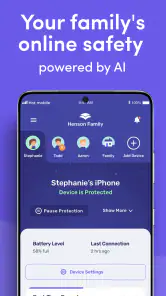
So, what’s the deal with Canopy? Well, it’s not just your average parental control app. Nope, it's like your tech buddy that's got your back. You can easily keep an eye on what your kiddos are watching and browsing without being a helicopter parent. The app’s interface is super user-friendly, so even if you’re not the most tech-savvy person, you won’t feel like you’re trying to solve a Rubik’s cube.
All the Features You Want
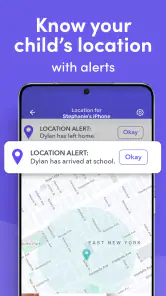
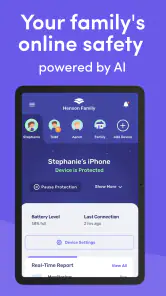
Canopy is loaded with features that make it a breeze to use. For starters, it has real-time alerts and reports, which means you get a heads-up if your child is trying to access something sketchy. There’s also this cool feature where you can set up specific rules for different kids. So, if little Timmy is 8 and his sister is 13, they can have different browsing rules. Pretty neat, huh?
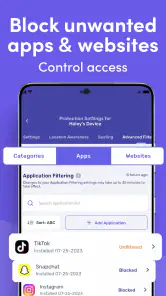
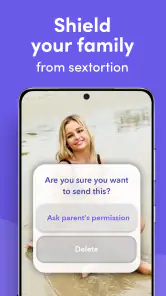
Another awesome feature is the app’s ability to block inappropriate content. We all know there’s stuff on the internet we wish didn’t exist, and Canopy does a solid job of keeping that away from young eyes. Plus, it doesn’t just rely on generic filters; it uses advanced algorithms to stay ahead of the game. Talk about being proactive!
Why It Stands Out
What I really like about Canopy is that it doesn’t just block stuff willy-nilly. It encourages healthy digital habits by allowing you to talk to your kids about why certain sites are off-limits. It’s like having a digital co-parent that’s all about open communication. Plus, the app respects privacy, so your kids won’t feel like you’re breathing down their necks every time they pick up their devices.
Oh, and did I mention the location tracking feature? Yeah, it’s like having a GPS tracker but without the creepiness. You’ll know where your kids are, which is super reassuring. And don’t worry, you can turn it off if you feel like giving them a bit more freedom.
Final Thoughts
Wrapping it up, Canopy is more than just an app; it’s a partner in parenting. It’s built to adapt to the ever-evolving digital landscape, ensuring your kids have a safe online experience. Whether you’re a tech guru or just someone trying to keep up with the digital age, Canopy makes it easy to ensure your kids are safe and sound in the online world.
If you’re looking for a way to balance freedom with safety for your kids, this app might just be the answer. It’s time to let technology work for you, not against you. So, give Canopy a whirl and see how it fits into your family’s routine!
Pros
- User-friendly interface for easy navigation.
- Real-time location tracking for safety.
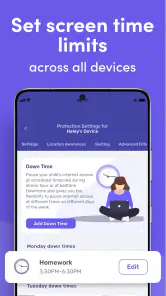
- Customizable screen time limits.
- Wide range of content filtering options.
- Multiple device compatibility.
Cons
- Requires monthly subscription for full features.
- Limited offline features.
- May drain battery quickly.
- Occasional app crashes reported.
- Initial setup can be time-consuming.

- Category
- Parenting
- Version
- 40.89