CamCard-Digital business card
- 936.00
- 3.0
- Installs
- 100.00K
- Price
- $0.99

Screenshots



Analysis by Reviewed
I tend to judge a business-card app by what happens after the scan: can I find the person again, remember why we met, and follow up without turning a brief introduction into admin work? CamCard is built around that practical loop. It suits people who regularly collect paper cards and want a searchable digital record, though it works best when scanning is part of a steady routine rather than a one-off attempt to organize years of contacts.
A useful routine starts with the conversation
At an event, I would scan a card soon after meeting someone, while the context is still fresh, then add a short note about the discussion or next step. That small habit makes the notes more useful than trying to reconstruct a conversation later. For example, after a supplier meeting, I could record which product we discussed and when I planned to get back in touch. The card then becomes a reminder with context, not merely a digital copy of printed details.
For a cleaner archive, I’d check the recognized name, company, and contact details before moving on, especially when a card uses an unusual layout or mixes languages. OCR saves typing, but it is still sensible to treat the scan as a draft that may need correction. A quick review at the moment of capture is less frustrating than discovering a mistaken detail when I’m trying to call someone days later.
Simplifying Your Networking Life
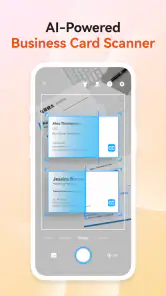
First things first, let's talk about what CamCard actually does. Essentially, it's a digital business card manager that allows you to scan and store all your business cards in one place. No more fumbling through stacks of cards trying to find the one you need. Just snap a picture, and voila, it's saved digitally. The app uses OCR (Optical Character Recognition) technology to read the card and save the details, which is pretty neat.
Easy Peasy Setup
Setting up the app was a breeze. I just downloaded it from the app store, and within minutes, I was ready to go. The interface is super user-friendly, which I appreciate because let's face it, no one has time to deal with complicated apps. You just open the app, scan a card, and all the info gets saved automatically. It's like magic!
Features That Stand Out
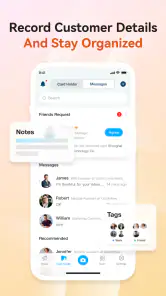
One of the features I love is the ability to add notes to each card. This is super helpful when you need to remember specific details about a contact or jot down potential follow-up actions. Plus, the app syncs across devices, so whether you're on your phone or tablet, your cards are always accessible. Oh, and did I mention you can also exchange e-cards? It's perfect for those eco-conscious folks who want to cut down on paper waste.
Make the settings work for your workflow
Before relying on it as my main contact archive, I’d spend a few minutes checking the available account and sync settings and deciding which device I want to treat as my everyday reference point. Cross-device access is handy, but it doesn’t remove the need to keep a consistent habit: if I scan on one device and later search from another, I want to know I’m using the same account and looking in the right place. I’d also decide how much detail belongs in a note. A concise reminder such as “send revised quote” is easier to act on than a full meeting transcript.
More From Our News Desk

Clash of Clans Is Won Between the Battles

Android Auto Makes the Case for Quieter Car Software

MobiOffice: Transforming Mobile Productivity with Seamless Integration

EA SPORTS FC™ Mobile Soccer: Redefining Mobile Sports Gaming

How Microsoft OneDrive Became a Mobile Productivity Giant

How Google Translate Breaks Language Barriers Effortlessly
There is a practical trade-off between capturing everything and keeping the collection useful. At a large conference, scanning every card can feel productive but may leave a pile of contacts with no meaningful context. I’d prioritize people I genuinely expect to contact, add one specific note, and leave low-priority exchanges on paper until I have a reason to keep them. That approach keeps the digital collection focused and makes search results more valuable.
Faster patterns for repeat use
Once the basic scan-and-note routine feels familiar, I’d use the same sequence every time: capture the card, check the key fields, add a brief reason for the connection, and record a next action if there is one. This is more reliable than relying on memory or trying to build a complicated filing system. A useful note should answer a future question quickly: where did we meet, what did we discuss, or what did I promise to send?
For someone who meets clients throughout the day, the app’s role is different from a full customer-management system. It can help preserve contact details and personal context, while a separate work system may still be the better place for assignments, shared pipelines, or team handoffs. I would not assume that a card archive alone can replace those processes. The distinction matters if colleagues need to see or update the same relationship history.
Where it fits—and where it doesn’t
Compared with saving each person directly to a phone’s contacts, CamCard gives the paper card and its captured details a more natural home, especially when I want to keep a note alongside the introduction. A basic contacts app can be simpler for someone who receives only a few cards and wants names immediately available for calls. Spreadsheets offer more control over custom columns, but they require manual entry and upkeep. For a small-business owner or frequent event attendee, the scanner can reduce that repetitive work; for someone managing a large sales operation, it is better viewed as a capture tool than a substitute for a dedicated CRM.
One everyday example is a freelancer who meets several potential clients at a local event. Rather than leaving the cards in a jacket pocket, they can scan the promising contacts, note the service each person asked about, and use that reminder when following up. The useful part is not just having the phone number; it is retaining enough context to make the next message personal. If the contact details are business-sensitive, I’d also make a deliberate choice about which information I enter and keep my work and personal records appropriately separated.
Small habits that prevent messy records
A useful refinement is to write notes as if I were handing the contact back to myself a week later. “Met at the design event” is a starting point; “asked about packaging work; send portfolio” gives me a clear reason to reopen the record. I would avoid putting sensitive client details into a casual note, though. A card manager is convenient for contact context, not automatically the right place for confidential project material or a complete account history.
When I receive several cards from the same organization, I’d check each person’s name and role rather than assuming that similar layouts mean similar details. A shared company template can make a scan look correct at a glance even when a phone number or email belongs to someone else. One careful comparison with the printed card is a small investment, especially before using the address for a time-sensitive follow-up.
Cost, expectations, and the right user
CamCard is a business app from INTSIG, and its current version is 7.86.5.20251117. It costs $0.99, with in-app purchases ranging from $2.49 to $399.99 per item, so I’d check the purchase options in the app before building a workflow around anything beyond the basic scan-and-organize use. It is rated for Everyone, has 100K+ installs, and carries a 3.0 average from around 14K ratings, alongside 936 written reviews. That modest average is a reason to keep expectations measured: I would try the core workflow with a few cards before committing to it as the only home for important contact records.
The app is a stronger fit for people who regularly handle printed cards, value quick capture, and will actually add notes. It is less compelling if almost all introductions arrive through email or social platforms, if you rarely meet new contacts, or if your priority is team-wide sales tracking. In those cases, a phone contacts app or a CRM may be a more natural starting point. I’d also avoid treating OCR as infallible; a quick visual check is still the sensible way to prevent a small recognition error from becoming a missed follow-up.
What to expect when a card is hard to read
Card design affects how useful an automated scan feels. Clear, high-contrast print is easier to review than tiny type, decorative lettering, or a layout where details are scattered across the front and back. I’d take a moment to frame the whole card and make sure the text is legible before moving on. If the result looks uncertain, correcting a few fields manually is usually less work than trying to remember the details later or scanning the same card repeatedly.
This is also why I would not treat the archive as a perfect replacement for every original. If a card contains a detail that matters beyond the recognized contact fields, I’d keep the physical card until I know the digital record is complete enough for my needs. That cautious approach is especially useful after a busy event, when it is easy to scan quickly and assume every record is ready to use.
Features That Stand Out
One of the features I love is the ability to add notes to each card. This is super helpful when you need to remember specific details about a contact or jot down potential follow-up actions. Plus, the app syncs across devices, so whether you're on your phone or tablet, your cards are always accessible. Oh, and did I mention you can also exchange e-cards? It's perfect for those eco-conscious folks who want to cut down on paper waste.
Why You Might Want to Give It a Shot
If you're someone who attends a lot of networking events or just wants a more organized way to handle business contacts, CamCard is definitely worth checking out. It's efficient, easy to use, and honestly, who doesn't want to declutter their wallet from all those physical cards?
Overall, I'd say this app is a must-have for professionals who are serious about networking. It's like having a personal assistant right in your pocket, and really, who wouldn't want that?
A more measured verdict
My recommendation comes with one condition: make the notes and verification part of the scan, not optional chores for later. That is what turns the app from a digital drawer into a practical networking aid. If you build that small repeatable habit and mainly need to keep individual contacts organized, it can be a convenient companion. If your work depends on shared records, complex follow-up stages, or highly structured reporting, I’d choose a dedicated contact-management tool instead. Either way, test it with a handful of real cards first and see whether its capture-and-review rhythm fits the way you actually meet people.
CamCard-Digital business card Frequently Asked Questions
Can CamCard organize contacts after I scan their business cards?
Yes. CamCard is designed to turn the details on physical business cards into digital contact records using OCR, then keep those contacts organized on your phone. This can be handy when you collect cards at meetings or events and want to find a person later without sorting through a stack of paper. It is worth checking that a scanning-focused contact workflow suits the way you manage professional connections.
Can I use CamCard if I mainly want to take notes during business conversations?
CamCard’s store summary mentions an AI note taker alongside business card scanning, Digital Card, OCR, and Recordor. That makes note-taking part of the app’s stated set of features, in addition to managing business-card information. If notes are your main reason for downloading, consider whether you also want the card-scanning and contact-management tools, since those are central to CamCard’s purpose.
Can CamCard help me create and share a digital business card?
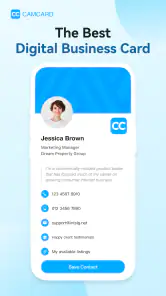
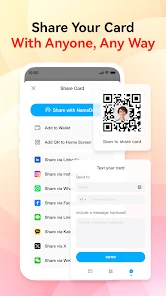
CamCard is built around digital business cards as well as scanning physical ones, so it can be useful when you want to keep professional contact details in a digital format. Its store summary also highlights Digital Card alongside business card scanning and OCR. Before downloading, consider whether this mix of card creation, scanning, and contact organization fits the way you exchange details at work.
What does CamCard cost, and are there in-app purchases?
CamCard costs $0.99 to download and also offers in-app purchases, with listed item prices ranging from $2.49 to $399.99. Those purchases may affect the overall cost depending on the options you choose, so it is worth checking the purchase details in your app store before committing. The app is in the Business category and is developed by INTSIG.
What is CamCard and how does it work?
CamCard is a digital business card application that allows users to scan, store, and manage business cards on their smartphones. The app uses OCR (Optical Character Recognition) technology to read the information on physical cards and convert it into digital format, making it easy to organize and access contacts without the need for physical storage. Its store summary also describes it as a business card scanner with OCR, and mentions an AI note taker.
Pros
- Easy to scan business cards
- Accurate data extraction
- Cloud backup available
- User-friendly interface
- Supports multiple languages
Cons
- Limited free version
- Occasional scanning errors
- Privacy concerns with data
- Sync issues reported
- No desktop version

- Category
- Business
- Version
- 7.86.5.20251117












