

Bright LED Flashlight
- 471.00
- 4.7
- Installs
- 5.00M
- Price
- Free
Screenshots
Analysis by Reviewed
If you've ever found yourself fumbling in the dark, desperately trying to locate your keys or navigate a dimly lit path, then you'll understand the importance of having a reliable flashlight app on your smartphone. Enter the Bright LED Flashlight app, a game-changer for anyone who needs a dependable source of light at their fingertips.
A useful tool, with realistic expectations
I see this as a practical utility rather than a substitute for a dedicated torch or navigation equipment. A phone light can help with a dropped key, a dark stairwell, or a quick check under a seat, but it is still limited by the phone’s battery and the reach of its small LED. If I were planning a long walk in an unfamiliar area, I would take a proper flashlight and use a map or compass designed for navigation rather than relying on a light app alone.
A realistic use is arriving home after dark with shopping in both hands: I can set the bags down, switch on the phone light, and find the lock without searching for a separate torch. For that kind of short task, having the control ready on the phone is the main convenience. For longer jobs, I would use the light in brief bursts and keep the screen from staying on unnecessarily where possible.
Why Choose Bright LED Flashlight?
The Bright LED Flashlight app is not just your average flashlight app. It’s designed with the user in mind, ensuring that it’s intuitive and easy to use. The first thing I noticed when I downloaded it was how straightforward the interface is. There's no unnecessary clutter or confusing options. You open the app, hit the power button, and voila! Instant light.
Features That Shine
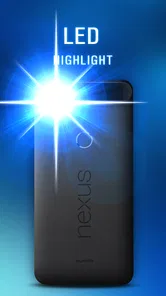
One of the standout features of this app is its ability to provide a super bright light using your phone’s LED flash. It’s incredibly effective, turning the darkest night into day. Whether you’re searching for something under the couch or taking your dog for a walk after sunset, this app has got you covered.
For a walk, I’d treat the light as a way to see nearby obstacles or check a gate, not as a beam that makes a dark route safe by itself. A useful habit is to turn it off as soon as the task is done, both to avoid wasting battery and to prevent shining it into someone’s eyes. If the phone becomes warm or its battery is already low, I would shorten the session and switch to another light source if one is available.
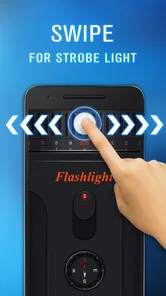
Moreover, the app includes a strobe light function which can be really handy in emergencies. Imagine being stuck on the side of the road at night; this feature can alert others to your presence. Plus, you can adjust the strobe light’s frequency, which is a nifty addition.
More From Our News Desk

 Weather - By Xiaomi
Weather by Xiaomi Review: Clear at a Glance, Less Clear Up Close
Xiaomi’s weather app makes everyday forecasts quick to scan, but its calm surface can leave useful details and recovery paths harder to find than they should be.

 X
X Under Pressure: Can It Recover When Posting Goes Wrong?
A resilience-focused review of X, examining setup, mistaken posts, interruptions, weak connections, and the gaps that matter when recovery needs to be dependable.

 Clash of Clans
 Is Won Between the Battles
Its raids are quick; its community is a long-term project of coordination, teaching, rivalry, and shared responsibility—with all the friction that entails.

 Android Auto
 Makes the Case for Quieter Car Software
The car interface is no longer judged by how much it can do, but by how quietly it helps. Android Auto shows what drivers now expect—and what still gets in the way.

 MobiOffice: Word, Sheets, PDF
MobiOffice: Transforming Mobile Productivity with Seamless Integration
MobiOffice: Word, Sheets, PDF is redefining mobile productivity with a surprising blend of functionality and innovation.

 EA SPORTS FC Soccer Mobile 26
EA SPORTS FC™ Mobile Soccer: Redefining Mobile Sports Gaming
Dive into EA SPORTS FC™ Mobile Soccer, where immersive gameplay and strategic depth transform mobile sports gaming.
Latest News



I’d regard that flashing mode as a possible visibility aid, not a guarantee that drivers will notice or understand the signal. If a vehicle breaks down, first move away from traffic where it is safe and use established roadside safety steps; a phone app is only a small supplement. A steady light is usually more comfortable for close-up tasks, while a flashing signal can be distracting to people nearby, so I would use it deliberately and stop it when it is no longer needed.
Battery life is always a concern with flashlight apps, but I found that the Bright LED Flashlight is optimized to minimize battery drain. This is perfect for those times when you need to keep the light on for extended periods without worrying about draining your phone’s battery.
Even with efficient operation, an LED left on continuously still draws power, and the remaining battery matters more if the phone is also needed for calls, directions, or an emergency. I would avoid treating a low-drain claim as permission to leave the light running for hours. A simple trade-off is to use short bursts for searching and keep the phone’s charge available for the tasks only it can perform.
User Experience
From my experience, using the Bright LED Flashlight app is a breeze. It’s compatible with a wide range of Android and iOS devices, so you don’t have to worry about compatibility issues. The app runs smoothly without any noticeable lag or crashes, which is a huge plus.
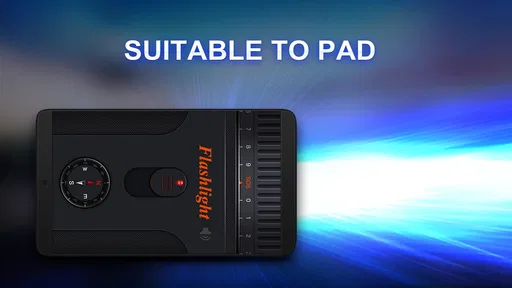
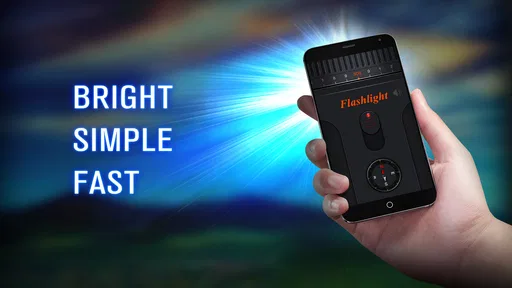
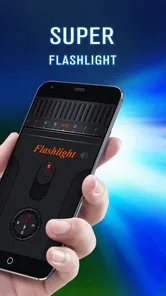
For anyone deciding whether to install it, the basic question is whether a dedicated flashlight control is useful enough to justify another app. Many phones already offer a torch shortcut in quick settings or on the lock screen; that built-in option is a better fit if you only need a light occasionally and prefer not to open an app. This one makes more sense if you want its flashlight interface and compass together in a single utility. The compass can be handy for rough orientation, but I would not use it as a replacement for a map, a route plan, or a compass checked for accuracy before a demanding trip.
Bright LED Flashlight is a free travel-and-local app from Tools Dev. It has a 4.6 average from around 18,000 ratings, and more than 5 million installs. It is rated for Everyone, with version 3.6.3 listed for Android 7.0 and later. Those figures suggest it has found a substantial audience, but popularity is not the same as a guarantee that it suits every phone or every user.
On trust, I prefer to separate what I can judge from what I should not assume. A flashlight needs access to the phone’s light hardware to work, but I would check the permission request on my own device and consider whether it matches the task. I would also read the app’s current privacy information and the choices shown during setup before deciding what I am comfortable sharing. I would not infer a broader data practice from a simple interface or a large install count.
Another thing I love about this app is that it doesn’t bombard you with ads. Many free apps tend to do this, but Bright LED Flashlight keeps them to a minimum, allowing you to focus on what matters most—using the flashlight!
When installing any utility, I also check whether the operating system offers controls to review or revoke permissions later. That gives me a practical way to reassess access if I stop using a feature. If an app requests something that does not seem relevant to lighting or orientation, I would pause and investigate rather than grant it automatically. This is a useful general habit, not a claim about a particular permission screen in this app.
Choosing it for the right job
I would recommend it most to someone who wants a straightforward light close at hand, perhaps for occasional household tasks, a short walk from a parked car, or checking a poorly lit entrance. It is less suitable for a person who needs dependable illumination for extended outdoor work, or who expects a phone compass to provide precise navigation. In those situations, a dedicated torch, paper or offline map, and a purpose-built compass are better tools.
One small workflow tip is to test the app at home before you need it in the dark: learn where the power control and strobe option are, and check how the compass behaves in a familiar place. That avoids trying to learn the interface under pressure. I would also keep the phone’s ordinary quick-settings torch in mind as a backup route to light if opening an app is inconvenient.
Where the phone light fits into a routine
The most useful way to think about this app is as a short-task tool, not something that should replace the lights you rely on every day. I might use it to look into a cupboard during a power interruption, find a dropped earring beside a bed, or check whether a bicycle lock is properly fastened. In each case, the phone is already nearby, and the job takes little time. That convenience matters more than having a particularly elaborate set of controls.
For a practical routine, I would check the phone’s charge before leaving for an evening walk and avoid starting with a nearly empty battery if I expect to need the light. I would also make sure I can reach the app or the phone’s built-in torch without fumbling through several screens. A quick test in a familiar room reveals whether the LED points where I expect; close-up tasks can cast awkward shadows if the phone is held at the wrong angle.
There is a useful difference between using the light to inspect something and using it to move through an area. When checking a lock, I can hold the phone close and direct the beam. When walking, I need a free hand, awareness of the path, and enough light to see changes in the ground. A phone flashlight can help with the second job, but it is a less comfortable choice than a headlamp or handheld torch over distance. That trade-off is easy to overlook when the app is described simply as bright.
Compass use and sensible checks
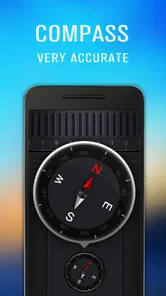
The digital compass adds a travel-oriented tool, but I would keep its role modest. It can help me get a rough sense of direction while standing still, especially when I am orienting myself against a familiar landmark. It is not enough to choose a safe route or determine my position. If direction matters, I would compare the reading with a map and check that the phone is being held steadily rather than treating a single glance as a precise bearing.
Before depending on the compass during an outing, I would try it somewhere familiar and see whether its direction seems consistent with the surroundings. If the reading behaves oddly, I would not try to solve that uncertainty while already lost or under pressure. A traditional compass and a map are better companions for a planned hike, while a phone navigation app is more appropriate when I need route guidance. Here, the compass is most useful as a quick orientation aid alongside those tools, not instead of them.
This distinction also helps answer whether the app is a good choice for travel. For a weekend city visit, I can imagine using the light to inspect a hotel keyhole or a dim stairwell, and the compass for a quick directional check. For a backcountry trip, I would not make it my only lighting or navigation plan. The phone’s battery is a shared resource, and relying on one device for illumination, communication, and directions creates a single point of failure.
Making a considered privacy choice
Because a flashlight seems simple, it is tempting to install one without looking at the setup choices. I prefer a slower approach: read the permission prompts when they appear, grant only what seems relevant to the feature I am using, and revisit those choices if my use changes. The operating system’s permission controls are useful because they let me review access later rather than treating the first decision as permanent.
I also separate device access from broader judgments about trust. A light app’s core task involves controlling the phone’s flash, and its compass depends on the phone’s orientation sensors. Those practical needs do not, by themselves, tell me what information is collected or how it is handled. I would look at the app’s privacy information and the controls actually presented on my device, then decide whether they fit my comfort level. I would not treat popularity, a clean interface, or a low-ad impression as proof of a particular data policy.
This matters most when I am installing utilities I expect to use only occasionally. If I decide the app is not worth keeping, removing it is a straightforward way to stop using it; if I keep it, I can still review its permissions through the phone’s settings. My standard is simple: understand the access I am granting, keep the app only if its useful features justify that access, and avoid assuming more than the visible choices establish.
Who will appreciate it, and who will not
I think this is a good fit for someone who wants a simple flashlight screen and likes having a compass available in the same travel-and-local utility. It may be especially convenient for people who regularly need brief light at home, in a garage, or beside a parked car. The app’s free price makes it easy to try, but the real question is whether its dedicated interface offers something useful beyond the torch shortcut already built into a phone.
I would skip it if my only requirement were the quickest possible tap to turn on a light and my phone already provides a convenient shortcut. I would also choose something else for long-duration work, serious outdoor navigation, or situations where equipment failure could put me at risk. A dedicated torch is easier to hold and may be better suited to sustained use; a map and proper compass provide a more dependable navigation setup. This app’s strengths are convenience and a few functions in one place, not replacing specialized gear.
Final Thoughts
All in all, if you're looking for a reliable and efficient flashlight app, you can’t go wrong with Bright LED Flashlight. It combines ease of use with powerful features, making it a must-have app for anyone who wants to be prepared for any situation. So, next time you’re in the dark, remember that with this app, light is just a tap away.
My recommendation is cautious rather than universal: it is a convenient option for brief lighting needs, while the built-in phone torch may be enough for people who want the fewest steps. I would choose dedicated equipment for safety-critical or long-duration use, and make my privacy decision after reviewing the controls and information available on my device.
In summary, the Bright LED Flashlight app is a perfect blend of simplicity and functionality. Its intuitive design, coupled with the powerful LED light and useful features, makes it stand out in the crowded marketplace of flashlight apps. Give it a try, and you might just find it to be an indispensable tool on your smartphone.
Bright LED Flashlight Frequently Asked Questions
Can I use Bright LED Flashlight without an internet connection?
A flashlight is most useful when it is ready to turn on wherever you are, including places with no signal. Bright LED Flashlight is presented as a light utility, and its core purpose is to illuminate nearby surroundings using your phone. If you plan to rely on it offline, open the app once after installing it and check that the flashlight control works on your device.
Will Bright LED Flashlight work with my phone’s flashlight hardware?
The app’s main purpose is to provide a bright LED light, but the result depends on your phone’s built-in flash hardware and operating system. Phones without a rear flash may not be able to provide the same illumination, and device controls can behave differently across models. Before depending on it in an important situation, test the light on your own phone and make sure it turns on and off as expected.
Is Bright LED Flashlight safe for children to use?
Bright LED Flashlight is rated Everyone, so its content rating is suitable for a broad audience. Still, children should be reminded not to shine a bright light into anyone’s eyes, and an adult may want to supervise use of a phone’s flashlight or strobe effect. As with any app, a parent can review its permissions and settings before letting a child use it.
What is Bright LED Flashlight, and who is it for?
Bright LED Flashlight is a utility app for people who want a light close at hand, whether they are looking for something in a dark room or need illumination while out and about. It is listed in the Travel & Local category and is rated for Everyone. The app is free and has a 4.6 average from around 18,000 ratings, making it a familiar option for many users.
What features does the Bright LED Flashlight app offer?
The Bright LED Flashlight app offers a range of features to enhance user experience. It includes a powerful LED flashlight, strobe light functionality, and an SOS mode for emergencies. Additionally, it provides adjustable brightness settings and a simple, user-friendly interface to ensure easy navigation and quick access to all functionalities.
Pros
- Very bright light output
- Simple to use interface
- Quick access from lock screen
- No unnecessary permissions
- Energy efficient usage
Cons
- Contains ads in free version
- Limited customization options
- May drain battery quickly
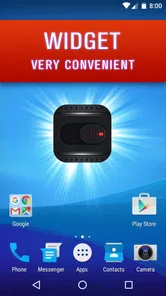
- No widget support
- Requires camera permission












