

Breaking News Launcher
- 11.00
- 4.3
- Installs
- 10.00K
- Price
- Free

Screenshots
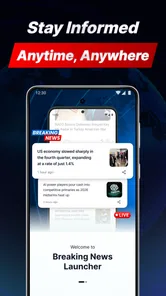
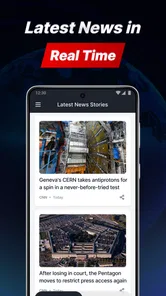
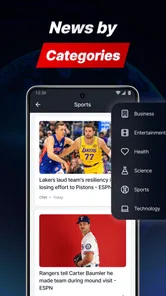
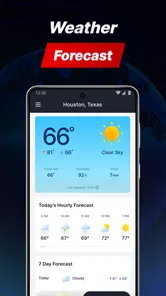
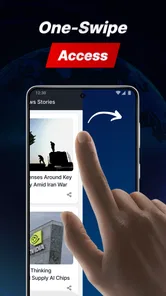
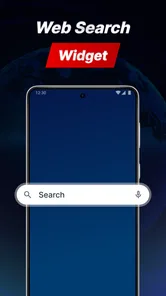
Analysis by Reviewed
Breaking News Launcher is the kind of news app I would reach for when I want a quick view of what is happening across several familiar areas rather than a single publication’s feed. It brings business, sports, entertainment, and technology news into one place, while also including a local weather forecast service. That combination gives it a practical role on a phone: it can act as a short morning briefing, a break-time check-in, or a way to decide whether the weather calls for a jacket before leaving home.
After spending time with it, my impression is that its appeal depends heavily on how you consume news. I like the idea of opening one lightweight destination instead of jumping between separate news brands and a weather app. At the same time, a broad news launcher is not automatically the best choice for someone who wants deep reporting, a carefully personalized newspaper-style reading experience, or guaranteed access during poor connectivity. Its strengths are convenience and range; its limitations come from the same compact approach.
How the news experience feels when the connection is doing the work
The most important thing to understand is that this is a connected experience. News changes constantly, and the value of a breaking-news tool comes from being able to retrieve current information when you open it. The same is true of a local forecast service: its usefulness is tied to receiving updated conditions and forecast information for the place you care about. I would therefore treat the app as a live window onto current information, not as a downloaded newspaper or a replacement for saved reading.
That distinction matters during ordinary moments. Imagine checking your phone before a commute. You may want to scan business headlines, see whether a technology story has developed, and check the local weather without opening several unrelated apps. In that situation, the launcher-style approach makes sense. It reduces the number of decisions between unlocking the phone and getting a useful overview.
When the connection is reliable, the mix of sections can also help me move naturally between serious and lighter subjects. I might begin with business news, switch to sports during a short pause, and then look at entertainment or technology. This is more flexible than a narrowly focused reader, although it can also make the experience feel less editorially unified. A dedicated business app will usually provide a more concentrated workflow, while a general news reader may offer stronger personalization. Breaking News Launcher is better understood as a broad starting point.
I would not judge it only by how quickly it opens. The real question is whether the information it presents remains useful in the places where I actually use it. At home on a stable connection, it can serve as a convenient briefing. On a train, in a crowded venue, or in a building with weak reception, the experience may depend more on the network than on the app itself. That is not a criticism unique to this product, but it is especially relevant for an app built around breaking information.
One practical habit I found helpful is to use it in short, intentional sessions. Rather than leaving it open while doing other tasks, I would check the main areas I care about, read only the headlines that matter, and then close it. This keeps the app in its strongest role: a quick information hub. If I wanted to spend a long time reading analysis, I would choose the original publication or a more full-featured reading service instead.
More From Our News Desk

 Gmail
GmailGmail in a Busy Inbox: Who Benefits Most?
From first account to crowded workday, Gmail earns its place through dependable search and flexible sorting—but its best fit depends on how much inbox maintenance you can tolerate.

 Prime Video
Switching to Prime Video: What Changes in Your Viewing Routine
Prime Video can make a compelling second home for streaming, but switching means learning a different catalog, rental layer, and route from browsing to playback.

 Universal TV Remote Control
Universal TV Remote Control Works Best as a Reliable Backup
A phone remote earns its place through quick setup and reliable habits. Here is how to get more from Universal TV Remote Control—and where its limits show.

 Weather - By Xiaomi
Weather by Xiaomi Review: Clear at a Glance, Less Clear Up Close
Xiaomi’s weather app makes everyday forecasts quick to scan, but its calm surface can leave useful details and recovery paths harder to find than they should be.

 X
XX Under Pressure: Can It Recover When Posting Goes Wrong?
A resilience-focused review of X, examining setup, mistaken posts, interruptions, weak connections, and the gaps that matter when recovery needs to be dependable.

 Clash of Clans
Clash of Clans Is Won Between the Battles
Its raids are quick; its community is a long-term project of coordination, teaching, rivalry, and shared responsibility—with all the friction that entails.
Latest News



What the broad coverage gives you
The four news areas make the app useful for people whose interests change throughout the day. Business can help with general market awareness, sports can cover the results or stories I follow casually, entertainment offers a lighter break, and technology keeps the feed relevant to devices and digital life. I appreciate that this avoids forcing me to decide on one topic before I even start browsing.
There is a trade-off, though. A broad collection can encourage headline hopping. I may open the app intending to check one story and end up moving across several categories without reading anything deeply. For an efficient scan, that is fine. For informed understanding, I would slow down and follow the most important story to a source with more context. The app works best as a discovery layer, not as my only source for complicated events.
The local weather component adds a useful second purpose. It means the app is not limited to moments when I want headlines. A quick forecast check can become part of the same morning routine, especially if I already use the news sections before going out. The weather service also makes the app more practical for people who prefer fewer icons and fewer separate destinations on their home screen.
However, I would still keep expectations realistic. A local forecast is valuable for planning, but weather decisions can be more sensitive than a casual glance suggests. If I were planning a long trip, outdoor event, or commute where conditions matter greatly, I would compare the forecast with a dedicated weather service. The combined design is convenient, but convenience should not be confused with specialized depth.
Using it in real mobile situations
On a phone, context changes quickly. I might have only a minute while waiting for coffee, a few seconds before a meeting, or enough time to browse during lunch. Breaking News Launcher suits those short windows because its subject mix gives me several ways to find something relevant without setting up a complicated reading plan.
For a morning routine, I would check the weather first, then scan business and technology, and leave sports or entertainment for later. That order is useful because it puts practical information before optional browsing. It also prevents the lighter categories from absorbing the time I intended to spend on headlines that affect my day.
For commuting, I would use it as a brief check rather than a continuous companion. Connectivity can vary in transit, and repeatedly refreshing a live news experience is not a good habit when reception is inconsistent. I prefer to open it at a point where the signal is dependable, identify the stories worth following, and then read more deeply when I have a stable connection.
The app may also suit a shared household routine. One person can use the business and technology areas, while another checks sports, entertainment, or the local weather. That variety makes it more approachable than a specialist app that assumes everyone wants the same subject. The downside is that each person may still need a different source for detailed coverage, so I would see it as a common starting point rather than a complete household news system.
People who rely on accessibility features, larger text, or a very specific reading layout should spend time deciding whether the presentation feels comfortable before making it their main reader. The broad concept is easy to understand, but a news app succeeds or fails in daily use through small interactions: how quickly I can identify a section, whether headlines are easy to scan, and how much effort it takes to move from a headline to meaningful reading.
What happens when connectivity becomes unreliable
Because the app centers on breaking news and local forecasts, a weak connection can change the experience immediately. Headlines may take longer to appear, updates may not feel timely, and the weather view may be less useful when I need it most. I would not plan around the assumption that current content will always be available without a network. For travel, remote areas, or flights, I would prepare by using a service that explicitly supports the offline reading workflow I need.
This is also where the difference between a launcher and a full reading archive becomes important. If I open a traditional news app with saved articles, I may already have material ready for a disconnected moment. With a live-oriented launcher, I would expect the strongest experience when it can reach current content. That makes it excellent for checking what is happening now, but less suitable as my only source of reading during a long period away from reliable service.
A sensible recovery routine is simple. If the app does not load as expected, I would avoid repeatedly tapping refresh. First I would check whether other connected apps are working, then move to a stronger signal or reconnect to a trusted network. After that, I would reopen the app and check the sections I actually need. If the news view is still unavailable, I would use another established source for urgent information rather than treating a delayed feed as confirmation that nothing has changed.
This approach also protects against a common mistake: assuming that an empty or incomplete screen means there is no news. In a connected product, a loading problem and a quiet news cycle can look similar to a rushed user. I recommend checking the connection before drawing conclusions, especially when following a developing event or checking weather before leaving home.
Another useful habit is to separate urgent information from casual browsing. If I need weather guidance for immediate travel, I check it before spending time on entertainment headlines. If I am following a major business or technology development, I verify important details through a trusted source instead of relying on one quick headline view. The app can help me notice a story, but good judgment still belongs to me.
Keeping mobile data use sensible
News browsing can quietly become a data-heavy habit because every extra category invites another refresh and another set of images or content elements. I would use Breaking News Launcher more carefully on a limited mobile plan than on home Wi-Fi. The practical solution is to make the app part of a deliberate routine: open it, scan the sections that matter, follow only worthwhile stories, and avoid constant checking simply because the subject list is broad.
I also prefer checking the weather and priority headlines before browsing optional categories. This creates a clear stopping point. Once I know what I need for the day, I can decide whether sports or entertainment is worth the additional session. That small change makes the app feel more like a tool and less like an endless stream.
For people who share a phone connection through tethering, this discipline matters even more. A quick headline check may be reasonable, while leaving a news screen open and repeatedly revisiting it could be wasteful. I would also avoid using it as background entertainment during a long journey unless I know the connection and data situation are comfortable.
There is a broader trade-off here. The app’s appeal comes from combining several information needs in one place, but that convenience can encourage more frequent visits. If I want maximum control over every refresh and every source, a more configurable reader may suit me better. If I want a simple place to look when I have a few minutes, the combined design is more appealing.
The app is free, which lowers the barrier to trying that routine. It is listed for Everyone 10+, so it is aimed at a broad audience while still recognizing that news content can vary in maturity and subject matter. I would still guide younger users toward sensible browsing habits, particularly around upsetting breaking stories and the difference between a headline and a confirmed account.
Who should use it, and who should choose something else
I think Breaking News Launcher is a good fit for someone who wants one convenient place for business, sports, entertainment, technology, and local weather. It is especially suitable for casual news readers, busy users who prefer short sessions, and people who do not want separate apps for every interest. The combination is also helpful if weather is part of the same routine as checking headlines.
I would be more cautious recommending it as the primary app for a journalist, analyst, investor, dedicated sports follower, or anyone who needs extensive archives and detailed source controls. Those users may benefit more from specialist services built around one subject. Likewise, someone who regularly reads during flights, in rural areas, or in places with unstable reception should prioritize a product with clearly defined offline tools.
Compared with a social media news feed, this app offers a more focused destination and less dependence on whatever happens to appear in a personal timeline. Compared with a single publisher’s app, it promises broader subject coverage rather than one editorial voice. Compared with a dedicated weather app, it is more convenient for quick checks but less specialized as a weather-first tool. Those comparisons explain its position well: it is a practical middle ground, not the deepest option in every category.
AtomApplications has kept the product’s identity clear through that combination. The current version is 1.5.0, and the app requires Android 10 or later. That requirement is worth checking before installation, particularly if I am using an older phone. On a compatible device, the free price makes experimentation easy, but I would still judge it by whether its connected workflow matches my habits rather than installing it simply because it costs nothing.
The public response is encouraging without being overwhelming: it holds a 4.3 average from around eighty ratings, with over ten thousand installs and eleven written reviews. I read that as a sign of early interest rather than definitive proof that it will suit everyone. A smaller review pool can tell me that people are trying it, but my own network conditions, reading preferences, and phone setup will matter more than a single average.
My connectivity verdict
After using it as a quick news-and-weather stop, I see Breaking News Launcher as a convenient live dashboard for everyday moments. Its best quality is the way it joins several common checks: what is happening in business, sports, entertainment, and technology, plus what the local weather may be doing. That saves effort when I want a broad snapshot and do not need a long, carefully organized reading session.
Its main limitation is equally clear: the experience is most valuable when the network is available and dependable. I would not treat it as an offline reading library, and I would not make it my sole source during a connectivity problem or a major developing event. Instead, I would use it to discover and prioritize, then turn to a specialist or original source when the subject deserves more depth.
My recommendation is straightforward: choose it if you want a free, broad, mobile-friendly briefing with local weather in the same place, and skip it if offline access, deep specialization, or strict source control is essential. For my own routine, it earns a place as a quick check at the start of the day and during short breaks, provided I remember that a live news tool is only as dependable as the connection supporting it.
That balance is what makes Breaking News Launcher worth considering. It does not need to replace every news or weather service to be useful. It simply needs to make the first look easier, and for readers who value that convenience, Breaking News Launcher offers a sensible way to begin without turning a simple check into a collection of separate app visits.
Breaking News Launcher Frequently Asked Questions
Is Breaking News Launcher compatible with my Android phone?
Breaking News Launcher is an Android app, and its minimum operating system requirement is Android 10. Before downloading, check your phone’s Android version in its system settings to make sure it meets that requirement. Compatibility is only one part of the decision, though: you should also consider whether you want a launcher that places news and related content on your home screen.
What kind of news and other content does Breaking News Launcher offer?
Breaking News Launcher focuses on breaking news, with coverage described across business, sports, entertainment, and technology. It also includes a local weather forecast service, so the home screen can bring together news and weather-related content. The experience is aimed at people who want quick access to these updates alongside their usual launcher shortcuts.
What is Breaking News Launcher, and how does it work?
Breaking News Launcher is an Android launcher designed to combine your home screen with a continuously updated news experience. After installation, it can replace your standard launcher and display headlines, shortcuts, and other content directly on the main screen. Its usefulness depends on the available news sources, your internet connection, and the permissions requested during setup.
Is Breaking News Launcher free to download and use?
Breaking News Launcher is free to download. Before installing it, users should still check the current Google Play listing for advertising, optional purchases, or subscription details. Some launcher features or content may be supported by advertisements. Reviewing the store description, developer information, and in-app payment section is recommended so there are no surprises after setup.
Does Breaking News Launcher replace my phone’s default home screen?
Yes, a launcher generally needs to become the default home-screen application to provide its full experience. During setup, Breaking News Launcher may ask you to select it instead of your existing launcher. You can usually return to your previous launcher through Android’s default-app settings. Before switching, make sure you know how to restore your original layout if necessary.
Pros
- Quick access to breaking stories directly from the home screen.
- Simple layout makes headlines easy to scan at a glance.
- Useful for users who want news without opening a separate app.
- Can help surface important local and global updates quickly.
- Lightweight concept that keeps the launcher focused on news discovery.
Cons
- News availability and quality may vary by region or language.
- Frequent alerts can become distracting if notification settings are unchanged.
- Headline-focused content may lack the context of full news articles.
- Personalization options may feel limited for users with specific interests.
- Replacing your usual launcher may require time to adjust to the new layout.













