Bose Connect
- 22.83K
- 4.2
- Installs
- 10.00M
- Price
- Free

Screenshots
Analysis by Reviewed
In a shared home, a pair of Bose headphones or a portable speaker often moves between people and rooms. I find Bose Connect most useful when it makes that handoff easier: it gives me a place to manage supported Bose Bluetooth products instead of treating every connection as a fresh trip through the phone’s Bluetooth menu. The app is free, from Bose Corporation, and belongs to the music and audio category. Its appeal is practical rather than broad: it is designed for people who already use compatible Bose gear.
When one household shares Bose gear
A realistic use is passing a speaker from the kitchen to the living room, or letting another person use the headphones after you. The app can help you see and manage Bose products, but it should not be mistaken for a household account system. I would not rely on it to keep each person’s preferences, listening history, or device access separate. If several people use the same phone, the app and its saved settings may be tied to that phone’s setup rather than neatly divided by person.
That distinction matters more than it first appears. For occasional sharing, a single app on the household phone can be convenient; for independent daily use, each person may prefer to pair their own phone directly. Before handing over a device, I’d also check which phone is currently connected, especially if someone else is expecting to play audio. A quick connection check can prevent the familiar confusion of music coming from the wrong room or device.
Set up the phone, then keep expectations clear
The app is a companion, not a replacement for every part of Bluetooth setup. I’d install it on the phone that will usually manage the Bose products, open it near the device, and follow the pairing prompts. If the headphones or speaker are already connected elsewhere, disconnecting or switching the active connection may be needed before another person can take over. This is a useful boundary to understand: installing the app does not make a device universally available to every phone in the home.
For a household with a shared tablet, it can be handy to use that tablet as the control point for a speaker everyone uses. The trade-off is that whoever has the tablet also has practical control over its connection and settings. If each person has their own phone, pairing directly from those phones may be simpler than passing one device around. I’d choose the arrangement based on who actually manages the speaker, not on the assumption that one setup suits everyone.
Coordinate listening without turning it into a group account
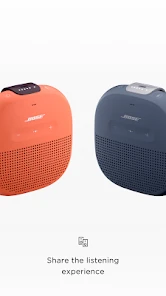
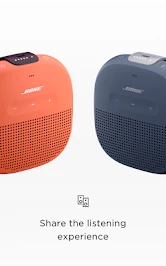
The music-sharing option is useful for a particular kind of coordination: two people can listen to the same song at the same time on separate devices, rather than sharing one set of headphones. That can work well while travelling together or when you want to show someone a track without handing over your headphones. It is a focused listening feature, not a way to coordinate a family music library, schedules, or multiple independent profiles.
For everyday household use, I’d treat that feature as an occasional shared moment rather than the default way everyone listens. If the goal is simply to play music aloud, a shared Bose speaker may be more straightforward. If people want separate playlists and independent control, their own phones and usual music apps are likely the better fit. The best choice depends on whether the priority is listening together, taking turns, or keeping each person’s audio separate.
More From Our News Desk

Clash of Clans Is Won Between the Battles

Android Auto Makes the Case for Quieter Car Software

MobiOffice: Transforming Mobile Productivity with Seamless Integration

EA SPORTS FC™ Mobile Soccer: Redefining Mobile Sports Gaming

How Microsoft OneDrive Became a Mobile Productivity Giant

How Google Translate Breaks Language Barriers Effortlessly
Age, trust, and who should manage the gear
The app is rated for Everyone, so its general audience is broad. In a family, though, an age rating is not the same thing as parental controls or separate child accounts. I would not use it as a way to supervise what someone listens to or limit their access. Instead, decide which phone is used for setup and who is responsible for pairing, updates, and changing product settings.
That simple agreement can avoid accidental changes. For example, if a younger household member borrows the shared headphones, showing them how to reconnect the intended phone is more useful than assuming the app will sort out competing connections automatically. People who want strict account boundaries, centralized parental controls, or detailed per-person audio management should look to their phone’s family settings or music service rather than expecting those functions from this companion app.
There is also a practical question before installing: do you own a Bose Bluetooth product that the app supports, and do you want to manage it from a phone? If not, a standard Bluetooth settings screen is usually enough for basic pairing, and another manufacturer’s companion app may make more sense for non-Bose equipment. I see Bose Connect as an extra control layer for Bose owners, not as a general-purpose audio manager.
Managing Bose products day to day
Have you ever found yourself struggling to navigate through your wireless headphones’ settings? Well, say goodbye to that hassle with the Bose Connect app. It's like having a personal assistant for your Bose headphones and speakers right on your phone. As someone who's always on the go, I can tell you this app is a game-changer. Let's dive into what makes this app stand out.
Effortless Pairing and Management
One of the first things you’ll notice about Bose Connect is its seamless pairing process. Gone are the days of fiddling with Bluetooth settings. Simply open the app, and it effortlessly detects your Bose devices. I've tried it with my QC35 headphones, and the connection was almost instant. Plus, switching between devices is a breeze, which is super handy if you’re juggling between a phone, tablet, and laptop.
Unlocking Features You Didn’t Know Existed
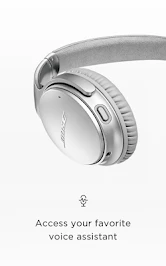
What’s cool about this app is the access to features you might not have known your device even had. From noise cancellation adjustments to firmware updates, it’s all at your fingertips. I was blown away when I discovered how easy it was to tweak the noise cancellation levels on my headphones, perfect for those noisy coffee shop days or when I just want some peace and quiet.
Keeping Everything Up to Date
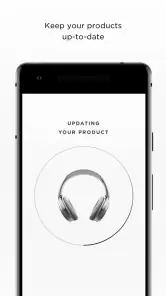
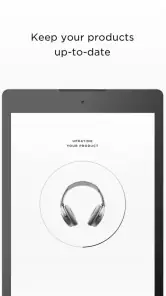
Keeping your devices up to date is crucial, and the app makes it incredibly easy. The app notifies you when new firmware updates are available, and installing them is just a tap away. This ensures that your devices are always performing at their best, and you don’t have to worry about missing out on any new features or improvements.
The app also provides access to product tips and user manuals, which is a lifesaver for those times you can’t figure out why your headphones are acting up. It’s like having a tech support team in your pocket.
Personalized Listening Experience
With the music sharing feature, you and a friend can listen to the same song simultaneously on different devices. Perfect for those moments when you want to share a killer track with a buddy without having to swap headphones. Plus, the app allows you to personalize your settings and save them, so your preferred listening experience is just a tap away whenever you need it.
Another neat feature is the ability to manage multiple devices. If you’re like me and have a few Bose products, this feature is a dream. Switching between my headphones and my SoundLink speaker has never been easier.
In summary, the app is a must-have for anyone with Bose products. It simplifies managing your devices, ensuring you get the most out of them. Whether you’re a tech newbie or a seasoned gadget lover, this app makes your life easier and your listening experience even better. Trust me, once you use it, you’ll wonder how you ever got by without it.
How it fits among audio apps
With an average rating of 4.2 from around 263,000 ratings, more than 10 million installs, and about 23,000 written reviews, Bose Connect has clearly found an audience among Bose owners. Those figures are useful context, but they don’t tell me whether it suits a particular home. The deciding factor is still the hardware: if your Bose product benefits from its controls, the companion app can be worthwhile; if you only need basic playback, your phone’s built-in Bluetooth tools may be all you need.
Compared with general music apps, this one is about managing the listening device rather than finding, organizing, or streaming a music catalog. Compared with a manufacturer-neutral Bluetooth utility, its advantage is its focus on Bose-specific controls and guidance. The limitation follows from that same focus: it adds little for someone without compatible Bose gear, and it should not be confused with a replacement for the music app each person already uses.
A practical household verdict
I’d recommend it to someone who owns Bose headphones or speakers and wants convenient access to their product settings, tips, and maintenance. It can also help a household coordinate shared gear, as long as everyone understands that pairing and settings still need a clear point person. For a family that values separate accounts, strict controls, or independent audio setups, using individual phones and the relevant system or music-service tools is a better approach.
For me, the most useful habit is to decide which phone should manage a shared Bose product before the listening session starts. That small bit of coordination reduces connection mix-ups and makes handing the speaker or headphones to someone else less frustrating. If you want a focused companion for Bose Bluetooth products, this is a sensible app to try; if you want a complete household audio or account-management system, it is not the right tool.
One phone, several listeners: a workable routine
When a household passes a speaker around during the day, I’d make the handoff a two-step habit: the person finishing playback disconnects, then the next listener checks their own phone before pressing play. That routine is more dependable than assuming the app will arbitrate between people. It also makes it clearer whether the issue is the speaker, the phone still connected to it, or simply the wrong output selected.
For headphones, the practical trade-off is different. Sharing a physical pair means taking turns, while the music-sharing option is better suited to a moment when two people want the same track without swapping headphones. I’d use that for a commute or a short listening demo, not as a substitute for each listener choosing their own music. If your household often wants different audio at once, separate headphones and phones are less awkward than trying to make one shared setup serve everyone.
Small checks that prevent connection hassles
If a device does not appear as expected, I’d first check the simple things: keep the phone close, confirm the Bose product is ready to connect, and consider whether another phone is already using it. Opening the app repeatedly is unlikely to resolve a connection that is still active elsewhere. This is a useful troubleshooting order because it separates a pairing problem from a handoff problem without changing settings unnecessarily.
I’d also avoid treating an update as something to start just before leaving home or when several people are waiting to use the speaker. Firmware maintenance is valuable, but it is better done when the product can remain available and the person managing it has time to finish. The app’s guidance and manuals can help with product questions, while the phone’s Bluetooth controls remain a sensible fallback for basic connection checks.
Who gets the most from it
This companion makes the most sense for someone who owns supported Bose Bluetooth gear and regularly adjusts its settings, switches among products, or wants product guidance in one place. It is also useful for a household member who has naturally become the person responsible for shared audio equipment. In that role, the app can reduce repeated setup work and make maintenance less of a guessing game.
I’d skip it if you do not have compatible Bose equipment, rarely change product settings, and only need to connect headphones once in a while. The built-in Bluetooth screen is often enough for that simpler job. I’d also choose another approach if the main goal is household profiles, parental supervision, playlist sharing, or a centralized multi-brand control system; those are different problems from managing Bose products.
What to expect before installing
The app is free and intended for Everyone, which makes trying it a low-commitment choice for a Bose owner. Still, the useful question is not whether it costs anything, but whether your particular product and routine benefit from a dedicated companion. A person who already knows how to pair a speaker and never touches its settings may see little change in daily use; someone who adjusts noise cancellation or manages several Bose products has a clearer reason to keep it available.
My overall view remains positive, with a narrow scope. Bose Connect is a practical layer between a phone and compatible Bose audio gear, not a music service or a family-management tool. Used with a clear household handoff routine, it can make shared listening less fiddly; used with expectations of separate identities and automatic coordination, it will disappoint.
Bose Connect Frequently Asked Questions
What should I check before installing Bose Connect on my phone?
Before downloading, identify the exact Bose Bluetooth product you plan to use and check whether it is supported by Bose Connect. The app is intended to unlock features on compatible Bose products, so owning Bose equipment alone does not guarantee that every control will be available. It is also useful to check that your phone can connect to the product over Bluetooth and to have the device nearby during setup.
Who makes Bose Connect, and is it intended for music listening on its own?
Bose Connect is made by Bose Corporation and is a companion app in the Music & Audio category. Its purpose is to help you use compatible Bose Bluetooth products, rather than serve as a standalone music player. If you are looking for an app to stream or store music independently, this is not its main role; it is most relevant when you already use supported Bose equipment.
Is Bose Connect free, and what kind of app is it?
Bose Connect is a free Music & Audio app from Bose Corporation, intended to unlock the full potential of compatible Bose Bluetooth products. It may be useful if you already own a supported Bose device and want an app for managing its connected features. Before downloading, check that your particular product works with Bose Connect; the app’s usefulness depends on having a compatible device.
What features does Bose Connect offer to enhance my audio experience?
Bose Connect offers a range of features designed to enhance your audio experience. These include easy access to key settings, the ability to manage multiple Bose devices, and options to personalize your listening preferences. You can also access product tips and software updates to ensure your Bose product is always up-to-date and optimized for performance.
Is Bose Connect compatible with all Bose devices?
Bose Connect is compatible with a wide range of Bose products, including headphones, speakers, and soundbars. However, not all Bose devices are supported. It's essential to check the compatibility list on the official Bose website to ensure your specific device can be paired and managed through the app before downloading.
Pros
- Easy to connect and pair devices
- Intuitive interface with smooth navigation
- Regular updates enhance performance
- Customizable sound settings
- Improved noise cancellation features
Cons
- Limited compatibility with older devices
- Occasional connectivity issues
- App size is relatively large
- Battery drain on prolonged use
- Requires internet for full functionality
- Category
- Music & Audio
- Version
- Varies with device













