BlockSite: Block Apps & Sites
- 3.56K
- 3.8
- Installs
- 10.00M
- Price
- Free

Screenshots
Analysis by Reviewed
I tend to reach for a blocker when a quick check of one app keeps turning into a long detour. BlockSite: Block Apps & Sites is a productivity app from BlockSite that lets you set boundaries around distracting apps and websites. Its basic appeal is simple: instead of relying on willpower every time a tempting icon appears, I can decide in advance when certain distractions should be unavailable.
What the free option means in practice
BlockSite is free to download, and its age rating is Everyone. There are also in-app purchases, with listed item prices ranging from $0.49 to $199.99. I’d treat that as a reason to check the purchase details in the app before paying, rather than assuming every useful blocking option requires an upgrade—or that a particular paid item is worth its cost. The free starting point makes it easy to try the basic idea without committing money first.
That distinction matters because a blocker’s value is personal. If scheduled blocks and a short focus session solve your main problem, free access may be enough. If you’re considering a purchase, first identify the specific limitation you want it to remove and compare the displayed price with how often you expect to use that extra capability. I wouldn’t pay simply because a productivity app suggests that more control must mean better results.
Getting to Know BlockSite
So, what exactly is BlockSite? At its core, this app is all about blocking distractions. Whether you're trying to focus on work, study, or just want some downtime without the noise of notifications, BlockSite has got your back. The app is available for both Android and iOS, so no matter your device, you're covered.
Features that Stand Out
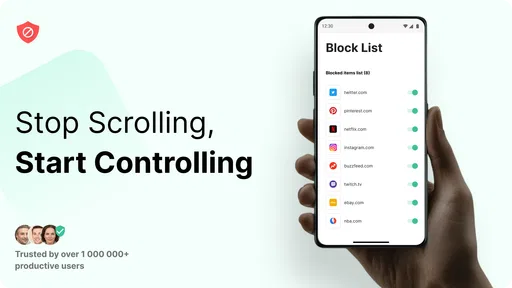
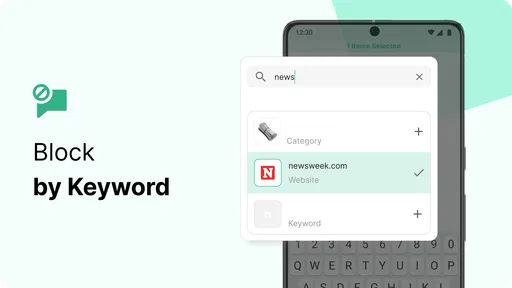
One of the first things I noticed about BlockSite is how user-friendly it is. Setting it up is a breeze. You can block specific websites or even entire categories if you want to stay away from, say, social media or shopping sites. And the best part? You can schedule these blocks according to your routine. Need to focus from 9 to 5? No problem, just set it and forget it!
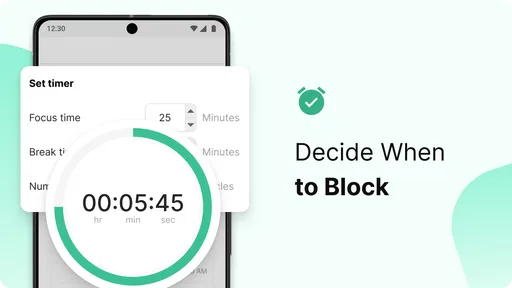
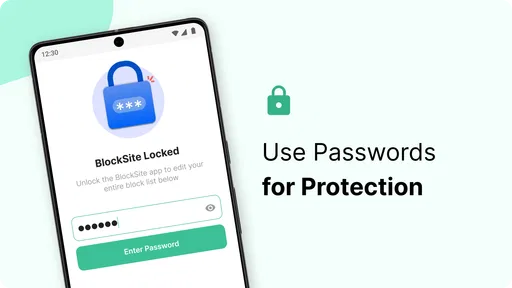
Another cool feature is the "Focus Mode." It's like a digital do-not-disturb sign. Once activated, it helps you concentrate by blocking all distractions for a specified period. And if you're worried about bypassing your own blocks (we've all been there), the app has a nifty password protection feature to keep you accountable.
Making blocks fit real routines
I’d use schedules for recurring situations rather than trying to block everything all day. For example, if I keep opening shopping sites during a work session, I can target that category during work hours while leaving the rest of the web available for legitimate tasks. That narrower setup is more practical than a sweeping block that interrupts research or an unexpected personal errand.
More From Our News Desk

Weather by Xiaomi Review: Clear at a Glance, Less Clear Up Close

X Under Pressure: Can It Recover When Posting Goes Wrong?

Clash of Clans Is Won Between the Battles

Android Auto Makes the Case for Quieter Car Software

MobiOffice: Transforming Mobile Productivity with Seamless Integration

EA SPORTS FC™ Mobile Soccer: Redefining Mobile Sports Gaming
For a realistic study day, I might schedule social media sites during a regular reading period, then use Focus Mode for a separate stretch when I need to finish a draft. The two approaches serve different needs: a schedule handles predictable habits, while a timed focus session is useful when I want a clear start and end. I’d also review the blocked list after a few days; a site that looked distracting at first may turn out to be necessary for work, and a broad category can catch more than I intended.
Where it fits among alternatives
Compared with simply silencing notifications or using a phone’s built-in focus controls, BlockSite is more directly aimed at preventing access to selected websites and apps. Notification controls can reduce interruptions without stopping me from opening a feed out of habit; a blocker addresses that deliberate detour more directly. On the other hand, if I only need fewer alerts, changing notification settings is simpler and avoids managing a separate blocking list.
It is also not a substitute for a full task planner or a time-tracking system. Its role is to create friction around chosen distractions, not to decide what I should work on or organize a project. That’s a useful distinction: I’d pair it with whatever planning method I already use, rather than expect blocking alone to turn an unfocused afternoon into a productive one.
Why You'll Love It
Now, I know what you're thinking: "Do I really need another app telling me what not to do?" But hear me out. BlockSite isn't about restrictions; it's about freedom. Freedom from those little distractions that chip away at your productivity. Imagine getting through your to-do list without constantly checking Instagram or Twitter. Sounds dreamy, right?
Plus, the app isn't just about blocking. It also provides insights into your browsing habits. You can see how much time you're spending on different sites and make adjustments accordingly. It's like having a personal productivity coach right in your pocket.
Limits worth considering
A block only helps if its scope matches the problem. Blocking an entire category may also shut out a site I need for a legitimate task, while blocking only one address can leave other distractions untouched. I’d begin with a small list, test it against a normal day, and adjust rather than creating an aggressive setup that I’ll be tempted to abandon.
Password protection can add accountability, but it doesn’t remove the need to choose sensible rules. If I make the restrictions too rigid, an urgent need to reach a blocked site can turn the tool into an obstacle. People who prefer flexible, self-directed access—or who mainly want reminders rather than barriers—may be better served by notification controls or a habit-tracking approach.
A practical way to test whether it helps
I’d treat the first few days as a small experiment, not a test of character. Before setting anything up, I’d name one recurring detour and the situation that triggers it: checking a social feed while reading, for instance, or opening shopping sites during a work break that keeps stretching. Then I’d block only that target during the relevant window. This makes it easier to tell whether the boundary helps, instead of changing several habits at once and having no idea which setting mattered.
If the block gets in the way of a legitimate task, I’d adjust the target or schedule rather than conclude that all blocking is useless. A useful check is whether I can still reach the sites I need for ordinary work, study, and personal errands. For someone who alternates between research and writing, a broad web restriction could be counterproductive; a narrower list of habitual diversions is more likely to preserve useful access while interrupting the reflex to wander.
What to expect from blocking and browsing insights
The browsing insights can help me notice patterns, but I wouldn’t treat them as a complete productivity diagnosis. Seeing that I spend time on a particular site doesn’t explain whether that time was necessary, restorative, or simply automatic. I’d use the information as a prompt to ask when and why I’m opening something, then decide whether a schedule or a timed session fits. That keeps the app’s role focused on awareness and access boundaries rather than handing it the job of judging my day.
It’s also worth remembering that a block is a deliberate boundary, not a replacement for a break. If I’m tired, I may need to step away from work rather than make every leisure site unavailable. A more sustainable routine can leave room for planned downtime while limiting the specific detours that tend to swallow it. That distinction matters for people who want better focus without turning every phone interaction into a rule to obey.
Who is likely to get value?
I can see BlockSite helping students who repeatedly drift from coursework into social feeds, remote workers who need a cleaner boundary around browsing, and anyone trying to keep shopping or other tempting sites out of a particular routine. It is most useful when the distraction is predictable enough to name and the person setting the block is willing to work with it instead of constantly undoing it.
The app has an average rating of 3.8 from around 55,000 ratings, and it has been installed over 10 million times. Those figures suggest that many people have tried it, but they aren’t a promise that every setup will suit every routine. BlockSite is developed by BlockSite, is currently at version 2.9.8.3.9393, and was released on February 27, 2018. I’d treat those details as context, then judge it by whether its blocking approach works on the devices and habits I actually need to manage.
Who may be better off without it
I’d skip a dedicated blocker if my distraction mostly comes from incoming alerts, because the phone’s notification controls may solve that with less setup. I’d also look elsewhere if I need help breaking a large project into steps, tracking hours, or deciding what deserves attention; BlockSite is about access to selected apps and websites, not planning or coaching. And if I need to move freely between blocked and useful sites throughout the day, a fixed schedule may feel like more friction than help.
Another poor fit is someone who expects a blocker to create motivation on its own. It can make a familiar detour less convenient, but it can’t decide what to do with the time that opens up. I’d pair it with a concrete next action—such as writing a paragraph, reviewing a lesson, or finishing a defined task—so that removing the distraction leaves a clear path forward.
Final Thoughts
In a world where distractions are just a click away, BlockSite: Block Apps & Sites offers a refreshing way to take back control. It's straightforward, effective, and honestly, a bit of a game-changer for anyone looking to boost their productivity. So, if you're tired of getting sidetracked and want to focus on what truly matters, give BlockSite a try. You might just wonder how you ever lived without it.
My buy-or-skip take
I’d try the free version if I can point to a particular site or app that repeatedly derails a routine; it gives me a low-risk way to see whether scheduled limits or Focus Mode change that pattern. I’d skip it if my real need is project planning, fewer notifications, or an unrestricted browser, because those are different problems. Paid value depends on the exact purchase and the improvement it offers me, so I’d check that before spending. For a clearly named distraction and a reasonable block, BlockSite is worth trying; for a vague wish to become more productive, it can’t do the choosing or follow-through for me.
BlockSite: Block Apps & Sites Frequently Asked Questions
Can BlockSite help me stay focused while studying or working?
BlockSite is designed for people who want fewer digital distractions during work, study, or other focused activities. You can choose websites and apps to block, then use schedules to create periods when they are unavailable. This can support a more deliberate routine, though the app works best when you set up restrictions that match your habits and goals.
Can I choose which apps and websites BlockSite blocks?
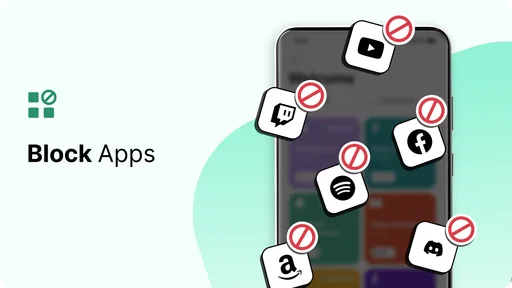
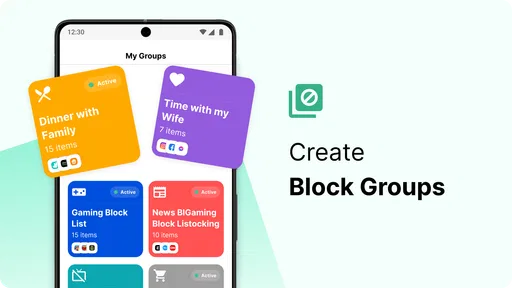
Yes. BlockSite lets you create a list of the apps and websites you want to block, so you can tailor restrictions to the distractions you find most difficult to ignore. You can also schedule blocking periods for selected items. This makes the app more flexible than applying the same restriction to everything, and helps align it with your daily routine.
Is BlockSite free to download, and are there in-app purchases?
BlockSite is free to download, so you can try its productivity tools without paying upfront. The app also offers in-app purchases, with items priced from around fifty cents to just under two hundred dollars. Those purchases are separate from the free download, so check the options shown in the app before buying and consider whether any paid features suit your needs.
What devices and operating systems can run BlockSite?
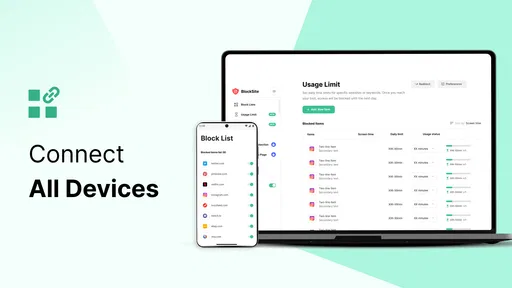
BlockSite is available for Android and iOS devices, and the Android app requires Android 7.0 or later. It also offers browser extensions for Chrome and Firefox, which can help you manage distractions while using a computer. Before downloading, check that your device meets the relevant requirements and choose the version that fits how you plan to use the app.
What is BlockSite and how does it work?
BlockSite is an app designed to help users enhance their productivity by blocking distracting websites and applications on their devices. By setting up a list of sites and apps to block, users can focus better on their tasks. The app can be customized to block certain apps and sites during specific times, ensuring that users remain on track with their goals.
Pros
- Easy to set up and use.
- Helps improve productivity.
- Customizable block schedules.
- Supports multiple platforms.
- Blocks distracting websites effectively.
Cons
- May require permissions that concern privacy.
- Free version has limited features.
- Can be bypassed with technical knowledge.
- Occasional bugs and crashes.
- Requires internet connection for full functionality.











