

BixelAI - Image & Video Maker
- 9.00
- 3.9
- Installs
- 100.00K
- Price
- Free

Screenshots
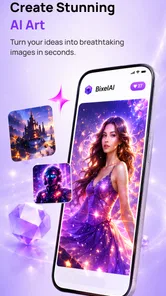
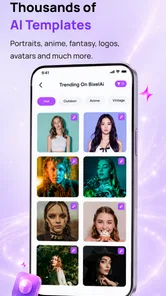
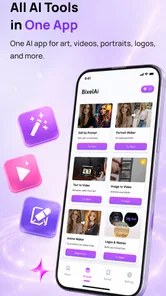
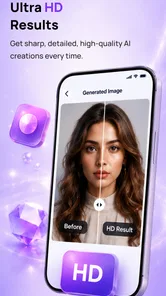
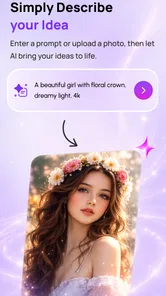
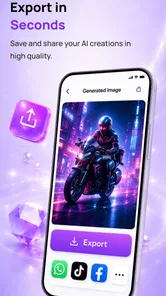
Analysis by Reviewed
I spent time with BixelAI - Image & Video Maker to see whether its central promise—turning a written idea into AI-made images and videos—actually helps in everyday creative work. My short answer is that it can be useful when I need a fast visual starting point, especially for social posts, mood boards, story concepts, or quick experiments. It is less convincing when I need exact control, consistent characters, or a polished result that can go straight into professional production.
That distinction matters. This is an Art & Design app from ByTech Solutions LLC, and its appeal is speed rather than the careful manual control I would expect from a traditional drawing, photo-editing, or video-editing tool. I can begin with an idea instead of a blank canvas, but I still need to judge the output, refine the wording, and sometimes accept that the result is only a draft.
Turning a rough idea into a usable visual
The most important capability here is the combination of an AI art generator and an AI image-to-video workflow. Instead of opening a conventional editor and building a composition layer by layer, I can describe the kind of picture or moving visual I want and let the app create the first version. That changes the starting point: I spend less time arranging basic elements and more time deciding whether the generated direction fits my purpose.
In my experience, this is most valuable when the idea is clear but my manual design skills are limited. A small business owner could use it to explore a background for a promotion. A student could create visual references for a presentation. Someone planning a short social clip could test a few moods before committing to a more involved editing process. The app does not remove the need for taste, but it lowers the effort required to explore an idea.
The image side is easier to appreciate than the video side. A still image can work even when small details are imperfect, particularly if I am using it as inspiration or as a background. Motion makes mistakes more noticeable. A video needs a sense of continuity, and an attractive individual frame does not automatically become a convincing sequence. I therefore see the video generator as a way to create short visual material or concepts, not as a replacement for a full editing suite.
The real benefit is rapid visual exploration, not guaranteed final artwork. That is the mindset I recommend before installing it. If I treat each result as a finished commission, I am likely to become frustrated. If I treat it as a fast creative partner that produces options, the app makes much more sense.
What the workflow feels like in practice
I would begin with a specific description rather than a vague request. “A quiet café at sunrise” gives the system a mood, but adding the intended style, viewpoint, lighting, color direction, and subject arrangement gives me more useful material to evaluate. I also find it helpful to describe what should be visually dominant. If the main subject is buried among too many competing details, the result may be less practical for a post or thumbnail.
More From Our News Desk

 Gmail
GmailGmail in a Busy Inbox: Who Benefits Most?
From first account to crowded workday, Gmail earns its place through dependable search and flexible sorting—but its best fit depends on how much inbox maintenance you can tolerate.

 Prime Video
Switching to Prime Video: What Changes in Your Viewing Routine
Prime Video can make a compelling second home for streaming, but switching means learning a different catalog, rental layer, and route from browsing to playback.

 Universal TV Remote Control
Universal TV Remote Control Works Best as a Reliable Backup
A phone remote earns its place through quick setup and reliable habits. Here is how to get more from Universal TV Remote Control—and where its limits show.

 Weather - By Xiaomi
Weather by Xiaomi Review: Clear at a Glance, Less Clear Up Close
Xiaomi’s weather app makes everyday forecasts quick to scan, but its calm surface can leave useful details and recovery paths harder to find than they should be.

 X
XX Under Pressure: Can It Recover When Posting Goes Wrong?
A resilience-focused review of X, examining setup, mistaken posts, interruptions, weak connections, and the gaps that matter when recovery needs to be dependable.

 Clash of Clans
Clash of Clans Is Won Between the Battles
Its raids are quick; its community is a long-term project of coordination, teaching, rivalry, and shared responsibility—with all the friction that entails.
Latest News



A useful approach is to separate the creative task into passes. First, I decide on the composition: what is in front, what is behind, and where the eye should go. Next, I adjust the atmosphere, such as a warm, dramatic, playful, or minimal feeling. Only after that would I worry about fine stylistic choices. This prevents me from changing too many variables at once and makes it easier to understand why one generated version works better than another.
For video, I would keep the initial concept visually simple. A single subject, a clear setting, and one obvious movement are easier to judge than a crowded scene with several actions. When I want a moving background for a post, I would rather have a restrained visual with a coherent mood than an ambitious scene where motion distracts from the message. That is one of the less obvious trade-offs of AI video generation: more elements can make the idea sound exciting while making the result harder to use.
I also recommend saving the wording that produced a promising image before experimenting further. Small prompt changes can alter the whole mood, so keeping a successful description gives me a reliable point to return to. I can then test one change at a time instead of losing the original direction. This simple habit makes the app feel less random and turns it into a more manageable design process.
A realistic everyday use case
Imagine I am preparing a weekend post for a small bakery. I know the message I want to share, but I do not have a suitable photo and do not want to spend an hour building a graphic from scratch. I could use the app to explore a warm tabletop scene with pastries, soft morning light, and enough uncluttered space for text. The first output might not be suitable for publishing, but it can reveal a composition that I can recreate with a real photo or adapt in another editor.
For a short video, I might create a gentle animated background rather than trying to generate a complete advertisement. A slow visual atmosphere behind a simple announcement is a more realistic target than a sequence showing several people, readable signs, and precise product details. The app is strongest when I give it a focused visual job and leave exact branding or important written information to tools designed for those tasks.
This workflow also helps with brainstorming. If I am unsure whether a dark, elegant style or a bright, friendly style better suits an idea, generating both directions gives me something concrete to compare. I can show the options to a colleague or friend and make a decision based on visuals rather than abstract descriptions. That is a practical advantage over starting with a blank page in a conventional editor.
Where it differs from ordinary design apps
Traditional drawing and design applications give me direct control over individual elements. I can place a shape exactly, edit a color precisely, align text, and return to a layer whenever I need to change it. BixelAI takes the opposite approach. I describe the desired result and accept a generated interpretation. That is faster for discovery, but weaker for precision.
Compared with a standard photo editor, it is better suited to creating something that does not already exist than to correcting a specific photograph. If I need to remove a blemish, adjust exposure, crop a product image, or preserve a person’s exact appearance, a conventional editor is usually the more dependable choice. If I need a fictional environment or a visual concept from words, the AI approach is more interesting.
It also differs from a full video editor. A timeline-based application is still preferable when I need exact cuts, music timing, captions, transitions, multiple clips, or a carefully controlled brand style. The generated video capability is most useful earlier in the process, when I am testing a visual idea or looking for material that can support a larger project.
That makes this app complementary rather than universal. I would not install it expecting one application to replace drawing, photo retouching, graphic layout, and video production. I would install it because the generative starting point solves a particular problem: I have an idea, but I need to see it quickly.
Trade-offs that become clear after regular use
The first trade-off is control. AI output can be visually attractive while still missing the exact relationship between objects that I had in mind. A prompt may communicate the broad subject but not the precise hand position, product shape, or spacing needed for a real campaign. For casual creative work that may be acceptable. For an instruction graphic or commercial asset, it can create extra correction work.
The second is consistency. When I generate several images around one theme, they may share an atmosphere without looking like parts of one carefully art-directed set. This matters for storyboards, character-led posts, and branded content. I would plan around that limitation by using the app to explore the look, then moving to a more controlled workflow for the final series.
Video raises the stakes further. A still image can hide an odd detail because I view it for a moment. Movement draws attention to changes between frames and can make an otherwise attractive concept feel artificial. I would preview the entire clip before using it, especially if the visual contains faces, hands, text, or objects that need to remain stable.
There is also a learning curve in prompt writing. The app may be easy to open, but getting repeatably useful results requires practice. I need to learn which details matter for my preferred style and which ones merely add noise. That is not a reason to avoid it, but it does mean the first attempt may not show its best value.
The free price makes experimenting approachable, while optional in-app purchases range from a small amount to noticeably higher individual purchases. I would be careful to decide how often I expect to generate before spending anything. Occasional users may be satisfied with trying the basic experience, while frequent creators should consider whether repeated generation fits their budget. The important point is that “free” does not automatically mean unlimited creative use.
Who will get the most from it
I think the strongest audience is made up of curious creators who value speed and are comfortable selecting from imperfect results. It can suit social media users who need fresh visual ideas, writers who want to visualize scenes, students making concept material, and small teams that need to discuss a direction before hiring a designer or producing a shoot.
It may also help people who feel blocked by a blank canvas. Seeing several interpretations of a sentence can make the next decision easier. Even when I do not use the generated image, it can clarify what I do and do not want. That makes the app useful as an ideation tool, not only as an image-making tool.
I would be more cautious about recommending it to a professional designer who needs pixel-level control, a video editor working to exact timing, or anyone creating visuals where factual accuracy is essential. It is also not the best fit if the main goal is detailed manual illustration. In those situations, the flexibility of a conventional creative application is more valuable than the convenience of generation.
Device compatibility is relatively broad, with support beginning at Android 7.1, and the app is marked for Everyone. It has reached over one hundred thousand installs and holds a 3.9 average from around six hundred ratings, which suggests a reasonably active audience but also a mixed experience rather than universal approval. I would read that as a reason to approach it with realistic expectations: useful for the right workflow, but not a guaranteed solution for every creative task.
My practical recommendation
Before generating, I would write down the purpose of the asset: inspiration, a background, a social image, a storyboard reference, or a short visual experiment. Then I would keep the first prompt focused, compare a few directions, and preserve the wording behind the strongest result. For videos, I would avoid relying on generated text or exact product details and use the output as a visual layer that can be combined with more precise editing elsewhere.
I would also avoid judging the app by one failed prompt. The useful question is whether it can produce a direction worth developing after a few thoughtful attempts. At the same time, I would not keep regenerating endlessly in the hope that it will solve a problem that really requires manual control. Knowing when to switch tools is part of using it well.
The current release is version 3.2.0, and the app comes from ByTech Solutions LLC. Those details matter less to my recommendation than the workflow itself: it is a free Art & Design app with optional purchases that makes visual experimentation quicker, especially when I am starting from words rather than existing media.
My final view is positive but specific. BixelAI - Image & Video Maker is worth trying if I want to turn a rough concept into visual possibilities without learning a complete design program first. Its image generation is the more immediately practical side, while video generation is better treated as an exploratory aid than a finished-production shortcut. I would recommend it to friends who need ideas, drafts, and visual momentum; I would point them elsewhere when exact consistency, detailed editing, or professional control is the priority.
BixelAI - Image & Video Maker Frequently Asked Questions
What devices and operating systems can run BixelAI - Image & Video Maker?
BixelAI is an Art & Design app from ByTech Solutions LLC, intended for making AI-generated images and videos. It supports devices running Android 7.1 or later, so checking your operating system before downloading can help avoid compatibility surprises. The app is free to install, and its content rating is Everyone, making it suitable for a broad audience.
How much does BixelAI cost, and are there optional purchases?
BixelAI is free to download, but it also offers in-app purchases priced from $2.49 to $27.99 per item. That means the initial download does not necessarily include unlimited access to every creation tool or use level. Check the purchase details shown in the app before committing, especially if you expect to create images or videos regularly.
What is BixelAI - Image & Video Maker?
BixelAI - Image & Video Maker is an AI-powered creative app designed to help users generate visual content from text prompts, images, or editing ideas. Depending on the available tools, it may support creating illustrations, social media graphics, short videos, and enhanced images. Its main appeal is allowing beginners to experiment with AI creation without needing advanced design or video-editing experience.
How does BixelAI create images and videos?
The app generally works by interpreting a written description or an uploaded visual and transforming it according to the selected style, effect, or editing instruction. Users can usually enter a prompt, choose a preferred format, and adjust creative options before generating the result. Video creation may take longer than image generation, especially when the request includes animation, transitions, or several visual elements.
Is BixelAI free to use, or does it require a subscription?
BixelAI may offer free access to selected features, limited generations, or trial credits, while more advanced tools and higher usage limits can require in-app purchases or a subscription. Availability and pricing may vary by platform, region, and promotional offer. Before generating a large number of images or videos, users should review the app’s current pricing, renewal terms, and credit restrictions.
Pros
- Turns text prompts into images and videos with little editing experience.
- Offers creative templates for social posts
- ads
- and personal projects.
- AI tools can speed up brainstorming and visual content production.
- Supports quick image variations for comparing different creative ideas.
- Simple mobile workflow makes creating content convenient on the go.
Cons
- Generated results may contain visual errors
- especially with hands and text.
- Video creation can take longer and may use considerable battery and data.
- The best styles and features may require a paid subscription or credits.
- Output quality and consistency can vary between prompts and revisions.
- Users should review privacy terms before uploading personal or sensitive images.











