

Baby Monitor Camera - NannyCam
- 3.00
- 4.2
- Installs
- 10.00K
- Price
- Free

Screenshots
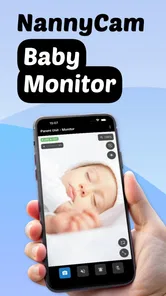
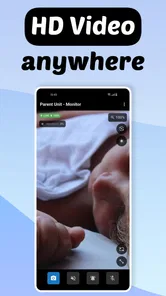
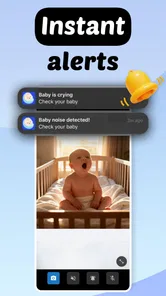
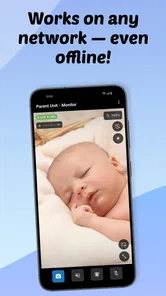

Analysis by Reviewed
When I review a baby monitor, I care less about a long feature list and more about one practical question: does it help me check on a child without turning every small sound into a reason to walk into the room? Baby Monitor Camera - NannyCam, from Cubetix Ltd., takes that approach with a phone-based monitoring setup built around video, audio, and cry alerts. I found its most interesting capability to be the way it aims to keep watch across different connection situations, including WiFi, mobile data, and offline use.
That combination makes it feel different from a standard camera that only works comfortably when everything is connected to the same home network. It is a free parenting app for Everyone, with optional purchases ranging from $2.99 to $29.99 per item. The app has a 4.2 average from around 83 ratings and has passed 10K installs, so it has attracted a modest but meaningful audience rather than looking like an entirely untested idea.
Why the connection options matter more than the camera label
The phrase “baby monitor camera” can make an app sound interchangeable with dozens of other tools. In practice, the useful distinction is whether the app fits the way a family actually moves through a day. A parent may begin with a phone connected to home WiFi, carry another device to a different room, and later need to check in while away from the house. A monitor that depends on one narrow setup becomes frustrating quickly.
Baby Monitor Camera - NannyCam is designed around that wider range of situations. Its store summary highlights WiFi, 3G, offline operation, and cry alerts, while the short description keeps the promise simple: Baby Monitor Camera. I see the network flexibility as the central idea. The camera view is valuable, but the real convenience comes from having a monitoring routine that is not tied entirely to one router or one room.
That does not mean I would treat a phone app as a replacement for every dedicated nursery monitor. A dedicated unit usually has hardware made specifically for continuous monitoring, while a phone app asks you to arrange compatible devices and keep them ready. The advantage here is flexibility: many households already have spare phones, and an app can be easier to try than buying another piece of equipment.
The cry-alert angle also changes how I would use it. Instead of staring at a live image throughout a nap, I can treat the app as a background check and respond when a meaningful sound is detected. That is a better fit for cooking, folding laundry, working nearby, or simply taking a short break. The alert does not remove the need for judgment, but it can reduce the pressure to keep opening the video feed.
What the app changes in an ordinary routine
Imagine a parent settling a baby for an afternoon nap and then moving to the kitchen. With a conventional video call, the parent may keep the screen open, worry about the connection, and repeatedly adjust the phone. With this app, the intended workflow is more focused: place the monitoring device where it can view the sleeping area, keep the receiving device available, and use the cry alert as the prompt to look closer.
More From Our News Desk

 Gmail
GmailGmail in a Busy Inbox: Who Benefits Most?
From first account to crowded workday, Gmail earns its place through dependable search and flexible sorting—but its best fit depends on how much inbox maintenance you can tolerate.

 Prime Video
Switching to Prime Video: What Changes in Your Viewing Routine
Prime Video can make a compelling second home for streaming, but switching means learning a different catalog, rental layer, and route from browsing to playback.

 Universal TV Remote Control
Universal TV Remote Control Works Best as a Reliable Backup
A phone remote earns its place through quick setup and reliable habits. Here is how to get more from Universal TV Remote Control—and where its limits show.

 Weather - By Xiaomi
Weather by Xiaomi Review: Clear at a Glance, Less Clear Up Close
Xiaomi’s weather app makes everyday forecasts quick to scan, but its calm surface can leave useful details and recovery paths harder to find than they should be.

 X
XX Under Pressure: Can It Recover When Posting Goes Wrong?
A resilience-focused review of X, examining setup, mistaken posts, interruptions, weak connections, and the gaps that matter when recovery needs to be dependable.

 Clash of Clans
Clash of Clans Is Won Between the Battles
Its raids are quick; its community is a long-term project of coordination, teaching, rivalry, and shared responsibility—with all the friction that entails.
Latest News



The useful effect is not that the app watches perfectly without supervision. It is that it can turn monitoring into a layered process. Audio or an alert draws attention first; the video then helps the parent decide whether the child is awake, has shifted position, or simply made a brief noise. That two-step response is less disruptive than entering the room every time there is a sound.
I would still position the phone carefully. A clear view matters more than placing it close to the cot, and the device should be stable rather than balanced on something that could fall. I would also keep the lens free of fabric and avoid using a location where the phone could be reached by a child. Those are simple setup choices, but they have more impact on usefulness than constantly changing settings.
For a family using mobile data, the app’s support for 3G is especially relevant as a fallback. It suggests a use case beyond a single-room home setup, such as checking in while one caregiver is elsewhere. However, I would not assume that any mobile connection behaves exactly like home WiFi. Signal strength, data limits, and battery life can all affect the experience, so I would test the arrangement before relying on it during an important nap.
Using offline monitoring without misunderstanding it
The word “offline” deserves careful interpretation in everyday use. I would think of it as useful for a local monitoring arrangement rather than proof that every remote function works without a network. If the parent and monitoring device are operating in a setting without internet access, the value may be that the app can still support a nearby observation workflow. That is helpful in places where the home connection is weak or unavailable.
My practical advice is to test offline behavior in the exact room and with the exact devices you plan to use. Do not wait until the first night away from the router to discover that a preferred viewing method depends on connectivity. A short daytime test can show whether the local arrangement gives you the response you need, whether alerts are noticeable, and whether the receiving phone remains usable for other tasks.
This is one of the app’s less obvious strengths: it encourages a backup plan. Parents often think only in terms of “connected” or “not connected,” but a monitoring routine can have several layers. A local option may cover a short connection interruption, mobile data may help when WiFi is unavailable, and the alert system may reduce the need to maintain a constant video feed. The trade-off is that the parent must understand and prepare the setup rather than assuming the app will configure everything automatically.
The best scenario for NannyCam
I think the strongest match is a household with two usable phones or similar devices, a parent who wants occasional visual reassurance, and a need for more flexibility than a fixed camera provides. It makes sense for daytime naps, visits to relatives, travel within a familiar space, or a home where buying dedicated monitoring hardware feels unnecessary.
It is also a good fit for parents who dislike watching a silent video feed for long periods. Cry alerts can make the app more practical as a notification tool, while the video gives context after an alert. For example, a parent working at a desk can react when the child cries, check the image, and decide whether to wait a moment or go in. That is a more realistic use than expecting the app to replace attention entirely.
Another worthwhile scenario is a temporary arrangement. If a family is staying somewhere for a few days, carrying a familiar phone may be simpler than transporting a dedicated camera and its accessories. The app’s free entry point makes it reasonable to test that workflow before deciding whether optional purchases are worthwhile. I would do the test during the day, when a poor placement or unreliable alert is easier to correct.
For a newborn who needs constant, highly dependable observation, I would be more cautious. A dedicated monitor with purpose-built hardware may be the better choice when reliability, night visibility, long-running power, and physical mounting are the main priorities. NannyCam is most convincing as a flexible aid, not as a promise that a phone can solve every nursery-monitoring need.
The trade-offs behind phone-based monitoring
The first trade-off is device availability. A phone serving as the camera cannot easily be used for calls, messages, or other tasks at the same time. Families with an unused phone will have an easier experience than those trying to repurpose their only handset. Before settling on the app, I would check which device stays in the nursery and which one remains with the caregiver.
Power is another practical concern. Continuous video can be demanding, and even when the app is not actively displaying the image, the monitoring device still needs to remain ready. I would place it near a safe power source, keep the cable away from the child, and check the battery during a trial session. This is not a complaint unique to NannyCam, but it is an important difference from a dedicated monitor designed around permanent use.
Mobile connectivity brings a second layer of uncertainty. The presence of 3G support may help in places where WiFi is not available, but mobile use can be less predictable and may consume data. I would reserve that option for situations where it genuinely helps, rather than leaving it active without checking the household’s plan. A family with reliable WiFi may find the local setup simpler and more economical.
Alerts also need sensible expectations. A cry alert can be useful, but no alert should be treated as a medical or safety guarantee. A baby may move without crying, make a sound that does not require attention, or be affected by background noise. I would use the alert to prompt a check, not as a substitute for safe sleep practices or direct supervision when supervision is needed.
There is also a privacy consideration whenever a phone becomes a camera. I would use the app only in places where the family is comfortable with monitoring, keep the devices under household control, and avoid leaving the camera active in shared spaces unnecessarily. The convenience of a phone-based system is strongest when the setup is deliberate rather than left running everywhere.
What I would test before trusting it overnight
My first test would be a short local session. I would place the monitoring phone in its intended position, walk to the normal receiving location, and check whether the image and sound are useful from there. I would then create a controlled noise or wait for an ordinary household sound to see how the cry alert behaves. This gives a more honest impression than judging the app from a quick launch.
Next, I would repeat the test with the connection method I expect to use most. If that is WiFi, I would try the actual room rather than standing beside the router. If mobile data is important, I would test it away from home and watch for delays. If offline operation matters, I would verify the local workflow separately. These tests reveal the difference between a feature being listed and a feature being practical for a particular household.
I would also check how the app fits around ordinary phone use. Can the receiving device remain accessible while I cook or work? Is the alert easy to notice without being startling? Does the camera phone stay stable and powered? Those questions are more useful than simply asking whether the video appears. A monitor succeeds when it works in the background of family life.
Because the app includes optional purchases, I would begin with the free experience and identify the exact problem I am trying to solve before paying for anything. A purchase may be worthwhile if it removes a real limitation in my routine, but I would not buy an upgrade merely because a longer feature list sounds reassuring. The available purchase range runs from $2.99 to $29.99 per item, so the difference between a small experiment and a larger commitment is significant.
How it compares with usual alternatives
Compared with a basic audio monitor, NannyCam offers the important benefit of visual context. Hearing a cry tells me that something happened; seeing the room can help me judge whether the child is awake or simply unsettled. The cost is more setup and greater dependence on phones, positioning, and power.
Compared with a dedicated video monitor, it is more adaptable and potentially easier to try. I can use devices I already have and take the arrangement with me. A dedicated monitor usually wins when I want a permanent, purpose-built system that is always ready and does not compete with a phone’s other jobs.
Compared with a video-call workaround, the cry-alert focus is more appropriate for monitoring. A call is designed for conversation and may require a screen to stay active, while an alert-based workflow is better suited to quiet observation. The app’s offline and mobile-oriented approach also gives it a broader practical idea than simply leaving a call open between two devices.
I would choose a different option if my priority were advanced nursery hardware, a dedicated parent receiver, or a system intended to run continuously with minimal phone management. I would also look elsewhere if I needed a monitor for several rooms or a more specialized safety setup. NannyCam’s value is concentrated in flexible, phone-based observation rather than in replacing every kind of monitoring equipment.
Who gets the most value from it
The people most likely to appreciate this parenting app are caregivers who want a low-commitment way to add video to an existing routine. It suits parents with spare devices, families who move between rooms or locations, and anyone who finds cry alerts more useful than watching a feed constantly. The free starting point makes it approachable, while the optional purchases leave room for users who need more from the setup.
It is less suitable for someone who wants a camera that can be installed once and forgotten. It is also not my first recommendation for a family that cannot spare a phone, has unreliable power near the monitoring position, or expects alerts to provide complete reassurance. In those cases, a dedicated monitor may justify its higher commitment through simpler physical operation.
The app runs on Android from version 7.0 onward, and its current version is 1.2.1. It was released on November 28, 2025, so I would keep the app updated and test it again after any significant device or system change. That small habit matters with monitoring tools because an arrangement that worked on one phone may behave differently after battery, notification, or connectivity settings change.
After using it as a flexible monitoring aid, my opinion is positive but measured. Baby Monitor Camera - NannyCam is most useful when its central capability is treated realistically: it can help carry baby monitoring across WiFi, mobile data, and local situations, while cry alerts reduce the need to stare at a screen. The best result comes from a tested routine, not from trusting an alert blindly.
I would recommend it to a friend who already has a spare phone and wants an affordable way to check on a sleeping child during everyday tasks or short trips. I would not recommend relying on it alone when a family needs dedicated hardware and maximum simplicity. For the right household, though, the combination of video, alerts, and connection flexibility makes this a practical experiment before investing in a separate nursery camera.
Baby Monitor Camera - NannyCam Frequently Asked Questions
Is Baby Monitor Camera - NannyCam free to download, and are there optional purchases?
Baby Monitor Camera - NannyCam is free to download, with optional in-app purchases available. The app is listed with purchases ranging from $2.99 to $29.99 per item, so check the purchase details in your device’s store before buying anything. You can consider the free download first, then decide whether any paid options suit your needs.
Will NannyCam work on my phone or tablet?
Compatibility depends on your device’s operating system. NannyCam is listed as requiring version 7.0 or later, so check the software version on both devices you plan to use before installing. Since the app is intended to work as a camera on one device and a receiver on another, make sure both meet that requirement and can run the app.
What is Baby Monitor Camera - NannyCam and how does it work?
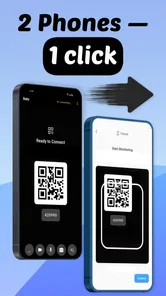
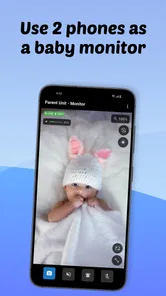
Baby Monitor Camera - NannyCam is designed to turn compatible smartphones or tablets into a baby-monitoring system. One device stays near your child as the camera, while another works as the parent unit for viewing and listening. Depending on the available features and permissions, it may also provide alerts, two-way communication, sound monitoring, or video access over a local network or the internet.
Do I need two phones or tablets to use NannyCam?
In most cases, yes. The app is intended to use one device as the nursery camera and a second device as the receiver for parents. Both devices generally need the application installed, with the camera device positioned safely near the baby and the monitoring device kept with you. Before downloading, check that your phones meet the app’s supported operating-system requirements and can maintain a stable connection.
Can Baby Monitor Camera - NannyCam be used without Wi-Fi or mobile data?
The connection requirements depend on the app’s specific operating mode. Some baby-monitor applications can communicate through a shared local Wi-Fi network, while remote monitoring usually requires an internet connection and may consume mobile data. A weak signal can cause delayed video, interrupted audio, or missed notifications. It is best to test the connection at home before relying on the app overnight.
Pros
- Works with most Android and iOS devices.
- Useful for checking on a sleeping baby from another room.
- Can reduce the need for frequent in-person checks.
- Simple setup makes it accessible for non-technical users.
- Helpful for short-term monitoring while traveling or visiting family.
Cons
- Both devices need a stable internet connection for reliable monitoring.
- Video quality may vary depending on lighting and camera hardware.
- Continuous use can drain the phone battery quickly.
- Privacy depends on securing accounts and connected home networks.
- Not a replacement for direct supervision or a certified baby monitor.











