Baby Development & Milestones
- 68.00
- 4.4
- Installs
- 100.00K
- Price
- Free

Screenshots

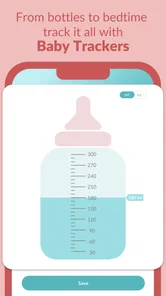


Analysis by Reviewed
When I want one place to organize questions about a baby’s growth, activities, meals and daily progress, Baby Development & Milestones is an appealing starting point. It is a free parenting app from BabyG Tech Pvt Ltd, and its focus is broader than a simple list of age-based milestones. I’d treat it as a practical companion for planning and remembering, rather than as a way to judge whether a child is developing “on schedule.”
Who benefits from having several topics together
I can see this app being most useful for a caregiver who has several small questions throughout the week: what to try during play, what a new behavior might prompt them to notice, or where to find meal inspiration. Keeping those threads in one parenting app can be more convenient than bouncing between saved articles, a notes app and a separate growth tracker. The convenience matters most when the goal is to return to a thought later, not to build a perfect record of every day.
It is also a reasonable starting point for a new parent who wants ideas but does not yet have a routine for collecting observations. More experienced caregivers may appreciate it if they are changing how they organize family notes or looking for fresh activity prompts. On the other hand, if you already have a dependable system and only need a simple height-and-weight log, this broader approach may add another place to check without solving a real problem.
Building a Calm, Repeatable Routine
I’d make the routine deliberately small: choose one moment in the week to look back at notes, then pick a single activity or question to carry forward. That keeps the app useful without making every new behavior feel like something that must be tracked. A clear stopping point also helps me notice whether the habit is genuinely easing family life before adding more to it.
A useful baseline for busy days
I’d begin by choosing one small habit: open the app when a question comes up, then use the relevant development or activity material to decide what to explore next. That is more manageable than trying to read everything at once. For example, during a quiet stretch after a feed, I might look for an age-appropriate activity, try it briefly, and make a note afterward about what held the baby’s attention. The value is in creating a simple record, not turning play into a test.
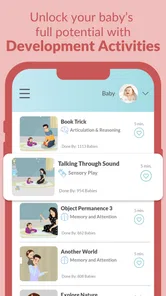
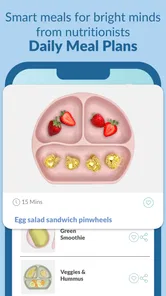
The app’s combination of milestones, activities, baby-led-weaning meal ideas and growth tracking makes it useful across several common parenting questions. If you are comparing it with a notebook, the app can keep those topics together; if you rely on separate articles or trackers, its advantage is having a single place to return to. The trade-off is that an all-in-one approach may feel like more than you need if you only want a basic growth log.
Settings and expectations worth checking
Before relying on reminders or saved information, I’d spend a moment checking the app’s available settings and deciding what I actually want to track. A useful approach is to keep notes short and specific: what activity you tried, what the baby seemed to enjoy, and anything you want to ask at a routine appointment. This makes a record easier to scan later than a stream of general observations. I would also use milestone guidance as a prompt for curiosity, not as a diagnosis; children vary, and a concern about development belongs in a conversation with a qualified health professional.
More From Our News Desk

 Gmail
Gmail in a Busy Inbox: Who Benefits Most?
From first account to crowded workday, Gmail earns its place through dependable search and flexible sorting—but its best fit depends on how much inbox maintenance you can tolerate.

 Prime Video
Switching to Prime Video: What Changes in Your Viewing Routine
Prime Video can make a compelling second home for streaming, but switching means learning a different catalog, rental layer, and route from browsing to playback.

 Universal TV Remote Control
 Works Best as a Reliable Backup
A phone remote earns its place through quick setup and reliable habits. Here is how to get more from Universal TV Remote Control—and where its limits show.

 Weather - By Xiaomi
Weather by Xiaomi Review: Clear at a Glance, Less Clear Up Close
Xiaomi’s weather app makes everyday forecasts quick to scan, but its calm surface can leave useful details and recovery paths harder to find than they should be.

 X
X Under Pressure: Can It Recover When Posting Goes Wrong?
A resilience-focused review of X, examining setup, mistaken posts, interruptions, weak connections, and the gaps that matter when recovery needs to be dependable.

 Clash of Clans
 Is Won Between the Battles
Its raids are quick; its community is a long-term project of coordination, teaching, rivalry, and shared responsibility—with all the friction that entails.
Latest News



The app is free to install and is rated for Everyone. It has a 4.3 average from around 3,000 ratings, with over 100,000 installs. Its current version is 1.80, and it requires Android 7.0 or later. Optional in-app purchases range from $3.99 to $74.99 per item, so I’d check what is included in any purchase before paying. If you prefer an entirely no-cost routine, you can use the free portions that suit you and skip extras rather than assuming every feature is included.
Small shortcuts that make the routine easier
A repeatable weekly check-in can prevent the app from becoming another daily obligation. I’d review notes once a week, pick one activity to try, and save any follow-up question for the next appointment. For baby-led-weaning ideas, I’d treat meal inspiration as a starting point and still make choices based on the child’s readiness, allergies and professional guidance. Keeping these decisions separate helps the app support family routines without becoming the authority on feeding or health.
A useful shortcut is to decide in advance what counts as worth recording. I would save a detail that may be helpful later—such as a new sound, an activity the baby returned to, or a question to raise with a clinician—rather than logging every nap, feed or mood. That boundary keeps a tracker from becoming a second job. It also makes a weekly review more informative because the notes have a purpose instead of merely showing that the app was opened.
In a realistic day, one caregiver might spot an activity idea during a short break, try it while the baby is alert, then tell the other caregiver what seemed to work. The second person can use that shared observation as a starting point for the next play session rather than repeating the same browsing. This kind of handoff is where an all-in-one reference can be handy, provided everyone agrees on what they want to record and does not treat different observations as a disagreement about progress.
Where an all-in-one app has limits
Having several parenting topics together is convenient, but it can also encourage over-checking. A milestone timeline may make ordinary variation feel urgent if you compare a baby too closely with age-based expectations. I’d avoid turning each entry into a pass-or-fail result and use the app to support observation instead. Likewise, meal suggestions and development activities can offer ideas, but they cannot account for every child’s needs or replace individualized advice.
There is a practical trade-off in keeping milestones, meal ideas and growth information together: it saves context-switching, but it can tempt you to treat a broad app as the definitive record for every concern. I would keep any information needed for clinical decisions in the format your health professional recommends, and use this app for everyday prompts and family observations. If you need precise, clinician-oriented charts or a narrowly focused measurement log, a dedicated tracker or your care team’s preferred method may be a better choice.
The app is developed by BabyG Tech Pvt Ltd and was released on April 23, 2021. Its stated focus on baby development gives it a clearer purpose than a general parenting feed, though families who already have a trusted system may not gain much by duplicating their notes. Before switching from a notebook or another tracker, I’d decide which information I genuinely want in one place; otherwise, maintaining two systems can create more work than it saves.
My experience of the milestone approach
I remember those early days when I was constantly wondering if my baby was on track. Is it too early for them to start crawling? Should they be babbling more? Well, Baby Development & Milestones takes the guesswork out of these questions. With a user-friendly interface, the app provides a comprehensive timeline of developmental milestones from newborn up to 3 years old. It’s like having a pediatrician’s advice right at your fingertips.
Features That Make Life Easier
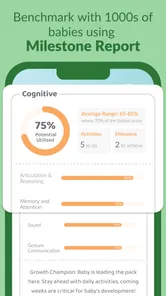
One of my favorite features is the personalized milestone tracker. You can easily log your baby’s achievements and even add notes or cute photos. This way, you can look back and cherish those precious moments. The app also sends you timely reminders about upcoming milestones, so you’re never caught off guard.
The educational resources are a lifesaver too. From articles to videos, the app offers expert tips on how to encourage your baby’s development. I found the tips on tummy time exercises particularly useful, especially when my little one wasn't a big fan at first!
For a more useful record, I’d pair an achievement with a little context instead of saving only the date: what was happening, whether the baby seemed interested, and whether the moment was repeated. That makes a memory more meaningful to revisit and can help me describe a pattern clearly if I later have a question. I would still avoid reading too much into a single observation; babies can respond differently from one day to the next.
Community and Support
What’s really cool is the community feature. There’s a section where you can connect with other parents, share experiences, and even ask for advice. It’s like a virtual support group, which is super comforting when you're navigating the ups and downs of parenthood. Plus, the app's developers seem to genuinely care about feedback and are always updating the app with new features and content.
In addition, the app has a helpful FAQ section and customer support that’s responsive and friendly. Any questions or issues I had were promptly addressed, making the overall experience quite satisfying.
Community advice can be reassuring when you want to hear how another caregiver approached an ordinary challenge, but I would treat personal stories as perspective rather than a substitute for professional guidance. A question about a child’s health, feeding safety or development deserves a more appropriate source than a discussion thread. That distinction lets peer support be comforting without giving it more authority than it should have.
Who will get the most from it
As a parenting app, it earns its place most easily when you want gentle structure rather than another source of pressure. I’d recommend it to caregivers who enjoy trying suggested activities, keeping milestone memories, and having meal inspiration alongside development tracking. If you are already comfortable with a paper journal and prefer not to receive prompts, the app may feel unnecessary; a simpler record-keeping method could suit you better.
For shared caregiving, a practical habit is to agree on what deserves a note before everyone starts logging. A short entry about a new sound or a favorite activity is more useful than several people recording the same routine details. That small bit of coordination helps turn a tracker into a family memory aid instead of a chore.
Compared with the usual alternatives, the choice comes down to how much structure you want. A notebook is flexible and quiet, but it takes more effort to organize across milestones, activities and meal ideas. Separate specialist apps may give a more focused experience for one task, though you have to remember where each note belongs. This app sits between those approaches: it gathers several parenting needs, but it is not the right replacement for clinical guidance or for a family that values a deliberately minimal system.
If you are deciding whether to keep using it after installing, I’d give it a short trial period with one clear purpose: perhaps collecting play ideas or saving milestone observations. If that single habit makes your week easier, add another only when there is a reason. If you find yourself checking repeatedly for reassurance, or maintaining the same information in multiple places, step back and simplify. The app should reduce mental clutter, not create a new standard you feel obliged to meet.
A measured verdict for everyday use
Wrapping it up, I’d say Baby Development & Milestones is a must-have for any parent or caregiver. It’s practical, informative, and just downright handy. Whether you’re a first-time parent or seasoned pro, this app helps ensure you’re on top of your baby’s growth and development. Not only does it ease the anxiety of wondering if your baby is "on track," but it also enriches the parenting journey by offering support and knowledge. So why not give it a try? You might just find it as invaluable as I did!
My more measured recommendation is to use it as a companion, not a scorecard. Start with one feature that solves a real need, keep your notes purposeful, and ignore anything that adds stress. Used that way, it can make everyday questions easier to organize while leaving room for the most important judgment: knowing your own child and asking a professional when something concerns you.
Baby Development & Milestones Frequently Asked Questions
Is Baby Development & Milestones free to download, and are there optional purchases?
Baby Development & Milestones is free to download, so parents can try the app without an upfront purchase. It also offers in-app purchases, with individual items priced from $3.99 to $74.99. If you prefer to keep spending optional, check the purchase details before confirming anything in the app and consider whether its free features suit your needs.
What is Baby Development & Milestones, and who makes it?
Baby Development & Milestones is a parenting app from BabyG Tech Pvt Ltd. Its store description presents it as a baby app covering milestones, activities, BLW meals, and growth tracking, while its short description focuses on baby development. That makes it relevant to parents looking for a single app to explore several parts of their child’s early development and everyday care.
What features does the Baby Development & Milestones app offer?
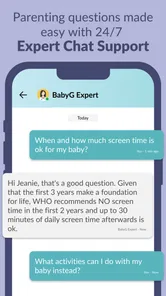
The Baby Development & Milestones app provides a comprehensive guide to track your baby's growth and progress. Key features include personalized milestone tracking, developmental tips, expert advice, and an interactive community forum for parents to share experiences. The app also offers reminders for health check-ups and vaccinations, ensuring your baby stays on the right developmental path. Its broader focus also includes activities, BLW meals, and growth tracking, so it can appeal to parents exploring practical ideas alongside milestone information.
Is the Baby Development & Milestones app suitable for all age groups?
This app is specifically designed for parents with children from birth to toddler age, typically up to 3 years. It focuses on age-appropriate milestones such as crawling, walking, talking, and social interactions. The app adjusts its content and tips as your child grows, providing tailored advice for each developmental stage. Its subject is early childhood development, so it is not aimed at older children or general family planning needs.
How user-friendly is the Baby Development & Milestones app?
The app boasts a user-friendly interface with easy navigation and intuitive design, making it accessible for all parents, even those less tech-savvy. Users can quickly input data, set reminders, and access a wealth of resources with just a few taps. The app also includes helpful tutorials and customer support to assist with any issues. Parents looking for a straightforward place to review development information may find this approach convenient.
Pros
- Comprehensive milestone tracking
- User-friendly interface
- Regular update notifications
- Customizable reminders
- Supports multiple profiles
Cons
- Limited free features
- Occasional sync issues
- Ads in free version
- No offline mode
- Requires account creation