B1G+: Watch College Sports
- 2.94K
- 2.3
- Installs
- 1.00M
- Price
- Free

Screenshots
Analysis by Reviewed
I find the most useful way to judge a college-sports streaming app is to ask what it lets me watch that I would otherwise miss. B1G+: Watch College Sports is aimed at Big Ten fans looking for live coverage of games that aren’t televised, plus replays and other on-demand video. That focus makes it more of a conference companion than a general sports hub: if your interest centers on Big Ten teams, it has a clear purpose; if you want one app for every league, it probably won’t replace your usual options.
My practical advice is to think about the viewing moment before you install it. Are you trying to follow a game that isn’t on your regular TV lineup, or catch up after a busy day? Those are the situations where B1G+ makes the most sense. For a casual fan who only checks major televised matchups, another sports app or the TV service they already use may be enough.
Who gets the most from a focused conference app
I’d put B1G+ on the shortlist if I regularly follow a Big Ten team and want a way to find coverage beyond the games that dominate the usual TV schedule. It can also make sense for alumni who live away from campus or fans whose weekends rarely line up with live start times. The useful question is not whether it covers every sports interest, but whether the events it brings within reach are ones you would actually make time to watch.
For example, imagine that I have errands and family plans on a Saturday when a game I care about is taking place. I can check for the event ahead of time, then decide whether live viewing is realistic or whether a next-day replay suits me better. That is a more dependable plan than assuming I can catch every game as it happens, and it gives the app a concrete role rather than turning it into another icon I rarely open.
Getting Started with B1G+
First off, downloading B1G+ was straightforward. A quick trip to the app store, a tap on download, and I was good to go. Right from the get-go, the app greets you with a user-friendly interface. It's clean, intuitive, and doesn’t overwhelm you with too many options. Navigating through the app is a breeze, even for someone who might not be the most tech-savvy.
The onboarding process is simple enough. You’ll need to create an account or log in, which is standard fare for most apps these days. I appreciated that they didn’t bombard me with a million questions — just the essentials to get started.
Exploring the Features
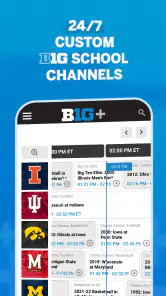
Once you’re in, the real fun begins. The app offers a wide array of features designed to enhance your viewing experience. Whether you’re into football, basketball, or any other sport under the Big Ten Conference umbrella, B1G+ has got you covered.
More From Our News Desk

Clash of Clans Is Won Between the Battles

Android Auto Makes the Case for Quieter Car Software

MobiOffice: Transforming Mobile Productivity with Seamless Integration

EA SPORTS FC™ Mobile Soccer: Redefining Mobile Sports Gaming

How Microsoft OneDrive Became a Mobile Productivity Giant

How Google Translate Breaks Language Barriers Effortlessly
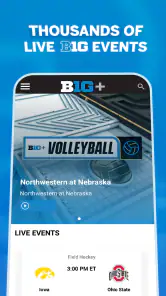
One of the standout features for me was the live streaming option. It’s smooth, with minimal buffering (as long as your internet connection is solid). I’ve tried streaming on both Wi-Fi and mobile data, and surprisingly both worked well. There’s nothing quite like catching a game live and feeling like you’re right there in the stands.
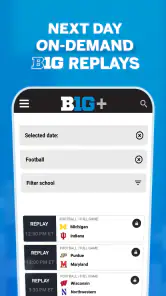
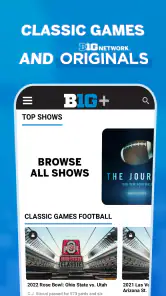
Beyond live streaming, the app offers a treasure trove of on-demand content. Missed a game? No problem. You can catch up with full replays and highlights. I found this especially handy for those late-night games I couldn’t stay awake for.
Making Replays Fit Your Schedule
Next-day replays are particularly useful when a live start time clashes with work, family plans, or a different game already on your screen. I’d use the app to watch the replay when I can give it proper attention rather than trying to follow a score on my phone and pretending that counts as watching. If you want to avoid spoilers, it helps to open the app with a specific replay in mind instead of browsing sports feeds first.
There is a trade-off: a replay is convenient, but it doesn’t recreate the shared, live feel of a close game. I’d choose live viewing when the result matters to the fun, and on-demand video when the timing is the problem. That distinction is worth considering before treating B1G+ as a replacement for every way you watch sports.
Planning around access and purchases
The app is free to download, but that should not be mistaken for every event being free to watch. In-app purchases range from $9.99 to $99.99 per item, so I’d check the event and the purchase details shown in the app before building a viewing plan around it. The sensible move is to confirm access for the particular matchup you care about, rather than making a purchase based only on the conference name or assuming one option covers everything you hope to see.
This is also where B1G+ differs from simply opening a general sports app. A broad service may be easier if you want a mix of leagues and televised games, while this one is more appealing when its specific conference coverage is the reason you are there. I would compare the actual event access and the price presented at the time with the services I already use; the best choice depends on the games I watch, not on the length of a feature list.
Customization and Personalization
One thing I really enjoyed was the ability to personalize my experience. The app lets you select your favorite teams and sports, ensuring you get updates and notifications tailored just for you. This was great for me since I’m a die-hard fan of a few specific teams and don’t want to sift through a ton of irrelevant notifications.
Plus, the notifications are well-timed and not overbearing. Just a gentle nudge to remind you that your team is about to hit the field. It’s like having your own personal sports assistant.
A small practical tip is to be selective about what you follow. If I choose only the teams and sports I genuinely care about, the reminders are more useful and less likely to become background noise. Notifications can help me remember a start time, but I would still check the event itself in the app when I am ready to watch rather than treating a reminder as proof that access or playback is already set.
Where Viewing Can Get Stuck
A live stream depends on more than the app itself. If playback pauses, I’d first check whether other video or browsing works on the same connection, then try switching between Wi-Fi and mobile data if that’s practical. A weak or busy connection can interrupt a live event even when the app’s menus feel responsive. For a game I care about, opening the event a little ahead of time is a sensible way to catch a sign-in or playback issue before the action starts.
It also helps to think about where you plan to watch. A connection that is fine for messages or browsing may not feel equally dependable during a live stream, particularly if other people are using it at the same time. If I know I will be away from home, I would avoid assuming mobile data will behave just like Wi-Fi; checking the stream before kickoff gives me a chance to change plans instead of troubleshooting in the middle of a close game.
If you’re deciding whether to pay for access, check the current event and subscription details in the app before committing. The app is free to download, but it includes in-app purchases ranging from $9.99 to $99.99 per item. That makes it important to confirm that the coverage you want matches the purchase option shown to you; don’t assume every stream is included just because the app is installed.
Setup Checks and Recovery
If you reach a sign-in screen when you expected to watch, I’d confirm that I’m using the account I intended and that the app has finished loading before repeatedly tapping the same control. If a video fails to start, backing out to the event and reopening it is a simple first attempt. Closing and reopening the app can also help with a temporary playback hiccup, while changing networks can reveal whether the problem is tied to the connection.
For an older device, it’s worth checking compatibility before planning a game around the app: the Android minimum is version 8.0. The current version is 11.18.1, and Big Ten Network is the developer. I’d keep the app updated when possible, but I wouldn’t treat an update as a guaranteed fix for every interruption; a network problem or an account issue can look similar from the viewer’s side.
If one event will not play, I would avoid immediately changing several things at once. First retry the event, then close and reopen the app, and only then test a different connection if one is available. That order makes it easier to tell whether the issue is temporary or tied to the network, and it avoids turning a short interruption into a confusing set of account or device changes. If other video works but this event does not, checking the event’s access details is a more useful next step than repeatedly restarting the phone.
When Another Option Makes More Sense
B1G+ has a focused job, while broad sports services and a regular TV package may be better when you follow teams across several conferences or want lots of televised events in one place. I’d use this app as a targeted addition for Big Ten coverage, not as my only sports destination. For a student or alum who checks smaller conference matchups, that focus can be a real advantage; for someone who watches only a few nationally televised games, it may be more than they need.
A general sports app is often the more convenient choice for quick scores, news, or following several leagues at once. A TV service may be better when the game you want is already part of the channels you watch. B1G+ is worth considering when those options leave a specific Big Ten event out of reach, or when watching a replay on your own schedule matters more than keeping all sports coverage under one roof.
A realistic routine would be to check the app before a busy Saturday, identify the event I want, and use a replay later if plans change. That small bit of planning matters more here than it does with a general highlights feed, because the value comes from finding the specific Big Ten coverage that fits my schedule. The app is rated for Everyone, though live sports and account or purchase choices still make it sensible for families to review how they plan to use it.
For a household sharing a screen, I would settle the viewing plan before game time: decide which event matters, check that the person who will watch can sign in, and keep the replay option in mind if plans shift. That is not a complicated routine, but it is more useful than discovering a login or access question after the game has started. For younger viewers, the Everyone rating is reassuring, while purchase decisions remain something an adult should handle deliberately.
Usability and Performance
In terms of performance, B1G+ exceeded my expectations. The app runs smoothly, with no noticeable lag or crashes, which is always a plus in my book. It’s compatible with both Android and iOS, so regardless of your device, you should have a seamless experience.
The design is sleek, and everything is where you’d expect it to be. You won’t find yourself hunting for buttons or lost in a sea of menus. It’s clear that the developers put a lot of thought into making this app user-friendly.
The scale of the audience is substantial, with over one million installs, but the average rating is 2.3 from around seven thousand ratings, alongside roughly 2.9 thousand written reviews. I wouldn’t treat that score as a prediction of how it will behave on my device, but it is a reason to go in with measured expectations rather than assuming every viewing session will be flawless. The app has been around since June 7, 2012, so it is an established service, though longevity alone doesn’t remove the need to check whether its current coverage suits you.
That mixed reception is a useful reminder to test the parts that matter to your routine. I would not judge the app only by how quickly its menus open; the real test is whether the event I want is available to me and whether playback works on the connection and device I plan to use. A short check well before an important game is more informative than installing it at kickoff and expecting every step to go perfectly.
Final Thoughts
So, is B1G+: Watch College Sports worth your time? I’d say absolutely, especially if you’re a Big Ten sports fanatic. It’s like having an all-access pass to your favorite sports events, right in your pocket. While there are always areas for improvement, this app delivers a solid experience that’s hard to beat.
Whether you’re catching a live game, diving into on-demand content, or just keeping up with the latest scores, B1G+ proves to be a reliable companion for any sports enthusiast. So grab your jersey, fire up the app, and enjoy the action!
My recommendation comes with one qualification: I’d install it for a specific Big Ten viewing need, not simply because I want another sports app on my phone. It is most compelling when a non-televised matchup or a next-day replay fills a gap in your routine. If you mainly want broad league coverage or never watch anything beyond a few major broadcasts, your existing TV or sports service may be the simpler choice. For fans who know what they want to follow, B1G+ is a focused option worth trying, with a little advance checking around access and connectivity.
In short, I see it as a specialist rather than a universal sports subscription. The strongest case for installing it is easy to name: a Big Ten game you care about is not available through your usual viewing setup, or you want to catch up after the live window has passed. If neither situation comes up for you, staying with your existing sports and TV apps is a perfectly reasonable choice.
B1G+: Watch College Sports Frequently Asked Questions
What does B1G+ offer college sports fans?
B1G+ is a sports app from Big Ten Network, focused on college athletics. Its streaming offering includes live coverage of non-televised B1G games, next-day replays, and on-demand videos. This can suit fans who want more ways to follow Big Ten sports beyond televised games, whether they plan to watch live or catch up later.
What Android version do I need to run B1G+?
The Android app requires Android 8.0 or later. Before downloading, check your device’s operating system in its settings and make sure it meets that requirement. B1G+ is free to download, though some content and features may involve in-app purchases. If your device runs an older version of Android, you may need to update it before installing the app.
What sports are available to watch on B1G+?
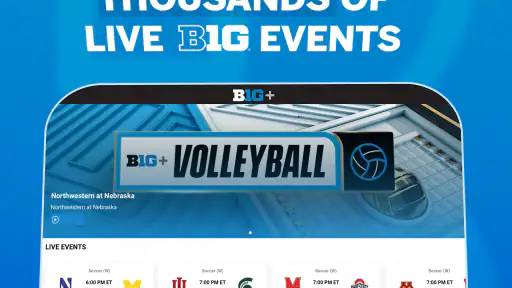
B1G+ offers a wide range of college sports, including football, basketball, volleyball, soccer, and more. Coverage includes both live games and on-demand content, allowing users to catch up on missed events. Fans of Big Ten Conference sports will find extensive coverage, making it a must-have for followers of college athletics.
Is B1G+ available on multiple devices?
Yes, B1G+ is accessible on various devices, including smartphones, tablets, and desktops. It supports both Android and iOS platforms, ensuring that users can enjoy college sports on the go or from the comfort of their home. Compatibility with multiple devices enhances the flexibility and convenience for users.
Does B1G+ require a subscription?
B1G+ is free to download, and in-app purchases are available. Some content may be available for free, but a purchase may be necessary to access certain premium features or live streams. The app offers in-app purchase options ranging from $9.99 to $99.99 per item, so check the purchase details in the app before deciding what suits your viewing needs.
Pros
- Wide variety of college sports coverage.
- High-quality streaming with minimal lag.
- User-friendly interface and easy navigation.
- Customizable notifications for games and updates.
- Access to exclusive interviews and content.
Cons
- Requires a subscription for full access.
- Limited availability outside the US.
- Occasional streaming delays during peak times.
- App can drain battery quickly on long use.
- Some features require additional purchases.

- Category
- Sports
- Version
- 11.18.1