AthleticAPP
- 225.00
- 2.0
- Installs
- 100.00K
- Price
- Free

Screenshots

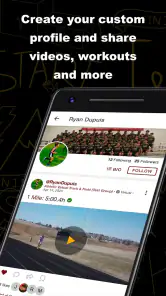
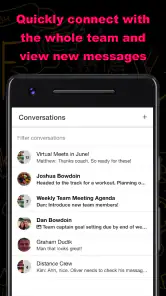
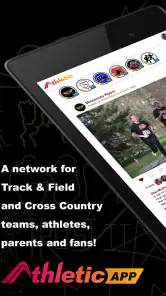
Analysis by Reviewed
When a cross-country or track-and-field team needs one place to communicate and manage virtual entry, the appeal of AthleticAPP is easy to understand. I tested it with that narrow purpose in mind, rather than treating it like a general fitness tracker or a replacement for a full training platform. My overall impression is that its value depends heavily on whether your team actually wants a dedicated communication space. If you do, it can make meet preparation more focused. If you only need occasional messages or a simple sign-up sheet, it may feel like more app than you need.
AthleticAPP is a free sports app from Athletic+ for Android, with an Everyone content rating. It is available for devices running Android 7.0 or later, and the current version is 1.21.10. The app has passed the early adoption stage, with over 100 thousand installs, although its average rating is 2.0 from roughly 400 ratings and more than 200 written reviews. That low score is important context: the concept is useful, but the experience clearly has not worked smoothly for every user.
AthleticAPP’s focused job: team communication and virtual entry
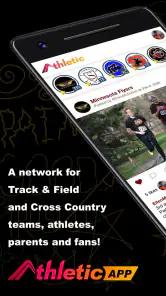
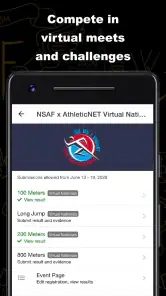
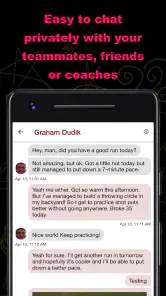
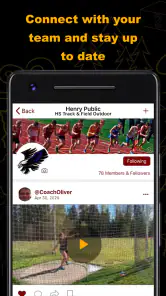
The most important thing to understand is that this is not designed to be a broad sports social network. Its central role is connecting cross-country and track-and-field teams with a virtual entry process. In practical terms, that means the app is most relevant around the point where athletes, coaches, and team organizers need to exchange information and identify who is taking part in an event.
I like that focus. Track and cross-country teams often rely on a mixture of group chats, paper lists, shared documents, and last-minute messages. Those tools can work, but they scatter information. A dedicated team app gives the entry process a clearer home, which can reduce the chance that an athlete misses an important request buried in a busy conversation.
The capability matters most because event participation is not just a simple announcement. A coach may need athletes to indicate whether they intend to compete, while athletes need to know what the team expects from them. Keeping that interaction in a sports-specific environment makes more sense than forcing every person to interpret a general-purpose form or search through a long messaging thread.
That said, I would not describe AthleticAPP as an all-in-one performance system. Its strongest identity is organizational rather than analytical. I would choose a running watch, a training log, or a specialist coaching platform for pace analysis, workouts, recovery, and long-term progress. AthleticAPP is better viewed as the communication and entry layer around team participation.
Why the dedicated setting can be useful
The advantage becomes clearer when a team has several groups operating at once. Cross-country squads may have different race levels, while track teams can involve multiple disciplines and event combinations. A general chat can become difficult to follow when sprinters, distance runners, jumpers, and throwers all receive overlapping messages. A team-centered entry workflow gives the organizer a more relevant context for asking who is competing.
More From Our News Desk

Clash of Clans Is Won Between the Battles

Android Auto Makes the Case for Quieter Car Software

MobiOffice: Transforming Mobile Productivity with Seamless Integration

EA SPORTS FC™ Mobile Soccer: Redefining Mobile Sports Gaming

How Microsoft OneDrive Became a Mobile Productivity Giant

How Google Translate Breaks Language Barriers Effortlessly
One non-obvious benefit is accountability. When participation is handled through a defined process, an athlete is less likely to assume that a casual message counts as an official response. I found that distinction valuable: a conversation can explain the plan, but an entry action signals that the athlete has actually responded to it.
There is also a useful separation between ordinary discussion and event preparation. A team can use its usual messaging method for quick conversation while keeping the more consequential question—who is entering—inside AthleticAPP. That division helps when a coach needs to review responses later instead of reconstructing them from scattered replies.
Still, this only works if everyone adopts the same routine. A dedicated app cannot solve a communication problem when half the team continues responding elsewhere. The coach or team administrator needs to make it clear that AthleticAPP is the place for virtual entry, not merely an optional duplicate of an existing chat.
How the workflow feels in everyday use
In use, I would approach the app as a sequence: join the team environment, watch for the relevant communication, and respond through the virtual entry process when an event requires it. The important habit is checking the app at the same time each day during a busy meet period. Without that habit, a specialized tool can become invisible on a phone already filled with notifications.
For an athlete, the workflow should be fairly easy to understand conceptually. You are not opening it to record every run or build a personal training plan. You are opening it to stay connected with the team and handle participation decisions. That limited purpose is a strength for users who dislike complicated sports dashboards, but it may feel restrictive to runners who expect detailed personal statistics.
For a coach, the value is less about the number of taps and more about having a repeatable process. Instead of asking the same question through several channels, the coach can direct the team toward the app’s entry function. The best results will come from setting a deadline, explaining what a response means, and treating the app as the authoritative list for that event.
A realistic example would be a weekday meet approaching while school schedules are changing. The coach sends the event communication, athletes review it, and each runner handles the virtual entry in the same place. Someone who cannot attend can respond through the team’s chosen process rather than leaving the coach to guess from silence. On the day before competition, the organizer can work from the collected responses instead of scrolling through a group conversation.
That scenario also shows the app’s limitation. AthleticAPP can organize the response, but it cannot make an athlete answer promptly or prevent a coach from needing to clarify unusual situations. If an athlete has a schedule conflict, injury, eligibility issue, or event-specific question, a normal conversation may still be necessary. The app supports the process; it does not replace judgment.
A practical routine that makes the app more reliable
I would recommend using a simple three-part routine. First, the coach announces the event and gives a clear response deadline. Second, athletes complete the virtual entry rather than replying only in a chat. Third, the coach checks the app’s responses before finalizing plans and follows up directly with anyone who has not answered.
This routine is more useful than simply telling people to “check the app.” It gives the platform a defined job and prevents duplicate records. It also helps new athletes understand why they are installing another sports app instead of seeing it as an unnecessary extra.
A second practical tip is to keep general team conversation from competing with entry-related communication. If every minor update is pushed through the same channel, the important event request can lose visibility. AthleticAPP works best when the team treats its communication space with some discipline.
A third tip is to introduce it before the busiest part of the season. Asking athletes to install and learn a new tool on the morning of a meet creates avoidable confusion. The app is more likely to help when the team has already agreed on how entries, corrections, and follow-ups will be handled.
What athletes should know before installing it
The app is free to download, but it includes in-app purchases ranging from $9.99 to $95.00 per item. That does not automatically make it unsuitable, but it means a team should understand who, if anyone, is expected to pay for additional functionality before making AthleticAPP central to its workflow. I would not assume that “free” means every part of the experience has no cost.
The Everyone rating makes it broadly suitable from an age-classification perspective, which fits a school and youth-sports setting. Even so, families and team organizers should still make their own decisions about how the app fits their communication practices. An age label is not a substitute for explaining the team’s expectations to athletes.
Android compatibility is another practical consideration. Devices need Android 7.0 or newer. That covers many older phones, but a team with a mixture of aging devices should check compatibility before relying on the app for a time-sensitive entry deadline. A coach should also keep a backup contact method for urgent meet information, because no app should be the only path to a critical update.
The situation where AthleticAPP makes the most sense
The strongest use case is a structured school or club team that regularly handles cross-country or track-and-field participation and wants to move away from informal entry messages. The app is especially appealing when one person is coordinating many athletes and needs responses gathered in a consistent place.
Imagine a track group preparing for a meet with athletes spread across several event areas. A group chat can announce the meet, but the resulting replies may be hard to sort. Some athletes answer with a thumbs-up, others mention an event in a separate message, and a few send private texts. AthleticAPP’s virtual entry focus gives the team a better chance of turning those scattered intentions into a usable participation record.
For cross-country, the benefit can be even more straightforward because the team may need a clear list of who is attending a particular race. The app does not need to provide elaborate analysis to be useful in that moment. Its job is to help the organizer move from “who might come?” to “who has responded through the team process?”
The app also suits teams whose staff want athletes to take more responsibility for routine communication. Instead of a coach individually confirming every runner, the system encourages athletes to respond themselves. That can save time, but only when expectations are explicit and the team follows through consistently.
I would be more cautious with a very small recreational group. If five friends attend occasional runs and already communicate easily in one chat, installing a separate app may add friction without creating much value. The same is true for an individual runner who wants workouts, route planning, or race analysis. AthleticAPP’s specialized team role would not address those needs.
Where it compares well with ordinary alternatives
Compared with a general messaging app, AthleticAPP has a clearer connection to team participation. A chat is excellent for quick questions and informal updates, but it is not naturally organized around virtual entries. The sports-specific workflow is the reason to use this app rather than simply creating another group conversation.
Compared with a shared spreadsheet or online form, the app should feel more connected to ongoing team communication. A spreadsheet can be flexible, but it often depends on careful permissions, naming conventions, and manual checking. A form can collect answers efficiently, yet it may sit apart from the conversation that explains the event. AthleticAPP brings those needs closer together.
Compared with a full team-management platform, the trade-off goes the other way. Larger systems may combine schedules, payments, rosters, statistics, attendance, and administrative tools. They can be more powerful, but they can also be heavier to introduce. AthleticAPP is more attractive when the immediate problem is communication and virtual entry rather than complete club administration.
My advice is to compare the app against the problem you actually have. If missed entry responses are the main headache, its focused design is relevant. If your team needs a full season-management system, choosing it alone may leave too much work elsewhere.
Important trade-offs before a team commits
The low average rating is the clearest warning sign. A score of 2.0 suggests that many users have encountered meaningful frustration, even though the app has attracted a substantial installation base. I would not ignore that signal. Before making it mandatory, a coach should test the workflow with a small group of athletes and make sure the basic communication and entry routine works for the team’s devices.
Another trade-off is dependence on participation. The more people who use the app consistently, the more useful the shared process becomes. But if athletes forget to check it, or if staff continue collecting entries through texts and paper, the app can create parallel records instead of simplifying the job. Adoption is not a minor detail here; it is central to the app’s value.
There is also a difference between organizing an entry and managing exceptions. AthleticAPP can be a sensible place for the standard response, but unusual cases may still require direct contact. A runner who changes events, withdraws late, or needs an individual explanation should not be forced into a rigid workflow. The team needs a clear rule for correcting information after an entry has been made.
The purchase structure deserves attention as well. Since optional items can cost from $9.99 to $95.00, a team should decide in advance whether the free experience is sufficient and whether any paid element is necessary for its intended use. I would want that conversation to happen before asking every athlete and family to depend on the app.
Finally, the app’s narrow scope can be mistaken for a weakness when it is really a boundary. I would not penalize it for lacking training analytics if the goal is team communication and event entry. I would, however, consider it the wrong primary tool for athletes who want a complete personal running record. Choosing it requires accepting that another app or method may still be needed for training.
Questions I would settle before rollout
Before introducing AthleticAPP, I would ask who controls the team communication, who reviews the virtual entries, and what counts as a completed response. I would also decide how last-minute changes are reported and what backup method is used if an athlete cannot access the app when a deadline is approaching.
I would then test the process with both a coach and an athlete account, using a normal event rather than a hypothetical demonstration. The goal is not to explore every possible feature. It is to confirm that the people responsible for sending information and collecting entries understand the same workflow.
For families, the practical questions are whether the app runs on their Android device, whether any paid items are expected, and whether the team has explained how communication will be handled. Answering those questions early prevents the app from becoming a source of uncertainty during competition week.
Who will gain the most from this focused tool?
AthleticAPP is best for organized cross-country and track-and-field teams that need a dedicated channel for communication and virtual entry. Coaches and team organizers are likely to gain the most because they are the people who otherwise spend time chasing responses and sorting messages. Athletes benefit when the team has a clear, consistent expectation for using the app.
It is also a reasonable choice for a program moving away from paper lists or loosely managed chat replies. The transition will be worthwhile if the team values a single routine and is willing to enforce it gently but consistently. The app’s focused purpose can make that change easier to explain than a large platform filled with unrelated tools.
I would skip it as a primary solution if you are an individual runner, if your group rarely attends organized events, or if you mainly want workouts and performance tracking. I would also hesitate if your team cannot commit to one official entry process. In those cases, a simple form, spreadsheet, or existing messaging tool may be more practical.
My final view is mixed but specific: the idea behind AthleticAPP is useful, and its communication-plus-entry focus addresses a real problem in team athletics. The low rating means I would approach it cautiously rather than recommend an automatic rollout. Its success depends less on having another app and more on giving every team member one clear reason to open it. For a committed coach-led program, that reason can be enough to justify trying it. For casual groups or athletes seeking detailed training tools, a different option will likely fit better.
Developed by Athletic+, AthleticAPP remains a specialized sports utility rather than a universal running companion. I would recommend a small team trial, a written entry routine, and a clear decision about optional purchases before expanding its use. If that test reduces missed responses without creating extra confusion, the app has earned a place in the team’s workflow. If it produces duplicate messages and uncertain records, returning to a simpler method may be the wiser choice.
AthleticAPP Frequently Asked Questions
Does AthleticAPP support both Cross Country and Track & Field teams?
AthleticAPP is a communication and virtual entry network for Cross Country and Track & Field teams. That makes it relevant to people involved in those team environments who want to use the app’s team-focused network. Its stated purpose is different from a general fitness app centered on personal gym routines, so consider whether team communication and virtual entry fit what you need before downloading.
What is AthleticAPP and who is it designed for?
AthleticAPP is a mobile fitness and sports application intended to help users organize, monitor, and improve their training routines. Depending on the features available in your region, it may be useful for beginners, regular gym users, athletes, coaches, or people following structured workout plans. Before downloading, check the app listing to confirm whether its training tools match your sport, fitness level, and personal goals.
Is AthleticAPP free to download and use?
AthleticAPP is free to download, but it offers in-app purchases ranging from $9.99 to $95.00 per item. Check the purchase options before using paid features, and make sure you understand any payment terms shown in the app store. The app is rated for Everyone, and its current version is 1.21.10.
What information or permissions does AthleticAPP require?
A fitness application such as AthleticAPP may request access to information needed for personalization and progress tracking, including your age, weight, height, activity level, training preferences, and workout history. It might also request notifications, health data, motion sensors, location, or wearable-device access. These permissions can improve the experience, but you should review them carefully and deny anything that is not necessary for the features you intend to use.
Can AthleticAPP replace a personal trainer or medical advice?
AthleticAPP can be helpful for following routines, recording workouts, setting goals, and maintaining motivation, but it should not be treated as a replacement for a qualified personal trainer, doctor, or physiotherapist. Training recommendations may not account for injuries, medical conditions, pregnancy, or individual limitations. Start gradually, use correct technique, and consult a healthcare professional before beginning an intense program or exercising if you have health concerns.
Pros
- Simple workout tracking for runners
- cyclists
- and other athletes.
- Helps organize training goals and monitor progress over time.
- Useful activity history makes past workouts easy to review.
- Supports more consistent exercise habits with timely reminders.
- Clean interface is suitable for beginners and experienced athletes.
Cons
- Some advanced training features may require a paid subscription.
- GPS tracking can reduce battery life during longer outdoor sessions.
- Performance data may vary when GPS or connectivity is unreliable.
- Limited customization may not suit highly specialized training plans.
- Requires regular use to provide meaningful progress insights.
- Category
- Sports
- Version
- 1.21.10





