Antivirus: Virus Cleaner, Junk
- 1.53K
- 4.4
- Installs
- 10.00M
- Price
- Free

Screenshots


Analysis by Reviewed
When I think about phone security, I try to separate two jobs that often get bundled together: spotting risky software and keeping storage from filling with leftovers. Antivirus: Virus Cleaner, Junk brings those concerns into one productivity-minded utility. That can be convenient when I want a quick check without juggling separate tools, but it also means I judge it by whether it fits a sensible routine—not by how many buttons it puts on the screen.
Start with a clear idea of what needs attention
Before opening a cleaner, I like to ask what problem I am actually trying to solve. If my phone feels crowded, I check storage and look for files I recognize before deleting anything. If I am worried about a download, I focus on a security scan instead. This small distinction matters: a cleaner is not a substitute for careful downloading, and a virus scanner is not a general cure for every slow-phone complaint.
That is the lens I would bring to an app from Zed LATAM. It sits in the mobile security and maintenance space, but its usefulness depends on how deliberately I use it. A quick scan can be reassuring after installing something unfamiliar; a cleanup is more valuable when I review what it proposes rather than treating every removable item as junk. I would use it as a supporting tool, not as permission to stop paying attention to the apps and files I keep.
A small routine beats constant tinkering
For a practical workflow, I would make security checks occasional and purposeful. After downloading an app from a source I do not usually use, I would run a scan, read the result, and then decide whether the app belongs on my phone. For storage, I would clean only when space is becoming a real concern, and I would review large or unfamiliar items first. That approach avoids turning routine maintenance into a daily chore.
There is also a useful trade-off in keeping security and cleaning together. One place to start can save time, especially for someone who does not want to compare several utilities. On the other hand, a combined tool can tempt me to assume that every suggested action is essential. I would treat alerts as prompts to investigate and cleanup recommendations as suggestions to inspect, particularly when a file might be tied to an app I still use.
Where this kind of tool fits—and where it does not
I would consider this app if I prefer a straightforward starting point for mobile protection and storage housekeeping. It is likely to suit someone who wants a guided scan rather than digging through system settings, or someone who finds it easier to remember one maintenance app than a collection of specialist tools. The app is free to install, though in-app purchases are available, so I would check the purchase details before choosing any paid option.
It is less compelling if you already use a trusted security product that covers the checks you need, or if your main goal is simply to free space. In that case, your phone’s built-in storage controls may be enough and can make it easier to see what is being removed. A dedicated security app may also be a better fit for someone who wants a narrower tool and a more deliberate set of controls. I would not install multiple cleaners just to make the phone feel safer; overlapping tools can add clutter rather than clarity.
More From Our News Desk

Weather by Xiaomi Review: Clear at a Glance, Less Clear Up Close

X Under Pressure: Can It Recover When Posting Goes Wrong?

Clash of Clans Is Won Between the Battles

Android Auto Makes the Case for Quieter Car Software

MobiOffice: Transforming Mobile Productivity with Seamless Integration

EA SPORTS FC™ Mobile Soccer: Redefining Mobile Sports Gaming
Getting Started with Antivirus: Virus Cleaner, Junk
Right off the bat, downloading and setting up Antivirus: Virus Cleaner, Junk was a breeze. The app doesn’t bombard you with ads or unnecessary setup steps, which is always a plus in my book. Once installed, you’re greeted with a clean interface that doesn’t require a tech degree to navigate. Honestly, it feels like the app was designed with us regular folks in mind—no confusing jargon, just straightforward options.
Features That Stand Out
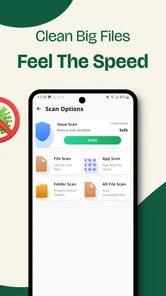
Okay, let’s talk features because this app isn’t just another pretty face. First off, it offers real-time protection, which means it’s constantly on the lookout for any suspicious activity. It’s like having a watchdog on duty 24/7. I tested it against a few sketchy downloads, and it flagged them faster than I could say “virus.”
Another feature I found super handy is the junk cleaner. It’s amazing how much digital gunk accumulates over time. With just a tap, I was able to clear out cached files, residuals, and other unnecessary data that were slowing down my phone. It’s almost like giving your device a mini spa day.
Make the cleanup serve your day
A realistic moment for using the cleaner is just before a long day away from home. If I expect to take photos, download a map, or save a few documents, I might check available space beforehand and remove only items I can confidently identify as disposable. I would not rush through a cleanup while boarding a train or in the middle of a work call: the few minutes saved are not worth accidentally removing something I meant to keep.
My less obvious tip is to make a quick mental note of storage before and after cleaning. That gives me a better sense of whether the action actually helped, rather than relying on a reassuring animation or a general “clean” message. If the phone still feels slow after freeing space, I would look at other causes—such as a demanding app or a weak connection—instead of repeating the cleanup and expecting it to fix everything.
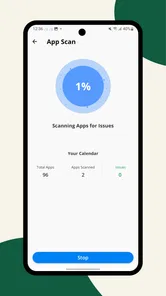
Another useful habit is to scan at a moment when I can act on what I find. A warning is only helpful if I can inspect the app or file behind it and make a calm decision. If I am busy, I would wait until I can check whether the item is something I installed intentionally. This keeps a security check from becoming a reflexive tap-through exercise.
Performance and Usability
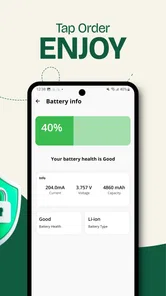
Now, I know what you’re thinking—doesn’t running an antivirus app slow down your phone? Surprisingly, Antivirus: Virus Cleaner, Junk runs smoothly in the background without hogging resources. I didn’t notice any lag or battery drain, which is a huge relief because I’ve used apps before that turned my phone into a snail.
The app is also pretty intuitive. You don’t need to be a tech whiz to use it. Everything is laid out clearly, and the app guides you through the process of scanning, cleaning, and optimizing your device. Plus, it’s available in multiple languages, making it accessible to a broader audience.
Questions I would settle before relying on it
Would I leave it running all the time? The original experience described here is that it offers background protection, but I would still pay attention to how the app behaves on my own phone over several days. Battery use and responsiveness can vary with a device and its settings, so I would notice whether anything changes rather than assuming every phone will feel identical.
Should I clean whenever the app suggests it? No. I would first review the proposed items and skip anything whose purpose I do not understand. Cache can often be recreated by an app, but that does not mean every file presented during a cleanup is automatically expendable. For important photos, documents, and downloads, I would keep a separate backup habit instead of treating a cleaner as a safety net.
Is a scan enough to guarantee that a phone is safe? I would not treat any single scan as a guarantee. I would still install apps thoughtfully, avoid suspicious downloads, and remove software I no longer trust. Security tools are most useful as one layer in a broader routine, not as a replacement for sensible choices.
What should I do if the phone remains sluggish? I would avoid repeating scans and cleanups without a clear reason. I would check whether storage is genuinely low, close or remove apps I no longer use, and consider the phone’s built-in troubleshooting options. A security-and-cleaning utility can help with particular maintenance tasks, but it cannot make older hardware behave like a new device.
Final Thoughts
In a world where our phones are practically our lifelines, keeping them secure is non-negotiable. Antivirus: Virus Cleaner, Junk is a solid choice if you’re looking to beef up your mobile security without jumping through hoops. It’s efficient, user-friendly, and doesn’t come with the usual annoyances like excessive ads or complex settings.
There are useful signs of an established audience: it has a 4.4 average from around 223,000 ratings and over 10 million installs. It is rated for Everyone, and version 1.2.9 supports Android 7.0 and up. Those details make it accessible to many Android users, but they do not remove the need to decide whether its combined approach matches your own habits. I would start with the free experience, learn how its scan and cleanup suggestions behave, and only consider an in-app purchase if I understand what it adds and genuinely need it.
So, if you’re in the market for an app that not only protects your phone but also keeps it running smoothly, give this one a shot. Trust me, your phone will thank you for it!
Who I would recommend it to
I would suggest trying it if you want a friendly, all-in-one place to begin checking security and clearing clutter, and you are willing to review the actions it recommends. It makes the most sense for someone who values convenience and wants a low-effort maintenance routine, not for someone expecting a single app to solve every performance or safety problem.
I would skip it if your phone’s built-in tools already meet your needs, if you dislike bundled utilities, or if you want detailed control over every aspect of security. The app’s appeal is its approachable, combined role; that same simplicity may feel limiting to people who prefer specialist tools and more hands-on settings. Used with realistic expectations, it can be a practical part of a careful phone routine rather than a reason to stop thinking about what gets installed or deleted.
Antivirus: Virus Cleaner, Junk Frequently Asked Questions
What should I check before installing Antivirus: Virus Cleaner, Junk?
Before downloading, check that your Android device meets the app’s operating-system requirement and that you have enough available storage to install it. Antivirus: Virus Cleaner, Junk is intended to help protect a device from viruses and clean junk files, so consider whether those are the tools you are looking for. It is also sensible to review the app’s permissions and purchase options before you proceed.
Who makes Antivirus: Virus Cleaner, Junk, and what is its age rating?
Antivirus: Virus Cleaner, Junk is developed by Zed LATAM and has an Everyone content rating. That rating makes it suitable for a broad audience, while parents and guardians can still review the app themselves before allowing a child to use it. As with any security or cleaning tool, it is worth considering whether its purpose and available options suit the person using the device.
Is Antivirus: Virus Cleaner, Junk free to download, and does it include in-app purchases?
Antivirus: Virus Cleaner, Junk is free to download, so you can try the app without paying upfront. It also offers in-app purchases, with individual items ranging from $0.49 to $35.99. Consider whether you need any paid extras before making a purchase, and review the purchase details shown in the app so you know what you are selecting.
Will Antivirus: Virus Cleaner, Junk work on my Android device?
The app is listed for Android devices running version 7.0 or later, which makes the operating-system requirement an important check before downloading. It is a productivity app from Zed LATAM, with an Everyone content rating. If your device meets the minimum requirement, you can look for Antivirus: Virus Cleaner, Junk in the app store and check its compatibility with your particular device.
What features does Antivirus: Virus Cleaner, Junk offer to protect my device?
Antivirus: Virus Cleaner, Junk provides a comprehensive suite of features designed to protect your device. These include real-time virus scanning, junk file cleaning to free up storage space, and a privacy advisor to safeguard your personal information. Additionally, it offers Wi-Fi security checks and system optimization tools to ensure your device runs smoothly and securely.
Pros
- Efficient malware detection
- Quick system scans
- User-friendly interface
- Low battery consumption
- Regular updates
Cons
- Contains ads
- Limited free features
- Occasional false positives
- Requires internet connection
- Subscription required for full access











