AllEvents - Discover Events
- 529.00
- 4.7
- Installs
- 1.00M
- Price
- Free

Screenshots
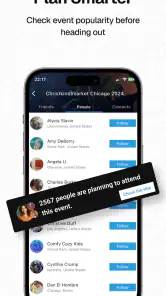
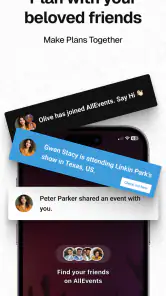
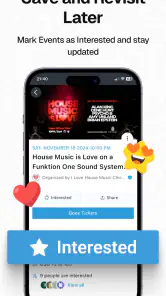
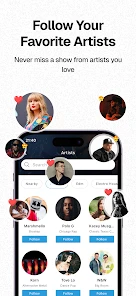
Analysis by Reviewed
When I’m deciding what to do with a free evening, I’d rather browse a useful range of local possibilities than bounce between scattered event pages. AllEvents - Discover Events is built for that kind of browsing: it’s a free events app from Amitech Business Solutions, and its focus is finding things to do nearby. I’d treat it as a starting point for plans, not as a guarantee that every listing or booking detail will suit me.
Discovery is useful, but trust still takes checking
For me, the main trust question with an event app is not whether it can show appealing ideas; it is whether I can make a sensible decision before I travel or pay. Event information affects real plans, and a polished listing is not the same as confirmation from the organizer. I use the app to uncover possibilities, then pause on the details that matter: date, location, entry requirements, and who is responsible for the event.
Its audience is substantial, with more than a million installs and a 4.7 average from around twelve thousand ratings. That gives me some confidence that people use it, but it cannot establish that any specific listing is accurate or that a particular event will match its description. I’d treat ratings as background context, not a substitute for checking the event itself.
The app is free and rated Everyone, which makes it easy to consider for general household use. Still, that age classification applies to the app, not necessarily to the character or suitability of every event it presents. When I’m planning with children, or choosing something in an unfamiliar setting, I’d read the event details closely and make my own call.
Finding ideas, then checking the details
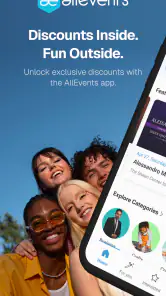
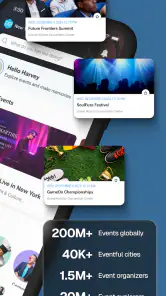
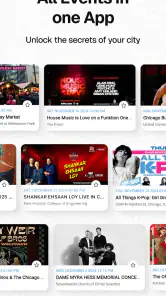
As soon as I fired up the AllEvents app, I was greeted with a sleek and intuitive interface. The home screen immediately offers a smorgasbord of event categories – think music, sports, tech, and even quirky niche events like a cat yoga class. It's like having a personal events curator in your pocket.
Recommendations are a useful starting point
The standout feature for me is the personalized recommendations. After setting up my profile and ticking off a few interests, the app curated a list of events that I’d actually want to attend. Gone are the days of sifting through endless listings. It's as if the app knows me better than myself!
For a more useful first browse, I’d choose interests that reflect what I might actually attend, not every topic that sounds appealing. Then I’d compare recommendations with the broader event categories: the tailored feed can save time, while a wider scan is more likely to surface an unusual option beyond my usual tastes. That balance matters if I’m exploring a new neighborhood or planning for a group with different interests.
More From Our News Desk

Weather by Xiaomi Review: Clear at a Glance, Less Clear Up Close

X Under Pressure: Can It Recover When Posting Goes Wrong?

Clash of Clans Is Won Between the Battles

Android Auto Makes the Case for Quieter Car Software

MobiOffice: Transforming Mobile Productivity with Seamless Integration

EA SPORTS FC™ Mobile Soccer: Redefining Mobile Sports Gaming
One practical way to use that combination is to start broad when the group has no clear preference, then use interests to narrow the shortlist rather than letting a recommendation decide for everyone. If one friend likes live music and another wants a low-key activity, I’d compare a few event pages and settle on the option whose timing and location work for the group. That is more reliable than assuming a personalized feed reflects everybody’s priorities.
Compared with searching a general web browser, the benefit is having event discovery gathered in one place rather than beginning from a blank search. Compared with a venue’s own site, the trade-off is that a venue page may be the better authority once I already know what I want to attend. I see the app as strongest at the “what could we do?” stage, not necessarily the final word on every organizer’s latest instructions.
Booking calls for a careful hand
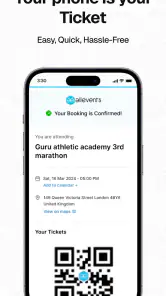
Booking tickets through the app is a breeze. I spotted an indie band playing downtown, and within a few taps, I had secured my spot. The integration with payment gateways is smooth, ensuring a hassle-free booking experience. Plus, I received a nifty e-ticket right in my email. No more printing or scrambling for a ticket at the venue.
For any ticket purchase, I’d pause before confirming and review the event information and total shown in the booking flow. If I’m organizing plans for friends, I’d also make sure everyone agrees on the date and venue first; buying quickly is convenient, but it can make a changed plan harder to coordinate. Someone who prefers to buy directly from a venue or organizer may find that route simpler for a specific event.
A useful habit is to separate discovery from commitment. I might browse during a lunch break, note a promising event, and return to it after checking the time with the people I’m inviting. Before paying, I’d make sure the event page and checkout details refer to the same date and location, then keep the confirmation somewhere I can find it on the day. This small pause reduces the chance that excitement turns into a rushed purchase.
For a last-minute plan, speed can be a real advantage, but it is also when I’m most likely to overlook logistics. I’d check how far the venue is, whether the schedule works, and what the ticket actually covers before treating a listing as an easy night out. If the terms or event details are unclear, I’d use the organizer’s own channel to resolve the question rather than guess based on a short description.
Alerts and everyday control
One of the things I absolutely love is the event alerts feature. Whether it’s a last-minute change in venue or a reminder about an upcoming gig, AllEvents has got my back. I opted in for push notifications, and it’s like having a personal assistant reminding me of all the fun waiting for me.
I’d use alerts selectively rather than turn on every prompt: reminders are handy when I’ve already chosen an event, while frequent notices can become noise during a busy week. A practical routine is to browse when making plans, save the details I need, and enable only the notifications that help me follow through. For a spontaneous Saturday, I can look for ideas without treating every suggestion as a commitment.
That distinction matters because browsing and attending create different needs. A person who is only exploring may prefer not to be interrupted by reminders, while someone who has tickets may value a timely nudge. I’d make a deliberate choice about notification access when the app asks, and revisit that choice if the alerts stop being useful. I wouldn’t assume that receiving event suggestions means I need to respond to every one.
There is a broader privacy point here: event interests can reveal a lot about someone’s routine, tastes, and likely whereabouts. I try to share only what I’m comfortable sharing in any profile or conversation, and I’m careful about what I post publicly around a planned visit. Before granting a permission or enabling a feature, I’d look at the prompt and decide whether it makes sense for the task I’m trying to do, rather than accepting everything automatically.
Community can help, but it isn’t the whole plan
Beyond just attending events, the app fosters a sense of community. There are forums and chat groups where you can connect with fellow event-goers. I found myself joining a group chat for a local food festival, and it was a blast exchanging tips and must-try stalls with others.
That social side is most useful when I want local pointers or company around a shared interest. I’d still keep personal details limited in conversations and verify practical arrangements through the event information itself. If I only need a dependable route, venue contact, or a tightly controlled itinerary, a map app, the organizer’s own channel, or a calendar may be a better companion than a discovery-focused service.
For example, a group chat can help me learn which part of a festival friends are excited about, but I would not treat a message from another attendee as official confirmation of entry rules or schedule changes. I’d check the event listing or organizer for anything that could affect arrival or payment. That is a sensible boundary: community is good for informal tips, while the organizer should be the source I rely on for operational details.
If I’m meeting someone I have only spoken to through an event community, I’d keep the first plan public and straightforward, and avoid sharing unnecessary personal information. That is not a judgment on the app’s community; it is simply a careful way to use any social feature connected to offline plans. People who don’t want event-related conversation may prefer to use the app strictly for browsing and leave the community side alone.
Who will get the most from it?
I think this app is a good fit for people who are open to trying different activities and want one place to browse possibilities before choosing. It can also help when friends ask for ideas and nobody has a plan yet: I’d scan categories, compare a few options, then share the specific event details before anyone commits. It is less compelling if I already know exactly which venue or organizer I want, or if I expect every listing to be equally relevant without checking it.
A realistic use case is a Saturday morning when the weather is fine, a couple of friends are free, and nobody wants to spend half an hour debating what to do. I’d browse nearby options, look beyond the first recommendation, and compare the time and location against everyone’s availability. Once we choose, I’d send the event details to the group and confirm the plan before buying. The app can shorten the search; it cannot make the group’s decision for us.
It may be less useful for someone with a fixed routine built around one venue, a particular ticket provider, or an organizer’s mailing list. Those direct channels can be more efficient when the destination is already known. Likewise, anyone who dislikes recommendation-led browsing may find a search engine or a local calendar more transparent for a narrowly defined query. The advantage here is discovery across possibilities, and that advantage matters most when I have not yet decided what kind of outing I want.
AllEvents was released in 2012 and its current version is 12.2.49, with support for operating systems from version 7.0. That long-running presence and broad reach are useful context, but my decision would still come down to whether its local listings match the way I plan. The app’s strongest role is discovery; the final checks and the choice to book remain mine.
A cautious recommendation
In conclusion, AllEvents - Discover Events is your go-to app if you’re looking to spice up your social calendar. Whether you’re a social butterfly or someone who likes to plan your outings meticulously, this app has something for everyone. So, why not give it a whirl and see what exciting adventures await you in your city?
My recommendation is measured rather than unconditional: I’d try it when I want fresh ideas and use its categories, recommendations, and community as discovery tools. I would not rely on any event app alone for details that affect travel, entry, or spending; I’d review the listing and confirm important points with the organizer when needed. That approach lets the app do what it does best while keeping the important choices in my hands.
AllEvents - Discover Events Frequently Asked Questions
Can I browse events in a city I’m planning to visit?
Yes. AllEvents is designed to help you discover events and things to do near a location, making it useful when you’re exploring a new city as well as when you’re looking for plans close to home. You can search by location and browse different event categories, so you can see what kinds of experiences may fit your trip or free time.
What is AllEvents and how does it work?
AllEvents is a versatile app designed to help users discover various events happening near them. This app aggregates events from different categories such as concerts, workshops, meetups, and festivals, providing users with a comprehensive list of activities they can participate in. Users can search for events based on location, date, or category, and even set reminders for events they are interested in. It's a one-stop solution for event enthusiasts looking to explore new experiences.
Is AllEvents free to use, and are there any in-app purchases?
Yes, AllEvents is free to download and use. However, the app might offer certain premium features that can be accessed through in-app purchases. These may include features such as ad-free browsing, exclusive event access, or enhanced search capabilities. Users can choose to use the free version or opt for these additional features based on their preferences.
How reliable is the event information provided by AllEvents?
AllEvents partners with various event organizers and sources to provide accurate and up-to-date information about events. While the app strives to ensure reliability, users are encouraged to double-check details like event timings, locations, and ticket availability with the official event organizers. This helps prevent any discrepancies and ensures users have the most current information.
Can I create and promote my own events on AllEvents?
Yes, AllEvents allows users to create and promote their own events. Event organizers can list their events by providing details such as event description, date, time, location, and ticket prices. Once submitted, these events become accessible to the app's wide user base, helping organizers reach a larger audience. It's an excellent platform for promoting both small and large-scale events.
Pros
- Wide variety of events listed
- User-friendly interface
- Real-time event updates
- Option to save favorite events
- Customizable notifications
Cons
- Some events lack detailed info
- Occasional app performance issues
- Limited filtering options
- Ads can be intrusive
- Requires internet connection
- Category
- Events
- Version
- 12.2.49