All Document Reader PDF Viewer
- 90.00
- 4.5
- Installs
- 500.00K
- Price
- Free
Screenshots

Analysis by Reviewed
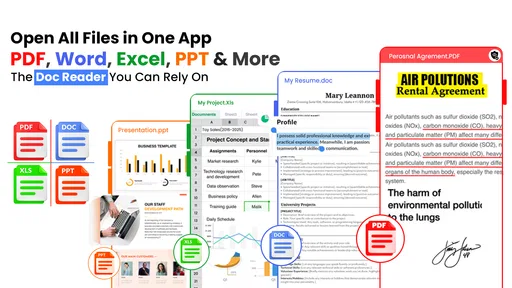
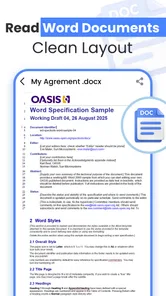
When I open an unfamiliar document reader, I care about more than whether it can display a PDF. I want to know how it fits into an ordinary day, what control I have over my files, and whether its broad feature list actually makes reading and checking documents easier. All Document Reader PDF Viewer is a free productivity app from Solution Mart LLC that brings common office-file viewing into one place. It is designed for PDFs, Word documents, Excel spreadsheets, and PowerPoint presentations, which makes it appealing if your phone regularly receives several file types instead of PDFs alone.
My overall impression is practical rather than spectacular. This is the kind of app I would consider when I need a straightforward central viewer for documents already stored on my device. It does not replace a full desktop office suite, and I would not choose it for serious editing or complex collaboration. Its value is in reducing the need to jump between separate readers when I only need to open, inspect, and refer to a file.
The app is free to install and suitable for Everyone. It has a 4.4 average from around 641 ratings, with more than 500K installs, so it has attracted a meaningful audience without being one of the enormous, universally familiar office platforms. The current version is 3.5, and it runs on Android 6.0 or later. Those details make it accessible to many older Android phones, although the experience will naturally depend on the device, the document size, and how complicated the original file is.
What using the reader feels like in everyday work
The most convincing use case is the quick document check. Imagine receiving a PDF invoice, a Word attachment with instructions, an Excel schedule, and a presentation in the same work chat. If your main need is to open each item without installing a separate application for every format, an all-in-one reader is convenient. I can see this being useful for students checking class material, freelancers reviewing client attachments, or travelers keeping reservation documents and itineraries available offline on a phone.
That convenience matters because file handling on mobile is often less organized than it is on a computer. A document may arrive through email, messaging, cloud storage, or a download folder, and the first challenge is simply finding a compatible viewer. A combined reader gives the phone a more predictable destination for those moments. I would still keep important originals in their normal storage location, but using one app as the place to inspect them can make a busy folder less frustrating.
PDFs are likely to be the most natural fit. They are generally intended to preserve layout, so a viewer can focus on readable pages rather than trying to reconstruct a document. Word, Excel, and PowerPoint files are more complicated because their appearance can depend on fonts, formulas, embedded objects, animations, and page settings. I would treat this app as a convenient inspection tool for those formats, not as proof that every file will look exactly as it does in Microsoft Office or another desktop program.
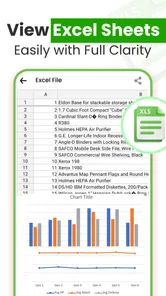
That distinction is important. A spreadsheet that looks fine on a phone may still be difficult to audit because columns are narrow and formulas are not comfortable to examine on a small screen. A presentation may open successfully but not reproduce every visual effect. For a quick reference, that may be entirely acceptable. For approving a financial workbook or presenting slides to a client, I would use the original office software as the final authority.
More From Our News Desk

Weather by Xiaomi Review: Clear at a Glance, Less Clear Up Close

X Under Pressure: Can It Recover When Posting Goes Wrong?

Clash of Clans Is Won Between the Battles

Android Auto Makes the Case for Quieter Car Software

MobiOffice: Transforming Mobile Productivity with Seamless Integration

EA SPORTS FC™ Mobile Soccer: Redefining Mobile Sports Gaming
A useful workflow for mixed attachments
My preferred approach with an app like this is to separate viewing from editing. I would download or receive the file, open it in the reader, check the title and key pages, then return to the source app when I need to make changes or share a revised copy. This avoids treating a viewer as though it were a complete document-production environment.
A small but useful habit is to check the file name and extension before opening it. When several attachments have similar names, it is easy to inspect the wrong version. I would also avoid making a decision based only on the first page of a long document. For PDFs, page navigation is more important than a polished opening screen; for spreadsheets, I would check both the visible data and the general structure before relying on what I see.
Another practical tip is to test a document that resembles your real workload before moving everything into the app. Use one ordinary PDF, one Word file with formatting, one spreadsheet with several columns, and one presentation containing images. This gives a better impression than opening only a simple text document. It also helps answer the question many users have after installation: will this reader handle my files comfortably, or will I still need another app nearby?
Where the broad format support helps
The main strength is the reduction of app switching. Instead of remembering which reader opens which attachment, I can try one productivity tool first. That is especially helpful on a phone used for occasional work rather than full-time office tasks. Someone who reads documents only a few times a week may prefer this simpler arrangement over maintaining several specialized apps.
It can also be useful for people who inherit documents from different sources. A school may send presentations, a bank may send PDFs, and a colleague may send a Word file. The formats do not need to be converted before I can at least inspect them. That lowers friction during short tasks such as confirming a meeting time, checking a page number, or verifying that an attachment is the expected version.
However, broad compatibility should not be confused with deep compatibility. A dedicated PDF app may offer more refined reading tools, while a dedicated office suite may provide stronger editing, formatting, and sharing controls. The trade-off here is breadth and convenience versus specialization. I consider that a reasonable exchange for casual viewing, but less attractive for users whose work centers on one demanding format.
Trust begins with what the app actually asks me to do
Because a document reader may be exposed to personal, academic, or work files, trust is part of the product experience. I would pay attention to the choices shown during setup and whenever I open a file: which storage access is requested, whether the app asks me to create an account, and whether any optional prompts are clearly separated from the basic reading task. I do not treat a document viewer as automatically trustworthy just because it is convenient.
The important point is user visibility. If Android presents a permission request, I want to understand why it is needed before accepting it. A reader that needs access to files I choose to open is easier for me to reason about than one that makes broad requests without a clear explanation. I would review the permission screen carefully on my own device and use Android’s settings to revisit access later if necessary.
I also prefer to test the app with a harmless sample document before opening sensitive material. That is a sensible first step for tax paperwork, identity documents, medical records, employment contracts, or confidential client files. The test lets me observe the opening flow, file picker, prompts, and sharing choices without immediately placing valuable information into a new tool.
There is a second trust moment when an app offers in-app purchases. All Document Reader PDF Viewer is free, while in-app items are listed at $14.99 per item. That does not by itself tell me whether I will need to pay for a particular task, so I would read any purchase screen carefully and avoid tapping through quickly. The practical question is not simply whether the download costs nothing; it is whether the free experience covers my normal viewing needs without unexpected pressure.
Controls I would check before relying on it
Before making this my regular reader, I would look for clear choices around opening files, sharing them, and handling recent documents. I want to know when a file is being sent to another application, because sharing a document is different from merely viewing it. I would also check whether the app lets me remove recent entries or limit what remains visible on the device, especially if I use a shared phone or open private attachments.
These are not glamorous features, but they affect real privacy. A document can be protected in storage and still be exposed through a visible recent-file list, a careless share selection, or a notification preview. My habit would be to close the document after use, review the Android share sheet before confirming a destination, and avoid leaving sensitive files in easily accessible download folders.
I would also keep account decisions separate from file decisions. If the app offers a sign-in option, I would ask whether an account is genuinely needed for the task I am trying to complete. If I only need to read a locally stored PDF, creating an account may add unnecessary complexity. On the other hand, if a feature clearly depends on an account, I would want the app to explain that before I invest time in arranging my documents around it.
My approach is deliberately cautious because a viewer can become part of a sensitive workflow without the user noticing. I might begin with public study notes, product manuals, or travel plans, then gradually start opening contracts and personal statements. Establishing good habits at the beginning is easier than trying to reconstruct control later.
What happens in data-sensitive situations
The riskiest moment is not necessarily opening a normal PDF. It is handling a file that contains information I would not want casually exposed. In that situation, I would first consider whether a local, familiar office tool is more appropriate. If the document is highly confidential, I would avoid experimenting with a new reader until I had reviewed its visible permission prompts and privacy choices on my device.
I would also be careful with external links inside documents. A file may contain buttons, email addresses, or web destinations, and tapping them can move me outside the reader into another app or browser. I would treat those actions as separate from reading. If I only need to inspect the text, I would avoid activating embedded content accidentally.
For spreadsheets, sensitivity can be easy to overlook. A sheet may contain hidden columns, additional tabs, formulas, or notes that are not visible in the first view. I would not assume that a quick glance confirms the entire file. If I were checking payroll, customer records, or a budget, I would open the workbook in a tool designed for detailed review before making a decision.
Presentations bring a different concern: visual accuracy. A slide may look acceptable while still losing a font, transition, or embedded element. That is why I would use this app to preview and navigate, but I would verify important presentations in the software used to create them. This is a limitation of mobile document viewing in general, yet it is particularly relevant when an app combines many formats under one roof.
Who should choose it and who should look elsewhere
I think this reader suits people who want a single, uncomplicated starting point for common office files. It is a sensible candidate for an older Android phone because the minimum operating system is 6.0, and the free entry point makes testing easy. Students, occasional office users, and anyone who mostly reads attachments will probably get more value from its convenience than from a highly specialized tool.
I would be more hesitant to recommend it as the only document app for a professional who edits contracts, builds financial models, or prepares presentations every day. Those users need dependable editing, formatting fidelity, version control, and possibly collaboration. A dedicated office suite is usually a better fit for creation and revision, while a specialized PDF reader may be better for intensive annotation and long reading sessions.
It may also be the wrong choice if your workflow depends on strict organizational controls. In that case, I would prioritize the document system approved by your employer or school, including its account management and sharing rules. A general-purpose reader can be convenient, but convenience should not override the requirements of a regulated or closely managed environment.
My cautious verdict after weighing convenience and control
All Document Reader PDF Viewer is most convincing as a broad, free viewer for everyday document checking. Its support for PDFs, Word files, Excel spreadsheets, and PowerPoint presentations addresses a real mobile problem: receiving mixed attachments when I do not want to install or switch between several apps. Solution Mart LLC has positioned it in the productivity space where that straightforward utility makes sense.
I would install it when my priority is opening common files quickly, especially on an Android device that meets the 6.0 minimum. I would begin with non-sensitive documents, inspect the permission and account prompts, and confirm that the files I actually use display properly. I would also remember that the free download does not eliminate the need to review any in-app purchase screen, with items listed at $14.99 each.
The app earns consideration, but not blind trust. Its 4.4 average and more than 500K installs suggest that many people find the basic idea useful, yet those figures do not replace my own checks around permissions, recent files, sharing, and sensitive content. The best way to use it is as a convenient viewer with deliberate boundaries: read and preview here, edit and approve in the tool best suited to the document.
That is the recommendation I would give a friend. Try it if you regularly juggle several office formats and want a free first stop. Keep a dedicated PDF or office suite available if your work demands advanced controls. Most importantly, make the choice based on the files you handle and the control you can see on your own phone, rather than assuming that one reader should manage every document from casual notes to confidential records.
All Document Reader PDF Viewer Frequently Asked Questions
Is All Document Reader PDF Viewer free to download, and are there in-app purchases?
All Document Reader PDF Viewer is free to download. It also offers in-app purchases priced at $14.99 per item, so check the purchase details shown in the app before choosing any paid option. The app is intended for productivity and is rated for Everyone, making it suitable for a broad audience, though parents should always consider how a child will use any app.
What devices and operating systems can run All Document Reader PDF Viewer?
The app is available for Android devices running version 6.0 or later. Its current version is 3.5, and compatibility can depend on your device and the version distributed through the relevant app store. Before downloading, check the store page on your device to confirm that the app is offered for your platform and that your operating system meets the requirements.
Who develops All Document Reader PDF Viewer, and what do users think of it?
All Document Reader PDF Viewer is developed by Solution Mart LLC. It has a 4.4 average rating from 641 ratings, with 88 written reviews, and has reached over 500,000 installs. These figures can help you get a sense of its reception, but individual experiences may differ depending on the device, the files being opened, and the features each person expects.
What is All Document Reader PDF Viewer used for?
All Document Reader PDF Viewer is designed to open and read common document formats from a mobile device. Depending on the version and device, it may support PDFs, Word documents, spreadsheets, presentations, and text files. It is useful for viewing work documents, study materials, invoices, forms, and downloaded attachments without needing a separate app for every file type.
Which file formats does All Document Reader PDF Viewer support?
The application generally focuses on PDF viewing and may also recognize popular office formats such as DOC, DOCX, XLS, XLSX, PPT, PPTX, and TXT. However, supported formats can vary according to the app version, operating system, and developer updates. Before downloading, users should check the current store listing if they need to open a less common format or a document with advanced features.
Pros
- Opens PDF
- Word
- Excel
- and PowerPoint files in one place.
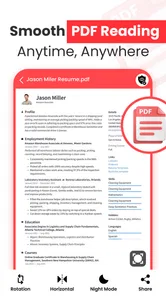
- Useful search tool helps locate words quickly in long documents.
- Supports offline reading after files are stored on the device.
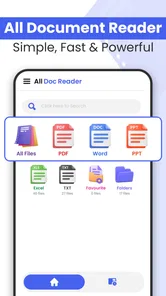
- Recent-files list makes frequently opened documents easy to find.
- Simple interface is suitable for users who want basic document access.
Cons
- Advanced editing and annotation tools may be limited.
- Some file formats may not display perfectly on every device.
- Large documents can take time to load on older phones.
- Ads may interrupt the experience in the free version.
- Full functionality may require in-app purchases or a subscription.











