AI Photo Generator - ReCrea
- 3.00
- 4.6
- Installs
- 100.00K
- Price
- Free

Screenshots
Analysis by Reviewed
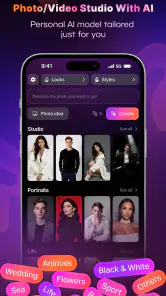
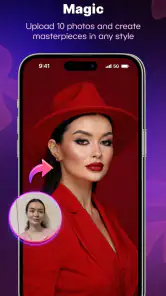
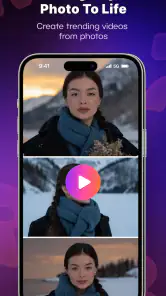
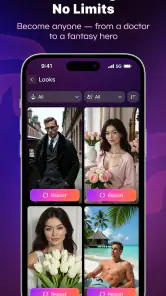
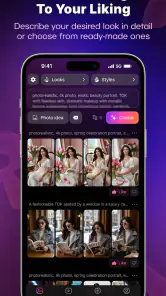
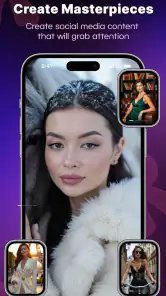
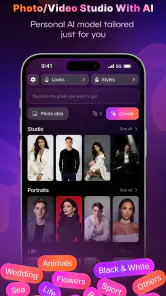
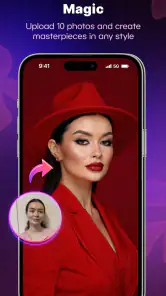
I spent time with AI Photo Generator - ReCrea as a photography app, focusing not only on the pictures it can create but also on how comfortable it feels for people with different abilities, routines, and expectations. Its central idea is easy to understand: turn a written idea or a selfie into an AI-generated image, including action-figure-style portraits and professional-looking headshots. That makes it more playful than a standard camera editor, but also less predictable than a traditional filter app.
The app is made by S18 and is free to install, with optional purchases ranging from $2.99 to $174.99 per item. It is rated for Everyone and runs on Android 8.0 or later. I found that combination important because the app is approachable at first, yet its generated results can vary enough that you need patience, clear prompts, and a willingness to try again rather than expecting a perfect image on the first attempt.
How clearly the app communicates what to do
A simple concept with a learning curve underneath
The basic journey is straightforward: choose a photo or describe the result you want, then let the generator produce an image. The appeal is immediate because you do not need photography knowledge, drawing ability, or a complicated editing workflow. Someone who has never used layers, masks, or manual retouching can still experiment with a stylized portrait.
That simplicity is helpful for users who prefer a small number of visible choices. Instead of opening a large professional editor filled with sliders, you can approach the app with a specific goal, such as creating a collectible-style version of yourself or preparing a polished profile image. The clearer the idea, the easier it is to decide whether the result is close enough.
At the same time, AI tools often hide their complexity behind a short prompt. A request like “make me look professional” leaves many decisions unresolved: clothing, background, lighting, expression, framing, and how much the face should change. I got better results when I described the setting and mood in ordinary language while keeping the request focused. This is one of the app’s less obvious lessons: clear instructions are more useful than long instructions.
Reading and visual interpretation
For readers who need strong visual clarity, the most important part of the experience is not only whether text is readable, but whether the generated image communicates what happened. AI output can look impressive at first glance while containing small flaws in hands, jewelry, glasses, hair, or facial details. Those issues may be easy to miss on a small phone screen, especially when the image is busy or heavily stylized.
I recommend enlarging every candidate before saving or sharing it. A portrait that looks fine in a thumbnail can reveal an odd eye direction, a distorted accessory, or an unnatural edge around the hair when viewed more closely. This extra inspection is particularly useful for headshots, where a small facial error can make the image unsuitable for a profile, résumé, or professional introduction.
The app’s visual nature may suit people who process examples faster than written explanations. Seeing a generated style can communicate the result more quickly than reading a long description. However, users who rely on nonvisual access should be cautious about treating an AI image as self-explanatory. The meaning, quality, and flaws of the output still depend heavily on visual inspection.
Keeping prompts manageable
I found a practical workflow that reduces mental effort: decide on the subject first, then add one setting and one style. For example, I would start with a portrait, specify a clean studio background, and request a realistic headshot. Only after getting a usable direction would I change the clothing or mood. This avoids the frustration of changing several variables at once and not knowing why the result became worse.
For the action-figure concept, the same approach works in reverse. Begin with the person and pose, then add the packaging or collectible theme. If every detail is included immediately, the generator has more opportunities to interpret the request in an unexpected way. Short iterative prompts are easier to read, easier to remember, and easier to compare.
What the rating and audience suggest in practice
The app has an average rating of 4.6 from around 1.7 thousand ratings, and it has passed 100 thousand installs. Those figures suggest that the concept has found an audience, but they should not be read as a guarantee that every generated portrait will meet the same standard. AI image quality is highly dependent on the source photo, the wording of the request, and your tolerance for variation.
Because it is marked for Everyone, I can see it working for casual family creativity, school-age experimentation with appropriate supervision, and adults who want a quick visual novelty. That label does not remove the need for sensible judgment when uploading personal photographs or sharing images of other people. The responsible choice is to use photos you have permission to transform and to review the result before publishing it.
Different abilities, devices, and everyday situations
Motor effort and the value of a short workflow
AI generation can be less demanding than detailed manual editing. If tapping many small controls or dragging precise sliders is tiring, asking for a broad transformation may be easier than retouching a face by hand. The app’s strongest accessibility advantage is therefore conceptual: it can replace a long sequence of fine motor actions with a small number of decisions.
That advantage has a limit. You still need to select an image, enter or edit a request, inspect the output, and possibly repeat the process. If the first result has a flaw, correcting it may require another attempt rather than one precise adjustment. For someone with limited dexterity, repeated retries can become more tiring than using a conventional editor with direct controls.
My advice is to prepare the source photo before opening the generator. Choose an image with the face clearly visible, avoid unnecessary background clutter, and decide what the final image is for. This reduces the number of corrective attempts and makes the interaction more purposeful. It is a small preparation step, but it can make the app feel much less demanding.
People with sensory sensitivities
The app is a good fit for users who enjoy visual experimentation but may not want the noise of a full social platform, a complex design suite, or a camera interface filled with live controls. Generating an image from a still photo can feel calmer than managing a real-time shooting session. It also lets you work at your own pace: take a photo elsewhere, return to it later, and then decide how to transform it.
On the other hand, AI imagery can be visually intense. Strong contrasts, fantasy styling, exaggerated facial features, and busy collectible designs may be uncomfortable for people sensitive to visual clutter. A realistic headshot request with a plain background is a better starting point than a highly dramatic prompt if you want a calmer result.
There is also a social sensory consideration. A generated portrait may look close to the original person without being an exact representation. That can be unsettling for some users, especially when the app changes expression, skin texture, age cues, or proportions. I would treat the first output as a creative interpretation, not as a faithful copy.
A realistic everyday scenario
Imagine needing a new profile image before joining an online course or community. You have a decent selfie, but the background is distracting and the lighting is uneven. Instead of learning a full photo editor, you can use the image as a starting point and ask for a clean, friendly headshot. The result may save time, particularly if you only need something presentable rather than a studio-quality photograph.
Before using it publicly, I would compare the generated face with the original and check whether the image still feels like me. I would also inspect glasses, hair, clothing edges, and the background. If the app produces an attractive but noticeably altered face, I would not use it for identity-sensitive situations. For a casual profile, it may be acceptable; for official identification, it is the wrong tool.
When an action-figure image is the better choice
The action-figure generator is more than a novelty for people who want a playful way to present themselves. It can be useful for a birthday message, a personal avatar, a themed invitation, or a creative gift idea. It also offers a lower-pressure alternative to a realistic portrait: imperfections can feel intentional when the image is clearly stylized.
There is a trade-off, though. A collectible look often prioritizes character and dramatic presentation over accurate likeness. If you want to recognize yourself immediately, keep the prompt focused on preserving facial identity and avoid adding too many costume or fantasy elements at once. If your goal is self-expression rather than resemblance, the more imaginative direction may be more rewarding.
Where usual alternatives still win
A conventional photo editor remains better when you need exact control. It lets you crop a precise area, correct exposure gradually, remove a specific object, or retouch one small detail without changing the entire face. A camera app is better when the main challenge is taking a sharp, well-composed photograph. A professional headshot service is better when lighting, identity accuracy, and consistency matter more than speed.
ReCrea is strongest between those options. It is quicker and more imaginative than manual editing, but more variable and less controllable than a traditional workflow. I would choose it for a creative profile image, a themed portrait, or a quick visual experiment. I would not choose it for passport-style photographs, formal identification, medical documentation, or any situation where an altered face could cause confusion.
Remaining barriers and practical caution
The largest barrier is unpredictability. A user may understand exactly what they want and still receive an image that changes important details. That can be frustrating for anyone, but especially for people who need reliable, repeatable output or who have difficulty evaluating subtle facial differences.
Another barrier is the purchase structure. The app is free to start, but optional items can cost from $2.99 to $174.99 each. I would pay close attention to the purchase screen before confirming anything, particularly if a child is using the app or if you are testing it casually. The broad range means the free entry point should not be confused with unlimited access to every creative option.
Storage and sharing also deserve thought. A face is personal information, even when the intended result is humorous. I would avoid uploading someone else’s photograph without permission, and I would consider whether a generated image could reveal more about a person than they intended. The app may be fun, but the safest workflow is still to choose images carefully and share selectively.
Version 4.29 is available for devices running Android 8.0 or newer. That makes the app usable on a wide range of Android phones, although the practical experience can still depend on the device’s screen size, performance, and available storage. On a smaller display, inspecting facial details takes more effort; on an older phone, waiting through image creation may make repeated experimentation less appealing.
Who should use it and who should skip it
I would recommend it to people who want quick creative portraits without learning a complicated editor. It is especially enjoyable for experimenting with a personal avatar, making a playful image for friends, or exploring the difference between a realistic headshot and a stylized collectible version of yourself.
I would suggest skipping it if you need exact likeness, professional consistency, or detailed manual correction. It is also not the best choice if you dislike trial and error, if visual changes to your face feel uncomfortable, or if you are not prepared to review purchase prompts carefully. In those cases, a standard editor or a conventional camera workflow will probably feel more dependable.
My inclusive verdict
After using it as a photography tool rather than judging it only by its novelty, I see AI Photo Generator - ReCrea as an approachable creative app with a useful low-effort starting point. Its ability to turn a simple photo or idea into a headshot or action-figure portrait can reduce the technical burden for beginners and for people who find manual editing tiring.
Its inclusive value comes with an important condition: the app makes creation easier, but it does not make evaluation unnecessary. Users still need to inspect faces, understand that results may change personal features, and decide whether the image is appropriate for its intended setting. That distinction matters for anyone with visual, motor, sensory, or situational needs.
I would use it when I want an expressive image quickly and when a little unpredictability is part of the fun. I would switch to a traditional editor when accuracy, control, or repeatability matters more. With that boundary in mind, the free app from S18 is worth trying for casual creative photography, provided you approach each result as a draft to review rather than a finished truth.
Pros
- Creates imaginative images from simple text prompts.
- Offers multiple visual styles for varied creative projects.
- Useful for social posts
- avatars
- wallpapers
- and concept ideas.
- Simple interface makes image creation accessible to beginners.
- Can help turn rough ideas into polished visual content quickly.
Cons
- Results may differ noticeably from the requested prompt.
- Some advanced features or generations may require payment.
- Image quality can vary depending on the prompt and chosen style.
- Generated faces
- hands
- and text may occasionally contain errors.
- Using the app may require an internet connection and account access.

- Category
- Photography
- Version
- 4.29











