

AI Logo Maker & Logo Creator
- 0.00
- 0.0
- Installs
- 50.00K
- Price
- Free
Screenshots
Analysis by Reviewed
I approached AI Logo Maker & Logo Creator as a quick design tool rather than a replacement for a professional branding suite. It belongs to the Art & Design category, is free to install, and is aimed at people who need a usable visual identity without spending an evening learning complicated software. After trying it for the kind of small projects that usually lead people to search for a logo maker, my impression is straightforward: it can be useful when speed matters, but its lasting value depends on whether you are comfortable refining a generated starting point instead of expecting a finished brand system.
The app comes from Trusted Tools & Utilities Apps and is suitable for Everyone. It supports Android 7.0 and later, which makes it accessible on many older devices as well as newer phones. Its current version is 1.9, and it has passed the early curiosity stage with over 50 thousand installs. That does not automatically make it the right choice, but it does suggest that the simple logo-from-a-phone idea has practical appeal.
What the first week feels like
The strongest part of the experience is the low commitment. If I need a profile image for a small online shop, a badge for a local activity, or a temporary mark for a new project, I do not necessarily want to open a full desktop editor. A focused logo app makes sense in that moment because the task is narrow: choose a direction, adjust it until it looks coherent, and save something I can actually use.
The store presents the app as an AI logo maker, but I would treat that label as a starting-point promise rather than a guarantee of finished design quality. AI-assisted creation can help break the blank-page problem, especially when I know the general mood I want but do not know how to express it visually. The useful question is not whether the first result looks perfect. It is whether the first result gives me a workable composition that I can judge and improve.
That distinction matters during the first session. A beginner may be tempted to accept the first attractive symbol and move on. I found it more sensible to compare several directions before becoming attached to one. A logo that looks impressive on a bright phone screen may become muddy as a small avatar, lose its character against a different background, or feel too decorative once placed beside ordinary text. The app is most helpful when I use it to explore options, not when I treat its first suggestion as a final identity.
For a realistic everyday scenario, imagine that I am preparing a weekend market stall and need a recognizable mark for a social profile, a simple sign, and a small product label. I can use the app to establish a visual idea quickly, then check that the central shape remains clear at different sizes. That workflow is more valuable than simply generating something attractive. It turns the app into a decision aid: I am testing what people might recognize, not merely collecting colorful images.
Another useful first-week habit is to judge the logo in context before sharing it. I would place the design mentally beside a business name, a short description, and a plain background. If the symbol only works when it occupies most of the screen, it may not be practical. If the lettering competes with the icon, I would simplify the arrangement rather than adding more decoration. This kind of restraint is where the user’s judgment still matters more than automation.
More From Our News Desk

 Gmail
GmailGmail in a Busy Inbox: Who Benefits Most?
From first account to crowded workday, Gmail earns its place through dependable search and flexible sorting—but its best fit depends on how much inbox maintenance you can tolerate.

 Prime Video
Switching to Prime Video: What Changes in Your Viewing Routine
Prime Video can make a compelling second home for streaming, but switching means learning a different catalog, rental layer, and route from browsing to playback.

 Universal TV Remote Control
Universal TV Remote Control Works Best as a Reliable Backup
A phone remote earns its place through quick setup and reliable habits. Here is how to get more from Universal TV Remote Control—and where its limits show.

 Weather - By Xiaomi
Weather by Xiaomi Review: Clear at a Glance, Less Clear Up Close
Xiaomi’s weather app makes everyday forecasts quick to scan, but its calm surface can leave useful details and recovery paths harder to find than they should be.

 X
XX Under Pressure: Can It Recover When Posting Goes Wrong?
A resilience-focused review of X, examining setup, mistaken posts, interruptions, weak connections, and the gaps that matter when recovery needs to be dependable.

 Clash of Clans
Clash of Clans Is Won Between the Battles
Its raids are quick; its community is a long-term project of coordination, teaching, rivalry, and shared responsibility—with all the friction that entails.
Latest News



The app’s free entry point is important here. I can investigate whether its approach suits me without committing money immediately. At the same time, the presence of in-app purchases, ranging from $0.49 to $33.99 per item, means I would pause before treating every attractive option as part of the basic experience. I would first decide what I genuinely need, then check the purchase prompt carefully instead of tapping through it simply to keep experimenting.
That pricing range also changes how I evaluate the first week. A free installation is useful for discovery, but the real value depends on whether the result can be used repeatedly and whether the tools I need are available without turning a simple project into a series of small paid decisions. For a one-off personal mark, that may be acceptable. For a business that expects many variations, the cost and limitations deserve more attention.
Where it helps beginners most
I think the app is best suited to people who have a clear practical need but limited design experience. A new seller, community organizer, student project, content creator, or hobby group may not need a complete identity package. They may simply need a symbol that looks more intentional than plain text. In those situations, a guided logo workflow can provide momentum and reduce the anxiety of starting from nothing.
It can also help someone learn what they like. By comparing different visual directions, I can discover whether a cleaner symbol, heavier lettering, or a more restrained arrangement fits the project. Even if I later hire a designer or move to a more advanced editor, that early exploration gives me something concrete to discuss. I can say what feels wrong and what kind of visual language seems closer to the project.
However, I would not use it as my only tool for a serious rebrand. A professional identity normally involves more than one logo image. It may require carefully controlled typography, color rules, spacing, alternate layouts, print preparation, and consistent use across different materials. A quick mobile creator can support the first idea, but it should not be mistaken for a complete brand-management workflow.
Does it still matter after the novelty fades?
The first-week excitement of generating visual ideas is easy to understand. The harder test is whether I would return to the app a month later. For me, recurring value would come from practical revisions rather than endless novelty. A logo is rarely finished the moment it is created. Names change, projects move from a temporary idea to a real activity, and a design that worked for a profile picture may need reconsideration when used on a poster or a small label.
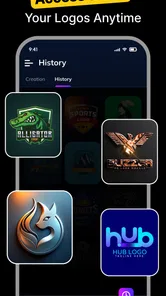
That makes the app more useful when I approach it as a lightweight workshop. I can revisit the original concept, compare it with the way the project has developed, and decide whether the visual mark still communicates the right thing. This is a healthier long-term use than generating a new logo every time I feel bored. Constant replacement can make a small brand look inconsistent and can prevent people from remembering it.
A practical monthly check would be simple. I would look at the logo in the places where people actually encounter it: a small profile image, a phone screen, a message header, or a printed piece of ordinary paper. I would ask whether the main shape remains recognizable, whether the name is readable, and whether the design still feels appropriate for the audience. If it passes those checks, there is no reason to redesign merely because a new style is tempting.
This is one of the app’s more interesting trade-offs. Its quick creative access may encourage experimentation, but good branding often benefits from patience. The tool can support a disciplined process if I save the strongest direction, record why I chose it, and resist changing it without a reason. It becomes less valuable if I use it as a stream of disposable images.
For a small side project, I could see returning when the project gains a new purpose. A personal baking page might begin with a simple social identity, then need a more legible version for packaging. A neighborhood event might need a variation that works in a narrow banner. In those cases, the app’s role is not necessarily to produce a full family of polished assets; it is to help me revisit the core idea and see whether it survives a new setting.
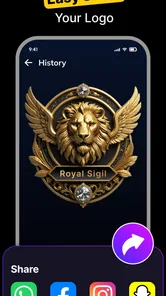
That also answers an important question about sharing. The store summary emphasizes creating and sharing quickly, which suits users who need to move from an idea to something presentable without a long production process. I would still inspect the image before sharing it publicly. A fast export is only helpful if the logo is centered, readable, and appropriate for the destination. Speed should reduce wasted effort, not remove the final quality check.
The maintenance work people often overlook
Logo apps are often judged by how quickly they create an image, but the maintenance burden begins afterward. I need to remember which version is the chosen one, avoid accidentally using several slightly different marks, and keep the design readable wherever I place it. The app can help me create the visual, but it cannot make every future use consistent by itself.
My advice is to choose one primary version and treat alternatives as exceptions. If I make a light-background version and a dark-background version, I should know exactly when each one belongs. If I create a compact version for a small avatar, I should not casually substitute it for the main logo everywhere. This small amount of organization prevents the common problem of a project appearing to have several unrelated identities.
I would also avoid making delicate design decisions on a phone without checking them at a comfortable viewing size. A thin detail or tightly packed wordmark may look fine while editing but disappear when reduced. Conversely, a heavy symbol can dominate a small composition. The most useful maintenance habit is to review the mark at the size people will actually see, not only at the large size offered during creation.
There is another maintenance issue: personal taste changes quickly. AI-assisted suggestions can expose me to many visual directions, and that variety can make yesterday’s choice feel old even when it still works. Before redesigning, I would ask whether the audience has a problem with the logo or whether I am simply reacting to a new style. Lasting value comes from recognizable continuity, not from repeatedly chasing the newest visual effect.
Where fatigue begins
The main source of fatigue is likely to be the gap between instant creation and professional expectations. If I want a distinctive mark with carefully balanced lettering and a strong system of variations, a phone-based logo maker may feel limiting. The more particular my requirements become, the more time I may spend correcting a starting point that was meant to save time.
Another possible frustration is decision overload. Having many possible directions sounds helpful, but too much choice can make a beginner less certain. I can easily move from one appealing style to another without deciding what the project actually needs. The solution is to define a short brief before opening the app: who the logo is for, where it will appear, what feeling it should convey, and what visual details must remain clear at small size.
I would also be cautious about originality. A generated concept may feel personal because I selected it, but a recognizable symbol or familiar visual treatment can still make a project look interchangeable. The app is better used for discovering structure and direction than for assuming that every generated result is uniquely ownable or strategically distinctive. If the project has commercial importance, I would give the final mark a more serious review before building everything around it.
Purchase friction may add to that fatigue. Since optional items can cost from less than a dollar to nearly thirty-four dollars, I would not explore randomly if I were working under a tight budget. I would first test the free experience, identify the exact improvement I need, and decide whether that improvement justifies the charge. This is especially important for casual users, because a one-time logo need may not justify a larger in-app expense.
The app is also not the right choice for someone who wants detailed vector construction, advanced typography control, or a complete set of professional delivery formats. In those cases, a dedicated design application or an experienced designer would be a better match. Choosing a simpler tool is not a failure; it is a sensible decision when the job is simple. Problems begin when I expect a lightweight creator to behave like a full branding studio.
My long-term verdict
After the novelty fades, I see AI Logo Maker & Logo Creator as a useful occasional tool rather than an app I would keep opening every week without a specific reason. Its lasting space on my phone would come from convenience: when a small project needs a visual identity quickly, I can begin with an accessible mobile workflow instead of facing a blank canvas in advanced software.
I would recommend it to beginners, small informal projects, and anyone who needs to explore a logo direction before investing more time or money. The free installation lowers the barrier to trying it, and the Everyone rating makes its audience broad. Android users on version 7.0 or later can consider it if their needs are modest and they are willing to review the result carefully rather than accepting automation without question.
I would skip it as a final destination if the logo will represent an established company, appear across demanding print materials, or need a carefully managed identity system. In those situations, the convenience of a quick creator is outweighed by the need for control and consistency. I would also skip it if I know I am prone to endlessly changing designs; the app can make that habit easier instead of helping me settle on a clear direction.
My best workflow is to write a brief first, generate or explore a few directions, test the strongest one at small size, and then keep a single primary version for regular use. I would check any paid option before confirming it, especially because the in-app purchase range is wide. Most importantly, I would judge the logo by whether people can recognize it and whether it still fits the project after several weeks, not by how exciting it feels during the first session.
That is ultimately where the app earns its place. It does not need to become a permanent creative hobby to be worthwhile. If it helps me move a real project from “I need a logo” to “I have a clear, usable starting identity” without unnecessary complexity, it has done its job. Its value is practical and situational, and with realistic expectations, that can be enough.
AI Logo Maker & Logo Creator Frequently Asked Questions
What devices and operating systems can run AI Logo Maker & Logo Creator?
AI Logo Maker & Logo Creator is a mobile design app for Android, and it requires Android 7.0 or later. It is listed as an Art & Design app, so it may suit users who want to work on logo concepts directly from a phone or tablet. Check your device’s Android version before downloading to make sure it meets the minimum requirement.
What is AI Logo Maker & Logo Creator, and what can I use it for?
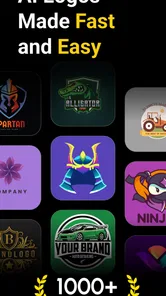
AI Logo Maker & Logo Creator is a design app for creating logos, brand marks, icons, and other visual identities directly from a mobile device. It is presented as an easy way to design and share a logo in one tap, and may be useful for small businesses, online stores, creators, clubs, and anyone who needs a quick logo without using complex desktop design software.
Do I need professional design experience to create a logo with this app?
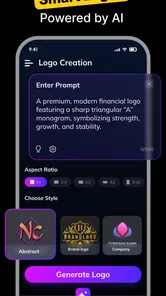
No professional design experience is usually required. The app is designed around guided creation, allowing you to start with a business name, category, style, or template and then customize the result. Ready-made layouts and simple editing controls can make the process approachable. However, achieving a polished result may still require experimenting with spacing, typography, colors, and icon placement.
Can I fully customize the logos generated by AI?
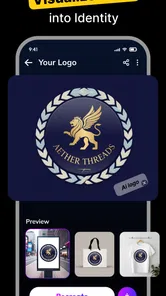
AI-generated suggestions are generally intended as starting points rather than finished designs. You can usually adjust elements such as text, fonts, colors, backgrounds, icons, alignment, and proportions, depending on the app version and selected project. The level of customization may vary between free and premium tools. Users who need detailed vector editing or advanced layer control should check the available export and editing features first.
Are the logos free to create and download, or does the app require payment?
The app is free to download, but it offers in-app purchases, with items priced from $0.49 to $33.99. Some designs, AI features, premium fonts, high-resolution downloads, or transparent-background exports can be restricted behind purchases. Before completing a project, review the pricing screen carefully and check whether a free trial automatically renews. This is especially important if you only need one logo.
Pros
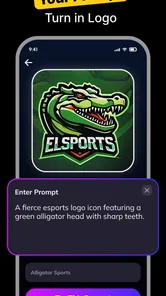
- Creates logo concepts quickly from simple text prompts.
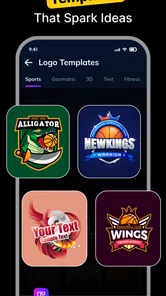
- Offers many templates for different industries and branding styles.
- Includes useful editing tools for colors
- fonts
- icons
- and layouts.
- Exports designs in common image formats for easy online sharing.
- Helpful for testing several brand ideas before hiring a designer.
Cons
- Some advanced designs and assets may require a paid subscription.
- AI-generated results can look generic without detailed customization.
- Export quality and file formats may vary between subscription tiers.
- Text rendering in generated logos may occasionally contain mistakes.
- Commercial usage rights should be checked for each included asset.











