

AI for Kids・Askie
- 21.00
- 4.3
- Installs
- 10.00K
- Price
- Free

Screenshots


Analysis by Reviewed
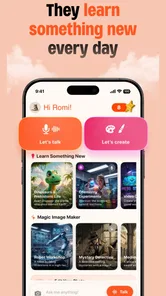
When I look at a parenting app, I do not start with the most exciting feature. I start by asking whether it gives a child something useful to do while keeping the adult in control of the situation. AI for Kids・Askie caught my attention because it brings voice conversation, art, and playful activities together in one child-focused space. That combination can be appealing, but it also means the right question is not simply whether the app is entertaining. The real question is whether this kind of artificial intelligence suits your child’s age, personality, and daily routine.
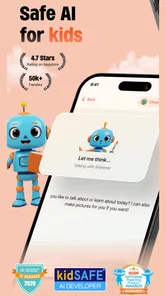
I spent time considering the app as a practical tool rather than treating it like another novelty chatbot. It belongs to the Parenting category and is made by ASKIE KIDS AI LIMITED. The app is free to install, carries an Everyone age rating, and its store summary presents it as safe AI for children, with voice chat, art, and fun at its center. Those points make it easy to try, although families should still treat any conversational technology as something to use together at first.
How I would decide whether Askie fits your family
The first decision is about the kind of experience you want. If you are looking for a child-friendly place to ask questions aloud, explore ideas creatively, or spend a few minutes drawing and chatting, this app has a clear purpose. If you want a tightly structured learning program with lessons, progress tracking, or a defined curriculum, I would look at educational apps built specifically around those goals instead.
That distinction matters because voice interaction changes the rhythm of use. A child does not need to type every question, which can make the app more approachable for younger users or for children who enjoy speaking more than writing. At the same time, an open-ended conversation can wander. Parents who prefer every activity to have a fixed beginning, middle, and end may find a traditional learning app easier to supervise.
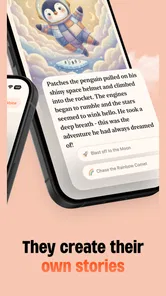
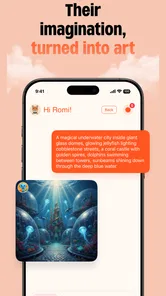
I would also consider how comfortable your child is with imaginative play. The art side of the experience is more attractive for a child who likes inventing characters, scenes, or stories than for someone who only wants quick answers. The strongest use of Askie is not passive screen time. It is a shared prompt: a child asks something, reacts to the response, turns an idea into artwork, and then talks about what they made.
The best way to judge it is to watch the first few sessions, not to hand it over and assume the app will manage the experience by itself. Notice whether your child is asking thoughtful questions, repeating prompts without interest, or becoming frustrated when the response is not exactly what they expected. That observation will tell you more than the app’s feature list.
Voice, art, and play in one child-oriented space
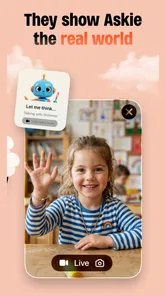
The combination of voice chat and creative activity is the most distinctive part of the product. A child can approach it conversationally instead of treating it like a worksheet. For a rainy afternoon, a long wait, or a quiet period after school, that can be a welcome change from apps built around tapping through identical exercises.
More From Our News Desk

 Gmail
GmailGmail in a Busy Inbox: Who Benefits Most?
From first account to crowded workday, Gmail earns its place through dependable search and flexible sorting—but its best fit depends on how much inbox maintenance you can tolerate.

 Prime Video
Switching to Prime Video: What Changes in Your Viewing Routine
Prime Video can make a compelling second home for streaming, but switching means learning a different catalog, rental layer, and route from browsing to playback.

 Universal TV Remote Control
Universal TV Remote Control Works Best as a Reliable Backup
A phone remote earns its place through quick setup and reliable habits. Here is how to get more from Universal TV Remote Control—and where its limits show.

 Weather - By Xiaomi
Weather by Xiaomi Review: Clear at a Glance, Less Clear Up Close
Xiaomi’s weather app makes everyday forecasts quick to scan, but its calm surface can leave useful details and recovery paths harder to find than they should be.

 X
XX Under Pressure: Can It Recover When Posting Goes Wrong?
A resilience-focused review of X, examining setup, mistaken posts, interruptions, weak connections, and the gaps that matter when recovery needs to be dependable.

 Clash of Clans
Clash of Clans Is Won Between the Battles
Its raids are quick; its community is a long-term project of coordination, teaching, rivalry, and shared responsibility—with all the friction that entails.
Latest News



I can imagine using it with a child who asks why the moon changes shape, then wants to create a picture of a moonlit animal world. The useful part is the transition between curiosity and making something. Rather than ending with an answer that is quickly forgotten, the child has a chance to turn the topic into a visual idea. That workflow encourages follow-up questions and gives a parent an easy opening to join the conversation.
Another practical use is a short “question of the day” routine. Let your child choose one topic, listen to the response, and then ask them to explain what they understood before moving to art or play. This avoids leaving the app as an endless stream of prompts. It also makes the experience more valuable because the adult is helping the child reflect instead of merely checking that the app is occupied.
For children who are shy about asking adults certain basic questions, a conversational tool may feel less intimidating. I would still encourage them to bring surprising or confusing answers back to a parent. The app can support curiosity, but it should not become the final authority for health, safety, family rules, or emotionally serious subjects.
What the current app details tell me about trying it
Askie launched on October 25, 2025, and the current version is 1.0.188. It has passed the early discovery stage without becoming a huge mainstream platform: the app shows over 10 thousand installs, an average rating of 4.3 from around 232 ratings, and 22 written reviews. I read those figures as encouraging interest rather than proof that every family will have the same experience. A smaller review pool can be useful for spotting individual impressions, but it is not enough to remove the need for parental testing.
The free entry point lowers the barrier to trying it with your child. However, the app includes in-app purchases ranging from $3.99 to $249.99 per item. That is the detail I would pay closest attention to before allowing independent use. Even when the initial download costs nothing, a family should review purchase controls on the device and agree on a simple rule: the child asks before anything paid is selected.
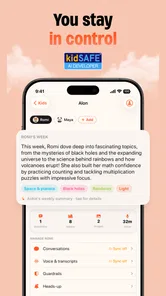
The Everyone rating is reassuring as a broad classification, but I would not treat it as a substitute for supervision. An age label describes the intended general audience; it does not know your child’s reading ability, sensitivity, impulse control, or tendency to take an answer literally. Voice-based AI especially deserves a family introduction, because children may assume that a friendly speaking voice understands them in the same way a trusted adult does.
Small routines that make the experience better
One useful approach is to keep a “show me” rule. After a conversation, ask the child to demonstrate what they learned through a drawing, a short explanation, or a new question. This turns the app from a digital babysitter into a prompt for thinking. It also exposes misunderstandings quickly, which is important when a child is interacting with generated responses rather than a teacher.
A second tip is to use a specific creative brief instead of saying “make something fun.” Try a setting, a mood, and one unusual object. For example, ask for a sleepy forest, a brave mood, and a tiny red boat. The child can then compare the result with the original idea and decide what to change. This makes the art feature more engaging and gives the child practice describing ideas clearly.
A third workflow is to end with a verbal recap. Before closing the app, ask, “What was the most interesting part, and what would you ask next time?” That takes less than a minute but prevents the session from becoming a disconnected sequence of answers and images. It is particularly useful when the child has moved rapidly between topics.
I would also keep the first sessions short and sit nearby. Not because the app is necessarily difficult, but because children need to learn how to phrase requests, recognize when an answer is uncertain, and stop when the activity is no longer enjoyable. Those habits are transferable to other AI tools later.
Where Askie wins, and where another category may fit better
I’d weigh Askie less as a replacement for a child’s usual apps and more as a change in how a short activity unfolds: a spoken question can lead into creative play, while a parent can help keep that exploration purposeful. The trade-off is that open-ended use asks more of the adult than a fixed story or lesson does. That distinction is useful when deciding which kind of app belongs in your family’s routine.
Its advantage over ordinary children’s entertainment apps
Many children’s entertainment apps are built around fixed stories, videos, puzzles, or games. Their predictability can be a strength, especially for younger children who benefit from clear boundaries. Askie offers more room for the child’s own question to shape what happens next. That makes it more personal and potentially more educational, particularly when a parent uses the conversation as a starting point.
The art element also gives the interaction a natural outcome. Instead of simply listening, the child can make something connected to the topic. I find that more satisfying than a standard chat window because it creates a visible record of the child’s imagination. If your child often says, “What if…?” this format is likely to feel more rewarding than a fixed activity menu.
Why a structured learning app may still be the better choice
For reading practice, mathematics, spelling, or a school assignment, I would not automatically choose Askie. A structured learning app usually has a clearer sequence and a more measurable sense of progress. Askie’s strength is flexible exploration, not replacing a carefully designed lesson plan. Parents who need a tool for consistent academic practice may prefer something with exercises that stay within a specific subject and difficulty level.
It may also be a weaker fit for a child who becomes overstimulated by open-ended options. When there are many possible questions and creative directions, some children spend more time deciding what to do than actually doing it. In that case, a story app, drawing app, or offline activity with a defined prompt may produce a calmer experience.
How it compares with a general-purpose AI assistant
A general-purpose assistant may be more useful for an adult who wants broad productivity help, but that is not the same as a child-oriented experience. Askie’s appeal is that its purpose is easier to explain to a family: talk, create, and play in a space intended for children. I would choose that focused identity over handing a child an adult tool and expecting them to understand its boundaries.
Even so, I would not assume that a child-oriented label makes every conversation automatically suitable for every situation. For sensitive questions, factual research, or anything involving personal information, I would step in. The app works best when it supports a child’s curiosity while the parent remains the person who supplies context and judgment.
The practical cost of changing from another app
Switching to Askie is simple if you are replacing an occasional entertainment app. You can introduce it during a familiar routine, such as a weekend creative session, and see whether your child naturally returns to it. The bigger adjustment is behavioral: your child has to learn that the app is not just a place to request endless content, but a tool for asking, responding, and making choices.
If you are moving from a structured educational app, the change may feel less direct. You will need to create your own routine, decide which topics are appropriate, and judge whether the child is gaining anything from the interaction. That extra adult involvement is not a flaw, but it is a real cost in time. Families looking for automatic progress reports or a ready-made study schedule should think carefully before switching.
There is also a financial habit to establish. Because the app is free to start but offers paid items, I would configure device-level purchase protection before the first child-led session. I would then explain that “free to download” does not mean every option inside the app is free. This conversation is useful in its own right, teaching a child to pause before selecting a purchase.
Who should use it and who should skip it
I would recommend trying Askie if your child enjoys asking questions aloud, likes drawing or imaginative prompts, and can use a device with an adult nearby during the introduction. It is especially promising for families that want a flexible activity for short periods rather than a formal course. The free starting point makes a cautious trial practical, provided purchase controls are already in place.
I would be more hesitant if your child is very young, easily accepts digital answers as fact, or tends to continue using an app long after the activity has stopped being constructive. I would also skip it as the main choice if your goal is targeted academic instruction, detailed progress measurement, or a completely offline routine. In those cases, a book, craft activity, teacher-led resource, or structured learning app may be a better match.
Parents may reasonably wonder whether a child needs to be able to type. The app’s voice-chat focus makes spoken interaction central, so it is more approachable for children who prefer talking. Still, I would test how clearly your child can express a question and whether they enjoy correcting or refining an idea when the result is not quite right. The value comes from the back-and-forth, not from simply pressing a voice button.
Another sensible question is whether it can replace a parent’s explanation. In my view, it should not. Use it to open a conversation, generate a creative challenge, or help a child articulate curiosity. When the topic affects wellbeing, safety, relationships, or an important decision, take over and discuss it directly. That boundary keeps the app in its proper role.
My recommendation after weighing the trade-offs
AI for Kids・Askie is an appealing parenting app because it combines conversation and creativity instead of offering only one narrow activity. I like the way a spoken question can lead into art or imaginative play, and I think that gives it more lasting value than a purely passive children’s app. Its 4.3 average and growing install base suggest that families are finding something worthwhile, while the relatively modest number of written reviews means I would still make my own judgment through a supervised trial.
My recommendation is to try the free version with a clear routine, device purchase protection, and an adult nearby for the first sessions. Give your child a topic, ask them to explain what they heard, and finish with a creative task or short recap. That approach reveals whether the app encourages curiosity or merely fills time.
For the right child, this can become a pleasant bridge between questions and making things. For a family that needs strict lessons, automatic academic structure, or no in-app purchasing at all, another category will probably serve better. I would not install it as an unquestioned replacement for books, play, or conversation with a parent. I would install it as a guided creative companion—and, used that way, Askie is most valuable when the child’s imagination leads and the adult supplies the boundaries.
AI for Kids・Askie Frequently Asked Questions
What devices and operating systems can run AI for Kids・Askie?
AI for Kids・Askie is a parenting app from ASKIE KIDS AI LIMITED, and it supports devices running Android 8.0 or later. Before downloading, check that your device’s operating system meets this requirement and that you have enough space for the app. Askie is free to download, though the app also offers in-app purchases.
Is AI for Kids・Askie free to use, or does it include purchases?
AI for Kids・Askie is free to download, but it includes in-app purchases priced from $3.99 to $249.99 per item. Parents may want to review the purchase options and set suitable controls on the device before a child uses the app. The presence of optional purchases does not by itself explain which features are free, so check the app’s current purchase details before deciding what is appropriate for your family.
What is AI for Kids・Askie, and how does it work?
AI for Kids・Askie is an educational AI app designed to help children ask questions, explore subjects, and learn through age-appropriate conversations. Its store summary highlights voice chat, art, and fun, alongside its child-focused AI experience. A child can ask questions and interact with the app, while parents can guide younger users and review answers when the topic is important or complex.
Is AI for Kids・Askie safe and appropriate for children?
The app is created with a child-focused learning experience in mind, and its content rating is Everyone. Still, no artificial intelligence system should be treated as completely risk-free. AI responses can occasionally be inaccurate, incomplete, or unsuitable depending on the question. Parents should check the app’s age guidance, privacy policy, and available safety settings before allowing regular use. It is also recommended that children use Askie in a shared family environment, especially at first.
Can children use Askie for homework and school projects?
AI for Kids・Askie can be useful for explaining difficult concepts, brainstorming ideas, practicing questions, and finding simpler ways to understand school subjects. However, it should support learning rather than replace a child’s own work. Answers may contain mistakes, so children should compare important information with textbooks, teachers, or reliable educational sources. Parents can encourage children to ask follow-up questions and explain the answer in their own words.
Pros
- Child-friendly interface makes AI conversations easy to start.
- Useful for exploring homework topics and general questions.
- Can encourage curiosity through interactive
- conversational answers.
- Simple design is approachable for younger users.
- A dedicated kids’ AI tool may feel safer than general chatbots.
Cons
- AI responses may still contain mistakes or misunderstand questions.
- Parental supervision remains important during conversations.
- Some features may require a subscription or in-app purchases.
- Internet access is needed for most AI interactions.
- Children could become overly dependent on instant answers.











