AI Face Swap Video App-Swapme
- 232.00
- 3.6
- Installs
- 1.00M
- Price
- Free

Screenshots
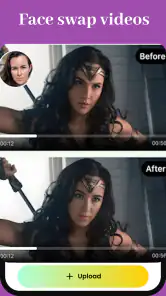
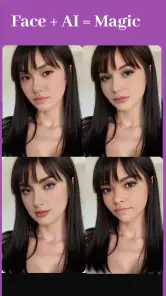



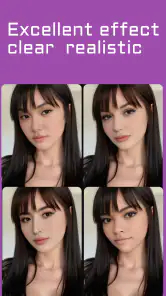


Analysis by Reviewed
I see Swapme as a playful shortcut to making face-swap videos, not a full video-editing studio. Its appeal is the focused idea: take a face-swap concept and turn it into a clip without first learning a complicated editing workflow. That makes it easy to imagine using it for a quick joke or a light creative experiment, though the result still depends on choosing suitable source material and having the patience to judge whether the swap looks convincing.
Where it fits among creative apps
Swapme sits in the art and design space, but its purpose is much narrower than a general photo editor or timeline-based video editor. Those alternatives give you more control over cuts, effects, and finishing touches; this app is more appealing when the face swap itself is the point. If you want to assemble a polished video from several clips, I would reach for a broader editor. If you want to test a single playful idea quickly, a dedicated face-swap tool is the more direct route.
A useful way to approach it is to treat the first result as a draft. Pick a clip where the face is easy to see, then compare the output with the original before sharing it. Clear, steady footage gives the effect a better chance of reading naturally than a scene with rapid movement, a turned-away face, or several people close together. That small bit of selection can save time and help you decide whether the result is funny in the right way or simply distracting.
Choosing a clip that gives the swap a fair chance
When I am deciding which footage to try, I would look for one visible face and a moment that does not change dramatically from one frame to the next. This is not a guarantee of a clean result, but it makes the test easier to judge: if the face stays in view, I can tell whether the effect is holding up instead of blaming a difficult shot for every awkward moment. A brief clip also makes it simpler to compare versions without spending a long time reviewing material that was never a good fit.
There is a useful distinction between a funny swap and a convincing one. For a private gag, a slightly imperfect edge may be part of the joke; for a clip meant to look plausible, the same flaw can be distracting. I would decide which outcome I actually want before choosing footage. That small decision helps avoid chasing realism when the point is comedy, or sharing a joke as though it were authentic footage.
A better workflow for quick clips
For an everyday use case, imagine making a silly birthday greeting for a friend. I would choose a short, recognizable moment, make one swap, and watch the clip through before sending it. Keeping the joke brief makes it easier to see whether the face remains understandable throughout the scene, and it avoids turning a simple greeting into a long editing project. I would also ask before using someone else’s face, especially if the video is going beyond a private group chat.
One trade-off with this kind of app is that a convincing face swap is not the same as a convincing video. Lighting, head movement, and the source face all affect how believable the result feels. When the scene does not suit the effect, changing to a simpler clip is often more useful than repeatedly trying to rescue the same one. That is a practical limit to keep in mind if you expect every source video to work equally well.
More From Our News Desk

Weather by Xiaomi Review: Clear at a Glance, Less Clear Up Close

X Under Pressure: Can It Recover When Posting Goes Wrong?

Clash of Clans Is Won Between the Battles

Android Auto Makes the Case for Quieter Car Software

MobiOffice: Transforming Mobile Productivity with Seamless Integration

EA SPORTS FC™ Mobile Soccer: Redefining Mobile Sports Gaming
A small workflow detail can make the review process more useful: keep the original clip available while you check the swapped version, rather than judging the result from memory. Watch for moments where the person turns, moves quickly, or shares the frame with someone else. If the effect slips only during one difficult movement, you can decide whether that moment is brief enough to keep; if the issue persists, choosing another source is likely a better use of your time than repeating the same attempt.
Using the result thoughtfully
Face swaps change the meaning of familiar footage, so I would treat sharing as part of the creative process rather than an afterthought. A caption or a direct explanation can help friends understand that a clip is edited, especially if the scene could be mistaken for a real event. I would avoid using the effect to embarrass someone, imply that they said or did something, or make a misleading post. A tool can make a joke quickly, but the person represented in it still deserves consideration.
For family chats or a small group of friends, a clearly playful greeting is an easy way to keep the context obvious. Public posting calls for more care, since a clip can travel beyond the original audience and lose the explanation that made it harmless. If I could not comfortably explain the edit to the person whose likeness appears in it, I would choose a different idea.
Who will get the most from it
I would recommend Swapme to people who enjoy quick visual jokes, casual creators looking for a face-swap idea, and anyone curious about AI-assisted video effects. It is less suitable if you need precise control over a finished edit, want a dependable tool for professional work, or dislike trial and error. The app is free to install, but in-app purchases range from $3.99 to $199.99 per item, so I would check the cost shown for any optional purchase before committing.
It may also suit someone who wants to make a one-off clip without learning a conventional editor’s timeline. That convenience has a boundary: a focused face-swap workflow is not the same as a complete toolkit for shaping a story. If your idea depends on carefully timed cuts, layered text, or detailed sound work, I would create the swap as one element and finish the video elsewhere, rather than expecting this app to handle every part of the project.
The audience label is Teen, which is worth bearing in mind when deciding whether it suits a younger user. Since face swaps can involve other people’s likenesses, I think the best habit is to keep the joke respectful, get permission when appropriate, and make clear to viewers that an edited clip is not genuine footage. Those steps matter more than making a swap look seamless.
What a first try can tell you
If you are unsure whether Swapme fits your needs, I would use the first session as a small test rather than plan a whole project around it. Try one short clip with a clearly visible face, then decide whether the result is enjoyable enough to justify experimenting further. This also gives you a chance to see whether the app’s approach feels comfortable before spending time preparing more footage or considering any optional purchase.
That test is especially useful for people who are comparing a dedicated face-swap app with a general editor. A general editor is usually the sensible choice when the main task is trimming, arranging, and polishing footage; Swapme makes more sense when the central question is simply what a particular face swap looks like. If the swap is only a tiny part of a larger video, the extra step of moving between tools may outweigh the convenience of using a specialist app.
Ever wanted to step into someone else's shoes, or rather, their face? Well, with the AI Face Swap Video App - Swapme, you can do just that! It's like having your own little Hollywood effects studio right in your pocket. Let me take you through my experience with this fun and fascinating app.
Getting Started with Swapme
First off, downloading and setting up the AI Face Swap Video App - Swapme is a breeze. You can find it on both Android and iOS platforms, so no one's left out of the fun. Once you've got it installed, the app welcomes you with a sleek and intuitive interface. It's designed to make you feel right at home, even if you're not particularly tech-savvy.
Features That Stand Out
What really sets Swapme apart is its cutting-edge AI technology. It allows for seamless face swaps that look surprisingly realistic. The app uses advanced algorithms to match skin tones and lighting conditions, so the results are often jaw-droppingly good. Whether you're swapping faces with a celebrity or just goofing around with friends, the output is consistently impressive.
Another highlight is the app’s extensive library of templates. From famous movie scenes to viral internet videos, there are plenty of options to play around with. Plus, if you're feeling extra creative, you can upload your own videos for a truly personalized experience.
Ease of Use
One of my favorite things about Swapme is how user-friendly it is. The app guides you through each step of the process, from selecting a video to choosing the face you want to swap. And if you ever get stuck, there’s a helpful FAQ section that covers the most common questions.
Even the editing tools are simplified for ease of use. You don’t need to be a professional editor to make your swaps look good. The app does most of the heavy lifting for you, allowing you to focus on having fun.
Making a template or personal clip work for your idea
Templates and personal videos serve different creative purposes. A template is the more straightforward starting point when you want a quick visual gag and do not already have footage in mind. A personal clip gives you a more specific setup, such as a familiar family moment or a scene recorded with friends, but it also makes your choice of source material more important. I would choose based on the joke first, then decide which route is least likely to add unnecessary fiddling.
Before using a personal clip, I would check whether everyone visible in it is comfortable with the edit and with the way it may be shared. A funny result can feel very different to the person represented in it, particularly outside a private conversation. The practical upside of keeping the source short is that it narrows the task and makes it easier to review the whole result for awkward transitions before it leaves your phone.
One question people often have is whether they need editing experience to try the app. The appeal is that the face-swap idea is more direct than building an edit from scratch, so I would not approach it as a professional editing project. Still, easy steps do not remove the need to make choices: the source clip, the face, and the intended audience all affect whether the final result feels amusing or uncomfortable.
Final Thoughts
In conclusion, the AI Face Swap Video App - Swapme is a fantastic tool for anyone looking to add a bit of magic to their videos. It’s perfect for creating hilarious clips to share on social media or even just to amuse yourself and your friends. The app’s combination of powerful AI, ease of use, and a rich template library makes it a must-try for any creative soul. So, why not give it a go and see whose face you’ll swap into next?
Overall, if you’re in the market for a fun and engaging app that lets you explore the world of face swapping, Swapme is definitely worth checking out. Just be prepared to lose track of time as you dive into the endless possibilities it offers.
What to expect before installing
Swapme is made by Face swap video, and its current version is 1.3.0. It has more than one million installs and an average rating of 3.6 from around 8.9 thousand ratings, with 232 written reviews. I read that reception as a reason to approach it with measured expectations: the idea has drawn a sizable audience, but the rating suggests it will not delight everyone. It was released on March 15, 2024, and Android users need version 6.0 or later.
One practical question is whether you need to pay just to try it. The app is free, so you can explore its basic appeal before deciding whether it belongs in your routine; optional purchases are the point where I would pause and check exactly what is being offered. Another is whether it replaces a conventional editor. In my view, it does not: it is a focused experiment for face swaps, while a standard editor remains the better choice for detailed pacing, titles, sound, and a carefully assembled final cut.
People also tend to wonder whether the listed average rating settles the question of quality. I would not treat it as a guarantee either way: a face swap can look entertaining in one clip and awkward in another, and different users may want very different levels of control. The more useful test is whether the app’s focused approach matches what you want to make, and whether you are happy to assess each result before sharing it.
My verdict
Swapme makes the most sense when the goal is a short, playful video rather than a polished production. I like the low barrier to trying a face-swap idea, and the choice between templates and a personal video gives curious users room to experiment. At the same time, claims of consistently impressive results deserve caution: faces, movement, and lighting vary, so I would inspect each clip rather than assume every swap will look natural.
If you enjoy making casual clips and are comfortable treating the result as a bit of fun, I think it is worth a try. If you need reliable editing control, dislike optional purchase prompts, or want effects that work predictably across every video, a general-purpose editor or another tool may suit you better. My recommendation is simple: start with a short, clear clip, keep expectations playful, and share the result thoughtfully.
AI Face Swap Video App-Swapme Frequently Asked Questions
What should I know about Swapme before downloading it?
AI Face Swap Video App-Swapme is an Art & Design app for making face-swapped videos. It is free to download, has a Teen content rating, and is listed with over one million installs. Its current version is 1.3.0, and it requires Android 6.0 or later. The app is developed by Face swap video.
What is the primary function of the AI Face Swap Video App-Swapme?
The AI Face Swap Video App-Swapme is designed to seamlessly swap faces in videos using advanced AI technology. Users can select or upload videos and choose faces they want swapped. The app leverages AI to ensure the swapped faces look realistic and natural, making it perfect for creating funny, entertaining, or creative content.
Does the app require an internet connection to function?
Yes, AI Face Swap Video App-Swapme requires an active internet connection to process video face swaps. The app uses cloud-based AI algorithms for processing, which means videos are uploaded to the server where the face swap is performed. This ensures the use of high-quality processing power for the best results.
Is the AI Face Swap Video App-Swapme safe to use?
The app is designed with user privacy and safety as a priority. It encrypts data to protect user videos during the face swap process. However, users should still be cautious and not upload sensitive or personal videos. The app developers also recommend reviewing their privacy policy to understand how data is handled.
What devices and operating systems are compatible with Swapme?
AI Face Swap Video App-Swapme is compatible with both Android and iOS devices. It requires Android version 8.0 or higher, and for iOS devices, it needs iOS 12.0 or later. This ensures that the app runs smoothly and efficiently on most modern smartphones and tablets.
Pros
- Easy to use with intuitive interface.
- High-quality face swap results.
- Supports various video formats.
- Fast processing even for lengthy videos.
- Frequent updates with new features.
Cons
- Limited free version features.
- Occasional glitches during swapping.
- Requires high-end device for best performance.
- Large app size takes up storage.
- Privacy concerns with face data.
- Category
- Art & Design
- Version
- 1.3.0












