AI Video&Photo&AI Kiss-VidNex
- 5.00
- 4.4
- Installs
- 10.00K
- Price
- Free

Screenshots

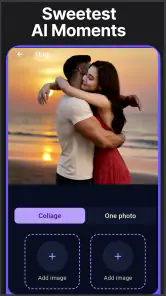
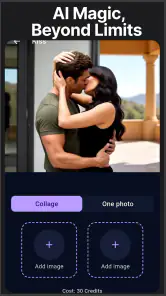
Analysis by Reviewed
I tried AI Video&Photo&AI Kiss-VidNex as a photography app built around quick AI transformations rather than traditional camera controls. Its focus is turning still images, written prompts, and face-swap ideas into short visual creations, so it feels aimed at people who want something playful to share rather than a full editing studio. The app is listed as free, but it also contains purchases ranging from $5.99 to $199.99 per item, which makes the difference between trying it and using it heavily especially important.
My first impression is that VidNex is best understood as a compact creative playground. The main appeal is not careful color correction, layered retouching, or professional photo finishing. Instead, it brings together AI video generation, image-to-video work, face-swap video, AI images, and text-to-video concepts in one place. That combination gives it a broader creative range than a simple face-filter app, although it also means the experience can feel less focused than a specialist editor.
How VidNex feels in everyday use
The app comes from the developer Face swap video and currently carries a 4.4 average from around 900 ratings, with over 10,000 installs. Those figures suggest that it has found an audience among people interested in fast AI visual experiments, while the relatively modest install base also makes it feel more like a developing tool than a firmly established social-video standard. It is available for Everyone and requires Android 7.0 or later, so compatibility should cover many older phones as well as newer devices.
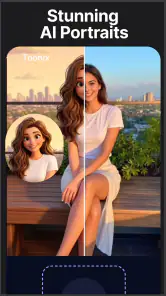
I would start with a photo that already has a clear subject. A well-lit portrait, a pet looking toward the camera, or a simple travel image gives an AI animation more useful visual information than a crowded group shot. This is one of the first practical lessons with apps in this category: the quality of the source image often matters more than the cleverness of the prompt. A sharp face and uncluttered background give the system fewer confusing details to interpret.
For a normal day-to-day example, imagine preparing a birthday message for a friend. Instead of sending the same still photo, I could use a suitable portrait as the starting point, explore a short AI video treatment, and then choose whether a face-swap idea makes the result funnier or simply distracting. The workflow is appealing when the goal is a quick surprise for a private chat or social post. It is less suitable when the message needs to look polished, consistent, and completely predictable.
The text-to-video and image-to-video sides also serve different creative moods. Text-to-video is useful when I have an idea but no source picture, while image-to-video is more personal because it builds from something I already own. I would choose the latter for family memories, pets, or travel photos, and reserve text prompts for imaginative scenes where realism is not the priority. Mixing those two approaches helps avoid treating every project as if it needs the same workflow.
What the free starting point really offers
The free label makes it easy to test the concept without committing money immediately. That matters here because AI generation is something I would want to sample before deciding whether the style and results suit me. A free entry point is valuable for occasional users who only want to create a funny clip now and then, especially if they do not need a large archive of generated work.
More From Our News Desk

Weather by Xiaomi Review: Clear at a Glance, Less Clear Up Close

X Under Pressure: Can It Recover When Posting Goes Wrong?

Clash of Clans Is Won Between the Battles

Android Auto Makes the Case for Quieter Car Software

MobiOffice: Transforming Mobile Productivity with Seamless Integration

EA SPORTS FC™ Mobile Soccer: Redefining Mobile Sports Gaming
At the same time, “free” should not be read as unlimited creative use. The app includes in-app purchases, with individual items priced from $5.99 up to $199.99. I would treat the free access as a chance to judge the workflow, not as proof that frequent generation will remain cost-free. Anyone considering regular use should check the purchase screen carefully before confirming anything and decide in advance how much a single experiment is worth.
The wide gap between the lowest and highest listed purchase amounts is important. It indicates that the app may be trying to serve both light users and people willing to spend much more on expanded access or creative output, but the exact value of each purchase should be judged inside the app rather than assumed. I would not buy the most expensive option simply because it promises more access; I would first establish whether the generated results are consistent enough to justify repeated use.
This is also where VidNex differs from a conventional photo editor. With a normal editor, I usually know what a paid upgrade unlocks: perhaps export quality, extra tools, or removal of a limitation. AI generation is more variable. A purchase can provide access to more creation, but the usefulness of that access depends on whether the results match the subject, prompt, and style I want. In other words, the real value is tied to successful outputs, not just the number of available attempts.
Strengths that stand out beyond the store summary
The most interesting strength is the combination of several AI formats in one photography app. I do not have to switch between a separate image generator, a separate animation tool, and a separate face-swap service just to explore different ideas. That makes VidNex convenient for casual experimentation, particularly when I am still deciding whether a concept works as a still image or a video.
A second strength is the way a single source image can become the basis for a more expressive result. That is more useful than a purely decorative filter when I want to preserve a recognizable person, pet, or place. The trade-off is that the more realistic the subject, the more obvious small errors can become. I would inspect faces, hands, hair, and busy backgrounds before sharing anything publicly, because an amusing private result may not survive close viewing.
A third, less obvious benefit is creative iteration. I can begin with a simple image, test a restrained motion idea, and then decide whether a more dramatic prompt improves it or ruins its identity. This makes the app useful for learning how AI responds to different source material. I would keep the original photograph untouched and save only the versions I genuinely like, rather than treating every generated variation as equally valuable.
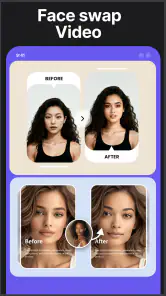
The face-swap angle can also be entertaining when used with clear permission and a harmless context. A group of friends might create a deliberately silly clip for a private conversation, or someone might test a fictional character concept. I would avoid using another person’s face without consent, especially for anything public or embarrassing. The feature is fun precisely because it changes identity cues, and that is also why it deserves more care than an ordinary color filter.
Where the experience can become frustrating
AI tools rarely give identical results every time, and that unpredictability is the central limitation I would keep in mind. A prompt that sounds clear to me may produce a visual interpretation that is technically attractive but unrelated to the intended mood. Likewise, a face-swap result may preserve the general likeness while making expressions or proportions look unnatural. VidNex is therefore better for exploration than for jobs where every detail must be controlled.
The broad feature set can create another kind of friction. An app that combines AI photos, text-to-video, image animation, and face-swap work has to present several different creative paths. New users may enjoy the variety, but someone looking only for precise photo retouching could find the experience unnecessarily scattered. If my main need were cropping, exposure correction, removing small blemishes, or preparing product images, I would choose a conventional editor instead.
Cost is the other meaningful trade-off. Occasional users can reasonably begin with the free option, but frequent experimentation may make the purchase structure more important than the download price. The highest listed item reaches $199.99, so I would be especially careful with one-tap buying and any screen that presents a larger package as the obvious choice. The app can be worth trying without being worth a large commitment.
I would also avoid judging it from one perfect demonstration. A single successful animation does not tell me how well the app handles different lighting, unusual angles, several people, or detailed backgrounds. My own test would use three source types: a clear portrait, a pet or object, and a more complicated scene. That small comparison reveals whether the tool is suitable for my real photos rather than only for ideal examples.
Who will get the most from it
VidNex makes the most sense for casual creators who enjoy trying new AI formats and want one app for both images and short video ideas. It is a good match for someone making playful birthday greetings, imaginative social posts, character concepts, or quick experiments from personal photos. The free starting point lowers the risk for this audience, provided they are comfortable treating paid purchases as optional rather than necessary.
It may also suit a beginner who has never used a more complex video editor. The appeal is that the creative starting point can be a sentence or a single image, not a timeline filled with clips, transitions, and audio tracks. I would recommend beginning with a modest concept, checking the result carefully, and changing one element at a time. That produces clearer lessons than rewriting the entire prompt after every attempt.
People who should skip it are those needing dependable professional output, exact facial continuity, detailed manual controls, or a predictable project cost. A social-media manager working to a strict brand style may prefer a conventional editor with repeatable templates. A photographer who wants precise retouching will likely be happier with software designed around manual adjustments. Someone uncomfortable with face manipulation should also avoid that part of the app and consider whether the remaining AI tools justify installing it.
Compared with a standard photo editor, VidNex offers more novelty but less direct control. Compared with a dedicated video editor, it offers faster idea generation but not the same sense of deliberate assembly. Compared with a specialist face-swap tool, its advantage is variety, while its possible weakness is that face swapping is only one part of a larger package. I would choose it when convenience and experimentation matter more than mastering one narrow workflow.
Practical habits for better results and better value
I would prepare source images before opening the app. Use a face that is not hidden by sunglasses, heavy shadows, or another person, and avoid backgrounds with many similar objects. For image-to-video work, a simple composition gives the animation a clearer subject. For text prompts, describe the main action and mood first, then add visual details gradually. This makes it easier to understand which instruction changed the result.
I would also separate private experiments from public posts. A generated clip can look convincing at a glance while still containing odd details that become obvious when paused. Watch the whole result, not just the opening frame. If a face-swap video involves a real person, ask permission before sharing it. That is not merely a matter of presentation; it is a sensible boundary for a feature designed to alter someone’s appearance.
To control spending, I would use the free experience to answer three questions before purchasing: Do the results match the style I want? Do I expect to use the app often enough to benefit? And is the specific purchase clearly connected to the amount of generation or access I need? If the answer to any of these is no, keeping the app as an occasional free experiment is the safer choice.
The current version is 1.0.9, which makes me approach it as a relatively early product rather than a finished replacement for every other creative tool. That is not automatically negative. Early apps can be enjoyable when their central idea is appealing, but I would keep expectations realistic and avoid building an important project around an AI result until I have tested the workflow myself.
My verdict on downloading or skipping
I would recommend trying AI Video&Photo&AI Kiss-VidNex if you want quick, playful AI images and videos and you are willing to judge the results with a critical eye. Its strongest point is the convenience of bringing text prompts, photo animation, and face-swap experimentation into one photography app. For a funny message, a creative test, or a personal image that needs a little motion, that combination can be genuinely enjoyable.
I would not recommend treating it as a complete replacement for a professional photo or video editor. The output can be unpredictable, the wider feature mix may feel unfocused, and the purchase range means heavy use deserves careful budgeting. The app is free to start, but the presence of items from $5.99 to $199.99 makes it important to understand what you are buying before spending.
Overall, AI Video&Photo&AI Kiss-VidNex is a worthwhile download for curious Android users who want to explore AI-assisted visual creation without beginning with a complicated editing suite. I would keep the first session small, test several kinds of source images, and share only results that hold up when viewed closely. If that process produces the kind of playful clips I actually want to make, the app can earn a place in my creative toolkit; if I need control, consistency, or a clearly predictable long-term cost, I would skip the purchase and use a more specialized alternative.
AI Video&Photo&AI Kiss-VidNex Frequently Asked Questions
What devices and operating systems can run AI Video&Photo&AI Kiss-VidNex?
AI Video&Photo&AI Kiss-VidNex is a photography app for Android devices running version 7.0 or later. Before downloading, check your device’s operating system version and make sure you have enough free storage for the app and the photos or videos you create. The app is free to download, though some features may involve in-app purchases.
Who develops AI Video&Photo&AI Kiss-VidNex, and what does it offer?
The app is developed by Face swap video and focuses on AI-assisted photo and video creation. Its tools include image-to-video and text-to-video generation, alongside face-swap video effects and AI image features. It is intended for people who want to make playful, shareable content without treating the app as a professional editing suite.
What is AI Video&Photo&AI Kiss-VidNex used for?
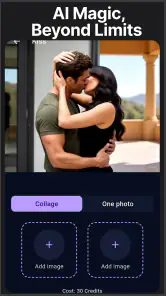
AI Video&Photo&AI Kiss-VidNex is designed for creating and editing AI-generated videos and photos, including face-based effects and romantic “AI kiss” style animations. After selecting suitable images, users can apply templates or effects to produce short, shareable results. The app is mainly intended for entertainment and social media content rather than professional video production.
How do I create an AI kiss video with VidNex?
To create an AI kiss video, you generally need to choose or upload compatible photos, select the relevant AI template, and allow the app to process the images. For the best result, use clear, front-facing photos with good lighting and visible faces. Processing time may depend on the template, image quality, device performance, and whether the service requires an internet connection.
Is AI Video&Photo&AI Kiss-VidNex free to use?
The app is free to download, but some additional effects and processing options can require payment. In-app purchases are available, with prices ranging from $5.99 to $199.99 per item. Before confirming a purchase, review the price and terms shown in the app store so you know what you are selecting.
Pros
- Creates AI kiss videos and photo effects with minimal editing effort.
- Offers entertaining templates for quick
- shareable social media content.
- Simple interface makes the main features accessible to beginners.
- Supports creative experimentation with portraits and couple images.
- Can turn static photos into more dynamic
- engaging visual clips.
Cons
- Results can look unnatural when faces
- poses
- or lighting are difficult.
- Some features or exports may require a subscription or in-app credits.
- Processing times may increase for high-resolution photos or videos.
- Uploading personal images raises privacy concerns for some users.
- Output quality may vary depending on the source photo and template used.
- Category
- Photography
- Version
- 1.0.9












