

4K, HD Wallpapers | Background
- 92.00
- 4.3
- Installs
- 1.00M
- Price
- Free

Screenshots
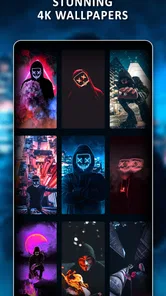
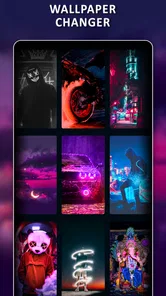
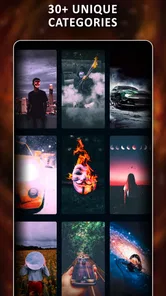
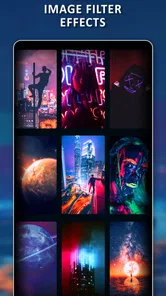
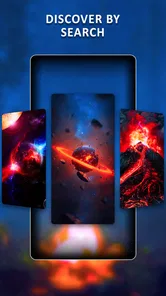
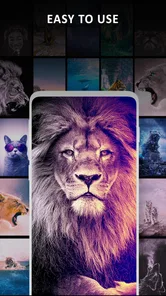
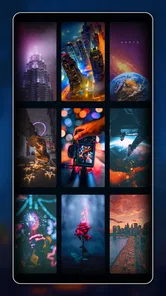
Analysis by Reviewed
I tend to notice a wallpaper app’s speed in the small pauses: how quickly I can get from browsing to a useful choice, and whether changing the screen feels like a chore. 4K, HD Wallpapers | Background is aimed at people who want a fresh look without turning customization into a project. It is a free personalization app from Wallpaper Explore | WallXplore, and its focus on high-resolution still images alongside live options gives it a broader feel than a folder of preloaded backgrounds.
What to expect while browsing
The app has an average rating of 4.3 from around 9,500 ratings, and more than a million installs. Those figures suggest it has found an audience, but they do not tell me how it will feel on every phone. In practical use, I would judge its pace by whether images load smoothly on your connection and device rather than assuming every large image appears instantly. Browsing a high-resolution collection can be more demanding than scrolling through small thumbnails, so I would give a chosen image a moment to settle before deciding how it looks.
A useful way to keep the search brisk is to decide what mood or color you want before opening the collection. If I am after a calm lock screen, for example, I can browse with that goal instead of opening every category and losing time to endless comparison. This also helps with a practical detail: a striking image may look lovely on its own but become distracting behind icons or notification text. I would check the preview against the parts of the screen I use most before applying it.
The Treasure Trove of Wallpapers
When you first open the app, you're greeted with a sleek interface that's both intuitive and visually appealing. Browsing through the vast collection is like flipping through a high-quality magazine filled with stunning visuals. The categories are neatly organized, making it easy to find exactly what you're looking for, whether it's nature, abstract art, or something a little more niche.
Quality That Speaks Volumes
One thing that really stood out to me was the quality of the images. We're talking 4K resolution here, folks! Each wallpaper is crisp and vibrant, bringing your screen to life in a way that standard wallpapers just can't compete with. It's like having a mini art gallery right at your fingertips.
And let's talk about variety. Whether you're into minimalist designs or intricate patterns, there's something for everyone. The app updates regularly, so there's always fresh content to explore. It’s like they’ve got a team of artists working round the clock to keep us wallpaper enthusiasts satisfied.
Making a choice that works on your phone
For everyday use, I would treat the preview as part of the decision, not just a final confirmation. A bright image can make app icons harder to pick out, while a detailed scene may compete with clock text on the lock screen. Choosing a less busy area for the main icons—or selecting a simpler image for that screen and saving a more dramatic one for the home screen—can make a noticeable difference. That small bit of planning is more useful than choosing solely by resolution.
More From Our News Desk

 Instagram
Instagram’s Power Comes From Its Place in Your Phone
A close look at how Instagram turns Meta’s reach, recommendation systems and everyday camera habits into durable platform power—and what that costs users.

 Gmail
GmailGmail in a Busy Inbox: Who Benefits Most?
From first account to crowded workday, Gmail earns its place through dependable search and flexible sorting—but its best fit depends on how much inbox maintenance you can tolerate.

 Prime Video
Switching to Prime Video: What Changes in Your Viewing Routine
Prime Video can make a compelling second home for streaming, but switching means learning a different catalog, rental layer, and route from browsing to playback.

 Universal TV Remote Control
Universal TV Remote Control Works Best as a Reliable Backup
A phone remote earns its place through quick setup and reliable habits. Here is how to get more from Universal TV Remote Control—and where its limits show.

 Weather - By Xiaomi
Weather by Xiaomi Review: Clear at a Glance, Less Clear Up Close
Xiaomi’s weather app makes everyday forecasts quick to scan, but its calm surface can leave useful details and recovery paths harder to find than they should be.

 X
XX Under Pressure: Can It Recover When Posting Goes Wrong?
A resilience-focused review of X, examining setup, mistaken posts, interruptions, weak connections, and the gaps that matter when recovery needs to be dependable.
Latest News



Compared with using a photo already in your gallery, this app is convenient when I want to browse images made to serve as backgrounds rather than crop a personal snapshot myself. A general image-search tool may offer more breadth, but it can take extra effort to find a picture that fits a phone screen cleanly. Here, the screen-size choice is meant to reduce that friction. The trade-off is that people who want only their own photos, or who prefer hand-picking every crop in a separate editor, may be happier staying with their gallery and built-in wallpaper controls.
Easy Peasy Customization
Customizing your wallpaper is as easy as pie. The app offers a seamless experience where setting a new background takes just a few taps. You can even save your favorite picks to a dedicated folder for quick access later. It's little touches like these that make the app a joy to use.
One feature I really appreciate is the ability to choose wallpapers that fit your specific screen size. No more awkward cropping or stretching—just perfectly sized images that fit like a glove. It’s these thoughtful details that make 4K, HD Wallpapers | Background stand out from the crowd.
When a wallpaper change becomes a routine
On a busy morning, I might want to swap a bright, energetic background for something quieter before heading into work, then keep a favorite ready for the weekend. Saving selections makes that kind of occasional change easier than starting the hunt from scratch. If I use the auto wallpaper changer, I would first decide whether I actually want the screen to change without my choosing each time; an automatic rotation is convenient for variety, but less suitable when I rely on a particular layout or image throughout the day. Keeping a preferred option saved gives me a simple fallback if I want to restore a familiar look.
That routine also points to a sensible way to use live wallpapers: try them when movement adds something to the image, rather than choosing one just because it is available. A still background is usually the safer pick if I want a quiet screen or am trying to keep visual distractions down. Live imagery can make a device feel more personal, but I would switch back to a static design if I found the motion tiring or preferred to keep the screen visually simple.
Reliability, storage, and device fit
For a wallpaper app, reliability is less about demanding constant attention and more about making a change without losing track of the image I liked. The favorites folder helps with that workflow, while a saved choice gives me a practical way to return to a known background after experimenting. If browsing ever feels sluggish, I would narrow the session to a few categories and make one change at a time rather than repeatedly loading large images. That is a useful habit on older or less capable phones, where high-resolution visuals may feel heavier than ordinary backgrounds.
The app is rated for Everyone 10+, runs on Android 6.0 or later, and version 1.9.1 is the current release. Those details make it relevant to a wide range of Android users, though a supported operating system does not guarantee identical speed on every device. People using older hardware should be especially selective with live backgrounds and avoid assuming that a 4K image will look meaningfully sharper on every display. I would choose an image that suits the actual screen rather than treating the highest resolution as automatically best.
Who will enjoy it—and who may prefer another route
I think this app suits someone who likes changing their phone’s appearance, wants a collection to browse, and appreciates having still and live styles in one place. It is also useful if cropping images from the web feels fiddly and you would rather start with a phone-oriented selection. On the other hand, if you rarely change your background, want a tightly curated set with no browsing, or need detailed editing controls, the phone’s built-in wallpaper settings or a dedicated photo editor may be a better fit. This app is about discovery and quick personalization, not replacing a full image-editing workflow.
Final Thoughts
In a world where first impressions matter, having the right wallpaper can really set the tone for your day. With its vast collection of high-quality images, user-friendly interface, and regular updates, the app delivers on all fronts. Whether you're looking to refresh your phone’s look or just want to browse some beautiful art, this app is a must-try. So go ahead, dive into the world of stunning visuals and let your screen be a canvas for creativity.
Remember, life is too short for boring wallpapers! Why not give your device the makeover it deserves with this fantastic app?
My overall view is positive, with one practical caveat: the best experience comes from choosing thoughtfully rather than treating every feature as something to keep switched on. I would start with a static image, test how it sits behind icons, and then explore live options or automatic changes if I genuinely want more movement. That keeps the app’s variety useful instead of turning customization into another thing to manage.
4K, HD Wallpapers | Background Frequently Asked Questions
What does the Everyone 10+ age rating mean for this app?
The app has an Everyone 10+ content rating, so it is intended for a broad audience, including users aged 10 and older. Since it is a personalization app focused on wallpapers, families can consider that rating alongside their own preferences before installing. It is also sensible to review the app’s permissions and on-screen prompts during setup.
Will 4K, HD Wallpapers | Background work on my Android device?
The app requires Android 6.0 or later. If your device runs that version or a newer one, it meets the stated operating-system requirement. The app is listed as a personalization app, so its main purpose is choosing and applying wallpapers. Checking your Android version before downloading can help avoid compatibility surprises.
What features does the 4K, HD Wallpapers | Background app offer?
The 4K, HD Wallpapers | Background app provides a vast collection of high-quality wallpapers in 4K and HD resolutions. Users can explore categories like nature, abstract, technology, and more. The app also offers daily updates, allowing users to find fresh wallpapers regularly. With its easy-to-use interface, users can quickly set wallpapers directly from the app. Its store summary also highlights live wallpapers and an Auto Wallpaper Changer, giving users options for refreshing their device’s look.
Does the app require internet access to function?
Yes, the 4K, HD Wallpapers | Background app requires an internet connection to download wallpapers. While you can browse and view available wallpapers offline, downloading new wallpapers or accessing the latest updates necessitates being online. Ensure you have a stable internet connection to enjoy the full features of the app.
Is the app free to download and use?
The 4K, HD Wallpapers | Background app is free to download and offers a range of wallpapers without any cost. However, there might be in-app purchases or subscription options available for users who want to access premium features, such as ad-free experience or exclusive wallpaper collections. Always check the app store for specific pricing details.
Pros
- Vast collection of high-quality wallpapers.
- Easy navigation and user-friendly interface.
- Frequent updates with new wallpapers.
- Allows personalization with custom themes.
- Supports both 4K and HD resolutions.
Cons
- Contains in-app ads that can be intrusive.
- Requires internet for new downloads.
- Limited offline access to wallpapers.
- Some wallpapers are not free to download.
- May consume significant storage space.











