2025 Calendar
- 38.00
- 4.2
- Installs
- 500.00K
- Price
- Free
Screenshots
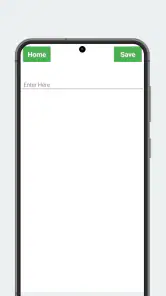
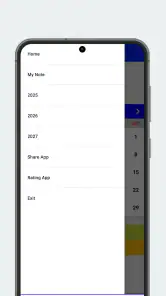
Analysis by Reviewed
I think 2025 Calendar is most useful when you want a simple way to orient yourself around dates, rather than a full command center for work and family. That distinction matters: a lightweight calendar can make the week easier to scan, but it should not be mistaken for a dependable shared planner unless its actual tools fit your routine. I’d consider it for checking dates and keeping everyday plans in view, while treating any more elaborate workflow as something to test before relying on it.
A straightforward calendar, with a narrow promise
2025 Calendar is a free events app from Dhaneswar ojha, and its main appeal is the basic one: a calendar view helps me see where a date falls and keep the year in perspective. It is rated for Everyone, runs on Android 5.0 and later, and its current version is 2.1.9. The app has an average rating of 4.2 from around 2.4 thousand ratings, with over 500 thousand installs. Those figures suggest it has found an audience, but the useful question is whether its date-focused approach suits the way you plan.
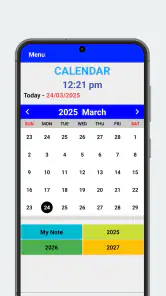
For an ordinary day, I can see the value without turning calendar upkeep into another chore. If a friend asks whether a date is a weekday, or I am trying to place an appointment relative to a weekend, a year-view calendar is a quick reference. A practical habit is to check the month before committing to plans, then use a separate reminder or planning tool if the event needs a notification, attendees, or a detailed agenda. That keeps the calendar useful without assuming it does more than it shows.
Where it fits beside other calendars
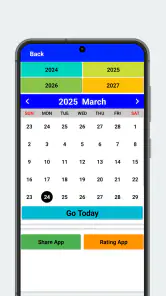
The app’s short description points to a 2025 calendar, while its summary describes viewing dates in 2026. That makes it worth checking the displayed year as soon as you open it, especially if you installed it for a particular year or are planning ahead. For current appointments, Google Calendar, Outlook, or a phone’s built-in calendar may be a better fit if you already depend on event syncing, invitations, and reminders. I would choose this app when a direct date reference is the priority, not when I need one place to coordinate a group’s changing schedule.
There is also a small but important planning trade-off: a calendar can help answer “when?” without answering “what still needs doing?” I would pair it with a task list for errands and deadlines rather than filling date boxes with every to-do. That division is especially helpful for students or busy households, where a clean view of dates is more readable than a crowded schedule. Before making it your main calendar, try a normal week and see whether the information you need is actually easy to find.
Features That Stand Out
The first thing that caught my eye was how user-friendly the interface is. You know that feeling when you open an app and immediately know where everything is? That's what the 2025 Calendar offers. It’s intuitive, and trust me, you don't need a degree in tech to navigate it.
One of the coolest features is the ability to sync with other calendars. Whether you're using Google Calendar, Outlook, or any other, integration is seamless. I personally love how it pulls everything together, so I don't miss a beat.
More From Our News Desk

Weather by Xiaomi Review: Clear at a Glance, Less Clear Up Close

X Under Pressure: Can It Recover When Posting Goes Wrong?

Clash of Clans Is Won Between the Battles

Android Auto Makes the Case for Quieter Car Software

MobiOffice: Transforming Mobile Productivity with Seamless Integration

EA SPORTS FC™ Mobile Soccer: Redefining Mobile Sports Gaming
Customization and Personal Touch
Let's talk customization. This app lets you personalize your calendar like no other. Whether it's changing the color schemes to match your mood or setting quirky reminders, it's all about making the calendar truly yours. I mean, who doesn't want a little flair in their daily schedule?
Another neat feature is the widget support. You can have your calendar right on your home screen, giving you a quick glance at your day without even opening the app. It’s those little things that make a big difference in keeping life organized.
Performance and Reliability
Performance-wise, this app is slick. It's responsive, loads quickly, and I haven't experienced any glitches. Reliability is key when it comes to scheduling, and this app delivers every time. Even when my phone's storage is bursting at the seams, the app runs smoothly without a hitch.
Security is another aspect where the 2025 Calendar app shines. Your data is kept safe and secure, which is a huge relief given how much personal information it holds. It's like having a secure vault for your life’s appointments.
For a useful real-world check, I would start with one low-stakes week: add or view the plans you already know, compare the dates against your usual calendar, and see whether the display makes conflicts obvious. Then check the home-screen widget during a busy morning rather than relying on memory. This is a practical way to judge whether its glanceable layout saves time, and whether any synced entries appear as expected. If an important commitment depends on a reminder firing, keep your established reminder system until you have tested that workflow yourself.
Who should keep it in the mix
I’d recommend this app most to someone who wants a simple date reference, likes an uncluttered way to look ahead, or needs a quick calendar view alongside a separate task or event system. It may also suit a user who is more comfortable checking a visual calendar than searching through a long list of appointments. On the other hand, anyone who needs robust team scheduling, dependable invitations, complex recurring events, or a clear account of privacy and sync behavior should compare it carefully with a built-in calendar or a more established planner before making it their only tool.
One useful tip is to avoid treating customization as a substitute for structure: choose a small, consistent color scheme if you use one, and reserve the calendar for dated commitments. Too many categories can make a year or month harder to read, which defeats the point of a quick reference. Likewise, a widget is most helpful when it shows the time horizon you actually consult; if it becomes visual clutter, opening the app when needed may be simpler. The best setup is the one you can read at a glance without maintaining it constantly.
Making it useful in an everyday routine
A realistic use is planning around a school term, a shift pattern, or a string of family commitments. I would use the calendar to orient myself first: identify the relevant week, spot weekends, and check how far apart key dates are. Then I would put the actionable details—where to be, who is involved, and when I need to leave—in the tool I already trust for reminders. This division makes the calendar a quick visual reference instead of asking it to carry every detail of a busy life.
It can also help when plans are still tentative. If someone suggests meeting later in the month, I can look at the date before agreeing, without immediately creating a formal event or filling a schedule with possibilities. Once a plan becomes firm, I would record it in my main calendar if it needs an alert or coordination. That two-step habit is especially useful for people who want to avoid committing too quickly, but it does mean keeping track of which app holds the final version.
For travel or other date-sensitive planning, I would use it to check the calendar layout, then confirm important details in the source that governs the plan, such as a booking or appointment notice. A visual calendar can make spacing and sequence easier to understand, but it should not be treated as proof that a booking exists or as a substitute for its confirmation. This is a modest role, yet a handy one: it helps me see the shape of a month while leaving authoritative details in the right place.
What to test before making it your main calendar
The biggest practical question is what “sync” means for your own setup. I would not assume that seeing entries from another calendar automatically means edits, reminders, or changes travel in both directions exactly as expected. Start with a harmless test entry, make a small change, and check both apps. If the result is unclear, keep this app for date browsing and let your established calendar remain the source of truth. That simple trial is more valuable than moving a full schedule over and discovering a mismatch later.
The same caution applies to reminders. A date display and a notification system solve different problems: one helps you look ahead, while the other must reach you at the right moment. If the app’s reminders are part of your intended routine, test one that is not important before trusting it with a deadline or appointment. For anything consequential, I would keep a backup alert until I know how it behaves on my device. That is not a reason to avoid the app; it is sensible practice whenever a new tool may affect a commitment.
Version 2.1.9 is the current release, and the app is available at no charge, which makes a cautious trial straightforward. Still, free access does not by itself tell me whether it will replace another calendar well. I would judge it on the small tasks that matter to me: can I find a date quickly, does the displayed year match my plans, and can I read the view without repeatedly changing settings? If those checks go well, it can earn a place as a companion even if it never becomes the center of my scheduling.
Who should keep it in the mix
I’d recommend this app most to someone who wants a simple date reference, likes an uncluttered way to look ahead, or needs a quick calendar view alongside a separate task or event system. It may also suit a user who is more comfortable checking a visual calendar than searching through a long list of appointments. On the other hand, anyone who needs robust team scheduling, dependable invitations, complex recurring events, or a clear account of privacy and sync behavior should compare it carefully with a built-in calendar or a more established planner before making it their only tool.
One useful tip is to avoid treating customization as a substitute for structure: choose a small, consistent color scheme if you use one, and reserve the calendar for dated commitments. Too many categories can make a year or month harder to read, which defeats the point of a quick reference. Likewise, a widget is most helpful when it shows the time horizon you actually consult; if it becomes visual clutter, opening the app when needed may be simpler. The best setup is the one you can read at a glance without maintaining it constantly.
Final Thoughts
In a nutshell, the 2025 Calendar app is a must-have for anyone looking to streamline their scheduling process. It's packed with features that cater to both the tech-savvy and the everyday user. Whether you're managing work, school, or personal life, this app has got you covered. So go ahead, give it a try. You might just find it’s the organizational tool you've been missing.
My verdict is more measured: its appeal is the promise of an accessible calendar, but I would verify the year shown and test the functions I depend on before moving important plans into it. It is free to try, and its broad adoption gives it a visible track record, yet neither popularity nor a clean interface replaces a workflow that fits your needs. If you want a quick way to look across dates, it is worth a look; if you need a complete scheduling system, I would stick with the calendar that already handles your reminders and coordination reliably.
2025 Calendar Frequently Asked Questions
Is 2025 Calendar compatible with my Android device?
2025 Calendar is an Android app that requires Android 5.0 or later. If your device meets that requirement, you can consider downloading it from the relevant app store. Checking your phone’s Android version before installing is a simple way to avoid compatibility surprises and make sure the app can run on your device.
Who developed 2025 Calendar, and what is its age rating?
2025 Calendar is developed by Dhaneswar ojha and is rated Everyone, so its store age classification is suitable for a general audience. It is listed in the Events category, which fits its calendar-focused purpose. These details can help families and individual users understand who publishes the app and how it is classified before deciding whether to install it.
What features does the 2025 Calendar app offer?
The 2025 Calendar app offers a comprehensive set of features including customizable views, reminders for important dates, holiday overlays, and integration with other apps for seamless syncing. It supports both monthly and weekly views, allowing users to navigate through dates effortlessly. Additionally, the app offers color-coded event categorization and the ability to set recurring events.
Is the 2025 Calendar app free to use?
Yes, the 2025 Calendar app is free to download and use with basic features. However, it offers in-app purchases for additional functionalities such as ad-free experiences, advanced customization options, and premium themes. Users can enjoy core features without any cost, making it accessible for general use.
How can I sync the 2025 Calendar app with other devices?
To sync the 2025 Calendar app with other devices, users need to create an account within the app. Once registered, users can enable synchronization through cloud services like Google Calendar or Apple iCloud. This ensures that all appointments and events are updated across multiple devices, providing consistent and reliable access.
Pros
- User-friendly interface.
- Customizable reminders.
- Syncs with other calendars.
- Offline access available.
- Supports multiple languages.
Cons
- Ads in free version.
- Limited features without subscription.
- Sync issues occasionally.
- No dark mode option.
- Requires frequent updates.
- Category
- Events
- Version
- 2.1.9