1Password: Password Manager
- 2.08K
- 3.6
- Installs
- 1.00M
- Price
- Free
Screenshots
Analysis by Reviewed
I used to treat password management as something I would sort out later: a few saved logins in a browser, some familiar passwords reused, and the occasional reset when memory failed. That routine worked until I needed an account on a device that didn’t know me. 1Password: Password Manager is built for a more deliberate habit: keeping logins and other private details together so I can retrieve them when I need them, rather than relying on memory or scattered notes.
From a new vault to a useful routine
My first practical decision would be choosing a strong master password I can reliably remember. It becomes the key to the vault, so a password manager reduces the number of secrets I have to recall without removing the need to protect that one carefully. I’d also make sure I understand how I’ll sign in on my other devices before I depend on the vault as my only copy of important logins.
Once I’m in, the best way to get value is to add accounts as I encounter them, not to turn setup into a long cleanup project. When I create or change a login, I can use the password generator, save the new details, and let autofill handle the next sign-in. That small sequence is more useful than simply importing a pile of old passwords and leaving weak or reused ones untouched.
The same routine can cover information I often need alongside logins. Keeping a payment card or a secure note in the vault can save me from searching through messages when I’m checking out or looking up a detail I deliberately stored. I’d still avoid treating the vault as a dumping ground: clear labels and a little organization make the difference between a secure collection and a confusing one.
Setting Up and First Impressions
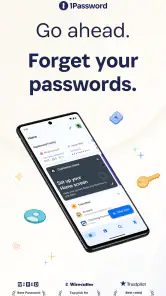
Getting started with 1Password is as smooth as butter. The installation is quick, and before you know it, you’re greeted with a user-friendly interface that’s both sleek and intuitive. I was impressed by how clean and organized everything looked. It’s like Marie Kondo decided to declutter my digital life.
The app guides you through setting up your Master Password – the only password you’ll need to remember. Make it strong, because this is your key to the kingdom. Already feeling safer? I was too.
Features That Stand Out
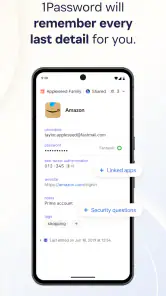
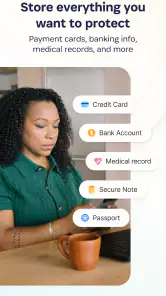
One of the standout features is the ability to store an unlimited number of passwords. Whether it’s your Netflix account, email, or that random website you signed up for years ago, 1Password has got you covered. And it’s not just passwords; you can store secure notes, credit card information, and pretty much anything you want to keep safe.
More From Our News Desk

Clash of Clans Is Won Between the Battles

Android Auto Makes the Case for Quieter Car Software

MobiOffice: Transforming Mobile Productivity with Seamless Integration

EA SPORTS FC™ Mobile Soccer: Redefining Mobile Sports Gaming

How Microsoft OneDrive Became a Mobile Productivity Giant

How Google Translate Breaks Language Barriers Effortlessly
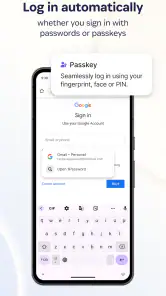
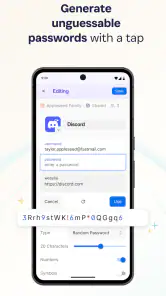
What’s more, the password generator is a lifesaver. It creates strong, unique passwords that even the most determined hackers would have a hard time cracking. Plus, the integration with browsers is seamless – autofilling passwords on all your favorite sites without a hitch. It’s like magic!
Security and Peace of Mind
In today’s digital world, security is paramount, and 1Password doesn’t skimp on that. With end-to-end encryption, your data is locked tighter than Fort Knox. Even if someone tries to pry into your vault, they’re not getting in. Knowing my information is guarded with such robust security gives me an immense feeling of peace.
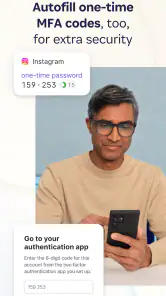
The app also offers two-factor authentication for an extra layer of security. This means that even if someone does get hold of your Master Password, they’ll still need a second form of verification to access your data. It’s like having a security guard on duty 24/7.
Everyday Use
Using 1Password on a daily basis is a breeze. The app syncs across all your devices, so you’re never without your passwords. Whether I’m on my phone, tablet, or laptop, I can access my vault without any hassle. It’s this kind of convenience that makes life so much easier.
A realistic example is arriving at a hotel and needing to sign in to a travel account on a tablet, then using a saved card when booking a change. With the relevant login and card in the vault, I don’t have to search old emails or message myself sensitive details. I can retrieve what I need, complete the task, and return to the rest of my day. For that to work smoothly, I need the vault available on the device I’m using and a master password I can enter confidently.
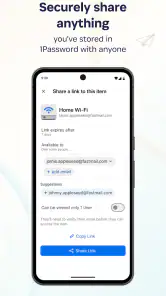
Sharing is a handoff, not just a storage feature. For a household, a shared vault can make a subscription or utility login available to the people who need it without passing the password around in chat. I’d keep shared details limited to the right people and separate from private accounts. For a team, the same idea can help with access, though people who need extensive administration or a particular workplace workflow should compare the available tools before settling on a personal password manager.
Compared with saving logins in a browser, a dedicated vault is appealing when I want passwords, notes, and card details kept together and available beyond one browser’s saved-password menu. A browser manager may be the simpler choice if I only need basic autofill and already stay within one browser ecosystem. Likewise, someone who prefers a lightweight, no-frills solution may not want to maintain a separate vault and its master password. The trade-off is convenience against the extra habit of opening and protecting another app.
For me, the most useful non-obvious habit is to update a login at the moment it changes. If I generate a replacement password but forget to save it, the vault cannot help with the next sign-in. I’d also check autofill before relying on it for an important form: a site’s layout or sign-in steps can make a smooth flow less automatic than expected. Keeping a backup route in mind, such as knowing how to reach the account’s reset process, avoids turning a small mismatch into a stressful lockout.
Making the vault useful beyond sign-ins
I’d treat a secure note as a place for information I genuinely need to retrieve, rather than a general notebook. For example, a travel reference or a recovery detail can be easier to find when it has a clear, descriptive label and sits near the account it relates to. That small bit of context matters later: a vault full of entries called “note” or “account” recreates the same searching problem I was trying to solve.
There’s also a useful distinction between storing a card and storing a login. During an online purchase, I may need both, but they solve different parts of the task. Keeping the card details separate from an account password makes it easier to locate the right item without assuming that autofill will handle every field on every checkout page. I’d still review the information before submitting a form, especially if the site has more than one billing or delivery option.
For someone moving from browser-saved passwords, I wouldn’t try to migrate every old account in one sitting. I’d start with the email account that can reset other logins, then add banking, shopping, and frequently used services as they come up. This prioritizes accounts that would be painful to lose while letting the new habit develop gradually. It also gives me a chance to notice duplicates and stale entries rather than carrying years of clutter into a new place.
Who benefits most, and who may prefer less
The app makes the most sense to me if I regularly move between a phone and another device, maintain many accounts, or need selected credentials to be accessible to other people in my household. The benefit grows when I’m often creating accounts or changing passwords, because the generator and saved entry fit naturally into that moment. It is less compelling for someone with only a handful of logins who is content with one browser’s built-in password storage.
It can also be a poor fit if I’m not willing to maintain a master password or to pause long enough to save each new credential. A password manager is only dependable when the record stays current. If I routinely dismiss prompts, keep passwords in several places, or expect every website’s sign-in flow to autofill perfectly, the app may feel like another chore rather than a solution. In that case, a simpler built-in option could suit my habits better.
People deciding between a dedicated vault and other password managers should think about the whole routine, not just the number of features. I’d ask whether I want a separate home for notes and payment details, whether shared access matters, and whether I’m comfortable making the vault part of every sign-in. The right choice is the one I’ll actually keep updated. Switching tools repeatedly or maintaining parallel collections can undermine the neatness and security that prompted the change.
Where the handoff can stumble
The smoothest workflow is not guaranteed on every site. Autofill can be less straightforward when a service divides sign-in into multiple steps, uses an unusual form, or asks for extra information after the password. When that happens, I’d open the relevant entry, check the details, and complete the form deliberately instead of repeatedly tapping autofill and assuming the wrong password is saved.
Device changes deserve a little planning too. Before I rely on the vault while travelling or away from my usual setup, I’d confirm I can sign in on the device I expect to use and that I know the master password without depending on a saved browser session. That is a practical safeguard, not a reason to keep sensitive details in an insecure backup. The vault is useful precisely because it centralizes access, so I want to understand that access path before an urgent moment.
For a shared household entry, I’d agree on who is meant to use it and keep personal accounts out of the shared space. This reduces the chance that a convenience for one subscription turns into indiscriminate access to unrelated information. If someone leaves a household or no longer needs a credential, reviewing what they can reach is part of treating sharing as an ongoing responsibility, not a one-time setup.
1Password is a productivity app from AgileBits, and its appeal is clearest for people juggling many accounts across devices, or for households that need a more considered way to share selected logins. The app is free to install, with in-app purchases ranging from $4.99 to $239.99 per item. It has a 3.6 average from around 17,000 ratings, and has been installed over a million times. The current version is 8.11.20, it runs on Android 9 or later, and its Everyone age rating makes it suitable for a general audience.
The main friction is that a password manager asks me to change my routine. I have to save new credentials consistently, keep the master password memorable and secure, and ensure I can access the vault when switching devices. People who rarely use online accounts, dislike relying on a central vault, or only want the browser’s built-in autofill may find that effort unnecessary. The paid options are another reason to check what suits your needs before building the app into every part of your workflow.
For families or teams, the shared vaults feature is incredibly useful. You can share passwords with your loved ones or colleagues securely, without worrying about sending sensitive information over email or chat.
A considered choice for everyday account security
My practical recommendation is to begin with a small, important set of accounts and test the complete cycle: save a login, retrieve it on another device, use autofill where it fits, and update the entry when the password changes. That reveals whether the app matches the way I actually sign in far better than filling a vault with every old credential at once. If that routine feels natural, I can expand it to cards, notes, and carefully chosen shared items.
I’d also make a conscious decision about the purchase options before making the app central to my digital life. The free starting point lowers the barrier to trying it, while in-app purchases mean the overall fit depends on what I want and which option meets that need. I wouldn’t assume that every feature or use case is covered in the same way for every user; I’d check the app’s current offer and make the decision based on the workflow I need.
In conclusion, 1Password: Password Manager is more than just a tool; it’s a digital guardian angel. It’s transformed the way I handle my online security, making password management something I actually look forward to. If you’re tired of the constant mental gymnastics of remembering passwords, give it a try. Trust me, your brain will thank you.
1Password: Password Manager Frequently Asked Questions
Can I use 1Password if I’m new to password managers?
Yes. 1Password is designed to give passwords and other sensitive details a dedicated place, rather than leaving them scattered across notes or memory. Its focus on passwords, credit cards, and notes makes the purpose easy to understand even if you have not used a password manager before. You can decide whether its organizing approach fits your needs after downloading the app.
Will 1Password work on my device?
1Password is available for Android and iOS, as well as Windows and macOS, so it may suit people who use more than one kind of device. On Android, check your device’s operating-system version before installing: the app requires Android 9 or later. Keeping that compatibility requirement in mind can help you avoid downloading an app your device cannot run.
What does 1Password help me store?
1Password is a productivity app for keeping passwords and other sensitive details together in one place. Its store summary highlights passwords, credit cards, and notes, making it useful for more than account logins alone. If you want a dedicated place to organize this kind of information, the app is designed around that purpose.
Is 1Password free to download, and what might I pay for?
The app is free to download, but 1Password also offers in-app purchases, with listed items ranging from $4.99 to $239.99. That means downloading it does not necessarily mean every option is free. Before choosing a purchase, check the available in-app options and make sure they suit the way you intend to use the password manager.
Who makes 1Password, and is it suitable for general audiences?
1Password is made by AgileBits and is categorized as a productivity app. It has an Everyone age rating, so its content is considered appropriate for a general audience. The app focuses on storing passwords, credit cards, notes, and other sensitive information, which can make it relevant to people looking for a dedicated digital organizer.
Pros
- User-friendly interface for easy navigation.
- Supports multiple platforms seamlessly.
- Advanced security features protect data.
- Allows secure sharing with family and team.
- Biometric login for quick access.
Cons
- Requires subscription after the trial period.
- Can be complex for first-time users.
- Limited free version features.
- Occasional sync issues across devices.
- Some features may be redundant.
- Category
- Productivity
- Version
- 8.11.20











