Who is it? Celeb Quiz Trivia
- 532.00
- 4.8
- Installs
- 5.00M
- Price
- Free

Screenshots

Analysis by Reviewed
I’d treat Who is it? Celeb Quiz Trivia as a small, shared-screen diversion rather than a full family game night in an app. Its appeal is immediate: you look at a clue, try to name the celebrity, and see whether your pop-culture memory holds up. That makes it easy to bring out during a lull, though the best experience depends on who is playing and whether they enjoy this particular subject.
When one phone becomes the group’s quiz board
A realistic use is a few minutes at the kitchen table while dinner is finishing. One person opens the game, reads or shows a clue, and everyone else calls out a guess. You can keep the phone with one player or pass it around; either way, the group supplies the conversation that a solo session would lack. I like this low-effort format because nobody needs to learn a complicated set of rules before joining in.
It also suits a waiting room or a passenger seat when the people involved want a quick distraction. The person holding the device can manage the game while others guess, so it works even if not everyone wants to take a turn tapping. I’d avoid using it while someone is driving, of course; it is for the passenger or for a stop, not something that should pull attention from the road.
Agree on the device and the turn-taking first
With a shared phone, I’d make one practical decision before starting: is the group trying to solve clues together, or is each person taking a turn? The first approach is more relaxed and works well across different ages or knowledge levels. Taking turns adds a little competition, but it can also leave quieter players waiting while the quickest person answers every clue. A simple rotation, or letting everyone say one guess before revealing the answer, keeps the session welcoming.
I would not treat a shared screen as proof that each player has a separate account or personal progress. If keeping individual results matters, it is more sensible to use a person’s own device than to assume one installation will keep household activity neatly separated. That boundary is useful for adults managing a family device, too: decide who is playing and who is responsible for any choices made on that device before handing it over.
For a parent, the Teen age rating is a prompt to make a household judgment, not a substitute for one. I’d look at the game together first if a younger child will use the phone, then decide whether celebrity-focused clues suit them. Shared play can make it easier to guide the conversation, but I wouldn’t assume that playing in a group changes the content or provides a special child mode.
What kind of trivia it is—and what it isn’t
This is a narrow subject by design. If your group enjoys recognizing famous people from entertainment, sports, music, and related parts of pop culture, the focused theme gives everyone a clear reason to participate. If someone would rather answer questions about science, geography, history, or a mix of unrelated subjects, a general-knowledge quiz is likely to hold their interest longer. The right alternative depends less on which game is “better” and more on whether the group shares the same appetite for celebrity clues.
More From Our News Desk

Weather by Xiaomi Review: Clear at a Glance, Less Clear Up Close

X Under Pressure: Can It Recover When Posting Goes Wrong?

Clash of Clans Is Won Between the Battles

Android Auto Makes the Case for Quieter Car Software

MobiOffice: Transforming Mobile Productivity with Seamless Integration

EA SPORTS FC™ Mobile Soccer: Redefining Mobile Sports Gaming
It is also a different kind of social activity from a board game built around teams, timed turns, or a host managing a room. Here, I’d supply those conventions myself if the group needs them. For instance, agree whether guesses have to be spoken before anyone touches the screen, and whether people can revise an answer after hearing someone else’s idea. Those small ground rules prevent the phone from deciding the social rhythm for you.
Who will enjoy the quick format
I’d recommend trying it for pop-culture fans who want a lightweight challenge and don’t mind playing in short bursts. It can be a good fit for roommates, siblings, or friends who already enjoy debating whether they recognize a performer. It is less suitable for a group where only one person follows celebrities, or for players who want a substantial solo puzzle with layers of strategy. In those cases, the most knowledgeable person may end up carrying the session rather than sharing it.
One useful way to balance different levels of familiarity is to let the group discuss clues before anyone answers. Someone who knows a star’s face may recognize them quickly; another person may connect a clue to a film, song, or sport and arrive at the answer from a different angle. That turns the game into a conversation rather than a test of who has the fastest reflexes. If the group still has very uneven interests, switching to a broader trivia game is the kinder choice.
Worth trying before spending
The game is free to download, while in-app purchases range from $0.99 to $49.99 per item. I’d begin with the free experience and decide whether the basic quiz is enjoyable before considering a purchase. In a household, it is especially sensible to make that decision with the person responsible for the device rather than letting a casual player make a purchase choice on the spot. The price range covers a wide span, so check the particular item and its cost before confirming anything.
A small coordination habit helps here: when several people are sharing one phone, make clear that “playing together” does not mean everyone has agreed to buy something. Keep purchases as a separate adult decision. This is not a judgment about the game; it is simply a practical way to avoid confusing a group activity with permission to spend. If the free play already gives your group the sort of short session you want, there is no reason to rush that decision.
Guess the Celebrity
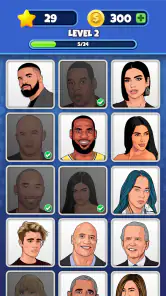
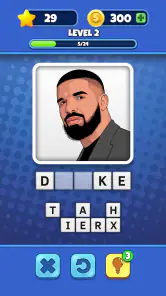
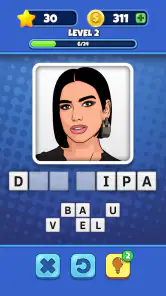
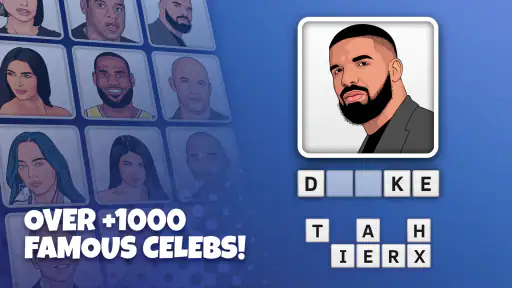
The main concept of the app is pretty straightforward yet engaging. You’re tasked with identifying celebrities from fields such as movies, music, sports, and more, using clues. Whether it’s an image, a cryptic description, or a fun fact, each level challenges your celeb knowledge. It’s not as easy as it sounds, especially when you’re staring at a pixelated photo of a star from the 90s!
Smooth and Simple Interface
One of the first things that caught my attention was the app's sleek and user-friendly interface. Who is it? Celeb Quiz Trivia doesn't bombard you with unnecessary buttons or complicated menus. The design is intuitive, making it easy to jump right into the game without a learning curve. You can tell the developers have put thought into making the user experience seamless, which is always a win in my book.
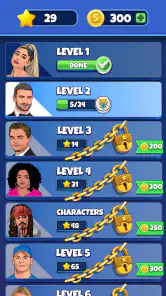
Levels and Challenges
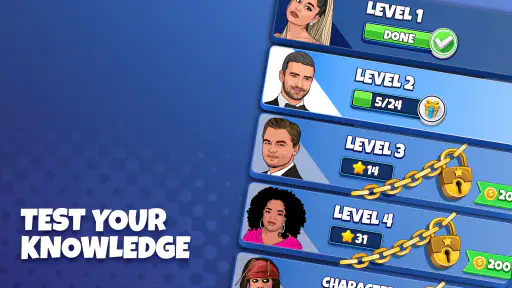
As you progress, the levels get increasingly challenging, which keeps the game fresh and your brain engaged. I love that mix of frustration and satisfaction when you finally figure out who the mystery celeb is. It suits short sessions: if a clue stalls the group, take turns suggesting answers rather than letting one person dominate. That small change makes the challenge more enjoyable and gives everyone a chance to contribute.
The game is free to download, with optional in-app purchases priced from $0.99 to $49.99 per item. I’d start without spending: a celebrity quiz is most enjoyable when the clues themselves carry the session, and purchases are worth considering only if you know they address something you personally want. PrizePool Studios is the developer, and the game is rated Teen, so I’d check that age guidance before handing a shared phone to a younger child. A Teen rating doesn’t replace a parent’s judgment about what content feels suitable for their household.
Social Features
Another cool aspect is the social feature that lets you connect with friends. You can compare scores and even challenge each other. It adds a competitive edge to the game, making it even more addictive. Nothing like a little friendly competition to spice things up!
In a group, I’d agree on a simple rule before starting: whether everyone gets time to guess or the quickest answer wins. That avoids turning a casual round into an argument over who got there first. If you’re deciding between this and a broad general-knowledge quiz, the choice is clear: this one is focused on celebrity recognition, while a general trivia game is a better fit when your group wants questions across many subjects. It’s not my pick for players who dislike pop culture, want a deep solo puzzle, or need a carefully structured family activity.
The game is a trivia title with a 4.8 average rating from around 75,000 ratings and over 5 million installs. It was released on January 12, 2023, and version 1.39.0 requires Android 6.0 or later. Those details make it easy to check basic fit before installing, but the real question is whether celebrity clues suit your group. I’d use it as a casual conversation starter, not as a substitute for a broad quiz collection or a dedicated multiplayer game.
A practical household verdict
For a household, the strongest case is simple: it gives people who already enjoy celebrity trivia an easy shared activity that needs little explanation. I’d choose it for an informal break, not as the centerpiece of a planned evening or as a way to occupy every age group at once. The Teen rating deserves a parent’s attention, and a shared device calls for clear boundaries around turns, accounts, and purchases.
My recommendation is to try it when the group has a genuine interest in identifying public figures and is happy to keep the competition friendly. If you need independent profiles, a broader range of quiz subjects, or a structured multiplayer format, another option will fit better. For a quick round with friends or family who like pop culture, though, it is an easy game to bring into the conversation.
In conclusion, if you're a pop culture enthusiast or just someone who enjoys a good trivia challenge, Who is it? Celeb Quiz Trivia might just be your new favorite app. It's perfect for killing time while also brushing up on your celebrity knowledge. So go ahead, give it a spin, and see if you can become the ultimate celeb guru!
Who is it? Celeb Quiz Trivia Frequently Asked Questions
Is 'Who is it? Celeb Quiz Trivia' free to download, and does it include optional spending?
'Who is it? Celeb Quiz Trivia' is free to download, with optional in-app purchases. Individual items range from $0.99 to $49.99, so it is sensible to review purchase details before confirming any transaction. Players can decide whether to spend based on their preferences; purchasing is not required simply to download the game.
Who developed 'Who is it? Celeb Quiz Trivia', and what kind of game is it?
'Who is it? Celeb Quiz Trivia' is a celebrity-guessing trivia game developed by PrizePool Studios. Its central idea is simple: look at celebrity pictures and clues, then try to identify the famous person. It may appeal to players who enjoy pop culture questions and quick knowledge challenges. The game is free to download, with optional in-app purchases.
What device does 'Who is it? Celeb Quiz Trivia' need to run?
'Who is it? Celeb Quiz Trivia' is available for Android and iOS devices. On Android, the minimum operating system requirement is Android 6.0, so it is worth checking your device’s software version before installing. You can find the game by searching its title in the relevant app store and checking that PrizePool Studios is listed as the developer.
What is 'Who is it? Celeb Quiz Trivia' about?
'Who is it? Celeb Quiz Trivia' is a fun and engaging app designed to test your knowledge of celebrities from around the world. The game challenges players to identify famous personalities based on pictures and clues provided. It's an entertaining way to learn about and recognize celebrities, making it perfect for pop culture enthusiasts and trivia lovers alike.
How can I download 'Who is it? Celeb Quiz Trivia'?
Downloading 'Who is it? Celeb Quiz Trivia' is simple. You can find the app on both the Google Play Store for Android devices and the Apple App Store for iOS devices. Simply search for the app's name, check the developer's details to ensure it's the correct app, and click on the download or install button to start enjoying the game.
Pros
- Fun and engaging gameplay.
- Broad range of celebrities featured.
- Regular updates with new content.
- Enhances memory and recognition skills.
- User-friendly interface.
Cons
- Contains in-app purchases.
- Ads can be intrusive.
- Limited offline functionality.
- Some questions are repetitive.
- Requires internet connection.
- Category
- Trivia
- Version
- 1.39.0