Vlad and Niki - Smart Games
- 382.00
- 4.5
- Installs
- 10.00M
- Price
- Free

Screenshots


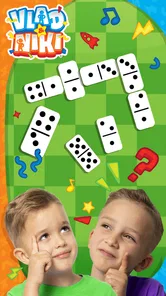


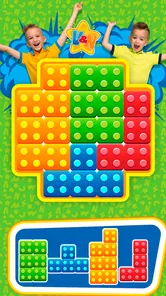

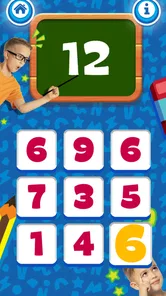
Analysis by Reviewed
Hey there, fellow game enthusiasts! Today, I’m diving into the colorful and dynamic world of Vlad and Niki - Smart Games. If you have little ones at home or are just curious about educational games for kids, this app is a delightful mix of fun and learning that you might want to check out. Let’s jump right into what makes this app a worthy download.
The First Week: Familiar Faces, Quick Sessions
For a child who already knows Vlad and Niki, the familiar characters give this game an easy way in. A parent can offer it during a short wait at an appointment or on a quiet afternoon, then see whether the child actually returns to it without being prompted. That small test matters more than the first burst of excitement: a game earns a place in a routine when it remains inviting after the novelty of its characters and colors wears off.
I’d treat it as a shared starting point rather than an automatic replacement for play away from a screen. Let a child choose a mini-game, watch how they approach it, and ask them to explain what they did afterward. This turns a brief session into a chance to notice whether they enjoy puzzles, memory challenges, or more open-ended creative play, without making the app feel like a lesson.
A useful first-week check is to see how the child handles choice. If they move calmly between activities and can accept a stopping point, the format may fit a short daily break. If choosing becomes a source of frustration, I’d narrow the decision to one or two options rather than handing over the device and expecting the game to manage the session. The adult’s role is still important, especially when a child is new to touch-screen play.
The Magic of Learning with Fun
So, what’s the deal with Vlad and Niki - Smart Games? Well, imagine the energetic and playful spirit of YouTube stars Vlad and Niki packed into a series of engaging games that are both entertaining and educational. The app offers a variety of mini-games that help children develop cognitive skills, memory, and creativity while ensuring they have a blast.
AppQuiz made this educational game for a young audience, and its age rating is Everyone. It is free to download, with optional in-app purchases ranging from $0.99 to $6.49 per item. That makes it easy to try before spending, but I’d check the purchase settings on the device first if a child plays unsupervised. The game has a 4.2 average from around 48,000 ratings and has been installed over 10 million times, which suggests it has reached many families, though those figures alone can’t tell you whether its play style suits your child.
A Colorful and Engaging Interface
The first thing that strikes you about this app is its vibrant and kid-friendly interface. The colors are bright, and the animations are smooth, instantly grabbing the attention of young minds. It's designed in a way that even the youngest of users can navigate through the app with minimal assistance. This is a big win in my book because it fosters independence among kids.
More From Our News Desk

Weather by Xiaomi Review: Clear at a Glance, Less Clear Up Close

X Under Pressure: Can It Recover When Posting Goes Wrong?

Clash of Clans Is Won Between the Battles

Android Auto Makes the Case for Quieter Car Software

MobiOffice: Transforming Mobile Productivity with Seamless Integration

EA SPORTS FC™ Mobile Soccer: Redefining Mobile Sports Gaming
That independence is most useful when the child already understands the basic idea of choosing and starting a game. I’d still stay nearby at first, not because the interface needs a long tutorial, but because a young player may need help deciding when to stop or switching activities. Once they know the layout, letting them pick the next activity can make a short play break feel less like an adult-directed task.
One practical tip is to let the child make the selection, then keep the device in a shared space rather than treating the app as a hands-off babysitter. That gives them room to act independently while making it easy to notice whether they are engaged, confused, or ready to stop. For younger children, a calm adult nearby can be more useful than repeatedly explaining what each screen is meant to do.
Variety of Educational Mini-Games
The app is packed with a variety of games that cater to different aspects of learning. For instance, there are puzzles that challenge the brain, memory games that enhance recall skills, and creative tasks that allow children to unleash their imagination. What I particularly love is how each game is short and sweet, making it perfect for holding a child’s attention without overwhelming them.
Short activities also make it easier to fit the game into everyday life without turning it into an all-evening habit. For example, during a rainy afternoon, I’d let a child pick one activity while I prepare a snack, then use the end of that round as a natural stopping point. If the child repeatedly asks to continue, I’d set a simple limit before opening the app; otherwise, the quick format can make “one more” sessions add up.
Compared with a paper puzzle or a physical memory game, this app offers less hands-on interaction but makes switching between different kinds of tasks immediate. Compared with a broad educational app built around lessons, its appeal is more recreational and character-led. I’d choose it for a child who responds to familiar faces and likes varied little challenges, but I’d pick books, blocks, or a focused learning tool when the goal is sustained practice on a particular subject.
That distinction is worth keeping in mind if you’re deciding what to use during a specific moment. A child who needs to practise a particular skill with clear repetition may do better with a focused activity chosen by a parent or teacher. This game is more suitable when the aim is a light, varied change of pace. I wouldn’t use a child’s enthusiasm for the characters as evidence that they are ready for more demanding learning tasks.
For a realistic everyday use, I can see it working after a long stretch indoors: a parent sets aside a brief screen break, the child picks a puzzle or memory activity, and the family moves on to a snack or another play option when it ends. That kind of deliberate use lets the game fill a small gap without becoming the only answer to boredom. It also gives adults an easy opportunity to talk about how the child approached a challenge.
Encouraging Safe and Interactive Play
Another fantastic feature of this app is its focus on safe and interactive play. As a parent, I often worry about the content my kids are exposed to, but with this app, I can rest easy. It’s free from ads and inappropriate content, which means the kids can focus on learning and having fun without any distractions or risks.
Even so, I wouldn’t treat any app as a substitute for checking how a child uses a device. A practical routine is to open the game together, agree on how long the break should last, and keep purchases protected through the device’s usual controls. The game is free, but optional purchases mean “free to start” is not the same as “nothing to manage.” This simple setup helps avoid interruptions and makes the choice to keep playing an adult decision rather than an accidental tap.
For families sharing a device, I’d also make the spending boundary clear before handing it over. A child may understand how to start a game without understanding that a purchase is different from an ordinary choice on screen. Setting device-level purchase controls is more dependable than relying on a young player to recognise the difference in the moment.
Why Your Kids Will Love It
Kids love anything that’s visually appealing and easy to understand, and this app hits the bullseye on both fronts. The games are designed with the perfect balance of challenge and fun, ensuring that children remain engaged. Plus, the presence of their favorite YouTube stars, Vlad and Niki, adds a layer of familiarity and excitement that is hard to beat.
The same character-led appeal can be a limitation if a child doesn’t know Vlad and Niki or loses interest in them. I’d also avoid presenting the game as a reliable way to measure learning progress: its value is in playful practice, not in a formal record of what a child has mastered. The current version is 9.7, and it runs on Android 5.1 or later, so families with older Android devices may be able to try it; iOS availability and device support should be checked in the relevant app store before planning around it.
In practical terms, the best fit is a child who enjoys the characters, can handle simple choices, and likes changing activities rather than staying with one demanding task. A child who is easily overstimulated by bright animation, prefers physical toys, or wants a clear sequence of lessons may be happier with a different option. The age rating gives a broad indication of suitability, but I’d still judge the experience by the individual child’s attention, comfort, and ability to use the device safely.
Does It Keep Its Place in the Routine?
After the first few sessions, I’d judge the game by whether the child still chooses it among other familiar activities, not by how long they can be kept on-screen. A useful habit is to offer it as one option during a specific short break, rather than making it the default whenever there is a quiet moment. That keeps its role clear and makes it easier to notice when interest has faded.
Fatigue is most likely when the same bright presentation and brief challenges become predictable, or when a child expects every session to last longer than the parent intended. Rotating the game with drawing, toys, outdoor play, or a story can preserve its appeal without needing to turn each visit into a new reward. If the child stops choosing it, there’s little reason to push: another activity may fit their mood or developmental interests better.
Month to month, I’d look for a modest kind of value rather than expecting the game to transform into a new experience. Variety can help a child return, but familiar presentation can also become routine. A simple check-in every so often—does the child still choose it, and do they enjoy the activities rather than merely tapping through them?—is more useful than trying to create a daily streak. If it remains an occasional favourite, that can still justify keeping it available.
The maintenance burden is mostly on the adult, not on a complicated routine. Keep purchase controls in place, decide where and when the device is used, and revisit those boundaries if the child begins asking for longer sessions. I’d also avoid promising the game as a reward for every ordinary task; that can make a casual activity feel like something the child must earn and can increase arguments when it is time to stop.
There is a trade-off between letting a child explore freely and keeping a session short. Free choice encourages independence, but a young player may drift through several activities and resist ending the session. A parent can preserve some choice by offering a simple boundary—choose an activity, then finish when the agreed break is over—without turning play into a tightly managed lesson.
In conclusion, Vlad and Niki - Smart Games is more than just another educational app; it’s a gateway to learning through play. It successfully combines entertainment with education, making it a valuable tool for parents who want their kids to learn while having fun. Whether it’s a long car ride or a rainy afternoon, this app is sure to keep your little ones entertained and learning. Happy playing!
My longer-term recommendation is more measured: it can be a handy, low-effort choice for short breaks, especially for children who enjoy the characters and move happily between mini-games. I wouldn’t count on it as a lasting favorite for every child or as a stand-alone learning plan. Try it, keep sessions intentional, and let the child’s continued interest—not the first-week excitement—decide whether it deserves regular space.
I’d give it a place on the device when the goal is a brief, character-led change of pace and the child can move on comfortably afterward. I’d skip it when you need a structured curriculum, a strong reason for prolonged daily use, or an activity that replaces hands-on play. The lasting value is not that every child will keep returning; it’s that families can test it without an upfront price and keep using it only if it genuinely fits their routine.
Vlad and Niki - Smart Games Frequently Asked Questions
Does the game work on a child’s tablet as well as a phone?
Vlad and Niki - Smart Games is a mobile game, so families can consider installing it on a compatible Android or iOS phone or tablet. The larger screen of a tablet may make it easier for a young child to see and interact with puzzles and other activities, while a phone can be convenient when travelling. Check the device’s platform and system requirements before downloading.
Is the game free to download, and can I try it before making a purchase?
Yes. Vlad and Niki - Smart Games is free to download, so you can open it and explore its activities before deciding whether to spend money. Optional in-app purchases are available, with items priced from $0.99 to $6.49. Parents may want to review purchase settings on the device before handing it to a child, so an accidental tap does not lead to an unintended purchase.
Can I adjust the difficulty of the games for my child?
The app is an educational game built around brain-training activities featuring Vlad and Niki. Its simple, interactive style is aimed at young children, so parents can explore the available activities with their child and see which ones feel like a good fit. The focus is on learning through play, including puzzles and logic-based challenges, rather than requiring children to follow a complicated setup.
What age group is the 'Vlad and Niki - Smart Games' app suitable for?
The 'Vlad and Niki - Smart Games' app is designed primarily for children aged 3 to 7 years old. It features a variety of educational games and activities that are tailored to this age group. The games are simple, interactive, and engaging, making them perfect for young children who are just starting to learn new concepts and skills. The app has an Everyone content rating, so parents can also review its activities together with children outside that suggested age range.
Is 'Vlad and Niki - Smart Games' available on both Android and iOS platforms?
Yes, the 'Vlad and Niki - Smart Games' app is available for download on both Android and iOS devices. This ensures that a wide range of users can access the app regardless of their preferred platform, making it easy for parents to install the app on their child's tablet or smartphone. On Android, the current version is 9.7 and the minimum operating system requirement is Android 5.1, so it is worth checking that a device meets that requirement before downloading.
Pros
- Engaging educational content
- Colorful graphics attract kids
- Variety of mini-games
- Easy to navigate interface
- Encourages creativity and learning
Cons
- In-app purchases can add up
- May require internet connection
- Limited free content
- Ads can be distracting
- Not suitable for older kids













