Sheriff Labrador Safety Games
- 77.00
- 4.7
- Installs
- 5.00M
- Price
- Free

Screenshots

Analysis by Reviewed
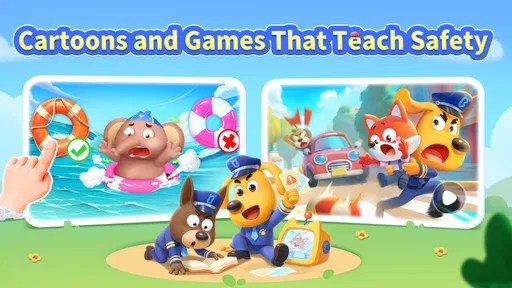
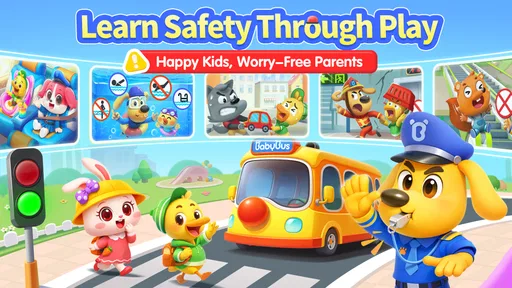
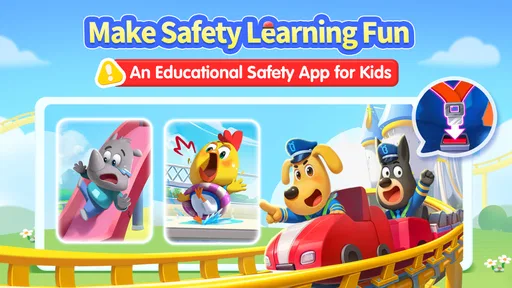
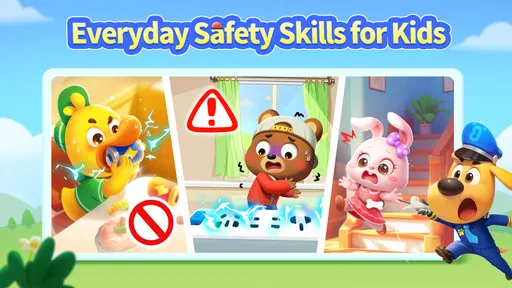
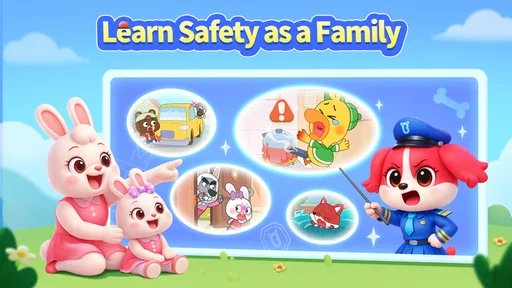
Sheriff Labrador Safety Tips2 is an educational game built around a practical idea: helping children think through everyday safety situations with a friendly cartoon guide. I’d treat it as a light learning activity, not as a replacement for an adult explaining what to do in a real emergency. Its strongest use is giving families a more approachable way to start those conversations.
A playful starting point for safety conversations
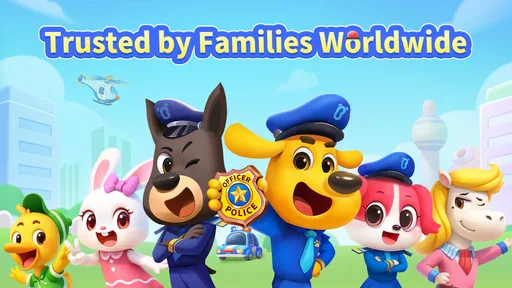
The game is made by BabyBus, a developer known here for a child-focused format, and its Sheriff Labrador character gives the subject a recognizable face. The package brings together games, cartoons, and stories, so it can suit a child who is more likely to engage with a short activity or a character-led scene than with a formal lesson. That variety is useful when attention is brief, though it also means parents may want to guide the choice of activity rather than leave the app running without a plan.
A realistic use might be a few minutes together before a family outing: let a child explore a safety-themed activity, then ask what they would do if they faced a similar situation. I find that follow-up valuable because an animated example can prompt discussion, but it cannot judge whether a child has understood the advice or can apply it calmly. For younger children especially, I’d play alongside them and connect what appears on screen to simple rules the family actually uses.
Making a short session more useful
I would avoid treating this as something to hand over for an entire afternoon. A short, shared session gives an adult a chance to notice which stories or games interest the child and to stop when a topic needs explaining. One practical approach is to let the child choose an activity, then ask them to describe the decision they made in their own words. That reveals more than whether they tapped the expected answer: it shows whether they understood the reason behind it.
The same routine can work on an ordinary day rather than only during a planned lesson. For example, before a walk to the shops, a caregiver could use a brief activity as a prompt and then talk through the family’s own rules for crossing a street or staying together. I would keep that conversation calm and specific, without suggesting that a cartoon prepares a child for every real situation. If a scene prompts fear or confusion, pause and explain it in age-appropriate language instead of pushing through to finish.
What the purchase terms mean in practice
The game is free to download, but it also offers in-app purchases priced from $1.99 to $29.99 per item. That matters if you are choosing it as a no-cost activity: the download itself does not mean every available item is included for free. I would check the purchase prompts with a child before handing over the device, and use the device’s purchase controls if you want to prevent accidental spending. The listed purchase range is clear, but it does not tell me which particular content is paid or how much of the experience can be enjoyed without buying anything, so I would make that decision after looking through the app together.
That is a more useful way to think about value than assuming the game is either entirely free or automatically pay-to-win. For an educational title, spending is a question of access to content, not competitive advantage; there is no verified basis here to claim that paid items improve a score or create an edge over other players. If you need a fully predictable, purchase-free option, a library book or a parent-led safety conversation may be a better fit.
More From Our News Desk

Weather by Xiaomi Review: Clear at a Glance, Less Clear Up Close

X Under Pressure: Can It Recover When Posting Goes Wrong?

Clash of Clans Is Won Between the Battles

Android Auto Makes the Case for Quieter Car Software

MobiOffice: Transforming Mobile Productivity with Seamless Integration

EA SPORTS FC™ Mobile Soccer: Redefining Mobile Sports Gaming
Fairness, choice, and family budgets
Since this is a child-focused learning game rather than a contest between players, I would judge fairness by whether a family can make a comfortable spending decision, not by whether one child can buy an advantage over another. The available purchase range means parents should decide in advance whether they are willing to spend at all. A child can still participate in the decision by choosing what to explore, while the adult remains responsible for purchases and account settings.
If you are comparing it with free videos or printed activities, the trade-off is convenience and interaction versus predictable access. A book or a conversation has no in-app purchase prompts, and an adult can tailor every example to the child. This game may be easier to use when a child responds to animation and wants to tap through a scene, but the purchase model makes it less suitable for a household that wants every part of a child’s app experience to be strictly no-spend.
Getting to Know Sheriff Labrador
So, let me tell you about my experience with Sheriff Labrador Safety Tips2. At first glance, the app is quite inviting with its colorful interface and friendly design. As you dive in, you’re greeted by Sheriff Labrador himself, a charming cartoon character that makes learning about safety feel less like a chore and more like an adventure.
Features that Stand Out
One of the cool things about this app is its interactive approach. You’re not just passively reading tips; you’re actively engaging with scenarios that test your knowledge and improve your skills. It’s like a game, where every right decision earns you points. Honestly, who knew learning about safety could be this entertaining?
The app covers a wide range of safety topics, from basic first aid to dealing with emergencies like fires or earthquakes. And guess what? It’s not just for kids. I found myself learning a few things that I thought I already knew! The information is presented in a way that’s easy to digest, which is perfect for users of all ages. Plus, the app is regularly updated with new content, keeping it fresh and relevant.
Choosing it for the right child and occasion
I would start with the child’s interests and the amount of adult guidance they need. A young fan of animated stories may respond well to the character-led approach; a child who prefers direct instruction or needs a highly structured lesson may do better with a parent, teacher, or a dedicated learning resource. The Everyone content rating makes the game broadly suitable, but it does not mean every child will understand every situation in the same way. I’d keep explanations age-appropriate and pause if a scene raises worries rather than curiosity.
Compared with a typical educational game built around spelling or puzzles, this one has a more practical subject and can lead naturally into real-world conversations. Compared with a safety video, its interactive format invites children to make choices instead of only watching. Neither format is automatically better: a video can be easier to share with a group, while an interactive game may hold one child’s attention more effectively. I would use Sheriff Labrador as a conversation starter, not as a substitute for school instruction, emergency guidance, or practicing family plans.
When another format may work better
The best alternative depends on what the family needs from a lesson. If an adult is teaching several children at once, a shared video or a teacher-led discussion may be simpler than taking turns with one device. If the goal is to rehearse the exact steps a family would follow in an emergency, a direct conversation based on the family’s own plan is more relevant than a general game. For a child who learns well through characters and choices, though, this app can be a useful opening activity before those more specific discussions.
I would also consider the child’s mood and attention on the day. When they are tired or already worried, a safety-themed scene may not be the right choice; a calm story or a conversation led by a trusted adult could feel more comfortable. Conversely, a child who resists a formal explanation may be more willing to begin with a game and then talk. The format is a tool for engagement, not a guarantee that every child will respond to it in the same way.
Why You’ll Love It
If you’re anything like me, you’ll appreciate an app that doesn’t bombard you with ads or require constant internet access. Sheriff Labrador Safety Tips2 is designed to be user-friendly, and it’s evident in how smoothly it runs. The offline access is a blessing, especially when you’re in areas with spotty internet connection. Another thing I love is that it’s completely free! There are no hidden fees or in-app purchases, which is a huge plus in my book.
Moreover, the app includes a feature where you can test your safety knowledge through quizzes. It’s a fun way to see how much you’ve learned and where you might need a little more practice. Trust me, it’s quite satisfying to see your progress over time.
Practical checks before handing over the device
Because this is designed for children, I’d take a minute to explore it together before making it part of a regular routine. That gives you a chance to see which activities hold your child’s attention, whether the difficulty feels appropriate, and when purchase prompts appear. A useful tip is to choose one small topic at a time, then ask the child to explain the choice they made; this checks understanding better than simply letting them tap through several activities. If they get an answer wrong, treat it as a chance to talk rather than a test they have failed.
For device planning, it is listed as compatible with Android 5.0 and later, and the current version is 8.71.37.02. I would still check that the device has enough room and that the child can use it comfortably, especially if the phone or tablet is shared. The game has a 4.2 average from around 1,200 ratings and has been installed over a million times, which suggests it has reached many families, though popularity alone cannot tell you whether its style suits your child.
What to expect from progress
I would use any quiz or activity as a prompt for discussion rather than a scorecard. A child can remember the answer in a familiar scene without knowing what to do when circumstances change, so I would ask a simple follow-up question or invite them to explain their choice. That makes progress less about getting every answer right and more about building confidence in talking through a situation.
There is also a useful balance between repetition and variety. Revisiting one topic briefly can help a child explain it more clearly, while moving between games, cartoons, and stories may keep the experience from feeling like a drill. I would not rush through every available activity in one sitting. A parent can choose one relevant subject, stop while the child is still engaged, and return later if it continues to be useful.
Where I’d draw the line
There are a few reasons I would choose something else. If you need a formal, authoritative safety course, this playful format is not the right substitute. If a child becomes anxious around emergency scenarios, I’d preview activities first and stop if the material feels upsetting. And if your priority is a children’s app with no in-app purchases at all, the paid-item range means this one may not match that requirement. The game’s value depends on how comfortably you can supervise its content and spending, not only on whether the download is free.
It is also worth keeping expectations grounded: a game can encourage recognition and discussion, but it cannot guarantee that a child will remember instructions under pressure. I’d pair it with calm, repeated conversations about the specific situations relevant to your home and routines. That makes the screen time more useful and avoids treating a quiz result as proof of real-world readiness.
Before making it a regular part of a child’s routine, I would also decide what role the app is meant to play. It can offer a short, engaging way into a topic, but it should not be the only place a child hears safety guidance. Parents looking for a structured course, a tailored lesson plan, or a resource that avoids purchase choices entirely will likely be better served elsewhere. Families who mainly want a character-led activity to support a conversation may find that this is enough.
To sum it up, Sheriff Labrador Safety Tips2 is more than just an app; it’s a valuable tool that equips you with essential safety knowledge. Whether you’re a parent looking to teach your kids about safety or someone who simply wants to be more prepared, this app is a must-have. So, next time you’re browsing for something useful and fun, give Sheriff Labrador a download. You won’t regret it!
My trust verdict
I like the premise and the approachable character, especially for a parent who wants an easy way to open a safety discussion without turning it into a lecture. Still, I would not call it an unconditional recommendation: purchase choices need adult attention, and children benefit most when someone talks through what they see. The game is free to start and rated for Everyone, but the best fit is a family comfortable with that mix of playful learning and supervision. Used that way, it can be a worthwhile addition to a child’s screen time; if you want a structured course or a guaranteed no-spend experience, I’d pick a different resource.
Sheriff Labrador Safety Games Frequently Asked Questions
What devices can run Sheriff Labrador Safety Tips2?
Sheriff Labrador Safety Tips2 is a children’s educational game from BabyBus. It requires Android 5.0 or later, so check your device’s operating system before downloading. The game is free to download, with optional in-app purchases. Its child-focused safety activities make it worth considering for families looking for an educational game on a compatible device.
What is Sheriff Labrador Safety Tips2 and what does it offer?
Sheriff Labrador Safety Tips2 is an educational app designed for children to teach them important safety tips and guidelines. It offers engaging and interactive content where Sheriff Labrador, a friendly canine character, guides kids through various safety scenarios. The app includes games, quizzes, and animated stories to help children understand and memorize vital safety rules in a fun and entertaining way.
Is Sheriff Labrador Safety Tips2 suitable for all age groups?
Sheriff Labrador Safety Tips2 is primarily targeted towards children between the ages of 4 and 10. The content is tailored to be age-appropriate, with simple language and engaging visuals to keep young users interested. However, parents can also find value in the app as it offers a platform to discuss safety topics with their kids. It's always recommended for parents to review the content first to ensure it aligns with their family values.
Does Sheriff Labrador Safety Tips2 require internet access to function?
The app is designed to work offline after the initial download and setup, which means children can safely use it without needing internet access. However, certain features, such as updating content or accessing additional resources, may require a connection. Parents can feel reassured that the core functions and educational games are available without needing to be online.
Are there any in-app purchases or advertisements in Sheriff Labrador Safety Tips2?
Sheriff Labrador Safety Tips2 is free to download, but it may include optional in-app purchases to unlock additional content or features. The app is designed to be child-friendly, so advertisements are minimal and carefully selected to be appropriate for young audiences. Parents have the option to disable in-app purchases through their device settings to prevent accidental purchases by children.
Pros
- Engaging educational content for kids.
- Interactive games enhance learning.
- Colorful graphics attract children.
- Easy navigation for young users.
- No ads ensure safe usage.
Cons
- Limited content variety.
- Requires internet for full features.
- In-app purchases can add up.
- Content updates are infrequent.
- Might be too simplistic for older kids.













