Princess Baby Phone Game
- 42.00
- 4.1
- Installs
- 10.00M
- Price
- Free
Screenshots
Analysis by Reviewed
I judge a toddler game less by how much it promises than by what happens when a child has the phone in hand: can they get started without help, does the play invite a little thinking, and can I end the session without turning it into a struggle? Those are the questions I’d use to decide whether this kind of virtual toy phone suits your family. The free educational game from UVTechnoLab is aimed at young children, and its princess theme gives its activities a clear, playful identity rather than making it feel like a general-purpose learning tool.
In everyday use, that distinction matters. A child who likes make-believe, bright characters, and simple interactions may be more willing to explore a learning activity when it feels like play. A child who prefers vehicles, animals, or open-ended drawing may not connect with the royal setting, even if the game itself is easy to approach. I’d treat the theme as a genuine part of the decision, not just decoration: it can help hold the attention of a princess fan, but it will not be a universal draw.
What I would look for before handing it over
For a young child, a useful phone game should make its basic purpose apparent quickly. The appeal here is the idea of a toy phone paired with different activities, so a child can move between pretend play and simple tasks instead of facing one long lesson. That can suit short stretches of waiting or a quiet moment at home. It is still a screen activity, though, not a substitute for conversation, shared play, or a real toy phone that encourages imaginative play away from a device.
I’d also think about how much guidance your child needs. Simple controls can make independent exploration easier, but young children vary widely in how confidently they tap, follow prompts, and move between screens. If your child is just beginning to use a touchscreen, sitting alongside them for the first session is a sensible way to see what catches their attention and where they get stuck. After that, you can decide whether it works as a brief independent activity or is better enjoyed together.
Let’s Dive into the Royal Fun
First off, the Princess Baby Phone Game is exactly what it sounds like—an adorable app designed to transform your phone into a magical princess-themed playground for toddlers. From the moment I opened the app, I was greeted with vibrant colors and cheerful music that immediately grabbed my child’s attention. It’s like having a virtual babysitter who knows exactly how to keep your kiddo engaged.
A World of Wonder
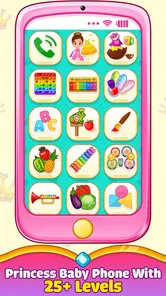
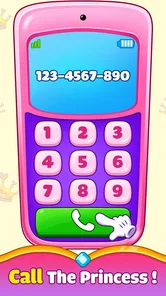
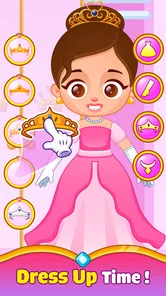
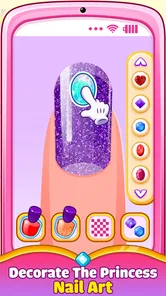
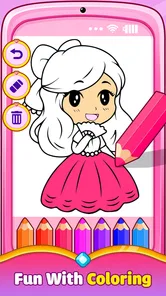
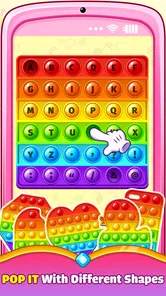
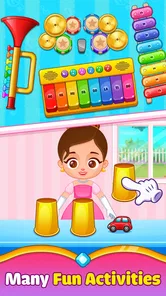
The app is packed with a variety of mini-games and activities that are both fun and educational. We’re talking about everything from matching games to simple puzzles, all wrapped up in a delightful princess theme. My personal favorite has to be the pretend phone calls with different princess characters. It's not only entertaining but also helps in developing communication skills. Plus, the sound effects are just the right amount of silly to keep the giggles coming.
The variety is useful in a more practical way, too: it gives you a chance to follow your child’s mood. On a calm afternoon, you might invite them to try a matching activity; when they are restless, the pretend-call idea may be an easier starting point because it feels like role-play rather than a task. I would not expect every child to enjoy every activity equally. Watching which ones they return to can help you decide whether the app is holding their interest or whether it is time to put the phone away.
More From Our News Desk

Weather by Xiaomi Review: Clear at a Glance, Less Clear Up Close

X Under Pressure: Can It Recover When Posting Goes Wrong?

Clash of Clans Is Won Between the Battles

Android Auto Makes the Case for Quieter Car Software

MobiOffice: Transforming Mobile Productivity with Seamless Integration

EA SPORTS FC™ Mobile Soccer: Redefining Mobile Sports Gaming
There is also a small but worthwhile way to make the play more interactive: ask your child to describe what they are doing instead of leaving them to tap silently. During a pretend call, you can take turns asking and answering simple questions; with a puzzle, you can invite them to explain what they are looking for. That does not require the game to teach a formal lesson. It simply turns screen time into a chance to talk, and it gives you a better sense of whether your child is engaged or just tapping through.
Navigating the Royal Realm
One thing I appreciated as a parent is how intuitive the navigation is. The developers clearly understand that the end-users are toddlers, so everything is designed to be as simple as possible. Large buttons, clear icons, and minimal text ensure that kids can explore the app with minimal supervision. That’s a big win in my book!
Even with straightforward controls, I would take a minute to explore the game with your child before relying on it during a busy moment. Show them how to return to an activity they like, and notice whether an accidental tap takes them somewhere confusing. This is a useful check with any toddler app, but especially with a toy-phone format: children may assume every visible control behaves like a real phone button. A short introduction can prevent the first session from becoming a stream of requests for help.
A realistic use case is a brief wait at a café or a quiet spell while a parent finishes a necessary task at home. I’d open the game with the child, let them choose an activity, and stay close enough to notice when their attention fades. It can provide a convenient distraction in that moment, but I would not count on it to occupy a child for a fixed amount of time. The better approach is to use it as one option in a small rotation, alongside a book, a snack, or a conversation, rather than as the only way to get through every wait.
That rotation also helps with the question parents often have about repeat play: will the activities remain appealing after the first look? A collection of different mini-games gives a child more than one thing to try, but familiar activities can still become repetitive. I’d let the child revisit a favorite when they want to, then switch to another kind of play when tapping starts to look automatic. If they repeatedly return to the same activity and seem engaged, that is a stronger sign of a good fit than simply keeping the app open for a long stretch.
Choosing between this and other kinds of play
Compared with a single-purpose matching or puzzle game, this one’s pretend-phone framing is its distinctive advantage: it brings several kinds of child-friendly activity together under a role-play idea. That can be a better fit for a toddler who likes imitating adults and enjoys switching between small tasks. On the other hand, if your main goal is sustained practice with one skill, a focused learning game may make that purpose clearer. If you want less screen time, a pretend phone toy or a storybook can encourage similar imaginative conversation without handing over a device.
It also sits differently from video-first entertainment. The activities described in the game’s play experience invite a child to take part rather than simply watch, which is useful if you want a little interaction during a short break. Still, I would not choose it when the priority is a structured lesson, a detailed progress plan, or a screen-free activity. The right comparison depends on what you need at that moment: playful variety, a targeted learning exercise, or a reason to put the phone away.
The princess theme is another practical filter. A child who enjoys princess characters may be drawn into the pretend calls and activities more readily, while a child who is indifferent to that theme may lose interest regardless of the simple controls. I would not try to persuade a reluctant child to keep playing just because the game is educational. Their response is useful information: if they prefer a different style of play, a different app category or an offline toy is likely the kinder choice.
Cost, expectations, and the decision to keep it
The game is free, so it is easy to try without making a purchase first. The age rating is Everyone, and the current version is 1.0.10; it requires Android 5.0 or later. It has reached over a million installs and holds an average rating of 3.9 from around fifteen hundred ratings. Those figures give a rough sense of its reach and reception, but they cannot tell you whether your own child will like the activities, so I’d use a short supervised trial to make that call.
One part of the original recommendation needs a careful qualification: I would not assume that the free download means every element is available at no cost. The earlier play experience found the free version sufficient, but the app may offer in-app purchases. Before handing the device over, I’d check the purchase controls and decide what settings make sense for your household. That is a more reliable habit than assuming a child-friendly game has no purchase path at all.
Safety is also worth approaching practically rather than treating any app as a replacement for supervision. The earlier experience described no pop-up ads and a parental gate for purchases, which are reassuring observations. I would still stay present when a young child uses the device, especially at first, and review the app’s current settings yourself. A child may not understand the difference between a game interaction and a device control, so keeping the session within reach is useful even when navigation feels simple.
Switching away from the game is easy in one sense: there is no special routine your child needs to learn before trying a different activity. The harder part can be the familiar transition from screen play to something else. I find it helps to say what comes next before opening the app, then give a gentle warning when it is nearly time to stop. If your child becomes upset whenever the phone is put away, that is a reason to shorten sessions or choose an offline alternative, not a reason to keep extending screen time to avoid a difficult moment.
For families already using several children’s apps, I would avoid treating this as another item to keep permanently available by default. Try it when the princess theme and toy-phone idea match your child’s mood, then observe whether the interaction stays active. If the child only taps randomly, or asks for help at every step, a shared book or a simpler physical toy may serve the moment better. If they choose activities, talk about them, and can move on without a prolonged struggle, it may earn a useful place in your rotation.
Keeping It Safe and Sound
Safety is always a concern when it comes to apps for kids, and I’m pleased to report that the Princess Baby Phone Game prioritizes this. There are no ads popping up that could lead my child to some random website, and any in-app purchases are protected by a parental gate. Peace of mind is priceless, right?
As a parent, it’s always a challenge to find apps that are both fun and trustworthy. The Princess Baby Phone Game strikes a nice balance between the two, offering an engaging experience without compromising on safety. It has earned a permanent spot on my phone and, more importantly, a thumbs up from my little one.
If you’re looking for an app that combines fun, education, and a splash of royal charm, look no further. It’s a small download for a whole lot of joy. Give it a try and watch your child’s face light up with delight!
Who I’d recommend it to
I’d consider it for a family looking for a free, princess-themed game that offers more than one kind of simple activity and can fill a short pause in the day. Its strongest match is a young child who enjoys role-play and is happy exploring a touchscreen with a little adult support. The developer, UVTechnoLab, has positioned it as an educational game, but I’d keep expectations grounded: it is best viewed as playful practice and entertainment, not a replacement for a teacher, a structured learning plan, or time spent talking and playing together.
I would skip it if your child has little interest in princesses, if you want a specific skill curriculum, or if you are looking for something that can reliably occupy them without supervision. I’d also choose an offline option when the main goal is to reduce screen use. My recommendation is to try it during a low-pressure moment, sit with your child at first, and let their response decide whether it stays on your device. For the right child, it can be a cheerful little play option; for everyone else, there are better ways to spend that moment.
Princess Baby Phone Game Frequently Asked Questions
Is Princess Baby Phone Game free to download?
Yes, Princess Baby Phone Game is free to download. It is an educational game built around a virtual toy phone, with a range of fun and learning activities. The free price makes it easy to try with a child, while parents can check the available purchase and device settings before handing over the phone.
What devices and operating systems can run Princess Baby Phone Game?
Princess Baby Phone Game is available for Android devices running version 5.0 or later. Before downloading, it is worth checking the operating system on the device your child will use, since an older version may not be compatible. The game is developed by UVTechnoLab and is currently at version 1.0.10.
What is Princess Baby Phone Game?
Princess Baby Phone Game is a mobile application designed for young children, offering a fun and educational experience. It features a variety of mini-games and activities that are themed around princesses. The app aims to promote learning through play, introducing numbers, colors, and musical notes, all while engaging children with colorful graphics and interactive elements.
Is Princess Baby Phone Game safe for children?
Yes, Princess Baby Phone Game is designed to be safe for children. It does not contain any violent or inappropriate content, making it suitable for young audiences. The app often includes parental controls and does not require internet connectivity, ensuring a secure environment for kids to explore and enjoy the games without external risks. Its content rating is Everyone, so parents can consider that alongside their child’s age and their own preferences.
Are there in-app purchases in Princess Baby Phone Game?
Princess Baby Phone Game may include in-app purchases. Although the basic version is usually free, it often offers additional content or features for purchase. Parents should be aware of these options and may want to set up parental controls to prevent unauthorized purchases by their children while using the app.
Pros
- Engaging and educational for kids
- Colorful and interactive graphics
- Simple user interface
- Includes mini-games for variety
- Parental controls available
Cons
- Might be too simplistic for older kids
- In-app purchases can be costly
- Requires internet for some features
- Advertisements can be distracting
- Limited language options











