Flight Pilot: 3D Simulator
- 75.59K
- 4.1
- Installs
- 100.00M
- Price
- Free

Screenshots




Analysis by Reviewed
Have you ever dreamed of soaring through the skies, controlling a powerful aircraft, and feeling the thrill of a pilot’s life? If so, Flight Pilot: 3D Simulator might just be the app you’ve been searching for. This game brings the excitement of flying to your fingertips, and I’ve spent quite some time exploring its virtual skies.
Sharing a flight at home
I can see this working well as a shared-device game in a household where people want a quick turn rather than a long session. A parent can try a mission, hand the phone to a child for the next one, and talk through what made a landing tricky. That turns the game into a small, cooperative activity even though the flying itself is played one person at a time.
For a realistic after-school moment, imagine a child asking for a turn while an adult is finishing a mission. It is better to wait for a safe stopping point than to pass the device mid-flight: controls need attention, and a handoff can disrupt the attempt. Agreeing on whose turn comes next also avoids the awkwardness of someone assuming that progress or a plane unlock belongs to them when the device is shared.
Setting expectations before handing over
There are two practical boundaries I would set before letting someone else play: how long the session should last and whether purchases are off limits. Missions give a natural point to pause, so there is less need to interrupt someone halfway through a task. The game is free to start, but optional purchases are available; a family can decide in advance that progress should come from playing rather than spending.
I would also avoid assuming that one installation automatically creates separate personal spaces for different players. If several people care about individual progress, check how the game behaves on the actual device before building a household routine around separate saves. This matters most when one person is trying to unlock aircraft while another is only experimenting. A shared phone can be convenient, but it does not by itself settle questions about ownership or progress.
Coordination and control choices
When another person is waiting, the most useful small adjustment is to choose a control style before starting a demanding mission. Tilt steering can feel natural when the device is held steadily, but it may be awkward if the player is reclining, moving around, or passing the phone back and forth. Touch controls can be a steadier choice in those situations. Trying both during a forgiving flight is a better test than changing controls in the middle of a close landing.
For a younger or less experienced player, I would let them watch one attempt and then take over a fresh mission rather than give them the device during an approach. That gives them time to notice how banking and correction work without making the handoff itself part of the challenge. It is a simple way to share the learning curve, although it does not make every mission easy: precision still takes practice.
More From Our News Desk

Weather by Xiaomi Review: Clear at a Glance, Less Clear Up Close

X Under Pressure: Can It Recover When Posting Goes Wrong?

Clash of Clans Is Won Between the Battles

Android Auto Makes the Case for Quieter Car Software

MobiOffice: Transforming Mobile Productivity with Seamless Integration

EA SPORTS FC™ Mobile Soccer: Redefining Mobile Sports Gaming
A First-Class Flying Experience
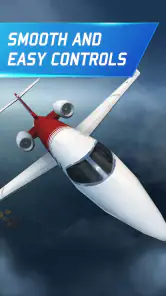
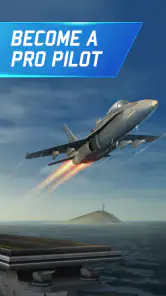
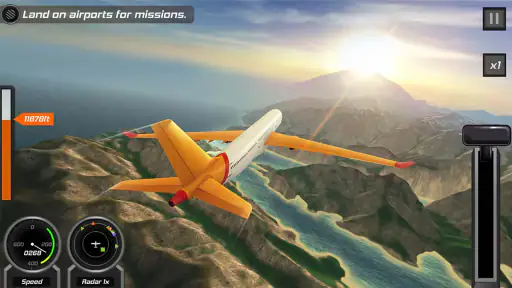
From the moment you launch Flight Pilot: 3D Simulator, you're greeted with a beautifully designed interface. The game’s graphics are impressive, delivering a realistic experience that pulls you right into the cockpit. Whether you’re flying over serene oceans, lush forests, or bustling cities, the landscapes are detailed and immersive.
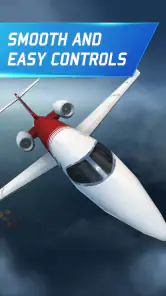
One of the things that immediately caught my attention was the game’s intuitive controls. You don’t need to be a seasoned gamer to get the hang of it. The tilt controls allow for smooth navigation, and the touch-based commands are responsive, making the entire flying experience feel natural. I felt like a true pilot as I maneuvered my way through the various challenges.
Variety of Missions
The game offers a range of missions that keep things interesting. You’re not just flying around aimlessly – you’re tasked with specific goals that range from rescue operations to emergency landings. This diversity kept me engaged and eager to see what the next mission would bring. Each task is unique and requires different strategies, adding to the game’s replayability.
There’s something incredibly satisfying about completing a mission successfully. The sense of accomplishment you get from executing a perfect landing or saving virtual lives is a definite highlight. Plus, the missions are designed to progressively increase in difficulty, which keeps you challenged as you advance.
Unlocking New Aircraft
As you complete missions, you earn coins that can be used to unlock new planes. The variety of aircraft available is impressive, ranging from small propeller planes to massive commercial jets. Each plane handles differently, offering a fresh experience with each new unlock. I found myself eager to save up coins just to try out the next cool aircraft.
The game also includes some in-app purchases, which can expedite the unlocking process, but I found that playing through the missions provided a rewarding enough experience without needing to spend extra money.
Immersive Sound Design
Let’s not forget the sound design, which adds another layer of immersion. The roar of the engines, the whoosh of the wind, and even the radio chatter – it all adds up to make you feel like you’re really up there, flying high above the ground. I’d recommend playing with headphones to fully appreciate the auditory experience.
Suitable for All Ages
One of the great things about this flight simulator is its accessibility. It’s suitable for players of all ages, making it a great choice for both kids and adults. The game’s difficulty curve is well-balanced, ensuring that it’s challenging enough for older players while still being approachable for younger ones.
Parents looking for a safe, entertaining app for their children will find this game to be a solid option. It’s free from any inappropriate content, focusing solely on the joy of flying.
Shared-device flying
For a household sharing one phone or tablet, the mission format makes it easy to pass the device around for short turns. One person can try a rescue task, then hand over after landing rather than leaving a long open-ended session for the next player. I find that works especially well when younger players want to watch an adult handle a tricky approach before trying it themselves.
Shared play does call for a little coordination. Agree on who is taking the next mission and avoid interrupting a flight to switch users; a sudden handoff can mean losing the chance to finish the task cleanly. If different people care about separate progress, check how the game behaves on your particular device before treating one installation as several independent player profiles. I would not assume that a shared device automatically provides separate saves or account boundaries.
Practical setup and spending
The controls are approachable, but tilt steering depends on how you hold the device. I’d start with a low-stakes flight and adjust your grip before attempting a mission where precision matters. If you find the device moving whenever you shift in a chair, touch controls may feel steadier; if you want a more physical sense of banking, tilt is worth trying. That small choice can make the difference between a relaxing flight and an unnecessarily frustrating one.
The game is free to start, while optional in-app purchases range from $0.49 to $99.99 per item. Since coins can also come from completing missions, I’d let a player try the normal progression before deciding whether paying to speed things up is worthwhile. On a family device, it’s sensible to agree on purchase expectations in advance and use the device’s own purchase safeguards where available. That keeps a curious tap from becoming an unexpected expense.
Who will enjoy the pace
As a role-playing game with a flight-simulation focus, it suits someone who likes mission goals and gradual aircraft progression more than a pure sandbox. It is a good fit for a quick break when you have time to focus on one task, and the changing objectives give repeat sessions a clear purpose. By contrast, someone looking for a detailed real-world aviation trainer, open-ended exploration, or a competitive multiplayer experience should look at other kinds of flight games. This one is about accessible missions, not a substitute for learning to fly.
It also compares differently with racing or action games: the appeal is less about constant speed and more about steering carefully, responding to a mission, and bringing the aircraft in safely. That makes it a calmer choice for some players, though a mission that needs a precise landing can still demand patience. If a player mainly wants instant action with little consequence for a mistake, the slower control-and-correction rhythm may not be their preference.
Age, trust, and expectations
The game is rated Everyone, and its aviation theme makes it a broadly approachable choice for adults and children. I’d still consider a child’s comfort with repeated attempts and the household’s approach to optional purchases. An age rating is useful context, but it does not replace a parent’s judgment about how a particular child handles goals, retries, or spending prompts.
Wildlife Studios developed the game, which was released on February 23, 2015. It has a 4.1 average from around 2.7 million ratings, with more than 100 million installs. Those figures suggest a well-established audience, but they don’t tell me whether the mission style will suit you; the best test is whether you enjoy the first few flights and want to improve your landings.
Choosing it for a household
On balance, I would choose this for a household that wants a visually engaging flying game with clear tasks, simple handoffs, and room to improve. It is particularly suited to players who enjoy trying a mission more than once and noticing how a different approach changes the result. For a shared device, the most comfortable arrangement is one where players take turns between missions and understand that they may be sharing the same game progress.
I would skip it for a household seeking separate child profiles, a detailed cockpit procedure trainer, or a game built around open-ended exploration. It also may not suit someone who becomes frustrated by retries or who wants every play session to feel fast and effortless. The appeal lies in the small challenge of steering, correcting, and completing the assigned task, not in having every flight go perfectly on the first attempt.
Final Thoughts
In conclusion, Flight Pilot: 3D Simulator is a fantastic app for anyone who’s ever wanted to experience the thrill of flying. Its stunning graphics, intuitive controls, and diverse missions make it a standout in the world of mobile simulation games. Whether you’re a seasoned flyer or a curious newbie, there’s something here for everyone.
If you’re ready to take to the skies, you can download the game for both Android and iOS. Just be prepared – once you start flying, you might not want to come back down!
Flight Pilot: 3D Simulator Frequently Asked Questions
How much storage space does Flight Pilot: 3D Simulator need?
Before downloading, it is sensible to check that your device has enough free storage for the game and its installation files. The amount needed can vary by device and may change as the app is updated. Keeping some extra space available can also help avoid installation problems and leave room for other apps and content.
Can I play Flight Pilot: 3D Simulator with simple controls, or is it difficult for beginners?
The game is designed to be approachable, with intuitive controls and missions that vary in difficulty. Beginners can start with the flying challenges and build confidence as they play, while more experienced players can take on tougher tasks. Its airplane-simulation focus means there is still a learning curve as you get used to guiding aircraft through each mission.
Is Flight Pilot: 3D Simulator free to download, and what should I know about optional purchases?
Flight Pilot: 3D Simulator is free to download, so you can try its flying missions without paying upfront. It also offers optional in-app purchases, with prices ranging from around 49 cents to $99.99 per item. The game can be enjoyed without spending, while purchases may provide additional aircraft, upgrades, or other enhancements.
What is Flight Pilot: 3D Simulator, and who developed it?
Flight Pilot: 3D Simulator is an airplane simulation game from Wildlife Studios. Its store summary invites players to unleash their inner maverick and conquer the skies, giving a clear sense of its aviation-focused theme. It is categorized as a role-playing game, though its central appeal is piloting aircraft and taking on flight-based challenges.
What is the main objective of Flight Pilot: 3D Simulator?
Flight Pilot: 3D Simulator is designed to provide a realistic flight simulation experience. The main objective is to complete a variety of missions, ranging from rescue operations to emergencies and time-limited challenges. Players can explore different aircraft and environments while aiming to improve their piloting skills.
Pros
- Realistic graphics enhance the flying experience.
- Wide variety of planes to choose from.
- Intuitive controls for easy navigation.
- Challenging missions keep players engaged.
- Offline mode available for on-the-go play.
Cons
- In-app purchases can be expensive.
- Limited free content without purchases.
- Occasional ads disrupt gameplay.
- Graphics can strain older devices.
- Sound effects can become repetitive.
- Category
- Role Playing
- Version
- 2.12.32