Educational games for kids 2 4
- 69.00
- 4.6
- Installs
- 10.00M
- Price
- Free

Screenshots
Analysis by Reviewed
I judge a preschool game less by how many activities it claims to contain and more by what happens in the first few minutes: can a child understand what to do, stay interested, and recover when they tap the wrong thing? Educational Games for Kids 2-4 is aimed at that short, exploratory kind of play. It is a free educational game from Wow Kids, rated for Everyone, and its focus is young children. I think it is best treated as a playful screen-time option rather than a substitute for hands-on learning or an adult’s company.
A bright first impression, with a practical purpose
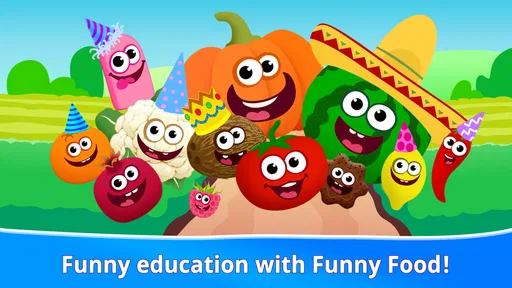
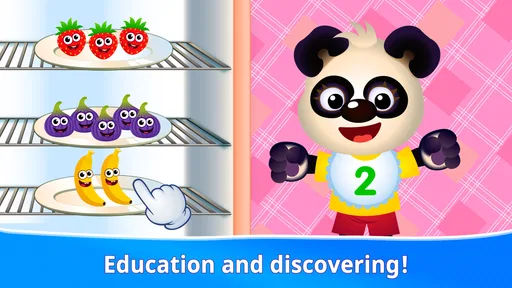
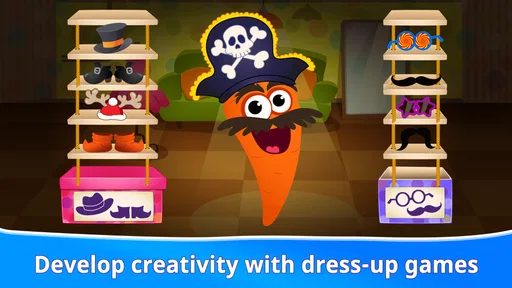
The colorful presentation and friendly characters make the app feel approachable for little players. In a game for this age group, that matters: a child who is still learning how to use a touchscreen needs clear visual cues and room to explore without every tap turning into a correction from an adult. The store’s age guidance is for children from four to six, so caregivers choosing it for a younger toddler should stay nearby and see how comfortably that child handles the activities.
Its wider reception is encouraging without being a reason to assume it will suit every family: it has a 4.6 average from around 18,000 ratings and has passed 10 million installs. It was released in 2022, and version 1.1.1 requires Android 6.0 or later. Those details make it accessible to many Android devices, though the experience still depends on whether a particular child enjoys the visual style and pace.
Choosing a useful moment for screen play
This is easiest to recommend when a child has a few minutes to explore, rather than when an adult needs a full lesson plan. A realistic use might be a short wait before an appointment: I would sit beside the child, let them choose an activity, and use their choices as a cue for conversation. If they point to a letter or a puzzle piece, asking what they noticed can turn the interaction into shared play instead of simply filling the silence.
For a caregiver wondering whether the game works for a two- or three-year-old, I would take the stated age range seriously and make the first session a supervised trial. The title may sound broader, but the guidance is for ages four to six. A younger child may still enjoy looking and tapping, yet may not be ready to follow each activity or manage a touchscreen independently. Comfort with the device, frustration tolerance, and interest in the tasks matter more than the child’s ability to sit still for a few minutes.
How the little game world holds together
What gives the app its appeal is the way its bright art and simple interactions invite a child to try things. The setting feels more like a digital play space than a formal lesson, which can make early learning feel less like homework. The game’s educational purpose is clearest when an activity asks a child to notice, remember, match, or solve something. I like that playful framing, but I would still join in now and then: asking a child to describe what they are doing turns a quick tap into a chance to talk and think.
Activities that suit short attention spans
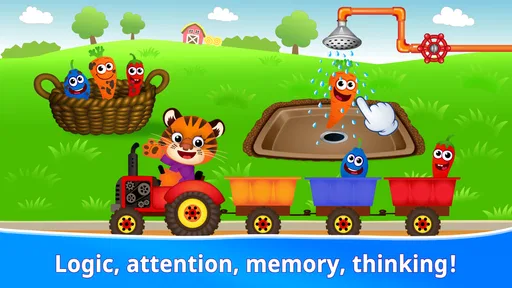
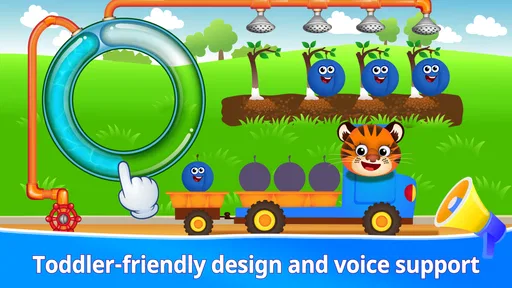
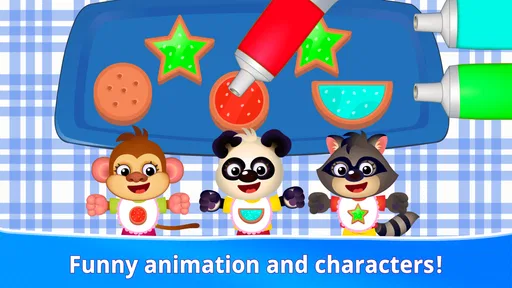
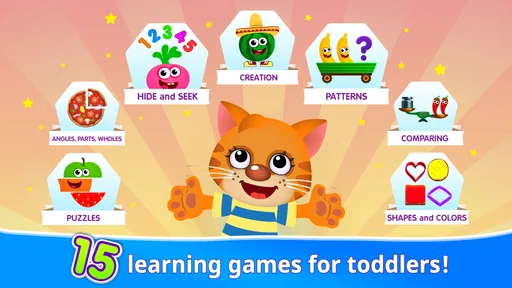
The activities are presented as a mix of puzzles, memory play, and early learning around subjects such as letters and basic math. That range gives families options when a child’s interest changes from one moment to the next. It also makes the app easier to use in small pockets of time than a longer, story-driven game. A useful approach is to let a child choose an activity, then pause after a round and ask what they noticed. That small routine keeps the screen from becoming background noise and gives you a better sense of which tasks feel enjoyable or frustrating.
More From Our News Desk

Weather by Xiaomi Review: Clear at a Glance, Less Clear Up Close

X Under Pressure: Can It Recover When Posting Goes Wrong?

Clash of Clans Is Won Between the Battles

Android Auto Makes the Case for Quieter Car Software

MobiOffice: Transforming Mobile Productivity with Seamless Integration

EA SPORTS FC™ Mobile Soccer: Redefining Mobile Sports Gaming
The original article describes the games as adjusting in difficulty as children progress. If that gradual challenge is working for your child, it can help keep practice from feeling either too easy or too demanding. I would watch how the child responds rather than assume that every activity will match their level equally well. A preschooler may breeze through one kind of task and need help with another, and a calm hint from an adult can be more useful than simply repeating attempts.
What variety offers—and what it asks of a child
Variety is useful when a child’s interests shift quickly, but it also means the game is not the most direct route to practice one particular skill. If your main aim is repeated letter recognition, for instance, a focused alphabet activity or a book you read together may make it easier to stay on that one goal. Here, the mix is the attraction: a child can move between different kinds of play, while an adult can notice which style holds attention and use that to guide the next short session.
That choice can also help prevent a common mismatch: a child may like the characters and colors without being ready for every task. I would not treat switching activities as failure. If a puzzle becomes frustrating, try a different kind of activity or stop and return another time; the point is to keep the experience inviting, not to finish a set of exercises. The app is better as a flexible option than as a checklist a child is expected to complete.
Sound, pace, and a caregiver’s role
The overall mood is designed to feel cheerful and inviting, fitting the game’s bright visual style. For young children, a lively presentation can help hold attention, but it is worth noticing whether your own child stays focused or becomes overstimulated. I would use it as a short, supervised activity, especially at first, and keep the volume comfortable for the setting. If a child is playing while you are waiting at an appointment, for example, sitting together lets you respond when they ask for help and makes it easier to stop when the wait is over.
That kind of shared use is also a practical way to decide whether the app is a good fit. A child who enjoys tapping through simple learning activities may return to it willingly; one who prefers physical puzzles, drawing, or conversation may get more from those alternatives. Compared with a single-purpose alphabet or counting app, this game’s appeal is its varied play, while a focused app or an offline activity may be a better choice when you want practice on one specific skill without switching between different types of tasks.
Small-screen trade-offs to know before handing it over
The app is free to download, with in-app purchases listed at $3.99–$4.99 per item. That is worth bearing in mind if a child is exploring on a device: I would check the purchase settings and stay close enough to guide them rather than assume every part of the experience is included at no cost. The original article also describes offline use, which can make it useful for travel or waiting rooms; I would test the activities you plan to use before relying on them away from home.
For travel, I would prepare the device before leaving rather than assume the game will behave exactly as needed in a place with limited connectivity. Trying the planned activities at home helps avoid discovering a snag when a child is already bored in the car or waiting room. I would also agree on a stopping point before handing over the device. A brief turn with an adult nearby is easier to end calmly than an open-ended session, particularly for a child who has trouble shifting attention from a screen.
Families may also wonder whether the free download means every activity is available without further cost. The game has in-app purchases, so I would treat the free starting point and paid items as separate considerations, check device purchase controls, and avoid letting a young child make purchase decisions. That small bit of setup is useful even if the child only plays occasionally: it keeps the adult in charge of what can be bought and makes the cost boundary clear before the app is handed over.
Who will enjoy it, and who may prefer something else
It is not the right pick for every child or every learning goal. If you want a quiet, highly structured lesson, a book, a parent-led activity, or a narrowly focused learning tool may work better. Likewise, the age guidance starts at four, so families with younger children should decide based on the child’s own attention, motor skills, and comfort with a touchscreen rather than the app’s broad appeal. The game can support playful practice, but it cannot tell a caregiver what a child has learned or replace conversation and play away from a screen.
I would especially consider another option if a child becomes unsettled by bright, busy screen experiences, resists touch controls, or needs one-to-one instruction to understand a task. A physical matching game lets a child handle pieces and gives a caregiver an easy way to adapt the difficulty; a storybook encourages a slower, conversational rhythm. Neither is automatically better in every situation, but each offers a different kind of attention and interaction that a touchscreen game cannot provide.
A cheerful option when the moment is right
As a parent always on the hunt for quality educational content, finding the right app that balances fun and learning is like finding a needle in a haystack. That's where Educational Games for Kids 2-4 steps in as a game-changer. This app is designed to make learning a delightful experience for toddlers and young kids, and let me tell you, it does not disappoint!
When I first introduced Educational Games for Kids 2-4 to my little one, I was pleasantly surprised by how quickly they took to it. The app is jam-packed with vibrant colors and cute characters that immediately grab the attention of a young child. The interface is intuitive for little fingers, making it easy for kids to navigate through the various games and activities without constant adult supervision.
Engaging and Diverse Activities
The app offers a plethora of activities that cater to a wide range of interests and skills. From puzzles and memory games to basic math and alphabet learning, there's something for every curious mind. The variety ensures that kids are not only entertained but are also developing crucial skills such as motor coordination, problem-solving, and cognitive abilities. It’s like having a digital playground that’s both fun and educational.
One of the standout features for me has to be the adaptive learning aspect of the app. The games adjust in difficulty as your child progresses, ensuring they are always challenged but not overwhelmed. This keeps them engaged and eager to learn more, which is every parent's dream when it comes to educational apps.
Safe and Child-Friendly Environment
As a parent, safety is my top priority, and this app ticks all the right boxes. It’s devoid of any advertisements, which means no accidental clicks leading to unwanted purchases. The content is completely kid-friendly, providing a safe environment for children to explore and learn. It’s peace of mind knowing that your child is engaged with wholesome content.
The app is also designed to be used offline, which is a huge plus. Whether you're on a long car ride or waiting at a doctor’s office, Educational Games for Kids 2-4 is a perfect companion to keep your child entertained and learning on the go.
Final Thoughts
In a world overflowing with apps, finding one that’s both educational and engaging can be daunting. However, Educational Games for Kids 2-4 strikes the perfect balance. It’s an app that not only keeps kids entertained but also fosters a love for learning from an early age. Whether you’re a parent, grandparent, or caregiver, this app is a must-have in your digital library. It’s a win-win for both kids and parents alike!
My practical recommendation is to treat it as a shared activity at first, then see whether your child can comfortably choose and complete a game without help. That gives you a clearer answer than the rating alone: does the child enjoy returning to it, and do the activities invite a little conversation afterward? If so, it can be a handy addition for brief moments when a screen-based diversion is welcome. If not, there is no need to push it; children learn through many kinds of play, and a simple puzzle or story together may be the better fit that day.
A practical way to decide
I would give the game a fair trial by watching for a few specific signs rather than judging it by how long a child stays on the screen. Does the child understand the basic prompt, recover after an incorrect tap, and seem willing to talk about what happened? Those observations tell you more about fit than a single enthusiastic first reaction. If the child needs frequent rescue or quickly loses interest, shorten the session or choose another kind of play instead of turning the app into a test.
Wow Kids has made a broad, approachable option for families who want educational play without committing to one narrow subject. Its strongest use is as a short, shared activity for a child who enjoys colorful touchscreen games and is within the intended age range. The trade-off is that caregivers still need to set the boundaries, choose when it is appropriate, and decide whether its varied pace suits the child. For that kind of occasional use, I find it worth considering; for structured teaching or a child who prefers quieter, hands-on play, I would reach for a different tool.
Educational games for kids 2 4 Frequently Asked Questions
Is Educational games for kids 2 4 available on iOS as well as Android?
Before downloading, it is worth checking that the game is offered for the device your child will use. Educational games for kids 2 4 is an educational game by Wow Kids, and its Android compatibility starts with version 6.0. If you are choosing a device for a young child, consider whether its screen and controls are comfortable for them to use during short, supervised play sessions.
Is this game intended for toddlers, or might it suit older preschoolers too?
The title refers to children aged 2 to 4, while the game’s store summary describes educational mini games for children aged 4 to 6. That makes it worth considering your child’s individual age and learning stage rather than relying on the title alone. Parents can look at how their child responds to the activities and decide whether the content feels engaging and appropriate.
Is the game free to download, and are there any optional purchases?
The game is free to download, so families can try its educational activities without an upfront purchase. It also offers in-app purchases priced at around four to five dollars per item. If a child will use the game independently, parents may want to review purchase settings on the device and supervise access to any paid content.
What devices can run Educational games for kids 2 4?
Educational games for kids 2 4 is available for Android devices running version 6.0 or later. Before downloading, check that the device meets this requirement and has enough available storage for the installation. The game is listed as an educational title for children, so a compatible device and a comfortable screen size can help make play easier for a young child.
What age group is the game suitable for?
The educational games for kids 2-4 are specifically designed for toddlers and preschoolers, making it an ideal choice for children aged between 2 to 4 years. The game incorporates age-appropriate learning activities that cater to the developmental needs and interests of this age group, ensuring that the content is both fun and educational. Its store summary also describes educational mini games for children aged 4 to 6, so parents can consider whether the activities suit their child’s age and learning stage.
Pros
- Engaging and interactive design
- Age-appropriate challenges
- Educational content aligns with standards
- Parental control features
- Supports offline play
Cons
- Limited free content available
- In-app purchases can be costly
- May require supervision for younger kids
- Ads can be distracting
- Limited language options











