Doll Color: Princess Coloring
- 152.00
- 4.7
- Installs
- 10.00M
- Price
- Free
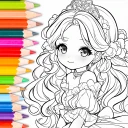
Screenshots
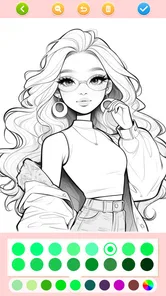
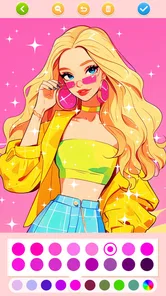
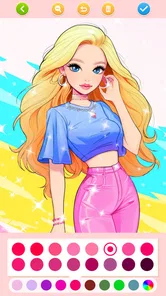
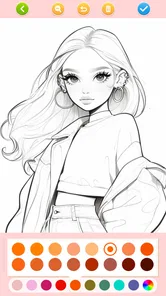
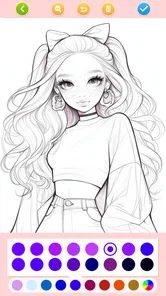

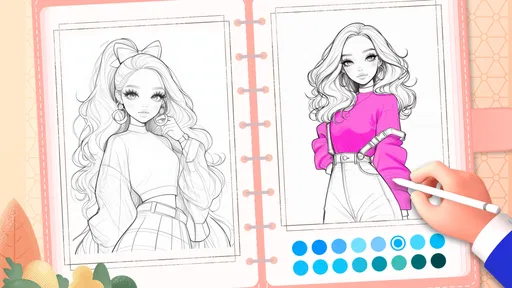
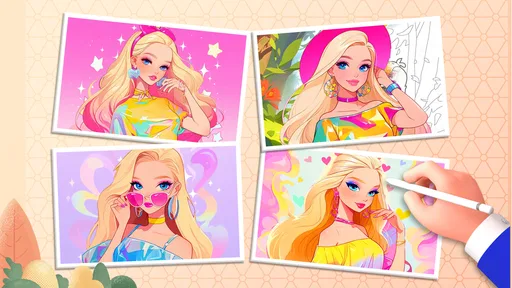
Analysis by Reviewed
I find Doll Color: Princess Coloring works best as a small, low-pressure creative activity: pick a princess picture, try colors, and stop whenever the moment is over. It is a free educational game from JoyCraze, with a 4.7 average from around 28,000 ratings and over 10 million installs. That popularity makes it easy to see why families might consider it, but the appeal is quite specific: this is for people who enjoy decorating princess-themed drawings, not for anyone looking for a deep game or a broad art studio.
A Good Fit for Brief, Planned Breaks
I can see this working well during a quiet stretch at home, such as when a child is waiting for dinner and wants something more hands-on than watching a video. The useful part is that the child can focus on one picture without needing to invent a scene from scratch. For a parent, setting a simple goal—finish the dress, choose a color for the crown, then stop—can keep a session purposeful without turning it into a lesson or a negotiation about endless screen time.
It may also suit a shared-device routine, but I would make the first session a joint one. Let the child explore the coloring choices while an adult handles any decisions involving purchases or sharing. That gives you a chance to see whether the controls feel comfortable for the child and whether the princess theme holds their attention. If they would rather draw their own characters, the fixed subject matter may feel limiting almost immediately.
Small Workflow Choices Make a Difference
One way to make a picture feel less overwhelming is to decide on a few colors before filling the page. For example, choose a main color for the gown, one accent for accessories, and a background or detail color. That simple plan can help a young colorist make choices without repeatedly restarting their palette. If the result feels too predictable, the surprise-me option can provide a starting point for one detail or a second version rather than determining every choice.
There is also a useful distinction between filling a space and adding texture. I would use the brush when I want a controlled result, then try the spray effect where a loose, playful finish is welcome. Keeping those roles separate can save time and frustration, particularly when a child is trying to color small details. Custom shades are handy when the same tone needs to appear in several places; making that shade first is often easier than trying to recreate it from memory later.
These are small choices, but they show where the game works best: it gives a child a contained way to make visual decisions, not a full set of drawing lessons. A grown-up can encourage experimentation by asking which colors the child wants to keep, rather than correcting the picture toward realism. That makes the activity more about personal choices than about getting a princess “right.”
How It Sits Beside Other Coloring Options
Compared with coloring books on paper, this game is easier to revise: a child can try a different combination without needing a fresh page or worrying about using up a favorite sheet. The trade-off is that a screen does not provide the feel of crayons, markers, or pencils, and it is less naturally suited to a break away from devices. If the goal is a tactile activity at a restaurant or on a trip, a small paper coloring book may still be the better choice.
More From Our News Desk

Weather by Xiaomi Review: Clear at a Glance, Less Clear Up Close

X Under Pressure: Can It Recover When Posting Goes Wrong?

Clash of Clans Is Won Between the Battles

Android Auto Makes the Case for Quieter Car Software

MobiOffice: Transforming Mobile Productivity with Seamless Integration

EA SPORTS FC™ Mobile Soccer: Redefining Mobile Sports Gaming
Compared with a broad digital coloring app, the princess focus is both the main attraction and the main limit. A child who already loves gowns, dolls, and storybook characters may find the theme more inviting than a large collection of unrelated images. Someone who wants animals, vehicles, patterns, or open-ended sketching may prefer a general-purpose art app. I would choose based on what the child actually wants to make, rather than assuming that more tools automatically mean a better fit.
The game is rated Everyone, which makes its intended audience broad, but that does not mean every child will enjoy the same level of screen interaction. A younger child may need help navigating choices, while an older one looking for more control over line work could outgrow the format. The practical test is simple: if the child enjoys choosing colors and decorating a prepared picture, the focused design is a strength; if they want to create the picture itself, it is a reason to look elsewhere.
Getting Started with a Splash
From the moment you open Doll Color: Princess Coloring, you're greeted with a palette of possibilities. The interface is as inviting as a rainbow after a storm. It's super user-friendly, making it easy for all ages to dive right into the world of colors. Whether you're a kid or just a kid at heart, the app caters to everyone. The initial setup is a breeze, and before you know it, you're ready to color your first princess.
How to Make a Short Coloring Session Work
For a child who has a few minutes before dinner or while waiting for an appointment, the simple format is a practical advantage: there is no need to learn a complicated set of rules before beginning. I would treat it as a guided creative break rather than an open-ended drawing lesson. Choosing one picture and experimenting with a small palette can keep the activity manageable, especially for a young child who may lose interest if there are too many decisions at once.
One useful approach is to let the child pick the main colors first, then use the surprise-me option as a prompt for a detail or a second version. That keeps the random choice playful instead of letting it take over the whole picture. Parents can also turn the finished coloring into a conversation: ask why a character has a certain color, or invite the child to make a different version. The value is less about producing polished art and more about making a quiet activity feel personal.
The Magic of Coloring
What truly sets this app apart is the sheer variety of coloring options. We're talking about a whole gallery of princesses waiting to be brought to life with your artistic touch. The app offers a range of coloring tools – from brushes to spray cans – each adding a unique texture to your masterpiece. You can choose from a plethora of colors, ensuring that every gown and tiara is just as you imagined. The best part? You can even create your own color shades, making the experience as personalized as possible.
Those tools invite a little experimentation, but they also give you a reason to keep each pass deliberate. I would start with the larger areas of a dress, then move to smaller details such as a tiara, rather than switching tools constantly. A brush is the straightforward choice when you want a controlled fill; the spray effect is better treated as a playful texture than a precise finishing tool. Making a custom shade before coloring a repeated detail can help a picture feel consistent without requiring a complicated workflow.
For those moments when you're feeling particularly adventurous, the app also offers a surprise me feature. It randomly selects colors for you, adding a fun twist to your coloring journey. It's like playing a game of chance, and trust me, the results are often surprisingly beautiful.
Who Will Enjoy It—and Who May Want Something Else
The princess theme makes the strongest first impression, so this is an easy fit for children who already like dolls, gowns, and storybook characters, as well as adults who want a light coloring activity with a clear subject. It is less suitable for someone seeking realistic drawing tools, freehand sketching, or lessons that systematically teach color theory. Compared with a general-purpose coloring app, its character-focused appeal is narrower; compared with drawing on paper, it is less tactile but easier to revise as you experiment with shades.
If a child tends to spend a long time on a single image, it may help to agree on a stopping point before starting, such as finishing one section or choosing a final color combination. That small boundary can make the app easier to fit into a routine without turning a brief break into an open-ended screen session. I would also keep expectations clear: it is a coloring game, not a replacement for crayons, paper, or the freedom of making a picture from a blank page.
Sharing Your Masterpieces
Once you've completed your artwork, sharing it with friends and family is just a tap away. The app integrates seamlessly with social media platforms, letting you flaunt your creations to the world. Plus, there's something incredibly satisfying about seeing your art appreciated by others. Who knows, you might even inspire someone else to pick up coloring as a hobby!
Sharing can be a nice way to celebrate a picture, but I would make that choice with a child rather than treating posting as the expected end of every session. A drawing can be enjoyable without being sent anywhere; saving the moment for family conversation or simply moving on to another activity is just as valid. For a shared device, a parent may prefer to help with this step so the child stays focused on the coloring itself and understands what it means to send an image outside the app.
Speed, Stability, and Device Fit
Now, let’s talk about the app’s performance. It runs smoothly without any hitches, and the colors are vibrant and true to life. I haven't experienced any lag, which is a big plus when you're deep in concentration, trying to get your princess's dress just right.
In ordinary use, the interaction feels suited to quick taps and gradual coloring rather than demanding, fast reactions. That makes perceived speed less important than whether the controls respond predictably while you work. Long sessions with several tool changes are a more revealing test than opening a page and filling one area, so I would judge comfort by trying a complete picture on your own device before handing it over for extended use.
It is listed for devices running Android 5.1 or later, and the current release is version 1.161. Those details offer a useful starting point, but they do not guarantee the same feel on every phone or tablet. On an older or entry-level device, I would keep other apps closed if coloring feels sluggish and avoid assuming a brief pause means the picture has been lost. If a session is interrupted, reopening the game and checking the current screen is a sensible first step before starting over. The game is rated Everyone, though younger children may still benefit from an adult nearby, particularly around sharing and in-app purchases.
There is no need to treat it like a graphics-heavy game, but the practical trade-off is that an app built around colorful pictures still uses screen time and device resources. If the device is already low on storage or struggling with other apps, it is worth checking that first rather than expecting every drawing session to feel equally smooth. The game is free to start, with optional in-app purchases ranging from $1.99 to $6.99 per item, so I would review purchase settings before letting a child explore independently.
The Final Stroke
In conclusion, Doll Color: Princess Coloring is more than just a coloring app; it's a joyful escape into a world of creativity and imagination. It's perfect for unwinding after a long day or engaging in a fun activity with your kids. The app's intuitive design, combined with its extensive coloring options, makes it a must-have for anyone looking to add a bit of color to their life. So, go ahead and give it a try. Trust me, your inner artist will thank you!
My recommendation is measured: try it if princess pictures and simple digital coloring are already a good match for your household, and see how it feels on the device your child will actually use. With its Everyone rating and free entry, the barrier to trying it is low, while optional purchases are worth keeping in mind. If you want broader subjects or a blank canvas, choose a general art app instead; if you want a compact, themed coloring break, this one has a clear purpose.
Doll Color: Princess Coloring Frequently Asked Questions
Is Doll Color: Princess Coloring intended for younger players or a broader audience?
Doll Color: Princess Coloring is an educational game centered on princess coloring pages, with an Everyone age rating. Its simple creative premise may appeal to children as well as anyone who enjoys coloring illustrated characters. The game’s focus is on choosing colors and making pictures your own, so it can suit a relaxed activity rather than a competitive or fast-paced gaming session.
How much storage space should I have available before downloading the game?
It is sensible to check the available storage on your device before installing Doll Color: Princess Coloring, as with any mobile game. The amount needed can vary by device and installation, so make sure you have room for the download and normal app operation. Keeping some free space available can also help your device manage updates and other apps smoothly.
Can Doll Color: Princess Coloring be used as a creative activity for a child?
The game’s princess coloring pages offer a simple way for children to explore color choices and make creative decisions while playing. Its educational category and Everyone age rating make it a family-friendly option to consider for a low-pressure activity. Parents can still decide whether the theme and play style suit their child, and should take optional purchases into account.
What kind of coloring experience should I expect from Doll Color: Princess Coloring?
Doll Color: Princess Coloring is an educational game built around a kids’ drawing-book world of princess coloring pages. It is aimed at players who enjoy choosing colors and creating their own look for illustrated characters. The focus is on relaxed, creative play rather than a complicated game structure, making it a straightforward option for a short coloring session.
Is Doll Color: Princess Coloring free to download?
Yes, Doll Color: Princess Coloring is free to download. Optional in-app purchases are available, with items priced from $1.99 to $6.99, so families may want to keep that in mind before children play. The game is intended to be accessible without an upfront purchase, while the optional paid items can provide additional content or features.
Pros
- Vibrant color palette for creativity.
- User-friendly interface for all ages.
- Regular updates with new content.
- Offline access available.
- Encourages creativity and relaxation.
Cons
- Ads can be disruptive during use.
- Limited free content without purchases.
- May not appeal to older users.
- Requires in-app purchases for full access.
- May consume significant device storage.











