Click Wood
- 5.39K
- 4.7
- Installs
- 1.00M
- Price
- Free

Screenshots
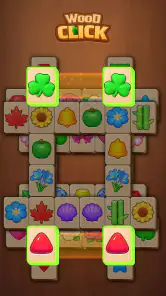
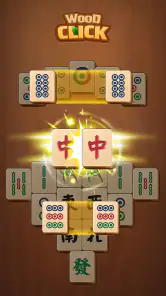
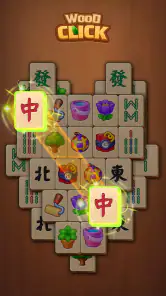
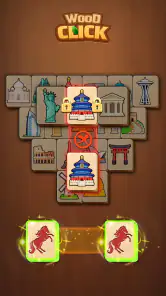
Analysis by Reviewed
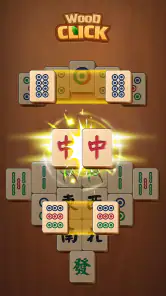
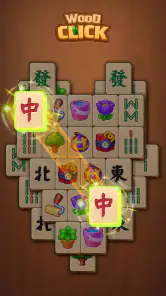
What stands out to me about Click Wood is its emphasis on legibility: the tiles are large, and the game is built around a calm take on mahjong. That changes the feel of a familiar board-game format. Instead of asking me to rush or keep track of a crowded screen, it makes the board easier to scan and gives each move room to feel deliberate. If you want a quiet puzzle to dip into between other tasks, that focus is the most compelling reason to try it.
Big tiles make the board easier to read
Click Wood is a free board game from Heartsnet, with a 4.7 average from around 74,000 ratings and more than a million installs. Its central appeal is not a complicated new twist on mahjong; it is the straightforward combination of a wooden visual style, oversized tiles, and unhurried play. I find that a useful distinction. The game is better understood as a relaxed way to engage with the familiar tile-matching idea than as a competitive challenge that demands constant attention.
Large tiles have a practical effect, not just a decorative one. On a phone, small symbols can turn a casual puzzle into a squinting exercise, especially when I am playing with one hand or looking at the screen in less-than-ideal lighting. A more spacious board is easier to inspect at a glance. It also makes it simpler to pause and think before tapping, which suits the calm pace the game is aiming for.
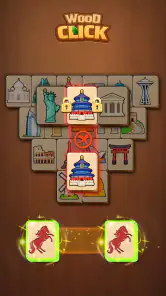
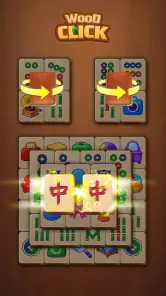
The wooden presentation supports that mood without needing to carry the whole experience. I would not choose the game just because its tiles look wooden; I would choose it because the visual treatment and generous tile size work together to make the board feel approachable. Readability is the feature that most affects how Click Wood feels to play.
Why a slower rhythm can be a strength
Many mobile board games try to create urgency with timers, score pressure, or a stream of rewards. Click Wood’s appeal is more restrained. Its calm style makes it a reasonable choice when I want a small amount of focused activity without turning a break into another performance test. That does not mean every player will find it soothing: anyone who enjoys racing a clock or competing against other people may prefer a more energetic mahjong game.
There is also a trade-off in keeping the focus narrow. Players looking for a deep strategy game, a social table, or a broad collection of modes should not assume that a quiet mahjong presentation will provide those things. The appeal here is the board itself and the ease of looking at it, not a promise of a large feature set. I see that simplicity as a good fit for short sessions, but a limitation for people who need constant variety.
How I would use it during an ordinary day
A realistic use for Click Wood is a short break between errands or after finishing a task at work. I can open a board, take a moment to inspect the tiles, and play at a pace that does not require me to coordinate with anyone else. The large pieces make that kind of quick check-in more comfortable than a dense, tiny-tile layout. If I have only a few minutes, the game’s calm presentation feels better suited to winding down than a fast-action title.
More From Our News Desk

Weather by Xiaomi Review: Clear at a Glance, Less Clear Up Close

X Under Pressure: Can It Recover When Posting Goes Wrong?

Clash of Clans Is Won Between the Battles

Android Auto Makes the Case for Quieter Car Software

MobiOffice: Transforming Mobile Productivity with Seamless Integration

EA SPORTS FC™ Mobile Soccer: Redefining Mobile Sports Gaming
There is a useful way to approach each board: scan before tapping, then look for choices that keep the remaining layout easy to read. That small habit helps me avoid treating every visible match as an automatic move. In tile games, taking a beat to assess what is available can make play feel more thoughtful, even when the overall experience is casual. Click Wood’s spacious presentation supports this slower inspection rather than pushing me to tap rapidly.
Another good moment for it is when I want a screen activity that is visually simple. The wooden tiles and clear scale offer a gentler alternative to busy puzzle games filled with animated effects and layered menus. That is a matter of taste, but it matters: if visual noise is what makes a mobile game tiring, a cleaner board can be a meaningful comfort rather than a cosmetic preference.
Where it differs from other mahjong games
Compared with more traditional mahjong apps, Click Wood puts the emphasis on a relaxed, accessible presentation instead of recreating the atmosphere of a competitive table. Compared with general match-three puzzles, it asks me to pay attention to a board of tiles rather than simply chase a rapid sequence of matches. That makes it a better fit for someone who likes scanning and considering options, but a weaker fit for someone who wants quick bursts of action or a strong social dimension.
It is also worth separating a calm mood from guaranteed ease. Larger tiles help with reading the board, but they do not automatically make every decision effortless. A player who is unfamiliar with mahjong-style matching may still need time to understand the choices in front of them. I would recommend approaching it as a gentle puzzle, not assuming that the presentation removes all learning or decision-making.
If you are comparing it with a physical mahjong set, the appeal is convenience: a phone-sized session can fit into a spare moment without setting up a table or finding other players. The trade-off is that a mobile board cannot reproduce the social ritual of sitting down together. For solo play and quick access, Click Wood makes more sense; for conversation and face-to-face play, a real set or a multiplayer-focused alternative is the better choice.
Small practical points before installing
The game is free to download and is rated Everyone, so it is positioned for a broad audience rather than an adult-only niche. It includes in-app purchases priced from $1.99 to $9.99 per item. I would treat those purchases as optional spending to consider, not as a reason to assume the core experience is paid or that any particular item is necessary. If you prefer to keep mobile gaming spend under control, check purchase prompts carefully and make a choice that fits your habits.
Click Wood is currently at version 1.10.2 and requires Android 7.0 or later. Those details are useful to check before installing, especially if you are setting up an older device for a family member. The game has a substantial audience, with around 5,400 written reviews alongside its rating count, but popularity alone cannot tell you whether the pacing will suit you. The best test is whether you enjoy calm, tile-focused play more than competitive or highly varied formats.
For a more comfortable session, I would use the larger display available to me rather than trying to squeeze the board into a tiny viewing area, and I would avoid playing while rushing through another task. The game’s strength is being able to look carefully. Treating it as something to tap through at speed works against the quality that makes its presentation appealing.
Who will enjoy it, and who should look elsewhere
I would recommend Click Wood to people who already enjoy mahjong-style puzzles but find small mobile tiles tiring, as well as to newcomers who want a calm place to get acquainted with this kind of board. It may also suit someone who needs a low-pressure activity during a commute break or while waiting for an appointment, provided they want a solo puzzle rather than a social game.
I would skip it if my main goal were head-to-head competition, fast reflexes, a rich narrative, or a constantly changing set of challenges. The same goes for players who get bored when a game keeps its attention on one core idea. In those cases, a multiplayer board game or a more varied puzzle collection would be a better use of screen time.
Heartsnet has kept the pitch focused, and that focus is both the game’s strength and its boundary. The big wooden tiles make the board comfortable to scan, while the measured pace gives me room to think without turning each session into a contest. Click Wood is worth trying if a readable, quiet mahjong puzzle sounds more appealing than speed or spectacle. If you want that specific kind of pause, it is an easy game to consider; if you need social play or sharper challenge, choose a different board-game experience.
Click Wood Frequently Asked Questions
What is Click Wood, and how do you play it?
Click Wood is a casual wood-themed puzzle game built around tapping or clicking wooden pieces to complete each level. Its simple premise makes it easy to pick up, while the challenge comes from working out the right moves and avoiding mistakes as puzzles become more demanding. Exact mechanics and level objectives can vary by version, so check the instructions shown in the game before starting.
Is Click Wood free to download and play?
Click Wood may be available as a free download, but the cost and business model depend on the store listing and the version offered in your region. Free games can include advertisements, optional in-app purchases, or both. Before installing, review the app’s store page for pricing, purchase details, and recent user feedback; this helps you understand whether any extra content or ad-free options cost money.
Can I play Click Wood offline?
Whether Click Wood works without an internet connection can depend on the specific edition and how it handles ads, saved progress, or online features. Basic puzzle play may be available offline in some versions, but advertisements, leaderboards, cloud saves, or other connected services may require internet access. If offline play matters to you, check the store description and test the game after installation while disconnected.
Is Click Wood suitable for children?
Click Wood’s straightforward puzzle format may appeal to players of different ages, but suitability depends on the particular version’s content and features. Check the age rating and content disclosures on Google Play or the App Store before letting a child play. Also look for advertising, in-app purchases, and privacy information, and consider using device-level parental controls to manage purchases or limit screen time.
Which devices support Click Wood, and how can I download it safely?
Click Wood’s availability and compatibility depend on the version published for your device, operating system, and region. Search for the game directly in Google Play on Android or the App Store on iOS, then confirm the developer, supported-device details, permissions, and latest update information before downloading. Avoid unofficial installation files or unfamiliar download sites, which may offer outdated or unsafe copies.
Pros
- Simple rules make it easy to start playing right away.
- Short rounds suit quick breaks and casual play.
- Wood-themed visuals give the game a calm
- uncluttered look.
- Puzzle challenges reward careful planning and spatial thinking.
- Can be played offline
- making it handy without an internet connection.
Cons
- Later levels may feel repetitive once the core mechanics are familiar.
- A single mistake can end a run
- which may frustrate casual players.
- Ads can interrupt play
- depending on the version and settings.
- The game offers limited variety compared with more complex puzzle titles.
- Some stages may require repeated attempts to find the right strategy.
- Category
- Board
- Version
- 1.10.2












