Chess Online & Offline
- 430.00
- 4.7
- Installs
- 10.00M
- Price
- Free

Screenshots
Analysis by Reviewed
When I want a chess game that can fit into a spare few minutes or a longer practice session, I look for two things: a straightforward way to start playing and enough variety to keep the board interesting. Chess Online & Offline aims to cover both, with online matches, offline play and learning material in one board-game app. I find that combination useful for casual players, though it works best when you decide what you want from a session instead of jumping between every option.
A useful routine for ordinary play
My simplest routine is to use a short offline game when I have a little time, then turn to an online match when I want the uncertainty of a human opponent. That distinction matters: playing the AI gives me room to test an idea without worrying about another person’s pace, while online chess makes me adapt to moves I might not expect. For a beginner, alternating between the two can make practice feel less intimidating than starting with competitive play every time.
For example, on a quiet commute or during a break at home, I might play offline and concentrate on not giving away a piece. Later, with a clearer stretch of time, an online game can put that habit under pressure. I wouldn’t treat a single win as proof that a tactic is reliable; repeating the same focus across several games is more useful than switching goals after every move.
Settings and small habits that help
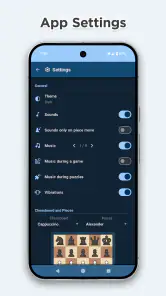
Before settling into a session, I recommend checking the available options and choosing a level of challenge that matches your purpose. A difficult AI opponent can be a useful test, but it is not always the best teacher when you are still learning how pieces coordinate. A more manageable game lets you practise one decision at a time. If you are playing online, give yourself enough uninterrupted time to think rather than starting a match when you already know you may need to leave.
A practical habit is to name your goal before the first move: protect your king, avoid hanging pieces, or look for a safe way to develop. Afterward, think back to the moment that changed the position. This kind of simple review can make an ordinary game more instructive without requiring a formal study session. The app’s puzzles and learning material can complement that routine, while the historical games offer another way to observe how strong play unfolds.
Where it fits among chess options
Compared with playing over a physical board, a phone game is easier to carry and quicker to start, but it does not have the same face-to-face feel. Compared with using separate apps for online games and study, having play and learning features together is convenient; the trade-off is that players who want a dedicated tournament environment or a highly structured coaching course may prefer a more specialised service. I see this as a flexible place to play and practise, not a substitute for every kind of chess study.
Online play is most rewarding when you want a real opponent and can focus on the position. If you are new, the social side may be enjoyable, but the pressure of a live game can distract from learning; offline practice is a gentler starting point. And if you mainly want to analyse your own games in depth, check that the tools available suit that particular workflow before making this your only chess app.
More From Our News Desk

Weather by Xiaomi Review: Clear at a Glance, Less Clear Up Close

X Under Pressure: Can It Recover When Posting Goes Wrong?

Clash of Clans Is Won Between the Battles

Android Auto Makes the Case for Quieter Car Software

MobiOffice: Transforming Mobile Productivity with Seamless Integration

EA SPORTS FC™ Mobile Soccer: Redefining Mobile Sports Gaming
Getting Started
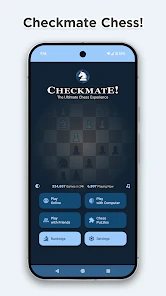
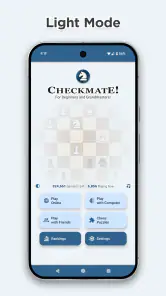
First things first, Chess Online & Offline is super easy to download and set up. Available for both Android and iOS, you can get it from your app store in no time. Once installed, you're greeted with a user-friendly interface that makes you feel right at home, whether you're a beginner or a pro. The app offers a quick tutorial to get you up to speed if you're new to the game, which I found pretty handy.
Online Features
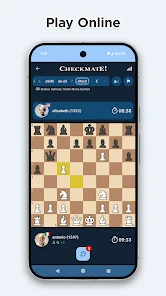
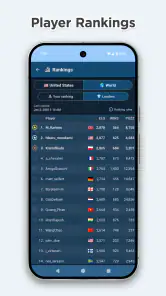
One of the best parts of this app is its online capabilities. You can challenge players from around the world, which is a fantastic way to test your skills and learn new strategies. The matchmaking is smooth and quick, connecting you with opponents of similar skill levels. Plus, the chat feature lets you exchange friendly banter (or trash talk) with your opponent, which adds a fun, social element to the game.
Offline Play
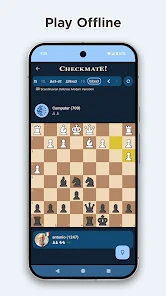
Now, if you're like me and sometimes just want to play without the pressure of online competition, the offline mode is a dream. You can play against the AI, which has multiple difficulty levels. Whether you want a tough opponent or a chill game, the app's got you covered. It's perfect for those times when you want to practice your strategies without an internet connection.
Additional Features
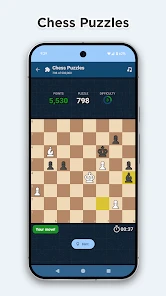
Aside from just playing chess, the app offers tutorials and learning modules that are super helpful if you're looking to improve your game. It even has puzzles and challenges that test your chess skills in fun and engaging ways. The graphics are clean and visually appealing, which makes for a pleasant gaming experience.
Another thing I loved is the historical games feature, where you can watch replays of famous matches. It's like having a chess library at your fingertips. You can learn from the greats and maybe even pick up a few tricks to use in your own matches.
Friction to keep in mind
One limitation of combining several chess activities is that variety alone does not guarantee a focused learning path. If you move from a puzzle to a match and then to a historical game without a question in mind, it is easy to spend time without noticing what you have learned. I get more from the material when I connect it to a real board problem: after missing a tactic, for instance, I can look for a similar pattern in a puzzle rather than simply starting another game.
Online play also asks for a different kind of attention than offline practice. A human opponent may make the game more lively, but a match is not ideal when you are likely to be interrupted or would rather think without social pressure. In those moments, the AI is the more practical choice. Conversely, if your main goal is the unpredictability and interaction of human competition, offline games can only prepare you so far.
Who I’d recommend it to
Splend Apps’ board game is free to start, is rated for Everyone and has a 4.7 average from around 135,000 ratings. It has passed 10 million installs, which makes it a widely used option, but popularity is less important than whether its mix suits your habits. The current version is 2.3.2, and it requires Android 7.0 or later. In-app purchases are available at $9.99 per item, so I’d check the purchase details in the app if you are considering anything beyond the free experience.
I’d suggest it to someone who wants a convenient chess app for both quiet practice and occasional online games, especially if puzzles and replayable famous matches sound appealing. A player who wants a dedicated coaching plan, a particular competitive scene or an in-person club atmosphere may be happier pairing it with another option. The useful question is not whether it has something for every chess player, but whether its blend of modes fits the way you actually play.
Making a session more useful
I find it helps to keep a tiny record outside the game: one sentence after a session about the decision I want to handle better next time. That can be as simple as “check for a capture before moving” or “don’t chase a pawn while my king is exposed.” This is not a substitute for analysis tools, but it turns a string of casual games into a repeatable practice loop. The next time I open the app, I can choose a puzzle or an AI game with that one reminder in mind instead of playing on autopilot.
Historical replays are especially useful when I watch them actively rather than as background entertainment. I pause at a position and ask what I would play, then compare that instinct with the move that follows. The value is not in trying to copy a famous player’s whole plan; it is in noticing a concrete idea, such as improving a poorly placed piece or resisting an attractive but premature attack. That makes the replay feature relevant even to a newer player, provided the position is not so complicated that every move feels mysterious.
Choosing the right moment to play online
A realistic routine might be a short puzzle session while waiting for an appointment, followed by an offline game when I have enough time to think without interruption. I save online play for later, when I can give the opponent and the clock my attention. That separation matters because a live match can be frustrating if I start it in a rush and then have to abandon my concentration. The app’s different modes make it easier to match chess to the moment, but they do not remove the need to choose a sensible moment.
If you are wondering whether you need an internet connection every time, the offline-versus-online distinction is the practical answer: AI play is suited to times when you cannot or do not want to connect, while human matches depend on online access. For a beginner worried about being outmatched, I would start with manageable AI games and learning material, then try online play when the rules and basic board vision feel comfortable. A more experienced player can use AI as a low-pressure place to test an opening idea, but should not mistake that for a reliable measure of strength against people.
What the all-in-one approach does and does not solve
The convenience here is less about replacing every chess resource than reducing friction between different kinds of practice. A separate study app may offer a more deliberate curriculum, and a physical board is still better for the feel of moving pieces with another person across the table. A specialist competitive platform may suit someone whose main priority is a particular tournament community or detailed game review. I would choose this app when I want play, puzzles and replay material close together, and look elsewhere if one of those specialised needs is the whole point.
That distinction also helps answer whether it is suitable for serious improvement. It can support steady habits, but improvement still depends on how deliberately I use it. Playing many games without reviewing a recurring mistake can reinforce the same weakness. A useful compromise is to focus on one theme for a week of casual sessions, then use puzzles or a replay to look for that theme in a different setting. The app provides several ways to engage with chess; the learner has to supply the thread that connects them.
Value, fit and everyday trade-offs
The game is free to begin, and that makes it easy to try as a casual player before deciding whether its mix earns a place on your phone. Purchases are offered within the app, with items priced at $9.99 each, so I would treat any paid option as a separate decision rather than assuming it is necessary for ordinary play. The age rating is Everyone, and Splend Apps is the developer. Those details make the basic choice straightforward for families, though I would still review purchase settings on a shared device before handing it to a child.
Its broad appeal has a visible counterpart in the audience: it has a 4.7 average from around 135,000 ratings and more than 10 million installs. I take that as evidence that many people find the format approachable, not as proof that it will satisfy every serious player. It was released on September 4, 2024, and version 2.3.2 is the current release. Android users need version 7.0 or later; iOS players should check compatibility in their store before installing.
Final Thoughts
All in all, Chess Online & Offline is a stellar app for anyone who loves chess. It's packed with features that cater to both competitive and casual players. The online mode is vibrant and interactive, while the offline mode offers a serene, focused environment for practice. Whether you're looking to improve your skills or just enjoy a good game, this app is definitely worth checking out. So, why not give it a shot? You might just find your new favorite way to play chess!
Chess Online & Offline Frequently Asked Questions
What kind of game is Chess Online & Offline?
Chess Online & Offline is a board game built around the familiar rules and strategy of chess. It is designed to support both online and offline play, so you can choose between facing another player or practicing on your own. If you enjoy thinking several moves ahead, it offers a straightforward way to make chess part of your gaming routine.
Who develops Chess Online & Offline?
Chess Online & Offline is developed by Splend Apps. The game is aimed at a broad range of chess players, from beginners learning the basics to experienced players who want to play regularly. Its combination of online and offline options makes it suitable for different situations, whether you are looking for a solo practice session or a match with another person.
Is Chess Online & Offline free to download, and are there in-app purchases?
Chess Online & Offline is free to download, so you can try its board-game experience without an upfront purchase. The game also offers in-app purchases, with items priced at $9.99 each. If you prefer to play without spending, check the available options in the app and choose only the features or items that suit you.
What devices can run Chess Online & Offline?
Chess Online & Offline is available for Android devices running version 7.0 or later. Before downloading, check your device’s operating system version to make sure it meets that requirement. The game is listed for Everyone, making it suitable for a broad audience, including players who are new to chess as well as those who already know the basics.
Who is Chess Online & Offline designed for?
The game is presented as a chess experience for beginners and grandmasters, so it can appeal to a wide range of players. Its offline play is useful for practice, while online multiplayer offers a way to face other people. Chess is a strategy board game, and players can approach it casually or use each match to work on their decision-making.
Pros
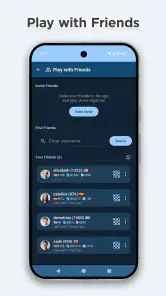
- Play with friends anytime.
- Improves strategic thinking.
- Various difficulty levels.
- Offline mode available.
- No ads in offline mode.
Cons
- Limited free features.
- Occasional online lag.
- Basic graphics.
- Requires stable internet.
- In-app purchases.
- Category
- Board
- Version
- 2.3.2












