Baby Dino Piano:Kids Piano Fun
- 7.00
- 4.4
- Installs
- 500.00K
- Price
- Free
Screenshots
Analysis by Reviewed
The first few minutes with a children’s music game can set the tone: a young child may want to tap immediately, while a parent wants to know whether the controls are manageable and the activity suits the moment. Baby Dino Piano: Kids Piano Fun is aimed at that quick, playful introduction to making sounds. I’d approach it as a small activity to explore together, rather than as a replacement for a real instrument or a structured music lesson.
What to expect from the first session
This is a free music game from Easetouch, with a dinosaur theme and a piano at its center. It is rated for Everyone, and its current version is 1.03. The game has an average rating of 4.4 from around 1.4 thousand ratings, and it has been installed over 500 thousand times. Those figures suggest it has found an audience, but I’d still judge it by whether its simple, colorful approach fits the child who will use it.
For a first-time user, the sensible goal is modest: open the game, let the child explore the musical controls, and see which sounds hold their attention. I wouldn’t expect a preschooler to follow a tune neatly on the first try. A few deliberate taps, a pause to listen, and another attempt can already feel like a success. That low-pressure start is one of the better reasons to try a playful piano game for kids.
Getting started without turning it into a lesson
I’d sit beside a child for the first session, keep the phone or tablet steady, and let them choose where to tap. Rather than demonstrating a long sequence, I’d play one or two notes and invite them to answer with their own. This gives them a clear invitation without making the game feel like a test. If attention wanders, there is no need to push through; a short visit can be more enjoyable than insisting on a full activity.
One useful tip is to treat the screen as a shared listening prompt. Ask the child to tap once, then wait together for the sound to finish before trying a different key or instrument. That small pause makes it easier to notice that tapping is producing distinct sounds, not just a visual reaction. It also gives a parent a chance to see whether the child is exploring independently or needs help finding the controls.
Making the first musical moment count
The most reassuring first success does not have to be a recognizable song. It can simply be a child repeating a sound they liked, changing the pattern, or making up a tiny tune and asking you to listen. I’d respond to that as their own musical idea rather than correcting every note. That keeps the experience playful and makes it easier to return to later.
For a practical everyday use, this can work as a brief indoor activity while a parent is nearby preparing a snack or taking a quiet break in the same room. I’d use it in short stretches and check in, especially with a very young child who may tap rapidly or switch attention quickly. The game can offer a change of pace, but it is still screen time, so it makes sense to decide in advance when the session is over.
More From Our News Desk

Weather by Xiaomi Review: Clear at a Glance, Less Clear Up Close

X Under Pressure: Can It Recover When Posting Goes Wrong?

Clash of Clans Is Won Between the Battles

Android Auto Makes the Case for Quieter Car Software

MobiOffice: Transforming Mobile Productivity with Seamless Integration

EA SPORTS FC™ Mobile Soccer: Redefining Mobile Sports Gaming
Where it fits, and where it may not
Compared with a conventional piano-learning app, a dinosaur-themed children’s game is a lighter starting point: the appeal is approachable play, not a promise of formal technique. Compared with a general soundboard, the musical framing gives a parent an easy way to encourage listening and experimenting. If your child wants lessons, staff notation, or a clear path through progressively harder exercises, I’d choose a teaching-focused option instead. This game is a better fit when curiosity and easy access matter more than a curriculum.
It may also be less suitable for children who quickly tire of bright, character-led play or who are ready to spend time on a physical keyboard. A virtual screen can invite tapping, but it cannot offer the feel of piano keys or the same practice habits as an instrument. I’d use it as a small first step or an occasional music break, not as evidence that a child is learning piano technique.
Hey there, fellow app enthusiast! Today, I’ve got something absolutely delightful to share with you. If you’re a parent or someone who simply loves to keep the little ones engaged, you might want to stick around. We’re diving into the world of Baby Dino Piano: Kids Piano Fun, an app that promises to bring a symphony of giggles and entertainment to your child's fingertips.
Unleashing Creativity with Baby Dino
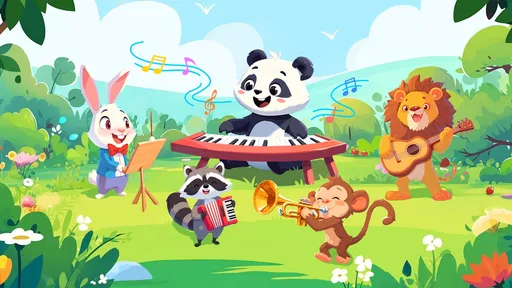
As soon as I installed Baby Dino Piano: Kids Piano Fun, it felt like I was opening the door to a magical world where music and dinosaurs collide. The interface is super friendly, and let me tell you, even if you’re not tech-savvy, navigating through this app is a breeze. It’s designed with kids in mind, which means bright colors, adorable dino characters, and intuitive controls.
Features that Spark Joy
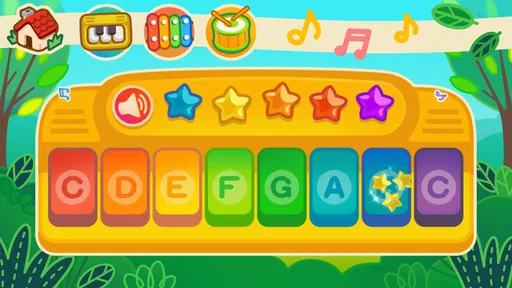
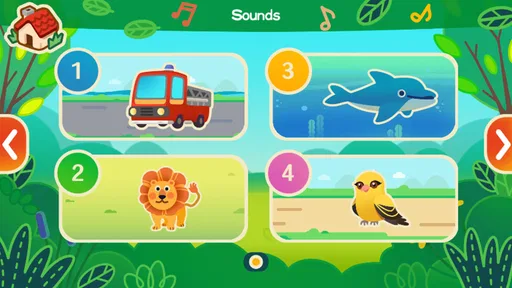
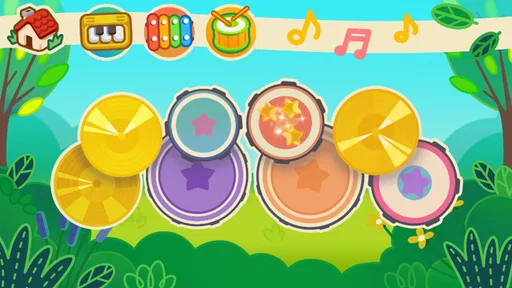
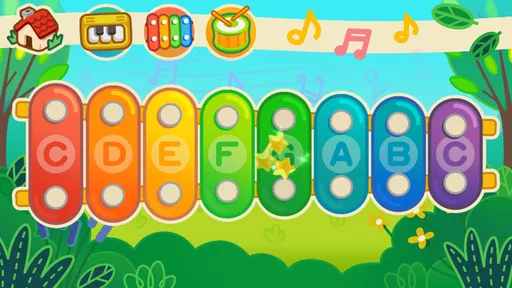
What’s cool about this app is the variety of features it offers. There’s a colorful piano where kids can tap away and create their own tunes. Each key plays a different note, and seeing the little ones’ faces light up when they realize they’re making music is priceless. Plus, there’s a plethora of instruments to choose from! Imagine your child strumming a guitar, beating drums, or even playing the trumpet, all within a safe and virtual environment.
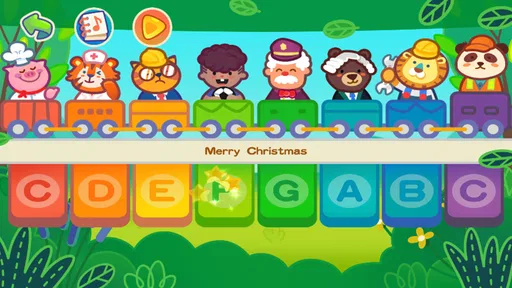
Another lovely touch is the selection of classic nursery rhymes integrated into the app. Kids can follow along with the tunes, learning rhythm and melody in a fun and engaging way. The app even has an option to record their masterpieces, which is a great feature for parents who want to save those precious moments.
The Dino-tastic Experience
What sets this app apart is the playful dinosaur theme. Each dino character is unique, with its own personality and musical style. My kids absolutely loved the T-Rex drummer and the Triceratops pianist. It’s not just about playing music; it’s an adventure with prehistoric pals guiding the way.
Moreover, the app is ad-free, which is a huge relief. You don’t have to worry about inappropriate ads popping up while your child is immersed in their musical journey. It’s all about safe, uninterrupted playtime.
Why Your Kids Will Love It
At the heart of Baby Dino Piano: Kids Piano Fun is a simple concept: making learning fun. It’s a fantastic tool for developing musical skills, enhancing creativity, and improving hand-eye coordination. Plus, it’s a great way for kids to express themselves and discover the joy of music.
Whether you’re on a long car ride or just need a moment of peace at home, this app is a lifesaver. It’s like having a portable, virtual music class that fits right into your pocket. Trust me, once your child starts playing, you’ll be amazed at how quickly they pick up the tunes and rhythms.
So, if you’re searching for an app that combines education with entertainment, look no further. Baby Dino Piano: Kids Piano Fun is a delightful blend of creativity, joy, and learning. Give it a try and watch your little ones become the maestros of their own prehistoric symphony!
A calmer way to explore instruments
Once a child has found a sound they enjoy, I’d offer one simple challenge: play the same short pattern on another instrument and ask which version feels louder, softer, or simply more fun. This makes the range of sounds more purposeful without turning the session into a lesson. It also helps avoid a common source of frustration: a child may assume that every instrument will respond exactly like the piano, when the appeal is really in hearing how the same playful idea changes.
The recording option can be useful for capturing a moment, but I’d treat it as a bonus rather than the main activity. If a child wants to record, agree on a short “performance” first, then listen back together. That gives the recording a natural beginning and end and makes it easier to celebrate what they made. It is also a practical way to keep the game from becoming an endless cycle of tapping without listening.
Choosing the right moment and device
Although a quick game can help fill a quiet patch in the day, I wouldn’t rely on it as a hands-free distraction in a situation where a child needs close attention, such as a busy public place. It works best when an adult can stay within earshot and help redirect the activity if the child gets stuck or starts tapping randomly. For travel, it can be a change of pace during a calm stop or seated stretch, but it is worth having another option ready if the child is restless or the screen is making them more excited rather than settled.
The game is free, which makes it easy to try without treating the first session as a commitment. It supports Android 5.0 and later, so compatibility is worth checking before installing on an older device. I’d also test the controls myself before handing over a phone: not to pre-play the game, but to make sure the screen is comfortable to hold and the child can reach the musical areas without repeatedly opening something unintended. A brief adult check is a simple way to make the first attempt smoother.
What I’d look for after the first try
After the initial novelty wears off, I’d watch for signs that the child is listening as well as tapping: repeating a favorite sound, varying a rhythm, or asking to hear a tune again. If those moments happen, the game is doing its job as a playful invitation to explore. If the child only wants to press everything as quickly as possible, that is not a failure, but it may mean this is better as a very short activity than as a regular music routine.
My overall recommendation is for families seeking an approachable, dinosaur-led way to introduce musical play, especially when an adult can join in for a few minutes. I’d skip it if the goal is structured piano instruction, quiet independent play for long stretches, or practice on a real keyboard. Used with realistic expectations, it can give a child a cheerful first chance to make sounds, choose favorites, and share a little homemade tune with someone nearby.
Baby Dino Piano:Kids Piano Fun Frequently Asked Questions
Is Baby Dino Piano: Kids Piano Fun free to download, and what devices can run it?
Baby Dino Piano: Kids Piano Fun is a free music game for Android, and its listed minimum operating-system requirement is Android 5.0. Check that your device meets this requirement before downloading. Its child-friendly piano concept and dinosaur theme make it an option for families looking for a simple musical activity for young players.
What is Baby Dino Piano: Kids Piano Fun?
Baby Dino Piano: Kids Piano Fun is an engaging and educational app designed for young children to explore music and rhythm through interactive piano play. Featuring delightful dino-themed graphics and sounds, this app allows kids to learn basic musical notes and develop their auditory skills in a fun and playful environment. Its short description, Baby Dino Piano, reflects the simple, child-focused idea behind the game.
Is Baby Dino Piano: Kids Piano Fun suitable for all ages?
The game has an Everyone content rating, and its playful presentation is especially suited to children. While Baby Dino Piano: Kids Piano Fun is primarily designed for toddlers and young children up to the age of 6, older children and even adults might find it entertaining as a light-hearted activity. The app's interface is user-friendly and intuitive, making it accessible to a wide age range, though the primary educational benefits are geared towards younger users.
Does Baby Dino Piano: Kids Piano Fun require an internet connection to use?
No, Baby Dino Piano: Kids Piano Fun does not require an active internet connection to function. Once downloaded, all its features are available offline, making it a perfect app for parents looking to keep their children entertained and learning during travel or in areas with limited internet access. Download and set it up before going offline so it is ready when your child wants to play.
Are there any in-app purchases or ads in Baby Dino Piano: Kids Piano Fun?
Yes, Baby Dino Piano: Kids Piano Fun offers in-app purchases that unlock additional features and content. While the basic version of the app is free, users can choose to purchase premium content. The app also includes ads, but these can be removed by opting for the ad-free version through an in-app purchase. Parents should ensure they manage purchases and ad settings appropriately, particularly when a child is using the device.
Pros
- Engaging and colorful graphics.
- Easy to navigate for young users.
- Variety of musical instruments.
- Educational and fun gameplay.
- Supports child development skills.
Cons
- Limited free features.
- In-app purchases can be expensive.
- Ads may interrupt play.
- Requires internet connection.
- No multiplayer features.











