TextNow: Call + Text Unlimited
- 401.77K
- 4.6
- Installs
- 100.00M
- Price
- Free

Screenshots


Analysis by Reviewed
If you’re weighing a second number against changing your main phone plan, the key question is what you need that number to do. I see TextNow: Call + Text Unlimited as a practical communication app for keeping calls and messages separate or trimming everyday phone costs, provided you’re comfortable relying on an internet connection.
How TextNow fits into everyday communication
At its core, TextNow gives users a phone number for calling and texting across the United States and Canada. The idea is simple: why pay huge amounts for something you can get for free? As someone who’s always on the lookout for cost-effective alternatives, this app seemed too good to be true initially, but it definitely lives up to its promise.
TextNow is made by TextNow, Inc. and sits in the communication category. It’s free to download, rated for Everyone, and has a 4.5 average from around 1.6 million ratings. More than 100 million installs suggest it has found a broad audience, though popularity alone doesn’t tell you whether its internet-dependent calling suits your routine. The app has been around since September 1, 2012, and version 25.45.0.3 is the current release; in-app purchases range from $0.29 to $99.99 per item.
Getting started and choosing a role for your number
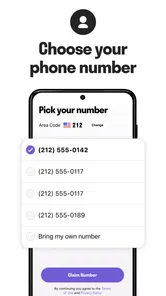
Getting started with TextNow is as easy as pie. You download the app from the Play Store or App Store, sign up using your email, and voila, you’re assigned a phone number. The interface is intuitive and user-friendly. I found the process to be smooth, and within minutes, I was sending texts and making calls.
The design is clean and straightforward, which I appreciate. No one likes an app that feels like solving a puzzle just to use. Plus, the app doesn’t bombard you with annoying ads, which is a huge plus in my book.
A useful way to think about the number is as a separate line for a specific purpose, rather than an automatic replacement for the number everyone already knows. For example, you might use it for calls and messages tied to a side project or for conversations you’d rather keep apart from family and friends. That separation can make your communication easier to manage, but it also means you need to check the right inbox when someone replies.
I’d decide on that purpose before sharing the number widely. A line used for a club, a short-term project, or local arrangements is easier to keep distinct than one gradually handed out as a second personal number. Naming the role for yourself and telling contacts which line to use avoids the small but common annoyance of waiting for a message in the wrong app.
More From Our News Desk

 Gmail
Gmail in a Busy Inbox: Who Benefits Most?
From first account to crowded workday, Gmail earns its place through dependable search and flexible sorting—but its best fit depends on how much inbox maintenance you can tolerate.

 Prime Video
Switching to Prime Video: What Changes in Your Viewing Routine
Prime Video can make a compelling second home for streaming, but switching means learning a different catalog, rental layer, and route from browsing to playback.

 Universal TV Remote Control
 Works Best as a Reliable Backup
A phone remote earns its place through quick setup and reliable habits. Here is how to get more from Universal TV Remote Control—and where its limits show.

 Weather - By Xiaomi
Weather by Xiaomi Review: Clear at a Glance, Less Clear Up Close
Xiaomi’s weather app makes everyday forecasts quick to scan, but its calm surface can leave useful details and recovery paths harder to find than they should be.

 X
X Under Pressure: Can It Recover When Posting Goes Wrong?
A resilience-focused review of X, examining setup, mistaken posts, interruptions, weak connections, and the gaps that matter when recovery needs to be dependable.

 Clash of Clans
 Is Won Between the Battles
Its raids are quick; its community is a long-term project of coordination, teaching, rivalry, and shared responsibility—with all the friction that entails.
Latest News



Calling, messaging, and the trade-offs behind free service
One of the standout features is the ability to send unlimited text and picture messages and make unlimited calls, all free of charge. It’s perfect for someone like me who loves chatting without worrying about the minutes ticking away.
Another great feature is the voicemail and call forwarding options. I was able to customize my voicemail greeting, which gave a personal touch to my messages. Also, the call forwarding feature is handy when you’re switching between devices.
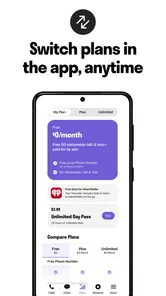
TextNow also offers a paid version, which removes ads and gives you some extra perks like voicemail transcription. However, the free version is robust enough for basic needs.
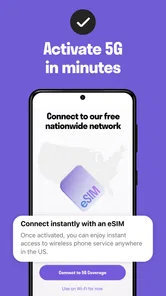
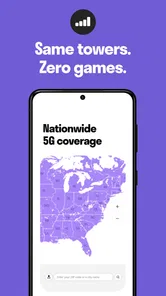
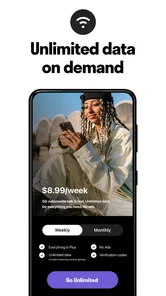
Free calling doesn’t mean the connection is independent of your phone’s internet access. The app uses Wi-Fi or mobile data, so calls compete with the same connection you use for everything else. If you’re planning a long call, connecting to reliable Wi-Fi first is a sensible habit; if you’re out and your data connection is weak, a regular carrier call may be the safer choice. The advertised unlimited 5G data may appeal to people who want more flexibility, but I’d still judge the experience by how consistently the app works in the places I actually use it.
For texts, the practical question is not just whether a message can be sent, but whether both people will remember which number to use. I’d save the TextNow number under a clear contact name and, when starting a conversation, send a brief note identifying it as my separate line. That small bit of context can prevent missed replies, especially if the person already has my usual number saved.
What the current version means for existing users
The version number gives existing users a clear marker for the app they’re using, but it doesn’t by itself tell me which individual features have changed. TextNow has been available since 2012, so it has had time to become an established alternative to carrier calling and texting. I’d treat that history as context, not as a promise that every update will change the way I use it.
If you already rely on the app, the most useful approach is to check that you’re on a recent release and then test the things you depend on: placing a call, receiving a reply, and hearing how voicemail behaves. That quick check matters most before you give the number to someone who needs to reach you promptly. A version update can be relevant, but your own connection and device are what shape the day-to-day experience.
For someone considering a switch, the current release is a starting point rather than a reason on its own to move every conversation. I’d keep the familiar carrier number active while trying TextNow for lower-stakes calls and messages. If the routine feels natural after a while, you can decide whether to share it more broadly; if you keep forgetting to open the app, that is useful evidence that a second inbox may not suit you.
Connectivity, reliability, and practical workarounds
Now, onto the performance. I’ve used the app in various locations, and the call quality has been pretty impressive. As long as you’re connected to Wi-Fi or have a decent data plan, you’re good to go. There were a few times when the call quality dropped, but nothing too bothersome.
TextNow uses your internet connection to make calls, so keep in mind that a stable connection equates to better performance. The app’s efficiency in handling texts and calls is noteworthy, and I rarely experienced delays.
One small but helpful workflow is to keep the app’s number written down somewhere you can access if you change devices, and to make sure important contacts know which number is yours. This reduces confusion if you switch between the app and your regular line. Call forwarding can help when moving between devices, but I wouldn’t assume it removes the need to check that calls are reaching the intended destination.
I’d also test the app from the kinds of places where I expect to use it, not just from home. A call made over reliable Wi-Fi gives only a partial picture if I plan to rely on mobile data while travelling around town. When audio becomes choppy, moving to a stronger Wi-Fi connection or waiting until the connection improves is more useful than assuming the other person’s phone is the problem.
Who benefits most—and who may prefer a carrier line
I’d recommend TextNow to someone who wants a second number for routine conversations, or who has dependable Wi-Fi and wants to make internet-based calls without using a traditional plan for every interaction. A realistic use is a person working from home who keeps a separate number for occasional project calls, checks messages between tasks, and uses voicemail when they can’t answer. It can also suit someone who wants a backup way to contact people while connected to Wi-Fi.
It’s less convincing as the sole number for someone who must be reachable in places with unreliable internet, or who needs the predictability of a carrier line for urgent calls. It may also be a poor fit if you dislike ads or don’t want to manage another inbox; paid options can remove ads and add perks, but the in-app purchase range means it’s worth checking the specific cost of any option before committing.
Compared with the usual carrier dialer and messaging app, TextNow’s main difference is that the number and service are handled through an app and internet connection. That can lower the barrier to having another line, while a carrier number is generally the more straightforward choice when you want calls to work through your mobile service. If your priority is simply messaging friends who already use a particular chat platform, that platform may be more convenient than asking them to contact a separate phone number.
It can be especially handy for a practical, time-limited job: imagine arranging a weekend sale, taking questions from interested people, and using one line for those exchanges instead of giving out your everyday number. Once the activity is over, you can stop using that line for new conversations without having mixed those messages into your regular thread. The trade-off is that anyone who still has the number may continue to contact it, so I’d avoid treating a second number as a substitute for setting expectations with people.
For a household, a shared project, or occasional coordination, it can also keep one person’s routine calls from taking over another inbox. But I would not assume it is a complete business phone system: someone who needs a polished company presence, dependable reachability for clients, or a managed team workflow should compare dedicated business services and carrier options instead. TextNow makes more sense when the need is modest and the user is willing to manage the line personally.
What I’d keep an eye on
For me, the main things to watch are connection quality, how well call forwarding fits your device routine, and whether the free experience remains comfortable for your needs. Before making the app your main contact number, try it in the places where you expect to use it and ask a trusted person to call and message you. That simple test answers more than a feature list can: you’ll learn whether you notice delays, whether the audio works for you, and whether you remember to check the app.
If you’re wondering whether you need a paid option to get started, I’d begin with the free service and decide only after you know which extras you actually want. If you’re concerned about relying on Wi-Fi, remember that mobile data can also provide the internet connection, but weak coverage can still affect calls. And if you need one dependable number for every situation, keeping your carrier line as the primary contact and using TextNow as a secondary line is the more cautious setup.
Before choosing any paid extra, I’d identify the annoyance I’m trying to solve. If ads are the issue, an option that removes them may be relevant; if voicemail transcription matters, that is a different reason to spend. The range of in-app purchase prices is broad, so I would check the specific item and terms shown in the app rather than assume that every purchase is a small recurring convenience or that one purchase covers every feature.
One question people often have is whether they can use it while away from Wi-Fi. The practical answer is yes when mobile data is available, because calls still need an internet connection; that does not make the service independent of signal quality or data access. If I were travelling somewhere with uncertain reception, I would keep my normal line available rather than count on an app call as the only way to be reached.
Another is whether a second number will make communication simpler. It can, but only if you deliberately separate its purpose and remember to check it. For someone already juggling several messaging apps, another inbox may create more work than it saves. I’d try it with a small group of contacts first and see whether the distinction feels useful before giving the number to everyone.
My take after weighing the trade-offs
All in all, if you're looking to save some bucks on your phone bill, TextNow: Call + Text Unlimited is a fantastic option. It's easy to use, reliable, and most importantly, it’s free. Whether you're a chatterbox or someone who just needs a backup number, this app has something for everyone. Give it a try, and you might find yourself wondering why you didn’t switch sooner!
I’d make one qualification to that recommendation: it’s strongest when treated as a flexible second line or an internet-based option you’ve tested, not as a guaranteed substitute for every carrier service. If that distinction works for your situation, it’s an easy app to try; if constant reachability matters more than saving money, your regular mobile number is likely the better anchor.
My simplest recommendation is to start with one clear use, such as project calls or a backup contact number, then ask a friend to test both a call and a text. Keep the carrier line for situations where a failed connection would matter, and give TextNow more responsibility only if its separate number fits naturally into your day. That way, the app’s cost advantage is useful without asking it to do a job it may not suit.
TextNow: Call + Text Unlimited Frequently Asked Questions
Is TextNow available for both Android and iPhone?
Yes. TextNow is available for Android and iOS, so you can use it on a compatible phone running either platform. Check your device’s operating-system version before downloading; the minimum supported OS is version 9. TextNow is a communication app, and its calling and texting functions are designed to be easy to explore after installation.
Who develops TextNow, and is it suitable for all ages?
TextNow is developed by TextNow, Inc. Its content rating is Everyone, which makes it suitable for a broad audience under the app’s rating system. As with any communication app, families may still want to review how a young user will use its calling and messaging features and discuss sensible privacy habits before getting started.
Can I use TextNow to get a second phone number?
Yes. TextNow provides a second phone number for calling and texting, which can be useful for keeping app communications separate from your regular number. The app is free to download, and its core calling and texting service is presented as free. Your experience still depends on having a suitable internet connection, so consider whether Wi-Fi access fits the way you plan to use it.
What devices and operating systems support TextNow?
TextNow is available for Android and iOS, so it can be used on compatible phones running either platform. Before downloading, check that your device meets the app’s operating-system requirements; the minimum supported OS is version 9. TextNow is a communication app, and its familiar calling and texting functions make it straightforward to explore once installed.
Does TextNow offer unlimited data, and what does that mean?
TextNow’s store summary describes talk and text with a second phone number alongside unlimited 5G data and no fees. The app’s calling and texting are internet-based, so the connection available to your device matters. Review the current service details in the app or store before relying on a particular data option, especially if you expect to use TextNow away from Wi-Fi.
Pros
- Unlimited free texting and calling in the US and Canada.
- Ability to choose your own phone number.
- Great for saving money on phone bills.
- User-friendly interface
- easy to navigate.
- Works on both Wi-Fi and data networks.
Cons
- Contains ads that can be intrusive.
- Limited availability outside US/Canada.
- In-app purchases can be costly.
- Requires internet connection at all times.
- Some features require premium upgrade.