ABC Kids: Tracing & Learning
- 43.00
- 4.3
- Installs
- 10.00M
- Price
- Free
Screenshots
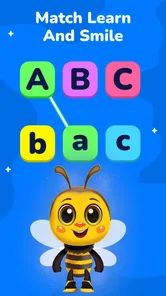
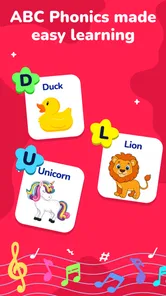
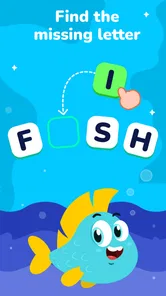
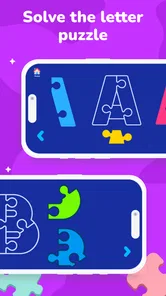
Analysis by Reviewed
I approached ABC Kids: Tracing & Learning as a short-session learning game rather than a complete teaching program. That distinction matters: its mix of letter practice, phonics, balloon popping and puzzles is well suited to keeping a young child engaged for a few minutes, but it is not a substitute for an adult helping them understand what they are learning. My impression is that its best use is as a cheerful activity to share or offer in a quiet moment, not as a hands-off lesson plan.
Where it fits into a child’s day
I would reach for this game when a child has a little time and energy for a focused activity, but not enough patience for a full worksheet. After breakfast, for instance, a caregiver could sit nearby while the child traces one letter, then ask them to find the same letter on a cereal box or in a picture book. That small move from screen to surroundings makes the practice feel more connected to real life.
It is also a reasonable option for a child who enjoys changing tasks and loses interest when asked to repeat the same exercise. The activities offer different ways to interact with letters, so a caregiver can respond to the child’s mood rather than insist on one format. I would still treat the variety as a menu, not a learning sequence: the child may enjoy several activities without building one skill deeply in a single sitting.
How it feels in short play sessions
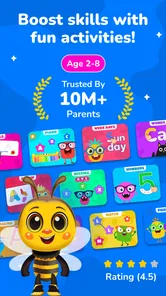
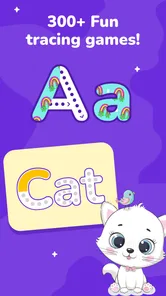
BayBee Brain’s educational game brings several familiar early-learning activities together. Instead of asking a child to sit with one repetitive exercise, it moves between tracing, letter sounds, simple puzzles and playful tapping. That variety can make it easier to invite a child back for another brief turn, especially when they are more interested in interacting than following a workbook.
The design also sets a reasonable expectation for pace. These are simple activities, so I would expect ordinary interactions to feel more immediate than a large, graphics-heavy game. Still, I would not judge the experience by how quickly a screen responds alone. For a preschool learner, clear instructions, time to recognize a letter and a chance to try again are more useful than brisk transitions.
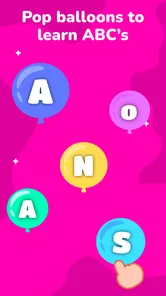
I found the variety most useful when matching the activity to a child’s mood. A child who wants to draw can focus on tracing; one who has only a little attention to spare may prefer a quick balloon-popping turn. A puzzle offers a different kind of concentration. This choice makes the game easier to fit into a routine than an app built around only one type of drill.
Small sessions work better than a long lesson
A practical way to use the game is to choose one activity, stay alongside the child, and stop before attention fades. For example, while waiting for a meal to finish, I might invite a child to trace a letter and then ask them to spot or say it elsewhere. That brief follow-up connects screen interaction with everyday learning instead of treating completion of a game as proof that the letter has been mastered.
More From Our News Desk

Weather by Xiaomi Review: Clear at a Glance, Less Clear Up Close

X Under Pressure: Can It Recover When Posting Goes Wrong?

Clash of Clans Is Won Between the Battles

Android Auto Makes the Case for Quieter Car Software

MobiOffice: Transforming Mobile Productivity with Seamless Integration

EA SPORTS FC™ Mobile Soccer: Redefining Mobile Sports Gaming
There is a useful trade-off here: hopping between activities can preserve interest, but it can also interrupt focused practice. If a child is learning how to form a particular letter, switching immediately to a puzzle may make the session entertaining without giving that letter enough repetition. I would let the child enjoy the choice, while gently returning to one skill when the aim is practice rather than simply filling a few minutes.
Making variety work without turning it into a lesson plan
One useful approach is to let the child choose between two activities rather than opening the whole experience and asking what they want to do. A choice between tracing and a puzzle can make the start feel easy while keeping the session manageable. If the child is already excited, I would begin with the calmer activity and save balloon popping for a later turn; if they are hesitant, a more playful start may help them settle in.
I would also avoid treating every activity as a test. A child who taps the wrong place or traces imperfectly may simply be exploring the screen. A gentle prompt such as “Can you show me where the letter starts?” gives them a chance to slow down without turning play into correction after correction. This matters especially for children who are just learning to control a touchscreen and may need time to coordinate looking and tapping.
Busy moments, reliability and device fit
During heavier use, the main strain is likely to be on the child’s attention rather than on the game itself. A run of tracing, sounds, popping and puzzles can become stimulating, and a young child may tap quickly without listening or looking closely. I would keep sessions short and use a simple prompt—“Which letter are you working on?”—to turn tapping into a more attentive activity.
For a realistic everyday routine, I would keep the game ready for a calm transition: after getting home, before an appointment, or while an adult is finishing a nearby task. It can occupy a child constructively, but it is not a reliable replacement for supervision. Staying within reach lets an adult help when a prompt is confusing, encourage a careful attempt, and redirect the session if excitement turns into rapid random tapping.
Reliability is also about whether a child can recover from losing their place. With several activity types, a young user may not remember what they were doing after switching away or handing the device to someone else. I would treat each visit as a fresh, self-contained practice turn rather than promising a continuous lesson or assuming the game will preserve a particular learning sequence. That approach avoids frustration and makes it easy to restart with a familiar activity.
On a shared family device, it is worth setting the session up before handing it over: open the intended activity, adjust the device to a comfortable position, and stay nearby. This small routine reduces the chance that a child will wander into a different part of the experience or lose focus while an adult tries to help from across the room. It is especially useful for children who are still learning how to use a touchscreen deliberately.
What the game can—and cannot—replace
Compared with a paper alphabet workbook, this game has more playful variety and responds to touch, which may be more inviting for a child who resists sitting down to write. A workbook, however, makes it easier for an adult to slow down, demonstrate pencil movement and see exactly how a child is forming a letter. I would use the app for an engaging first attempt and paper for hands-on practice, not expect either one to do the other’s job.
Compared with a focused phonics app, ABC Kids spreads attention across multiple activities. That is a strength when a child needs variety, but a limitation when a family wants a structured progression through sounds or a narrow, repeatable exercise. The balloon activity can keep a child involved; it does not, by itself, show that they can identify a sound without prompts. Adult questions and real-world examples supply that missing context.
It is also less suitable for a child who needs a carefully paced, individualized teaching plan. Children develop at different speeds, and a broad collection of simple activities may not be enough for someone who needs targeted support with a particular sound, motor skill or learning difficulty. In that situation, I would prioritize guidance from a teacher or specialist and use the game only if it fits their recommendations.
Performance expectations on older devices
The game’s current version is 9.9, and it requires Android 6.0 or later. That gives families with some older Android devices a clear starting point for checking compatibility, but a compatible operating-system version does not guarantee that every device will feel equally responsive. Hardware age, available storage and other apps running at the same time can affect the general experience, so I would try a short session before making it part of a daily routine.
I would also avoid opening several demanding apps at once on an older tablet when a child is about to play. That is ordinary device housekeeping, not a claim that this game is unusually resource-heavy. If a screen becomes sluggish, closing unused apps and reopening the activity is a sensible first step; if the device remains slow, the limitation may be the device rather than the learning game.
For families considering the cost, the game is free to download and includes in-app purchases priced from $2.99 to $49.99 per item. A child may not understand a purchase prompt, so I would review the device’s purchase controls before handing it over. The price range also makes it sensible to decide in advance whether the free experience is enough, rather than making a purchase in response to a child’s request during play.
The game is rated for Everyone, and its broad early-learning focus makes it most relevant to young children beginning with letters and basic sounds. Its audience reach is substantial: it has over 10 million installs and an average rating of 4.3 from around 22,000 ratings. Those figures suggest many families have tried it, but they cannot tell me whether its activities suit a particular child’s attention span or learning needs.
What to consider before handing over the device
A common question is whether this can keep a child busy while an adult steps away. I would not plan around that. It may hold attention for a short period, but a young child can need help understanding an activity, choosing what to do next or slowing down. I see it as something a caregiver can offer while remaining nearby, not as a substitute for supervision.
Families may also wonder whether it is better to use the game on a phone or a tablet. The practical answer depends on the child and the device at hand: a larger screen may be easier for some small hands to follow, while a phone can be convenient for a brief turn away from home. Either way, I would position the screen comfortably and check that the child can tap and trace without straining or rushing.
Another worthwhile question is whether a child should move from tracing straight to phonics. I would follow the child’s interest rather than make that switch automatic. If they are engaged with a letter, staying with it for another careful try may be more useful than moving on just because another activity is available. When attention dips, changing activities or ending the session is a better choice than pushing through.
Who I would recommend it to
I would recommend ABC Kids: Tracing & Learning to a parent or caregiver looking for a free, approachable way to introduce short bursts of alphabet practice. The game is particularly appealing if a child enjoys switching between drawing-like tracing, sound-based play and simple puzzles. It can also be useful for adults who want an easy activity to do alongside a child without preparing materials first.
I would skip it as a primary learning tool if I needed a clearly sequenced curriculum, detailed progress guidance or an experience that could teach independently without adult involvement. I would also choose a quieter, single-purpose activity for a child who becomes overstimulated by switching between kinds of play. The right choice depends less on the number of activities than on whether the child can use them calmly and meaningfully.
Overall, my performance verdict is practical rather than dramatic: this is a lightweight-feeling concept built around simple interactions, with the usual caveat that older devices may respond differently. Its strongest point is the way several early-learning formats give a child options in a short session; its main limitation is that variety and playful tapping do not automatically create a coherent lesson. At no cost to start, it is easy to try, but I would keep an adult involved, protect against unintended purchases, and pair screen time with conversation or pencil-and-paper practice.
ABC Kids: Tracing & Learning Frequently Asked Questions
What is ABC Kids: Tracing & Learning?
ABC Kids: Tracing & Learning is an educational app designed to help young children become familiar with letters and early writing. Activities typically include tracing uppercase and lowercase letters, matching letters with sounds, and simple games that reinforce recognition. Its child-focused design makes it suitable for beginners, though the exact activities and available languages may vary by version and device.
Is ABC Kids: Tracing & Learning suitable for toddlers and preschoolers?
The app is aimed primarily at young children who are starting to learn the alphabet, including many preschool-age learners. Letter tracing and matching activities are simple enough for beginners, but a child’s readiness depends on their age, motor skills, and familiarity with touchscreens. An adult may need to help at first, explain instructions, and choose activities that suit the child.
Does ABC Kids: Tracing & Learning work without an internet connection?
Many of the app’s core learning activities may be available offline after installation, which can make it convenient for travel or times without Wi-Fi. However, internet access may be needed for initial installation, updates, or any features that rely on online services. Check the current store listing and test the app on your device before planning to use it offline.
Is ABC Kids: Tracing & Learning free, and does it include ads or in-app purchases?
Availability, pricing, advertisements, and purchase options can differ by platform, region, and app version. Review the Google Play or Apple App Store listing before downloading to confirm whether the version offered to you is free and whether it contains ads or optional purchases. For a child’s device, it is also sensible to check parental controls and purchase protections.
Which devices and languages does ABC Kids: Tracing & Learning support?
ABC Kids: Tracing & Learning is offered for mobile devices through app stores, but supported operating-system versions and device requirements can change over time. Language availability may also vary, and an app focused on tracing English letters may not provide full instruction in every language. Check the listing for your Android or iOS device to confirm compatibility and available languages before installing.
Pros
- Simple tracing activities help young children practice early writing skills.
- Colorful visuals and friendly characters make lessons appealing to kids.
- Touch-based controls are easy for preschoolers to use independently.
- Short activities suit brief play sessions and early attention spans.
- Educational content combines letter learning with basic number practice.
Cons
- Tracing accuracy can be difficult for children still developing touch control.
- The activities may feel repetitive after extended play.
- Older children may outgrow the beginner-level material quickly.
- Some children may need an adult nearby to stay focused and progress.
- Screen time is still required
- so it may not suit every learning routine.











