

Zipper Lock Screen & Wallpaper
- 179.00
- 4.1
- Installs
- 10.00M
- Price
- Free
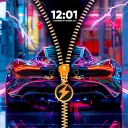
Screenshots
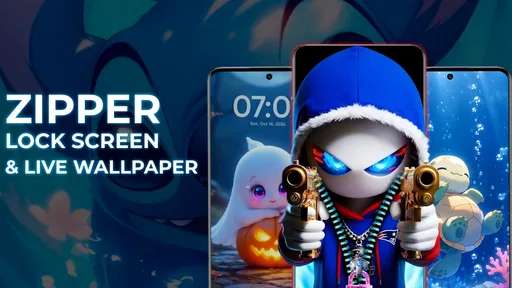
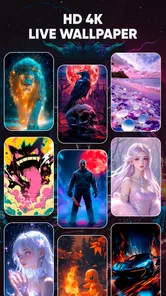
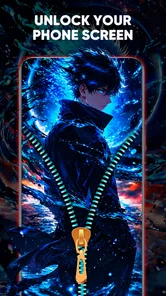
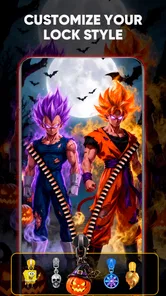
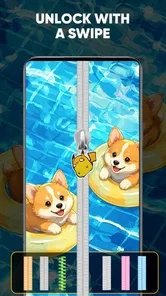
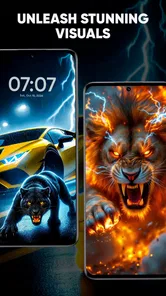
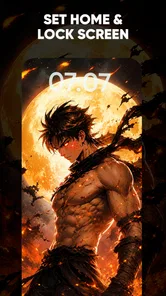
Analysis by Reviewed
I tend to notice a lock screen most when I’m using my phone in a hurry, so a zipper effect can make an otherwise routine moment feel more playful. Zipper Lock Screen & Wallpaper is a personalization app built around that idea, pairing a zipper-style unlock presentation with wallpaper choices. I’d treat it as a visual change to the phone experience, not as a replacement for thinking carefully about device security or system settings.
Where the connection can shape the experience
Wallpaper apps often involve browsing and choosing visual content, so I’d make selections when I have a steady connection rather than while rushing between stops. That gives me time to compare styles and settle on a look instead of making a snap choice on a crowded commute. The app’s broader appeal is its combination of zipper themes and live-wallpaper styling, but I wouldn’t assume every part behaves the same way when connectivity is poor.
For a practical first run, I’d choose one background and zipper design, apply them, then use the phone normally for a while before changing anything else. That simple sequence makes it easier to tell whether the look suits my screen and habits. If a visual element takes time to appear, I’d avoid repeatedly tapping controls; I’d wait, check the connection, and try again once the network is stable.
Good fit for small mobile moments
The idea works best for someone who enjoys adding personality to a phone and doesn’t mind an extra visual flourish every time the lock screen appears. A student choosing a bright theme, or someone who likes coordinating a wallpaper with a case, may find the zipper presentation more engaging than a plain background. It is less compelling for anyone who wants a completely minimal interface or dislikes animations and decorative touches.
Imagine checking the time while waiting for a coffee: the zipper treatment makes that glance feel different, but the value is mainly aesthetic. If you depend on seeing information instantly or prefer a familiar, uncluttered lock screen, the standard system experience is probably the better choice. I’d also keep in mind that a third-party lock-screen presentation can feel different from the phone’s built-in one, so it’s worth checking how it fits your routine before making it your everyday setup.
When something doesn’t look right
Visual customization can be a little less predictable than a static system wallpaper. If a theme or background appears incorrectly, I’d switch back to a simpler selection and see whether the problem follows one particular design. Restarting the app or revisiting the chosen settings after the connection is steady are sensible first steps; if the issue persists, I’d use the phone’s normal lock screen rather than repeatedly changing settings while out and about.
That approach also helps separate a temporary loading hiccup from a design that simply doesn’t suit the display. Before relying on a customized lock screen during a busy day, I’d test it at home: lock the phone, wake it several times, and make sure the screen remains easy to read. It’s a small check, but it can prevent a decorative choice from becoming an everyday annoyance.
More From Our News Desk

 Gmail
GmailGmail in a Busy Inbox: Who Benefits Most?
From first account to crowded workday, Gmail earns its place through dependable search and flexible sorting—but its best fit depends on how much inbox maintenance you can tolerate.

 Prime Video
Switching to Prime Video: What Changes in Your Viewing Routine
Prime Video can make a compelling second home for streaming, but switching means learning a different catalog, rental layer, and route from browsing to playback.

 Universal TV Remote Control
Universal TV Remote Control Works Best as a Reliable Backup
A phone remote earns its place through quick setup and reliable habits. Here is how to get more from Universal TV Remote Control—and where its limits show.

 Weather - By Xiaomi
Weather by Xiaomi Review: Clear at a Glance, Less Clear Up Close
Xiaomi’s weather app makes everyday forecasts quick to scan, but its calm surface can leave useful details and recovery paths harder to find than they should be.

 X
XX Under Pressure: Can It Recover When Posting Goes Wrong?
A resilience-focused review of X, examining setup, mistaken posts, interruptions, weak connections, and the gaps that matter when recovery needs to be dependable.

 Clash of Clans
Clash of Clans Is Won Between the Battles
Its raids are quick; its community is a long-term project of coordination, teaching, rivalry, and shared responsibility—with all the friction that entails.
Latest News



A Whimsical Twist on Security
Ever feel like your phone's lock screen is just too... ordinary? That's where Zipper Lock Screen & Wallpaper comes in. The app transforms your lock screen into a quirky, interactive zipper that you slide down to unlock your phone. It's like having a little piece of fun every time you need to check a message or make a call. And let's be honest, who doesn't want a bit more fun in their day?
Customization Galore
One of the best features of this app is the customization it offers. You're not stuck with just one style of zipper or background. Instead, you can choose from a variety of wallpapers and zipper styles to suit your mood. Feeling a bit edgy? Go for the metallic zipper. Want something a bit more relaxed? Maybe the floral design is more your speed. The app doesn't just stop at looks; it also lets you customize the sound effects. Yes, you can choose what sound your zipper makes when you slide it open. How cool is that?
Functionality Meets Fun
While the app is undoubtedly fun, it doesn’t skimp on functionality. The lock screen comes with handy features like displaying the time and date, and you can even add shortcuts to your favorite apps. This means you get to enjoy the fun of a zipper, without sacrificing any of the practicality you need from a lock screen. The app is lightweight and doesn't drain your battery, which is a big plus for those of us always on the go.
Security-wise, the app incorporates your phone's existing security methods. So, whether you use a PIN, pattern, or fingerprint, your phone remains secure. The zipper is just the icing on the cake, adding an extra layer of fun to your security routine.
Room for Improvement?
Of course, no app is perfect. While the zipper-style lock screen is a blast to use, some users might find it a bit gimmicky after a while. If you're someone who prefers a minimalist, no-frills approach to your phone's interface, this might not be the app for you. Additionally, despite the customization options, some users have reported occasional glitches with certain wallpapers and zippers not displaying correctly.
Despite these minor hiccups, the app is a delightful addition to your phone's arsenal. It's perfect for anyone looking to add a bit of whimsy to their daily routine. Whether you're a fan of personalization or just want to impress your friends with a cool lock screen, this zipper-themed app is worth checking out.
In conclusion, if you're tired of the mundane and looking for a playful way to spruce up your phone's lock screen, give this app a try. It's like a little daily dose of joy every time you unlock your phone. Who knew zipping could be so much fun?
Price, compatibility, and who should try it
Creative Apps Studio LTD makes this free app, with optional in-app purchases ranging from about fifty cents to seven dollars per item. It is rated for Everyone, runs on Android 8.0 and later, and its current version is 1.5.9. I’d start with the free experience and only consider a purchase if a particular customization feels worth paying for; the paid options shouldn’t be necessary just to decide whether the zipper look suits you.
The app has an average rating of 4.1 from around 31,000 ratings, with more than 10 million installs. Those figures suggest broad interest, but they don’t tell me whether a specific wallpaper will behave well on every phone. I’d use them as context, not as a promise of a flawless experience. Compared with choosing a built-in wallpaper, this offers a more distinctive lock-screen presentation; compared with a basic wallpaper changer, its zipper interaction is the point. If all you want is a calm background, the phone’s own personalization tools are likely simpler.
Use it deliberately, not just decoratively
A useful way to judge the app is to think about how often you unlock your phone and what you need to see in that moment. If you mostly use the lock screen to check the time, a decorative theme may be an enjoyable change. If you depend on a stripped-back screen to reduce distractions, extra visual detail may work against you. I’d pick a design with clear contrast and keep the overall look restrained if readability matters more than novelty.
For mobile data, I’d browse and make theme choices when connected to a reliable network, then pay attention to how the selected look behaves during ordinary use. I wouldn’t repeatedly browse or switch designs on a weak connection just to troubleshoot a display problem. This is a practical habit rather than a claim about offline behavior: connectivity can affect how smoothly browsing feels, while the finished lock-screen experience should be judged on your own device.
A sensible setup for everyday use
There’s a useful middle ground between trying every visual option and settling for the first one. I’d begin with a background that keeps the time easy to see, then choose a zipper style that doesn’t blend into it. A high-detail image can look striking in a preview but become busy once icons, notifications, or the clock are on screen. Checking the actual lock screen in ordinary lighting is more useful than judging a theme only from its selection view.
Sound is another choice worth making with the setting in mind. A zipper effect may feel playful at home but draw attention in a quiet classroom, meeting, or waiting room. I’d decide whether sound adds anything to my routine before enabling it, and I’d keep the visual effect as the main attraction if I often unlock my phone in public. That way, the customization feels intentional rather than like an interruption.
What to expect from the lock-screen change
One question I’d ask before relying on a customized lock screen is whether the experience remains comfortable across repeated checks, not just during the first minute. I’d try waking the phone with one hand, checking the time without fully engaging with the effect, and opening a frequently used shortcut. If those routine actions feel slower or less clear, the theme is not earning its place, however attractive it looked at first.
I’d also separate the app’s decorative role from the phone’s underlying protection. A zipper animation is a presentation choice; I would keep the device’s normal authentication configured and confirm that the everyday unlock sequence behaves as expected. Anyone who needs a dependable, familiar access routine for work or accessibility reasons should test carefully before adopting a new lock-screen presentation, and switch back if it introduces uncertainty.
When a different option makes more sense
For someone who changes their wallpaper rarely and values the fewest possible moving parts, the built-in Android personalization settings are the more straightforward route. They are also a better fit if the only goal is a clean background with no extra unlocking flourish. A general wallpaper app may suit someone who wants to browse images without changing how the lock screen feels. This app makes more sense when the zipper interaction itself is part of the appeal, rather than an incidental decoration.
I’d be cautious about choosing it for a phone shared with someone who expects a conventional lock screen, or for a device where every glance needs to be quick and unobstructed. A parent or friend might enjoy showing off the effect, yet still prefer a simpler setup for daily use. The best test is not whether the customization gets a reaction once, but whether it remains pleasant after dozens of routine unlocks.
Keeping the experience predictable
If a chosen design misbehaves, I’d avoid changing several settings at once. Returning to a plain background first, then trying a different zipper style, makes it easier to identify whether the issue is tied to one visual combination. I’d make those changes while stationary and with a stable connection, rather than during a rushed trip. If the screen becomes confusing, restoring the phone’s familiar lock-screen arrangement is a sensible fallback, not a failure of the experiment.
For anyone watching mobile data use, a practical approach is to browse themes deliberately instead of repeatedly opening and refreshing visual selections on the move. I would not assume that the app’s content or every effect behaves identically without a connection; I’d simply make choices when the network is reliable and then judge the result during normal use. That keeps connectivity from becoming another source of frustration while preserving a clear way to assess the customization itself.
My connectivity verdict
Connectivity matters most while exploring and settling on a look, because waiting for visual choices to load can make a quick customization session feel clumsy. I’d do that browsing at home or somewhere with dependable service, apply one combination, and leave it alone long enough to see how it fits the day. I wouldn’t recommend choosing themes in a hurry on a weak network, and I wouldn’t treat a momentary display problem as proof that the whole idea is unsuitable.
Overall, I’d recommend this personalization app to someone who wants a more playful lock screen and is happy to spend a little time testing the look and routine on their own phone. Its strongest appeal is the combination of a zipper-style interaction and visual customization; its main trade-off is that extra style may not suit people who prize simplicity, instant clarity, or predictable behavior above all else. Start with the free version, keep your usual security habits, and let everyday use decide whether the novelty lasts.
Zipper Lock Screen & Wallpaper Frequently Asked Questions
Is Zipper Lock Screen & Wallpaper available for iPhone as well as Android?
Zipper Lock Screen & Wallpaper is an Android personalization app, so it is intended for compatible Android phones rather than iPhones. If you use Android, check that your device meets the minimum system requirement before downloading. iPhone users should look for a similar customization app designed for iOS, since Android lock-screen features do not transfer directly to Apple devices.
What does the app’s Everyone age rating mean for users?
Zipper Lock Screen & Wallpaper has an Everyone content rating, which means it is classified as suitable for a general audience. That can be helpful when choosing a personalization app for a shared family device. The rating concerns the app’s content; it does not describe how the lock screen works or replace the need to review the available settings and permissions on your phone.
Does Zipper Lock Screen & Wallpaper include live wallpaper?
Yes. Zipper Lock Screen & Wallpaper is presented as an app for stylish zipper lock themes and 4D live wallpaper. These effects are intended to make the phone’s appearance feel more animated and personal than a static background. If you prefer a quieter look, you can choose a simpler theme or wallpaper style; the live effects are an option for people who enjoy more movement on screen.
What should I check before installing Zipper Lock Screen & Wallpaper?
Zipper Lock Screen & Wallpaper is a personalization app for Android, with a minimum requirement of Android 8.0. It is rated for Everyone and is offered as a free download, though some optional purchases are available. If you like changing the look of your phone’s lock screen, these details can help you decide whether it suits your device and preferences.
What features does Zipper Lock Screen & Wallpaper offer?
Zipper Lock Screen & Wallpaper provides a unique and interactive way to unlock your phone using a zipper animation. It comes with a variety of themes and wallpapers to customize your lock screen. Users can also enjoy features such as time display, battery status, and notifications on the lock screen, making it both functional and aesthetically pleasing. Its store summary also highlights stylish zipper lock themes and 4D live wallpaper, so the app is aimed at users who want a more expressive screen appearance.
Pros
- Unique and creative lock screen theme.
- Easy to customize with various wallpapers.
- Enhances phone's aesthetic appeal.
- Lightweight and doesn't drain battery.
- User-friendly interface and navigation.
Cons
- Limited functionality beyond aesthetics.
- Ads can be intrusive at times.
- May not suit all professional settings.
- Occasional app glitches and freezes.
- No advanced security features included.











