

Yuzu eReader
- 591.00
- 3.6
- Installs
- 100.00K
- Price
- Free

Screenshots

Analysis by Reviewed
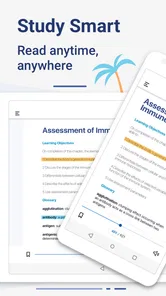
I came away from Yuzu eReader thinking of it less as a general reading app and more as a practical school companion. Barnes & Noble College built it for learning, reading, and interacting with digital content, and that focus matters. It is aimed at people who receive course material through a college or education program rather than readers simply looking for the broadest possible ebook library.
The app is free, rated for Everyone, and available for Android devices running at least Android 9. Its current version is 11.4.2, which suggests that the product has continued to receive attention rather than remaining frozen after its original launch. I also noticed that its public reach is meaningful, with over 100 thousand installs, while its average score sits at 3.6 from roughly 900 ratings and nearly 600 written reviews. That combination tells me to approach it with realistic expectations: useful for the right academic workflow, but not universally loved or equally suitable for every kind of reader.
How Yuzu fits into a student’s daily reading routine
My first impression is that the app makes the most sense when digital textbooks and other learning materials are already connected to a Barnes & Noble College experience. In that situation, the phone or tablet becomes a convenient place to open assigned reading without carrying another book. The value is not simply having text on a screen; it is having school-related content available in the same mobile environment where I already check schedules, messages, and notes.
A realistic use case would be a student commuting to class who realizes that a chapter needs to be reviewed before a discussion. Instead of waiting until reaching a laptop, the student can open the assigned material on a compatible mobile device and read a few pages during the journey. Later, the same material can be used during a study session, where interacting with digital content may be more useful than passively scrolling through a standard document.
That distinction is important. A conventional ebook reader is usually designed around personal purchases, novels, and a broad reading shelf. Yuzu eReader is more specialized. Its strongest reason to exist is the connection between digital textbooks and academic study. If I were choosing an app mainly for fiction, independent ebooks, or a large personal library, I would look at a mainstream reading service first. If my school materials are delivered through this ecosystem, however, the specialized approach becomes an advantage rather than a limitation.
The experience also depends on the screen I use. A phone is handy for quick review, checking a definition, or reading a short section between activities. A tablet is more comfortable for longer chapters because educational pages often contain diagrams, tables, side notes, or dense formatting. I would treat the phone as a portable backup and the larger screen as the better primary study tool.
The current version and what it tells existing users
The current release is version 11.4.2. I would not interpret a version number by itself as proof of a dramatic redesign, but it does show that the app has moved beyond its first form. Yuzu was released on May 3, 2016, so the product has had time to mature alongside changing mobile reading habits. For someone who has used it for years, a current installation is more sensible than assuming the original experience still represents the app today.
More From Our News Desk

 Instagram
Instagram’s Power Comes From Its Place in Your Phone
A close look at how Instagram turns Meta’s reach, recommendation systems and everyday camera habits into durable platform power—and what that costs users.

 Gmail
GmailGmail in a Busy Inbox: Who Benefits Most?
From first account to crowded workday, Gmail earns its place through dependable search and flexible sorting—but its best fit depends on how much inbox maintenance you can tolerate.

 Prime Video
Switching to Prime Video: What Changes in Your Viewing Routine
Prime Video can make a compelling second home for streaming, but switching means learning a different catalog, rental layer, and route from browsing to playback.

 Universal TV Remote Control
Universal TV Remote Control Works Best as a Reliable Backup
A phone remote earns its place through quick setup and reliable habits. Here is how to get more from Universal TV Remote Control—and where its limits show.

 Weather - By Xiaomi
Weather by Xiaomi Review: Clear at a Glance, Less Clear Up Close
Xiaomi’s weather app makes everyday forecasts quick to scan, but its calm surface can leave useful details and recovery paths harder to find than they should be.

 X
XX Under Pressure: Can It Recover When Posting Goes Wrong?
A resilience-focused review of X, examining setup, mistaken posts, interruptions, weak connections, and the gaps that matter when recovery needs to be dependable.
Latest News



That evolution is especially relevant on Android. Older education apps can become awkward when operating systems, screen sizes, and reading expectations change. The minimum requirement of Android 9 places Yuzu within a relatively modern device range, although anyone using an older phone should check compatibility before planning an entire semester around it. On a supported device, keeping the app updated is the practical way to benefit from maintenance work and avoid judging the present version by an outdated installation.
I would also separate confirmed product history from future expectations. The existence of version 11.4.2 confirms ongoing version progression, but it does not promise a particular upcoming feature or a specific improvement. Students should choose the app for what it does in their current academic setup, not for hoped-for changes. That is a useful rule with education software because a small missing function can affect an entire study routine.
For existing users, the main effect of continued development is confidence in using the app as part of a longer course. That does not remove the need for a backup habit. I would keep important notes in a separate place and avoid treating one reading application as the only home for essential academic work. This is not a criticism unique to Yuzu; mobile reading tools are convenient, but coursework often needs to survive device changes, account problems, or a last-minute switch to a computer.
Where the reading experience is genuinely useful
Yuzu’s educational purpose gives it a different rhythm from a leisure reader. I found the most useful approach was to use it in short, deliberate sessions rather than expecting it to replace every study tool. Before class, I could review a section. During class, I could consult the relevant material. Afterward, I could return to the same content while organizing notes elsewhere. That three-step workflow makes the app valuable even when it is not the place where every task is completed.
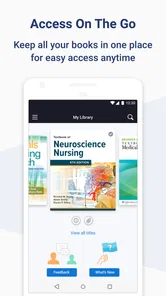
One non-obvious benefit of a digital academic reader is reducing the friction between an assignment and the material itself. A physical textbook may be left at home, while a phone is usually nearby. That convenience can make a difference when the task is small: checking a term, confirming a quotation, or revisiting a page before answering a question. The app is therefore strongest as an always-available access point, not necessarily as a complete replacement for a desk, notebook, or full computer setup.
I would recommend using a consistent reading routine rather than opening the app only when a deadline is close. Marking the beginning and end of a study session mentally, keeping a separate record of important points, and using the larger screen for dense chapters can make the experience feel much more controlled. These are simple habits, but they address a common weakness of mobile textbooks: easy access can encourage shallow skimming.
Another trade-off is portability versus concentration. A phone makes the content available almost anywhere, but it also places the textbook beside messages, social media, and other distractions. A tablet may offer more comfortable reading space, while a computer may be better for writing an essay alongside the source. I would choose the device based on the task instead of assuming that one Yuzu installation should serve every purpose equally well.
What may frustrate students and instructors
The largest limitation is the app’s specialized context. Yuzu is not automatically the right answer for someone who wants to import any ebook, organize a mixed personal library, or read across many unrelated stores. Its usefulness is tied to the digital content and educational environment it supports. Before relying on it, I would confirm that the required course materials are actually available through the relevant Barnes & Noble College arrangement.
That dependence can also affect how satisfying the app feels from one student to another. A person with compatible course content may see a focused academic reader. Someone without that connection may open it and find little reason to keep it installed. This is why the app should be judged by the complete workflow around it, not by the store summary alone. The question is not simply whether it can display digital material; it is whether it displays the material I need for my studies in a way that fits my device and habits.
The average score of 3.6 indicates a mixed public response rather than universal approval. I would read that as a reason to test the app early, while there is still time to adjust a study plan. Install it before the first major assignment, open the actual course content, try the reading experience on the device you expect to use, and see whether the workflow feels dependable. A short trial is more informative than assuming that an education app will behave like a familiar consumer ebook reader.
There is also a practical difference between reading and producing academic work. Even when the reading side is comfortable, writing detailed notes, comparing several sources, or preparing a long document may be easier in another application. I would not penalize Yuzu for that specialization, but I would plan around it. The best setup may involve Yuzu for course reading, a note-taking tool for analysis, and a computer for assignments.
Who should use it, and who should choose something else
I think Yuzu is a good fit for students whose digital textbooks or learning materials are supplied through the Barnes & Noble College ecosystem. It is also useful for readers who need occasional mobile access to academic content and do not want to carry printed books everywhere. The free price removes an obvious barrier to trying it, and the Everyone age rating makes it broadly suitable from a content-classification standpoint.
I would be more cautious if I were a casual ebook reader. Someone who mainly reads novels, wants a large store-independent library, or expects advanced leisure-reading customization may be happier with a dedicated consumer ebook platform. Likewise, a student who does all serious reading on paper may gain little from adding another digital shelf unless portability is a real problem.
It may also be the wrong primary choice for a researcher who needs a highly specialized reference workflow. If the priority is comparing many documents side by side, managing citations, or writing extensive annotations, a desktop reading setup can be more efficient. Yuzu can still serve as the access point for assigned material, but I would not force it to become a complete research environment when another tool handles those jobs better.
For families, the Everyone rating is reassuring in a general sense, but the app’s practical purpose remains educational rather than entertainment-focused. A younger user may be able to use it, yet the usefulness will depend on having appropriate digital learning content. The rating describes suitability of the app’s content classification; it does not turn the application into a general children’s reading library.
Small workflow choices that improve the experience
My first tip is to test the exact device that will be used during the semester. Reading a sample page on a large tablet does not tell me how a dense textbook layout will feel on a small phone. If the phone is the only available device, I would use it for targeted review and reserve longer sessions for a computer or tablet whenever possible.
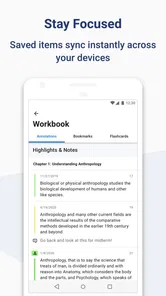
My second tip is to separate access from ownership of your study notes. I would record key page references, concepts, and questions in a note system I already trust instead of assuming that every useful thought should remain inside the reader. This creates a more resilient workflow and makes revision easier when the course moves from reading to writing.
My third tip is to evaluate the app before a high-pressure deadline. Open several sections, navigate between them, and see whether the material fits the way you study. If the experience feels awkward, discovering that during the first week is far better than discovering it the night before an exam. The app’s public rating makes this early check particularly sensible because other users’ experiences are clearly varied.
A fourth useful habit is to treat mobile reading as a bridge between places. I would use Yuzu for the moments when a physical book or laptop is unavailable, then do deeper work in the environment that offers better concentration. That approach plays to the app’s portability without asking a phone to handle every academic task.
What to watch as the product continues to evolve
The most important thing to watch is whether future updates make academic reading smoother without losing that focused purpose. Since the app has progressed from its original release to version 11.4.2, existing users can reasonably expect the product to keep changing, but they should still evaluate each update by its effect on their own course workflow. A change that helps one type of digital content may matter less to someone using a different textbook format.
I would pay attention to how comfortably the current experience scales between phone and tablet use, how easily students can return to the right place in a book, and whether interacting with course content feels natural during short study sessions. Those are more meaningful questions than simply counting new versions. For an education reader, reliability and low friction often matter more than flashy additions.
I would also watch how well the app continues to serve students who move between mobile and desktop study. Academic work rarely stays on one screen. The strongest future for Yuzu would be one in which opening course content on a phone supports, rather than interrupts, the larger reading and writing routine. Until then, keeping separate notes and maintaining a backup study method remains wise.
Overall, I see Yuzu eReader as a focused, free education app that earns its place when it matches the way a student receives digital course material. I would recommend trying it early if Barnes & Noble College is part of your academic setup, especially if portable access will make assigned reading easier. I would skip it as a general ebook solution and choose a broader reader for personal books. Its mixed rating reflects that it is not a universal reading answer, but for the right student, its specialized role can be genuinely convenient.
Yuzu eReader Frequently Asked Questions
What kind of digital content can I access with Yuzu eReader?
Yuzu by Barnes & Noble is an education app for learning, reading, and interacting with digital content. What you can open depends on the titles available through your account and the organization or provider connected to it. If you already have access to digital course materials or publications, Yuzu can provide a place to read them on a supported device; the app itself does not mean every title is included.
Is Yuzu eReader suitable for students and casual readers?
Yuzu eReader is aimed at people who need to read or interact with digital learning materials, so it may suit students as well as readers using compatible publications for other purposes. The experience depends on the content attached to your account: course materials may have different features and access rules from general eBooks. Its Everyone age rating makes the app broadly suitable, but individual books can still have their own subject matter.
What is Yuzu eReader, and what can I use it for?
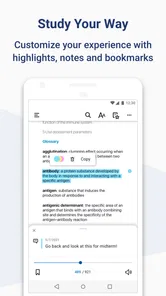
Yuzu eReader is a digital reading application designed for accessing and reading compatible eBooks and digital publications on supported mobile devices. After signing in, users can typically view titles connected to their account, download content for offline reading, adjust text and display settings, and continue from their last reading position. Its exact catalog and available features may depend on the school, publisher, library, or service that provides access.
Is Yuzu eReader free to download and use?
Yuzu eReader is free to download, but downloading the app does not necessarily provide free access to every book. Content is usually supplied through an associated account, institution, publisher, subscription, or purchase. Before installing, check the listing and your provider’s terms carefully, because pricing, borrowing rights, expiration dates, and access restrictions can vary depending on the digital books connected to your account.
Can I read books offline with Yuzu eReader?
Yuzu eReader may allow supported books to be downloaded for offline reading, which is useful when traveling or when an internet connection is unavailable. However, you generally need to sign in and download the title while online first. Offline availability can also depend on publisher permissions, licensing rules, storage space, and whether the book requires periodic account verification. Some interactive or online-only content may not work without connectivity.
Pros
- Supports EPUB
- CBZ
- and other popular eBook formats.
- Clean
- distraction-free reading interface with customizable themes.
- Useful library organization makes larger collections easier to browse.
- Adjustable fonts
- margins
- and line spacing improve reading comfort.
- Open-source development offers transparency and community-driven improvements.
Cons
- Some advanced features may require manual setup or configuration.
- PDF reading can feel less comfortable on smaller phone screens.
- The interface may look less polished than commercial reading apps.
- Limited built-in bookstore integration means sourcing books is up to you.
- Compatibility and performance may vary between Android devices.











