WSB-TV News
- 1.88K
- 4.5
- Installs
- 100.00K
- Price
- Free

Screenshots


Analysis by Reviewed
I spent time with WSB-TV News as a local news app rather than treating it like a general headline reader. That distinction matters. Its purpose is to keep Atlanta-area users close to news, weather, traffic, and other local updates, and the experience makes the most sense when those subjects affect your day directly. If you live in the region, commute through it, or have family there, the app can be more useful than a broad national news service that gives local events only a few lines.
It is a free news and magazines app from Cox Media Group Inc., with an Everyone 10+ content rating. The app has been available since April 23, 2014, and its long presence is relevant when deciding whether to make a local news source part of your routine. It is not a brand-new experiment, but I also would not mistake longevity for a guarantee that every part of the experience will suit every reader.
How I judge its usefulness and trust
The most important question with a local news app is not whether it can show headlines. Almost any modern news service can do that. I want to know whether it helps me understand what is happening nearby, whether I can use it quickly when conditions change, and whether I remain comfortable with the choices involved in using it. WSB-TV News performs best when I approach it as a practical Atlanta information tool, not as my only source for every subject.
The public response is encouraging: the app holds a 4.5 average from around 5.7 thousand ratings, with roughly 1.9 thousand written reviews and over 100 thousand installs. Those figures suggest that it has found a stable audience, but they do not replace my own judgement. Local news apps often receive strong reactions during severe weather or major incidents, while everyday navigation and reading habits reveal more about their lasting value.
My first impression is that the local focus gives the app a clear identity. A national news application may be polished and broad, yet still make you search for the one closure, warning, or neighborhood event that matters. Here, the Atlanta connection is the reason to open it. The trade-off is equally clear: if you want extensive international reporting, a wide range of specialist sections, or a neutral all-purpose news dashboard, this is probably not the most efficient single app.
What the local focus changes in daily use
Imagine leaving home for work and hearing that traffic conditions have changed across your route. A general news app may show a national headline, while a local service is more likely to be the place you check for Atlanta-specific context. I would use WSB-TV News in that moment as a quick confirmation tool: open it, scan the relevant local information, and decide whether I need another route or more time. I would still avoid reading while driving and would check details before making a decision that affects safety.
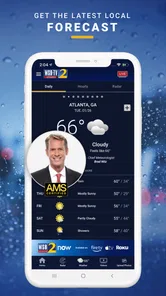
The same applies to weather. A national forecast can tell you the broad outlook, but local conditions often determine whether a school run, outdoor plan, or commute feels realistic. The app’s value comes from bringing weather into the same local-news routine instead of making you switch between several unrelated services. That convenience is modest, but it is exactly the kind of convenience that can turn a news app into a habit.
More From Our News Desk

Weather by Xiaomi Review: Clear at a Glance, Less Clear Up Close

X Under Pressure: Can It Recover When Posting Goes Wrong?

Clash of Clans Is Won Between the Battles

Android Auto Makes the Case for Quieter Car Software

MobiOffice: Transforming Mobile Productivity with Seamless Integration

EA SPORTS FC™ Mobile Soccer: Redefining Mobile Sports Gaming
I also find the local angle useful for people who no longer live in Atlanta but still care about it. Someone with relatives in the area, a former resident following local developments, or a person planning a visit may prefer a regional source over a national feed. In those cases, the app is less about constant reading and more about checking the place that matters to you.
Controls I would examine before settling in
Trust starts with visible control, not with a polished logo. Before making any news app part of my daily routine, I look at the choices it presents during setup and in its settings. I pay attention to whether notifications can be managed, whether the app asks for attention more often than I want, and whether I can use the core reading experience without creating an account. Those are practical questions because a local news app can become irritating if every update feels urgent.
I would also review the app’s permission prompts through the phone’s operating-system settings rather than accepting them automatically. A permission should have an understandable reason connected to a feature I intend to use. If a prompt appears before I have reached the feature that needs it, I prefer to deny it initially and reconsider later. This approach is especially sensible for a news app, where reading headlines does not automatically mean I want every optional function enabled.
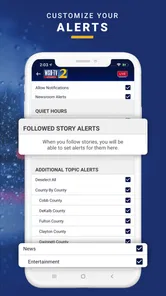
There is an important difference between a user choice being available and a user choice being easy to find. I would look for notification categories, system-level permission controls, and any account or personalization settings that affect what appears on screen. If I can turn off breaking-news alerts while keeping weather updates, that is more useful than a single all-or-nothing switch. If the controls are broad, I would set expectations accordingly and use the app as a manual check instead of depending on alerts.
I cannot treat the app’s category, rating, or install history as proof of a particular privacy practice. Those facts tell me about its audience and maturity, not about every data decision behind the scenes. My cautious approach is to read the current privacy information shown by the app or its store page, then compare it with the permissions and account choices I actually see on my device. That keeps the decision grounded in visible information rather than assumptions.
Where personal data and attention deserve care
News apps can feel harmless because their content is public, but the surrounding experience may still involve choices about notifications, location, advertising, analytics, and personalization. I would not assume that WSB-TV News handles these areas in a particular way without checking the current disclosures and prompts. Instead, I would treat each request as a decision: does this improve something I need, and am I comfortable granting it?
Location is a good example. Local weather and traffic are useful, but I would consider whether I need precise location access or whether selecting Atlanta-area information manually is enough for my routine. If the app offers a useful experience without continuous location access, I would choose the less revealing option. If a feature genuinely depends on location, I would enable it only while using that feature when the phone provides that choice.
Notifications deserve similar attention. A warning about dangerous conditions can be valuable, but frequent alerts can train me to ignore the important ones. I would begin with a conservative notification setup, then add categories only when I understand their value. My practical tip is to review the notification panel after several days: if most alerts are not useful at the moment they arrive, the setting is working against you.
Account controls are another point I would check before investing time in personalization. If an account is optional, I prefer to browse first and decide later whether saved preferences justify it. If an account is required for a feature, I would use a unique password and avoid sharing more profile information than the feature needs. The app’s free price removes a purchase decision, but free does not mean that privacy and attention have no value.
These habits are not accusations against the developer. They are sensible safeguards for any connected news service. Cox Media Group Inc. is the developer, and the app has a substantial history in the category, but responsible use still means reading the choices presented to me instead of relying on reputation alone.
Three practical ways I would use it
My first workflow would be a short morning check. Rather than scrolling endlessly, I would open the app with a specific purpose: scan the most relevant local headlines, check the weather, and look at traffic before leaving. This keeps a regional app from becoming a time sink. If a story affects my plans, I can read more; if not, I can close it after a few minutes.
The second workflow would be event-driven checking. During severe weather, a road incident, or a rapidly changing local situation, I would use the app as one nearby source and compare important claims with official alerts or public agencies. That is a key limitation of every news app: a report can provide context, but it should not be the only thing I consult for evacuation instructions, emergency directions, or immediate safety decisions.
The third workflow would be selective use for family coordination. If relatives live in the Atlanta area, I could check local coverage before calling them, then use direct conversation for their actual situation. The app can help me understand the broader event, but it cannot tell me whether a particular street, building, or person is safe. That distinction prevents a convenient headline from becoming false reassurance.
A less obvious benefit of this approach is that it separates information gathering from reaction. Local news can be emotionally intense, especially when alerts arrive repeatedly. By choosing set check-in moments and limiting unnecessary notifications, I can stay informed without letting the app dictate my entire day.
How it compares with broader alternatives
Compared with a national news app, WSB-TV News is more focused and potentially more relevant to Atlanta-area decisions. A national service is better when I want politics, business, science, entertainment, and international reporting in one place. WSB-TV News is better when the question is, “What is happening around Atlanta, and could it affect my plans?”
Compared with a weather-only app, it offers a wider local picture. A dedicated weather service may provide deeper forecasting tools, maps, alerts, and historical details, so I would choose that kind of app if weather is my main concern. WSB-TV News makes more sense when I want weather alongside local reporting and traffic rather than a specialized meteorology workspace.
Compared with social media, the app can be a calmer starting point because I am not relying on an unpredictable stream of posts and reactions. Social platforms may surface eyewitness material faster, but speed does not guarantee accuracy or context. I would use them as supplementary sources, not as a replacement for checking a local newsroom and official information during an important event.
Compared with a mobile browser, the app may be more convenient for repeat visits and alerts, while the browser gives me more flexibility and avoids adding another installed service. If I only check Atlanta news once every few weeks, a browser could be enough. If I regularly need local weather, traffic, and headlines, the dedicated app earns its place more easily.
Who should use it, and who should skip it
I think WSB-TV News is a good match for Atlanta residents who want a single local starting point for news, weather, and traffic. It is also sensible for commuters, households coordinating daily plans, and people who want regional coverage without building a complicated collection of separate apps. The free price makes trying it straightforward, provided you are comfortable with the permissions, notifications, and data choices shown on your device.
I would be more cautious about recommending it as the only news source for readers who need broad national or international depth. It is also not my first choice for someone who wants highly specialized weather analysis, financial reporting, or a completely ad-free reading environment. Those users may be happier with a specialist service or a paid publication designed around that priority.
People who dislike alerts should not assume that installing a local news app means they must accept constant interruptions. I would install it, review the notification choices, and keep only the categories that serve a real purpose. If the available controls do not provide the level of quiet I want, I would use the app manually or choose a browser instead.
My cautious verdict after using it
WSB-TV News is most convincing as a focused Atlanta information companion, not as a complete replacement for every news service. Its local purpose is clear, and the combination of regional news, weather, and traffic fits realistic daily needs. I appreciate that it can support quick check-ins, commute planning, and local awareness without requiring me to search through a national feed for the relevant item.
My recommendation comes with a deliberate trust condition: inspect the current permissions, privacy disclosures, account requirements, and notification controls before settling into regular use. I would grant only what I understand, keep alerts selective, and verify safety-critical information through official channels. Those steps are not difficult, and they give me more control over both my attention and my personal data.
The app’s 4.5 average and audience of over 100 thousand installs indicate that many people find value in it, while its Everyone 10+ rating makes it broadly approachable for families with older children. Still, popularity cannot answer whether its controls match your preferences. My own conclusion is positive but measured: if Atlanta-area information is central to your routine, this free app is worth trying. If you want a global news hub, deep specialist tools, or minimal app involvement, a broader or more focused alternative may serve you better.
After that initial review of choices, I would keep the app only if it remains useful without becoming noisy or intrusive. That is the real test for a local news service. WSB-TV News passes it for readers who value regional awareness and are willing to manage the experience thoughtfully.
WSB-TV News Frequently Asked Questions
Is WSB-TV News focused on Atlanta, or can it be useful elsewhere?
WSB-TV News centers its coverage on Atlanta and nearby communities, with local news, weather, and traffic at the heart of the experience. It may still be useful when you are away from the area and want to keep up with regional developments, but its strongest value is for people with a connection to Atlanta or its surrounding communities.
What is the WSB-TV News app?
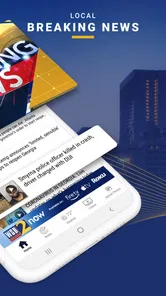
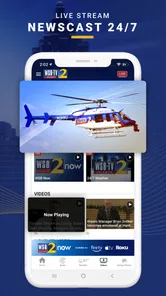
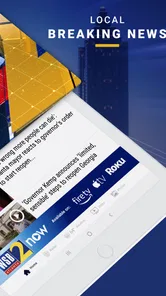
WSB-TV News is the official mobile news application from WSB-TV, serving the Atlanta, Georgia area and surrounding communities. After installing it, users can browse local and breaking news, watch video reports, check weather forecasts, follow traffic conditions, and receive updates about major regional events. The app is designed for quick access to the station’s newsroom content while you are away from a television.
What kind of content can I find in WSB-TV News?
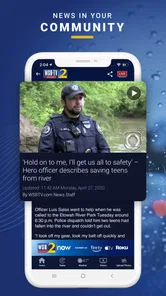
The app provides a broad selection of local and regional coverage, including breaking news, crime, politics, community stories, sports, entertainment, traffic, and weather. Depending on the story, you may find written reports, photo galleries, live video, recorded broadcasts, and reporter updates. Its strongest focus is the Atlanta area, so it is especially useful for users who want news relevant to nearby neighborhoods and communities.
Does WSB-TV News offer weather and traffic information?
Yes. WSB-TV News includes weather tools and traffic-related updates that can be useful for daily planning and commuting. Users can typically view current conditions, forecasts, radar information, severe weather alerts, and reports about accidents or delays. Availability and presentation may vary by location, device, and current coverage, so the app should complement—not replace—official emergency instructions or local transportation notices.
Can I receive breaking-news and severe-weather notifications?
The application supports notifications for important updates, such as breaking local news, severe weather, traffic incidents, and other urgent developments. During setup, you can usually allow or decline notifications, and device settings may let you manage categories later. Enabling alerts can provide timely information, although frequent notifications may be distracting if you subscribe to every available topic.
Pros
- Live local news
- weather
- and traffic updates in one app.
- Breaking-news alerts help you stay informed about urgent events.
- Video reports provide more context than short text headlines.
- Weather forecasts include radar and changing conditions.
- Covers community stories relevant to the Charlotte area.
Cons
- Some content may be limited to viewers in the station’s coverage area.
- Frequent notifications can feel excessive without careful customization.
- Video playback may use significant mobile data on cellular networks.
- Advertising can interrupt browsing and video viewing.
- Some stories may require a strong connection to load smoothly.













