95.5 WSB
- 756.00
- 4.1
- Installs
- 100.00K
- Price
- Free

Screenshots
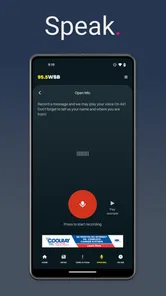
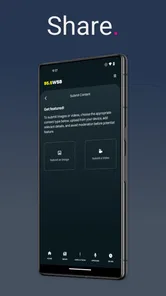
Analysis by Reviewed
I use 95.5 WSB as a focused way to keep up with Atlanta news, weather, and traffic without turning my phone into a noisy collection of unrelated headlines. It is a free News & Magazines app from Cox Media Group Inc., built around the 95.5 WSB radio service and its continuous local coverage. That narrow purpose is also its biggest strength: when I want Atlanta-specific information quickly, the app feels more direct than opening a general news platform and sorting through national stories first.
The app is available for Android devices running Android 8.0 or later, carries a Teen content rating, and has reached over 100 thousand installs. Its current version is 12.0.91, while its long presence on mobile dates back to April 28, 2014. Those details matter because this is not a brand-new experiment; it is an established companion for listeners who want the station’s local focus in a mobile format.
Using 95.5 WSB as a reliable Atlanta routine
My baseline workflow is simple. I open the app when I need a quick local update, check the most relevant information first, and then decide whether I need to stay with the station or return to whatever else I was doing. That makes it useful during a commute, before leaving home, or when weather conditions may affect plans. I do not treat it as a complete replacement for every news source. I treat it as a local starting point with a clear regional identity.
The difference becomes obvious during an ordinary weekday morning. Instead of checking a national news app, a separate weather service, and a traffic page one after another, I can begin with 95.5 WSB to get a sense of what is happening around Atlanta. If I am preparing to drive, the traffic coverage is the first practical reason to open it. If I am deciding whether to change plans, weather information is more useful. If a major local story is developing, the news focus gives me a reason to keep listening or reading for longer.
The best habit is to use the app as a decision tool, not as background clutter. I check it at moments when local information can change what I do next. That approach keeps the experience efficient and avoids the common problem of endlessly scrolling through headlines that have no effect on my day.
The radio connection also shapes how I use it. A traditional station can be helpful when I want continuing coverage rather than a single article. I may open the app for one specific reason, then stay with the live local flow while getting ready, driving, or handling routine work. That is different from reading a short article and closing the screen. It gives the app a practical role for people who prefer listening but still want a mobile entry point.
What it does well for local listeners
Its strongest audience is obvious: Atlanta residents, commuters, and people who regularly need information tied to the area. Someone who has recently moved to Atlanta may also find the local orientation useful because the app keeps attention on the city and its surrounding concerns instead of making the user filter a huge national feed.
More From Our News Desk

Weather by Xiaomi Review: Clear at a Glance, Less Clear Up Close

X Under Pressure: Can It Recover When Posting Goes Wrong?

Clash of Clans Is Won Between the Battles

Android Auto Makes the Case for Quieter Car Software

MobiOffice: Transforming Mobile Productivity with Seamless Integration

EA SPORTS FC™ Mobile Soccer: Redefining Mobile Sports Gaming
I also see value for people who already know and trust the 95.5 WSB format. The app avoids forcing them to change their entire news habit. Instead, it puts the station within reach when a radio is inconvenient or when the phone is the more natural device. That continuity is more meaningful than a long list of extra tools would be.
On the other hand, I would not choose it as my only source if I wanted broad international coverage, a large selection of viewpoints, or a highly customizable news reader. The local specialization that makes it useful for Atlanta also makes it less suitable for someone who wants one app covering every subject and location. A national news app is better for that purpose, while a dedicated weather or navigation service may be better when I need detailed forecasting or route-level traffic decisions.
Settings and small choices worth checking
Experienced use begins with checking the app’s available settings rather than assuming the default arrangement will suit every situation. I pay attention to how the app presents local news, weather, traffic, and station listening because each serves a different need. If I am trying to make the app part of a daily routine, I want the most frequently used area to be easy to reach instead of repeatedly searching for it.
I also consider when I want the app to interrupt me. Local news can be useful, but constant alerts can become distracting, especially during work or sleep. I review notification choices and keep only the level of interruption that matches my routine. If I am using the app mainly for scheduled check-ins, I prefer a quieter setup. If I am actively monitoring changing local conditions, I may accept more immediate prompts. The important point is to make that choice deliberately.
Audio behavior deserves its own check. I test how the station fits into my normal phone use before relying on it during a commute. I want to know whether I am comfortable starting and stopping listening, whether the sound level is appropriate, and whether the app remains convenient when I am not looking at the screen. This is not a flashy feature tip; it is a practical safety and usability habit. A radio-focused app works best when I can use it without turning every interaction into a visual task.
For a home routine, I keep the app in a predictable place on my phone and use it at the same point in the morning. For driving, I prepare before leaving rather than trying to navigate through content once I am moving. For weather-sensitive plans, I check close to the time I need to leave instead of assuming an earlier update will remain current. These small decisions make the experience feel more dependable than simply installing the app and hoping it becomes useful on its own.
Faster patterns for everyday use
One efficient pattern is the three-step check: local conditions first, the specific category that affects my next decision second, and extended listening only if the situation deserves it. For example, I may begin with traffic, move to weather if the sky looks uncertain, and then listen to the wider news coverage while preparing breakfast. This prevents me from spending time on information that does not affect the immediate plan.
A second pattern is to separate “I need to know” from “I want to follow.” The first is a short visit for a practical update. The second is a longer listening session when a local story or developing situation deserves attention. Keeping those purposes separate helps me avoid judging the app unfairly. It is not supposed to behave exactly like a text-heavy headline archive in every moment; its value often comes from staying connected to a local broadcast flow.
I also find it useful to pair the app with, rather than blindly replace, other tools. I might use 95.5 WSB for the local context and a navigation app for the final route decision. I might use its weather coverage to understand the local situation, then consult a specialized forecast service when I need detailed timing. This combination respects the strengths of each tool and avoids expecting a radio station app to perform every job.
Another useful habit is to revisit the app after a major change in routine. A new commute, different work hours, or a move within the Atlanta area can change which parts of the service matter most. I do not need to redesign my entire phone; I simply adjust when I check it and which section I reach first. That is a more realistic way to get value than trying to consume every available update.
The app’s free price removes the main barrier to trying this workflow. I can install it without committing to a subscription, which makes it practical for occasional Atlanta visitors as well as regular listeners. Still, free access does not mean every user will benefit equally. Someone who rarely needs local Atlanta coverage may find a general news app more efficient, even if this one costs nothing.
Where the focused design reaches its limits
My main limitation is scope. 95.5 WSB is strongest when the question is local and immediate. It is not the app I would open for a carefully organized research project, a broad international briefing, or a deep comparison of many publications. Its identity is tied to the station, and that can feel narrow if I prefer to build my own news mix from numerous sources.
There is also a difference between having access to local coverage and having every detail presented in the exact format I prefer. Some people want long written explainers, extensive filters, saved reading lists, or a highly visual feed. A station-centered experience may not satisfy those expectations as well as a dedicated news reader. I would choose this app for immediacy and local orientation, not for elaborate information management.
Another trade-off is attention. Continuous radio coverage can be more convenient than reading, but it can also encourage passive listening. I have to decide whether I am actually following useful information or merely leaving audio running. The app works better when I give the listening session a purpose, such as learning about a developing local situation or staying aware during a commute.
Because the content rating is Teen, families should treat it as a general news and radio service rather than assuming every local story will be suitable for young children. News can involve serious subjects even when the app itself is not designed as an adult-only product. I would use normal parental judgment, especially if a child is listening independently.
The rating gives a useful signal about overall reception: the app holds a 4.1 average from around 1.7 thousand ratings, with more than 750 written reviews. I read that as evidence of a generally positive experience rather than a guarantee that every phone, listening habit, or local information need will feel perfect. A station app can be valuable to one Atlanta commuter and unnecessary to another person living outside the area.
Who should install it and who should skip it
I recommend trying 95.5 WSB if you live in Atlanta, commute through the area, already follow the station, or want a free local news and radio option with weather and traffic in the same place. It is especially suitable for someone who prefers a repeatable routine: open it before leaving, check the local situation, and listen when more context is useful.
I would skip it if my main goal were a worldwide news digest, a fully personalized multi-source feed, detailed meteorological tools, or advanced navigation. In those cases, a broader news reader, dedicated weather app, or navigation service would be the better primary choice. I might still keep this app as a secondary local source, but I would not expect it to replace those specialized tools.
For new users, I suggest starting with one concrete use case instead of trying to explore everything at once. Use it for the morning commute, an Atlanta weather check, or a short local news session. After a few days, adjust notifications and your preferred routine based on whether the app is helping you make decisions faster. That trial reveals its real value better than simply judging the number of sections on the screen.
It is also worth remembering that the app is free, but your time and attention are not. If the local focus saves me from checking several unrelated sources, it earns a place on my phone. If I keep opening it without finding information relevant to my plans, I would rather remove it or limit my use. The right measure is not how much content it can provide, but whether it improves my Atlanta-specific routine.
My verdict after building a repeatable habit
After using 95.5 WSB as a local check-in rather than a general-purpose news replacement, I find its purpose clear and useful. Cox Media Group Inc. has created an app for people who want the 95.5 WSB experience close at hand, with Atlanta news, weather, and traffic forming the practical center of the service. That focus gives it more personality than a generic news feed, even though it also limits its appeal outside the region.
The most effective setup is not complicated. I keep interruptions under control, check the information that affects my next decision, and use listening when I want continuing coverage rather than a quick headline. I combine it with specialized services when I need detailed forecasts or navigation, and I avoid treating it as a replacement for every other source. Those habits make the app faster and more useful without relying on imagined shortcuts or features.
My final recommendation is positive for Atlanta-focused listeners, but conditional for everyone else. If local relevance is your priority, the free access and established station identity make it easy to try. If you need broad coverage or deep customization, choose a broader alternative and use this only when Atlanta-specific context matters. For the right user, it is a practical companion that turns a familiar local radio source into a convenient mobile routine.
95.5 WSB Frequently Asked Questions
Who publishes the 95.5 WSB app, and what devices can run it?
The app is published by Cox Media Group Inc. and is available for Android and iOS devices. On Android, it requires version 8.0 or later, so it is worth checking your phone’s operating system before downloading. If you use an iPhone or iPad, find the app in the Apple App Store and check that store’s compatibility details for your device.
Is 95.5 WSB suitable for younger listeners?
The app has a Teen content rating, so it is intended for a teen audience rather than being classified for young children. Since it focuses on news, talk programming, weather, traffic, and sports, the material may include topics that families prefer to discuss with younger listeners. Parents can review the app and use their device’s available content controls to help manage access.
What is 95.5 WSB, and what can I listen to in the app?
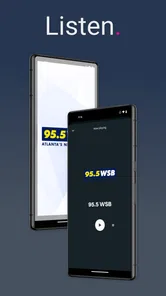
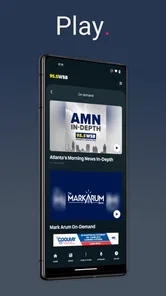
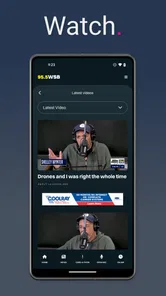
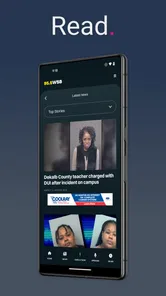
95.5 WSB is the official mobile app for the Atlanta radio station known for news, talk programming, traffic updates, weather information, and sports coverage. After installing it, you can generally listen to the live station stream, check the latest stories, browse show content, and access station-related updates from one place. The available sections may vary depending on your location and the current app version.
Is the 95.5 WSB app free to download and use?
The 95.5 WSB app is free to download. Listening to the live stream and accessing most station content usually does not require a subscription, although your mobile carrier may charge for data usage. Some promotional features, contests, or external content may have separate terms, so it is worth reviewing the app’s current privacy and usage information before continuing.
Can I listen to 95.5 WSB live outside Atlanta?
The app may allow users outside the Atlanta area to access the live stream, but availability can depend on broadcasting rights, geographic restrictions, and the station’s current streaming policy. If the stream does not play while traveling or living elsewhere, this may not be an issue with your phone. A stable Wi-Fi or mobile-data connection is also important for uninterrupted listening, especially during longer sessions.
Pros
- Clean interface makes core features easy to find.
- Setup is quick
- even for first-time users.
- Performance stays smooth on most modern devices.
- Useful settings let you personalize the experience.
- Regular updates add improvements and fix reported issues.
Cons
- Some advanced features require a paid subscription.
- Older phones may experience slower loading times.
- The app can use noticeable battery during extended sessions.
- A stable internet connection is needed for several functions.
- Privacy options are limited compared with some alternatives.













