Boston 25 News
- 1.33K
- 4.2
- Installs
- 100.00K
- Price
- Free

Screenshots

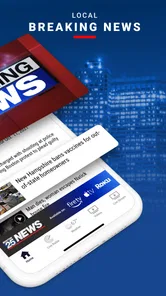
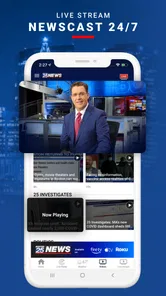
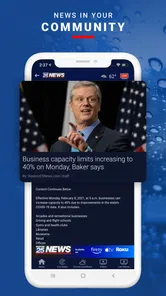
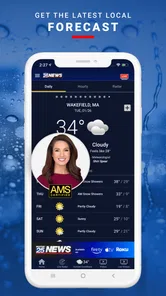

Analysis by Reviewed
When I need a quick picture of what is happening around Boston, I do not always want to open a full news website and work through several menus. Boston 25 News is built for that more immediate moment: I can check local reporting, look at weather information, follow radar, see traffic conditions, and catch up on sports from one mobile news app. In my experience, its value is less about replacing every source I use and more about giving me a practical starting point when local conditions may affect the next few hours.
That focus makes sense for a News & Magazines app developed by Cox Media Group Inc. It is free, available for Everyone, and has been around since June 11, 2010. The app has built an average rating of 4.2 from around 4.6 thousand ratings, with more than 100 thousand installs. Those figures suggest a well-established local-news option rather than a brand-new experiment, but they do not remove the need to decide whether its Boston-centered approach fits the way you actually follow news.
From a morning question to a useful local update
I find the most useful way to approach Boston 25 News is to start with one practical question, such as whether weather or a local incident might change my plans, rather than browsing without a purpose. That keeps its mix of local reporting and everyday updates focused, and it makes clear why speed is about reaching the relevant information quickly—not simply opening an app and scrolling. From there, the next section looks at what happens when several kinds of updates matter at once.
Starting with the situation that matters
The clearest way to use this app is to begin with a specific question. I might be leaving home and wondering whether rain will change my commute, checking whether a developing story affects a neighborhood, or looking for a quick sports update before work. Starting with that question is important because the app covers several kinds of information, and casually scrolling can make the experience feel less focused than it needs to be.
For a normal morning, I would first look at the latest local headlines, then move to weather and radar if conditions are uncertain. If I am about to drive, traffic becomes the next handoff. This order turns the app into a small decision-making tool: news explains what is happening, weather shows the environment, radar helps with timing, and traffic tells me how that situation may affect movement.
The same workflow works in the evening, although the starting condition changes. After a storm, accident, public safety event, or major local development, I want the newest available update rather than a broad national summary. The Boston focus is useful here because it keeps the first layer of information close to the place where I live, work, or plan to travel.
Moving from headlines to context
I would not treat the first headline I see as the complete story. A headline is a doorway, not the final answer. I open the item, read enough of the report to understand the location and timing, and then compare it with the relevant weather, radar, traffic, or sports section. That extra step is where the app becomes more useful than a simple headline feed.
More From Our News Desk

Weather by Xiaomi Review: Clear at a Glance, Less Clear Up Close

X Under Pressure: Can It Recover When Posting Goes Wrong?

Clash of Clans Is Won Between the Battles

Android Auto Makes the Case for Quieter Car Software

MobiOffice: Transforming Mobile Productivity with Seamless Integration

EA SPORTS FC™ Mobile Soccer: Redefining Mobile Sports Gaming
One practical habit is to separate urgency from importance. A traffic disruption may matter immediately but only for a short period. A local government or community story may not change my route today, yet it may deserve more attention because its consequences last longer. The app can support both kinds of reading, but I have to make that distinction myself instead of letting the most visually prominent item set my priorities.
I also find that local coverage is most helpful when I already know the general area involved. Familiar streets, neighborhoods, teams, and weather patterns give the information meaning quickly. Visitors can still use the app, especially for weather and traffic, but someone unfamiliar with Boston may need to spend more time identifying places and judging how directly a report affects them.
Using weather and radar as separate tools
Weather information and radar answer different questions, and I would not use them interchangeably. A forecast helps me plan broadly, while radar is more useful when I need to understand whether precipitation is approaching, passing by, or breaking apart. If I am deciding whether to leave immediately or wait, radar gives a more situational view than a single forecast summary.
The useful trade-off is speed versus interpretation. A quick weather glance is convenient when I only need a general idea. Radar asks me to look more carefully and think about direction, timing, and my route. That makes it valuable before a commute or outdoor plan, but excessive when I only want to know whether I need a jacket.
My advice is to avoid opening radar simply because it is available. Use it when timing matters. Otherwise, headline and weather information may be enough. This small discipline keeps the app from becoming a collection of screens I check without making a decision.
Turning traffic information into a route choice
Traffic is another point where the handoff matters. Seeing a delay is not the same as knowing what to do about it. I use the traffic view after checking the headline or event that may explain the disruption. If there is a reported crash, severe weather, or another local incident, the traffic information has more context and is easier to act on.
I would still keep a dedicated navigation app available for turn-by-turn directions. Boston 25 News is better suited to awareness than to replacing navigation. It can help me decide whether to leave earlier, avoid a corridor, or reconsider a trip, while a navigation tool is usually the better choice once I am already committed to a specific route.
This distinction is one of the app’s most important practical limits. Someone expecting a complete travel assistant may find the workflow incomplete. Someone who wants a local explanation for why the roads are difficult may appreciate the combination of reporting and traffic information.
Following sports without losing the local-news purpose
The sports area gives the app another reason to open it after the immediate commute is over. I can move from local news to team-related coverage without switching to a separate sports source. That is convenient for a quick score, update, or local sports story, especially when I want regional context rather than a broad national feed.
At the same time, serious fans may still prefer a dedicated sports app for deeper statistics, schedules, live-play detail, or specialized analysis. I see the sports coverage here as part of a wider local-news routine, not as a complete replacement for every sports service. The advantage is reduced switching; the compromise is that the experience is designed around general local coverage rather than one team or league.
Handling the handoffs between information types
The strongest workflow in this app is not a single feature. It is the handoff between sections. I begin with a report, check weather or radar for environmental context, inspect traffic for practical consequences, and then return to the news item if I need more detail. Each step answers a different question, so the process feels purposeful when I follow it in that order.
There is also a handoff between the app and my own judgment. The app can show information, but I still need to decide whether a route is safe, whether a developing report is relevant to my location, and whether a weather change justifies altering plans. I would never use a quick mobile update as the only basis for a high-stakes decision.
For families, commuters, and people who regularly move around the Boston area, this connected workflow is more useful than opening isolated pages. A parent checking the morning commute can review local headlines, weather, radar, and traffic before deciding when to leave. A visitor planning an outdoor day can use the same path, although they may want a broader travel source for attractions and directions.
What the result feels like in everyday use
The result is a compact local briefing. I can come away knowing what deserves attention, what the weather may do, and whether travel conditions could interfere with my plans. That is a meaningful outcome for a free app, particularly when I want local awareness without building a routine around several separate services.
The app is especially good when the information is time-sensitive but not so specialized that I need an expert tool. A changing commute, a local weather concern, a developing community story, or a quick sports check all fit naturally. The experience is less compelling when I want extensive customization, deep archives, or a highly specialized source.
Its free price also lowers the cost of trying it. I can use it as a secondary local-news source even if I already have a preferred national news app. That is how I would recommend approaching it: not necessarily as the only news application on a phone, but as a Boston-oriented layer that makes local conditions easier to follow.
Where the workflow breaks down
The first point of friction is concentration. A local app can be highly relevant when I am in or near Boston, but much less useful when my daily life is elsewhere. National and international readers may find the coverage too narrow, and people who move between several cities may prefer an app that handles multiple regions more evenly.
The second limitation is that different information types do not always have the same depth. News, weather, radar, traffic, and sports can live together conveniently, but convenience does not guarantee that each section will satisfy a specialist. A dedicated weather service may be preferable for detailed forecasting, a navigation app for route decisions, and a sports service for comprehensive team coverage.
There is also a risk of passive checking. Because the app brings several timely subjects together, I can open it for traffic and end up reading unrelated headlines. That is not a flaw unique to this product, but it matters if I am trying to keep phone use brief. Starting with a clear question and leaving once it is answered makes the experience more efficient.
For breaking situations, I would also avoid assuming that one mobile report is the whole picture. Local news can provide valuable context, but important events may require checking official local instructions or another reliable source before I act. This is particularly relevant for travel, safety, severe weather, and any situation where conditions can change faster than an article.
Who should install it and who should choose something else
I would recommend Boston 25 News to Boston-area residents who want one free place to check local reporting, weather, radar, traffic, and sports. It is a good fit for commuters, households planning around changing conditions, and readers who prefer regional coverage before national headlines.
I would be more cautious about recommending it to someone seeking a worldwide news digest, a highly personalized news-reading system, or a full navigation replacement. Those users may be better served by broader news aggregators, dedicated weather tools, or navigation and sports apps. The choice depends on whether local Boston awareness is the main need or merely one small part of a larger information routine.
For me, the best use is as a first stop. I open it when a local situation may affect my day, connect the relevant sections, and then move to a specialized source if I need deeper detail. That workflow respects both its strengths and its limits instead of asking one app to do everything.
My final assessment after following the complete workflow
Boston 25 News succeeds because it connects the questions people often ask in sequence: What happened, what is the weather doing, will it affect travel, and is there a local sports update worth seeing? The combination is more useful than the short summary alone because it supports a real decision from the first check to the final plan.
I like its practical local focus and the fact that I can try it without paying. The 4.2 average and established user base make it an easy app to consider, but my recommendation rests more on the workflow than on the rating. If Boston is part of your everyday life, the app can turn scattered local checks into a quicker routine.
My honest recommendation is to use it as a local briefing tool, not as an all-purpose replacement for every news, weather, traffic, or sports service. Start with the situation that matters, follow the handoff to the section that adds context, and switch to a specialized source when the decision demands more depth. Used that way, it is a focused and useful free news app for staying connected to Boston.
Boston 25 News Frequently Asked Questions
Who publishes the Boston 25 News app?
Boston 25 News is published by Cox Media Group Inc. and focuses on news and information for Boston and nearby communities. If you are looking for a local-news app rather than a general national news reader, its emphasis on regional reporting, weather, traffic, sports, and live video is an important part of what to expect before downloading.
Is Boston 25 News suitable for all ages?
Boston 25 News has an Everyone content rating, so it is presented as suitable for a broad audience. As with any local-news app, individual stories may cover serious events or other sensitive subjects, and the material can change as news develops. Parents who share a device with children may want to consider that news coverage can include difficult real-world topics.
What is the Boston 25 News app?
Boston 25 News is a local news application for people who want updates from Boston and surrounding communities. It typically combines breaking news, weather forecasts, traffic information, live broadcasts, video reports, and stories from the Boston 25 newsroom. The app is designed for quick access to regional coverage, whether you are checking headlines at home or following developments while traveling.
What type of news and information can I find in Boston 25 News?
The app covers a broad range of local and regional topics, including breaking news, crime, politics, education, health, business, sports, entertainment, and community stories. It also provides weather forecasts, severe-weather alerts, radar information, and traffic updates. Coverage can change throughout the day, so users may see new articles, videos, and live updates as events develop.
Does Boston 25 News offer live streaming and video content?
Boston 25 News may provide live streaming of newscasts or special coverage, along with on-demand video clips from reporters and anchors. Availability can depend on your location, the broadcast schedule, licensing restrictions, and whether a live event is currently being covered. A reliable internet connection is recommended, and streaming video may use a significant amount of mobile data.
Pros
- Fast access to breaking news across the Boston area
- Live newscasts help users follow major events in real time
- Local weather forecasts include radar and severe weather alerts
- Traffic updates support daily commuting around Boston
- Video reports provide useful context beyond written headlines
Cons
- Some stories may require a strong internet connection to load smoothly
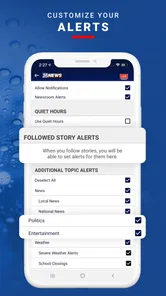
- Frequent notifications can feel excessive unless carefully customized
- Advertising may interrupt browsing and video viewing
- Coverage is focused mainly on Boston and surrounding Massachusetts areas
- Certain features may depend on location permissions and device settings













