

World TV - All TV Channels
- 3.00
- 4.3
- Installs
- 10.00K
- Price
- Free

Screenshots
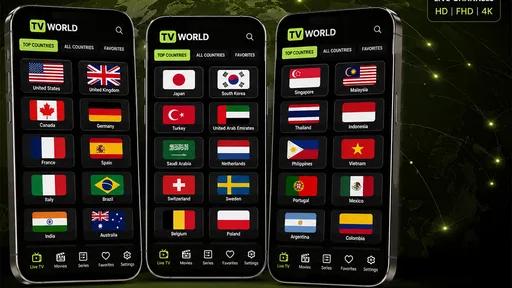
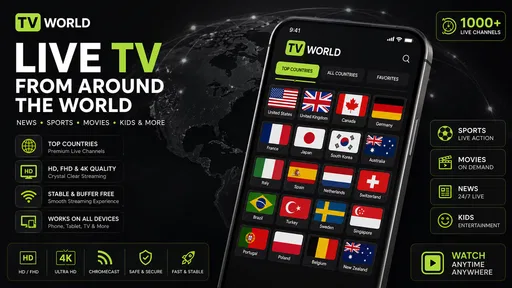
Analysis by Reviewed
World TV is best understood as a way to watch live streams from public IPTV playlists, rather than as a ready-made television package. I like that distinction because it tells you what to expect: the app gives you a place to play streams, but the playlist you use has a major say in what you can watch and how dependable it feels. It can also play your own videos, which makes it more flexible than a live-stream-only tool, though not necessarily a replacement for a dedicated media library.
That setup changes the usual question from “Which channels does this service sell?” to “Do I have a playlist that suits me?” If you already have a source you want to try, World TV may be a convenient way to watch it without adding a conventional TV subscription. If you are starting from scratch and want a familiar channel grid ready on first launch, a managed live-TV service may be a better fit.
Public playlists are the central idea
World TV - All TV Channels is a free entertainment app from DiabloDevs, listed in the Events category. Its central capability is playing live television from public IPTV playlists, alongside personal videos. Rather than presenting itself as a conventional paid TV package, it offers a way to view streams gathered from playlists. In practice, that puts more emphasis on choosing and managing sources than on browsing a fixed, curated channel lineup.
That approach can be useful if you already know which public playlists you trust, or if you want one place to try streams from different sources. It can also be a source of friction for someone expecting to install an app, open it, and immediately find a stable set of familiar channels. Public playlists are not the same thing as a guaranteed broadcaster service: their contents and reliability depend on the lists themselves.
The app’s other distinctive angle is the ability to watch your own videos. That gives it a broader role than a live-stream directory, though I would treat it as a convenient extra rather than assume it replaces a dedicated video library app. The practical benefit is having personal playback and playlist-based TV within the same app; the trade-off is that the experience may feel less guided than services built around polished catalogs and recommendations.
What the playlist approach changes
With a conventional streaming service, the provider controls the catalog and usually makes channel discovery straightforward. With public IPTV playlists, the playlist is part of the viewing experience itself. You may need to find a suitable source, keep track of which one works, and accept that availability can vary. This is the key decision to make before installing: are you comfortable with a more hands-on way to reach live TV?
A useful habit is to judge a playlist by a few representative channels before relying on it for a full evening. Try a channel you expect to watch, then check another one later rather than concluding that the whole app is dependable from a single successful stream. This is not a special feature claim; it is a sensible way to work with public streams, where the source can matter as much as the player.
More From Our News Desk

 Gmail
GmailGmail in a Busy Inbox: Who Benefits Most?
From first account to crowded workday, Gmail earns its place through dependable search and flexible sorting—but its best fit depends on how much inbox maintenance you can tolerate.

 Prime Video
Switching to Prime Video: What Changes in Your Viewing Routine
Prime Video can make a compelling second home for streaming, but switching means learning a different catalog, rental layer, and route from browsing to playback.

 Universal TV Remote Control
Universal TV Remote Control Works Best as a Reliable Backup
A phone remote earns its place through quick setup and reliable habits. Here is how to get more from Universal TV Remote Control—and where its limits show.

 Weather - By Xiaomi
Weather by Xiaomi Review: Clear at a Glance, Less Clear Up Close
Xiaomi’s weather app makes everyday forecasts quick to scan, but its calm surface can leave useful details and recovery paths harder to find than they should be.

 X
XX Under Pressure: Can It Recover When Posting Goes Wrong?
A resilience-focused review of X, examining setup, mistaken posts, interruptions, weak connections, and the gaps that matter when recovery needs to be dependable.

 Clash of Clans
Clash of Clans Is Won Between the Battles
Its raids are quick; its community is a long-term project of coordination, teaching, rivalry, and shared responsibility—with all the friction that entails.
Latest News



Using it without turning viewing into a project
In everyday use, the best workflow is to keep expectations narrow. If you have a particular public playlist in mind, start with that rather than treating the app as an automatic replacement for cable or a major streaming platform. Once you have a source that suits you, the app’s job is to make watching it straightforward. If you do not have a source yet, be prepared for some setup and trial-and-error before the experience feels useful.
For example, imagine you want background television while preparing dinner, but you do not want to commit to a new subscription. If you already have a working playlist, World TV may offer a simple route to a live stream without changing your usual routine. If the stream fails just as you sit down, however, the convenience disappears quickly. For an important match, a planned family viewing, or anything where reliability matters more than experimentation, I would choose a service with a dependable channel package instead.
A practical test is to try the app at a low-stakes moment, not when everyone is waiting for one particular program. Open a stream you care about, leave it playing long enough to notice whether it stays usable, then try another item from the same list. That gives you a better sense of whether the playlist is suitable for casual background viewing or whether it is only good for brief experiments. It also helps separate a weak source from a general expectation that every public stream will behave alike.
If you are using it on a phone, think about where the viewing will happen. A quick check of a channel while taking a break is a different job from settling in for a long program; the latter makes a stable source and comfortable screen more important. I would test your intended routine before relying on it, especially if you plan to use it away from home. The app’s appeal is access to streams, not a guarantee that every viewing situation will be equally convenient.
The ability to play your own videos offers another practical use: you can turn to personal content when you are not watching a live channel. That may suit someone who wants a single app for occasional streams and local viewing. I would still keep a dedicated video player if organizing a large personal collection is a priority; World TV’s stated focus is not the same as a full media-library system.
Where it fits beside familiar TV options
Compared with mainstream streaming apps, World TV is less about a polished catalog and more about access through playlists. Services that sell subscriptions generally make channel selection, support, and viewing expectations clearer, but they also tie access to their own catalog and payment model. World TV’s free entry point is attractive if you are comfortable with public sources, but “free” should not be confused with a guarantee that every desired stream is available, stable, or suitable for your needs.
It also differs from a standard channel-browsing app that supplies a ready-made directory. Here, the quality of your experience is closely linked to the playlist you use. That creates an interesting trade-off: people who enjoy finding and testing sources may appreciate the openness, while people who simply want to press a channel name and watch may find it less convenient than a managed TV service.
One non-obvious way to make the app less frustrating is to separate experimentation from dependable viewing. Try unfamiliar sources when you have time to troubleshoot; keep a known-working option for casual use. If you are helping a less technical family member, set expectations before handing over the phone: a playlist-based app can be more variable than the fixed channel grid they may be used to.
There is another useful distinction when choosing among alternatives: a streaming subscription is usually the easier choice when you care about a specific channel or event, while a public-playlist player makes more sense when you want to explore sources and are willing to do some checking yourself. Neither approach is automatically better. The deciding factor is whether you value a managed experience enough to accept its catalog and payment terms, or prefer a free player whose usefulness depends more on your own source choices.
Limits worth considering before you rely on it
The main limitation follows directly from the public-playlist model: stream quality and availability can vary from one source to another. A channel that works today may not be the one you want tomorrow, so this is not the strongest choice for viewers who need predictable access. Nor would I recommend treating it as a substitute for a paid service’s customer support or channel guarantees.
There is also a learning curve for anyone unfamiliar with IPTV playlists. The app’s basic premise may be easy to understand, but finding sources and deciding which ones to trust can take more effort than using a service with a ready-made lineup. If your goal is simply to watch a specific local station, first make sure you have a source that includes it; installing the player alone cannot ensure the channel is there.
It is worth being selective about what you expect a public playlist to provide. Before planning around a source, check whether it includes the channels you actually care about and whether those entries work at the times you normally watch. A long list can look impressive but be less useful than a shorter one that reliably covers your needs. I would also avoid assuming that a channel name in a playlist proves the stream is current or authorized; use sources you trust and respect the rights and rules that apply where you live.
World TV is free and has an Everyone age rating. It has an average rating of 4.3 from around 460 ratings, and has passed 10,000 installs. Those figures suggest that people have tried it, but they do not resolve the practical question that matters most: whether the playlists available to you provide the channels and consistency you want. The current version is 1.0.1, and it supports Android 7.0 and later.
That Android requirement makes compatibility straightforward to assess if you are installing on an older device: check the system version first, then consider whether the phone or tablet is comfortable for the way you plan to watch. The Everyone age rating is also a broad content classification, not a promise that every stream found through a public playlist will suit every household. I would supervise source choices for shared family use rather than treating the rating as a substitute for judging the content itself.
Who is most likely to enjoy it?
I would point World TV toward curious viewers who already understand public IPTV playlists, people who want to test live streams without paying for a conventional TV bundle, and users who like having personal video playback available in the same app. It makes the most sense when you are willing to supply some of the discovery effort yourself and can tolerate occasional inconsistency.
It is also a reasonable option for someone who watches live television only now and then, already has a playlist to hand, and does not want to add another paid service for occasional use. A more technical viewer may enjoy comparing sources and keeping a small set of useful ones available, while someone who wants family members to browse channels without explanation may find the setup too hands-on. For people mainly interested in their own videos, the extra live-TV option is a bonus, not a compelling reason to abandon a player designed around organizing a collection.
I would skip it if you want a fully managed television experience, need guaranteed access to particular channels, or dislike troubleshooting sources. It is also a weaker fit for someone who expects a comprehensive personal media organizer rather than a straightforward way to watch their own videos. In those cases, a mainstream live-TV subscription or a dedicated video player is likely to be less work.
Overall, World TV - All TV Channels is most compelling as a flexible player for public IPTV playlists, not as a ready-made replacement for every TV service. I like the freedom that model offers, especially when a viewer already has a useful source and wants a no-cost way to watch it. Just go in knowing that the playlist shapes the experience: if you are comfortable with that balance, the app is worth trying; if you need certainty and convenience first, choose a more managed option.
World TV - All TV Channels Frequently Asked Questions
What is World TV - All TV Channels, and what does it offer?
World TV - All TV Channels is presented as an app for finding and watching television channels from different regions in one place. The channels and features available can vary by country, device, and app version, so check the app listing and its channel directory before downloading. Do not assume that every channel is available or that all content can be watched without restrictions.
Is World TV - All TV Channels free to use?
The app may be free to download, but that does not necessarily mean every feature or stream is free. It may display advertisements, offer optional paid features, or link to services with their own subscription requirements. Review the store listing and any in-app payment details before you start watching, and confirm whether mobile data charges from your carrier could apply when streaming away from Wi-Fi.
Do I need a fast internet connection to watch channels?
Yes. Live video streaming uses a steady internet connection, and a stronger connection generally helps reduce buffering and interruptions. Wi-Fi is usually preferable for extended viewing because streaming can use a substantial amount of mobile data. If playback is unreliable, try lowering video quality if that option is available, closing other bandwidth-intensive apps, or checking whether the selected channel is working in your region.
Are all channels available everywhere, and can I watch them legally?
Channel availability can depend on your location, licensing agreements, and whether a broadcaster permits its stream to be accessed through the app. A channel shown in a directory may not play in every country or at every time. For a safer experience, use streams provided or authorized by the relevant broadcasters, and check local rules and the app’s terms rather than assuming every listed source is licensed.
What should I check before downloading World TV - All TV Channels?
Check that the app is compatible with your Android or iOS version, read recent store reviews, and look at the developer’s privacy information and requested permissions. Confirm the listing’s current channel selection, supported languages, and any payment or advertising disclosures. Download from the official app store where possible, since availability, features, and app names can change, and avoid installing files from unfamiliar websites.
Pros
- Browse channels from different countries in one place.
- Simple layout makes it easy to find available streams.
- Useful for discovering international and regional programming.
- Does not require a cable or satellite TV subscription.
- Convenient for watching live channels while traveling.
Cons
- Channel availability can vary by country and over time.
- Some streams may buffer or stop working unexpectedly.
- Video quality depends on your internet connection and source.
- The app may include ads during browsing or playback.
- Some channels may be unavailable due to regional restrictions.











