Work from Home
- 460.00
- 3.8
- Installs
- 1.00M
- Price
- Free

Screenshots
Analysis by Reviewed
Finding legitimate remote work is harder than it sounds. Search results can be scattered across job boards, social networks, company pages, and freelance marketplaces, while many listings use vague language about duties or pay. Work from Home, a free business app from Online Jobs & Remote Work, is designed to put the idea of earning online into a simpler mobile format. I approached it as a practical starting point rather than a complete employment service, and that distinction matters.
The app’s purpose is easy to understand: help people discover remote opportunities and think more seriously about building an online career. It is aimed at users who want work they can pursue from home, whether they are changing careers, looking for flexible income, or trying to move away from a traditional office routine. My experience was most useful when I treated it as a research and direction-setting tool, not as a guarantee of employment.
How the app feels to use on a phone
I find the phone experience most useful when I treat it as a quick way to collect leads, not a place to make a final career decision. In this section, I focus on keeping those short visits purposeful: choosing one kind of role to explore, noting questions that need checking, and saving deeper comparisons for a calmer moment. That small routine also helps show whether the app remains useful after the first burst of curiosity.
Readability and navigation come first
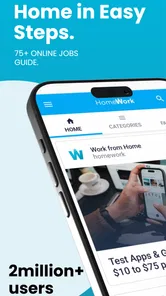
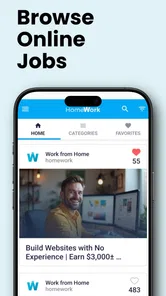
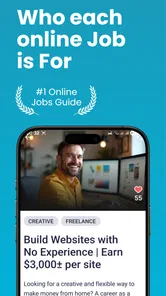
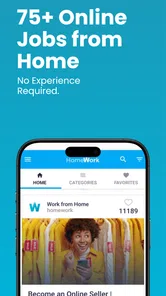
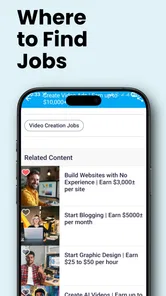
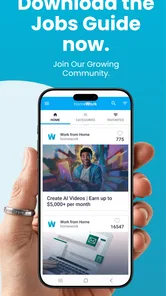
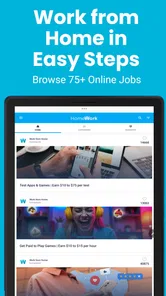
The strongest part of this app is its straightforward focus. It does not ask me to learn a complicated professional workflow before I can begin exploring remote work. The central idea is presented in familiar language, which makes the app approachable for someone who has never used a specialist employment platform.
That simplicity is especially helpful on a small screen. When I am comparing work opportunities from a phone, I do not want to navigate through layers of unrelated business tools, analytics, or social updates. A focused remote-work app can reduce that initial mental load, and Work from Home generally feels built around that first step: showing me a path toward online employment rather than overwhelming me with an entire career-management system.
Still, simple navigation should not be confused with complete guidance. A person new to remote work may need to decide whether a role is freelance, part-time, contract-based, or a conventional employee position. The app can point users toward opportunities, but I would still read every listing carefully and verify the employer or platform before sharing personal information.
For readers who use larger text, rely on strong contrast, or need more time to process dense screens, the practical test is whether the individual device settings make the content comfortable. Android’s own display and text controls can help, but I would not assume that every screen will adapt perfectly. Anyone with significant visual needs should spend a few minutes checking whether headings, buttons, and job details remain clear at their preferred settings.
More From Our News Desk

Weather by Xiaomi Review: Clear at a Glance, Less Clear Up Close

X Under Pressure: Can It Recover When Posting Goes Wrong?

Clash of Clans Is Won Between the Battles

Android Auto Makes the Case for Quieter Car Software

MobiOffice: Transforming Mobile Productivity with Seamless Integration

EA SPORTS FC™ Mobile Soccer: Redefining Mobile Sports Gaming
Useful for quick checks, less suited to deep comparison
A phone is convenient for checking new opportunities during a commute, a lunch break, or a quiet moment at home. That is where this app makes the most sense. I can use it for short sessions, note the type of work that interests me, and return later to investigate the strongest possibilities on a larger screen.
Longer research is different. Comparing several employers, checking requirements, preparing a résumé, and tracking applications is usually easier in a browser or dedicated career platform. Work from Home works better as an entry point than as my only workspace. If I tried to handle an entire job search inside one mobile app, I would quickly want tools for document editing, application history, reminders, and employer verification.
A practical workflow is to use the app for discovery, then move to a trusted company website or established employment service before applying. I would keep a simple note with the role name, employer, application date, required skills, and any follow-up action. This prevents the common problem of seeing many possibilities without building a manageable search process.
Motor and sensory considerations during a job search
Remote-work research can be tiring when it involves repeated scrolling, small touch targets, or long blocks of text. Users with limited dexterity may prefer to use the app in short sessions instead of attempting to review everything at once. A phone stand, voice input for notes, or an external keyboard can make the surrounding job-search process easier, even though those accessories are separate from the app itself.
People who are sensitive to motion, bright screens, or busy visual layouts should also pay attention to how their device behaves while browsing. Lowering brightness, using a calmer display setting, and taking regular breaks can make the experience more comfortable. I would not describe the app as a specialist assistive tool; its value comes from its focused purpose, not from a documented accessibility system.
For users with hearing-related needs, a text-centered job search is naturally more practical than a service that depends heavily on spoken instructions or audio communication. However, the next stages of remote employment may involve video calls, voice interviews, or audio-heavy training. The app may help someone find a direction, but it cannot remove communication requirements imposed by a potential employer.
Users with cognitive or attention-related needs may benefit from narrowing their search before opening the app. Instead of browsing endlessly, I would choose one target such as customer support, writing, data entry, design, or online teaching, then evaluate opportunities against a short checklist. This turns an open-ended search into a series of smaller decisions and reduces the temptation to apply for every attractive-sounding role.
Situational access: when the app is most convenient
The clearest everyday use case is someone who has limited time and wants to explore remote work without sitting at a desk. Imagine a parent with a short break between household responsibilities. They can open the app, review a few relevant opportunities, save the names of promising roles in their notes, and continue the research later. That does not complete the application, but it makes the first step more realistic.
It can also suit someone in a shared home who does not have a permanent office. A phone-based search is easier to start than a full desktop setup, and the app’s business focus keeps the activity separate from entertainment or social media. For a person who is recovering from an illness, managing fatigue, or dealing with an unpredictable schedule, short sessions may be more manageable than a long visit to a conventional job center.
There is another useful situation: early career exploration. A student or career changer may not yet know which online roles match their abilities. Browsing remote opportunities can reveal recurring skill requirements and help them identify what to learn next. I would use the app as a way to spot patterns, not as proof that a particular role is suitable or financially secure.
It may also help people who live far from major employment centers. Remote work can widen the range of employers worth investigating, although location restrictions still matter. Some companies only hire in particular countries or time zones, and some roles require legal work authorization, reliable equipment, or a specific level of availability. Those details should be confirmed before an application is submitted.
What the app does well for different users
Work from Home is most welcoming to people who want a low-pressure introduction to online employment. Its free price removes a financial obstacle for users who are still deciding whether remote work is realistic for them. The Everyone content rating also makes it broadly approachable for general audiences, although younger users should still involve a trusted adult when evaluating employers or handling personal documents.
The app is particularly suitable for users who need a starting point rather than a sophisticated professional dashboard. Someone returning to work may appreciate having remote opportunities presented in a focused setting. A person with an office job who is considering a transition can use it to explore alternatives before committing to training or a major career change.
Its popularity also suggests that it has reached a substantial audience: the app has passed one million installs and holds a 3.7 average from around 5,200 ratings. I see that as evidence of broad interest, not as a promise that every user will have the same experience. Ratings can reflect different expectations, devices, and job-search goals.
Where the usual alternatives are stronger
Compared with a full job board, Work from Home feels more focused but less comprehensive. Established employment platforms usually offer advanced filters, employer profiles, application tracking, résumé tools, and clearer distinctions between job types. A freelance marketplace may be better for someone who already has a service to sell and wants to manage proposals, client communication, and completed work.
Company career pages are often the better choice when I already know where I want to work. They can provide official role descriptions and application instructions directly from the employer. Professional networking services may be more useful for building contacts, showing a portfolio, and learning about openings through people in a particular industry.
That does not make this app unnecessary. Its role is earlier in the process. It can help a newcomer move from “I want to work online” to “these types of roles deserve further research.” The trade-off is convenience versus depth: Work from Home is easier to approach, while specialized alternatives are usually stronger for verification, filtering, and application management.
Remaining barriers and points of friction
The biggest limitation is that discovering remote work is not the same as obtaining it. Users still need a résumé, relevant skills, a reliable way to communicate, and the patience to evaluate opportunities. The app cannot decide whether an employer is trustworthy on my behalf, and I would be cautious about any listing that asks for upfront payment, unusual personal details, or urgent financial transfers.
Another barrier is the difference between attractive wording and practical conditions. “Work from home” can describe many arrangements, including sales roles based heavily on commission, short contracts, unpredictable schedules, or jobs that require equipment the worker must provide. I would always check compensation structure, working hours, location eligibility, training expectations, and whether the role is employment or independent contracting.
People with limited internet access may also find the wider process difficult. Reading listings is only one part of applying; uploading documents, attending interviews, completing assessments, and responding quickly can require a stable connection. A mobile app makes discovery more portable, but it does not solve the infrastructure needs of remote work itself.
Language can be another practical obstacle. Remote listings may use industry terms that are unfamiliar to beginners, and international opportunities can involve different workplace expectations. I recommend copying unfamiliar phrases into a separate note and researching them before applying. This is a small habit, but it helps prevent misunderstandings about duties and qualifications.
Version, compatibility, and everyday maintenance
The app was released on May 5, 2021, and its current version is 141.0. It runs on Android 6.0 and newer, which gives it wide compatibility with older devices. That is useful for people who cannot afford a recent phone, although performance can still vary depending on the handset, available storage, and connection quality.
Because it is free, the financial risk of trying it is low. I would nevertheless treat the time spent browsing as valuable and use a clear routine: define the kind of work I want, review a limited number of opportunities, investigate the most credible ones elsewhere, and record what I have learned. Without that structure, any job-discovery app can become a stream of possibilities rather than a route toward action.
The developer name, Online Jobs & Remote Work, makes the app’s purpose immediately clear. That clarity is helpful for first-time users, but it also means I would keep my expectations realistic. This is a business app for discovering remote-work possibilities, not a substitute for a résumé builder, professional qualification, interview coach, or employment contract.
My inclusive verdict
I recommend Work from Home to people who want an accessible first step into remote-work research, especially those using a phone as their main internet device. Its focused subject, free access, and broad Android compatibility make it easy to try without a major commitment. The experience is most valuable when I use it in short, deliberate sessions and follow promising leads with careful independent checking.
I would not choose it as my only tool if I needed advanced filters, detailed employer verification, application tracking, or a complete freelance business workspace. Users who already know their target industry will probably progress faster through specialist job boards, official company pages, or professional networks. People who need strong accessibility customization should test the app with their own device settings before relying on it for extended sessions.
My final view is positive but measured. The app lowers the barrier to exploring online careers, yet the responsibility for judging quality, safety, and suitability remains with the user. The best way to use Work from Home is as a discovery companion, not as a promise of employment. With that expectation, it can help turn a vague interest in working remotely into a more focused and informed search.
Work from Home Frequently Asked Questions
Is Work from Home a legitimate way to find remote work?
Work from Home is a business app from Online Jobs & Remote Work, with a focus on discovering remote jobs and building an online career from home. Treat any job opportunity with the same care you would elsewhere: check the employer, role, and application process before sharing personal or financial details. An app can help you explore opportunities, but it does not guarantee employment or earnings.
What is Work from Home, and what can I use it for?
Work from Home is a productivity-focused app designed to help users organize and manage remote work activities from a mobile device. Depending on the available features, it may help you track tasks, plan working hours, communicate with colleagues, or access work-related resources. It is particularly useful for freelancers, employees, students, and small teams who need a convenient way to stay organized outside a traditional office.
Is Work from Home suitable for beginners and people without technical experience?
Yes, the app is generally designed to be accessible to everyday users, including people who are new to remote work tools. Its menus and functions are usually straightforward, although some features may require a short adjustment period. Before downloading, users should check the app’s current interface, supported devices, and account requirements, since the overall experience can vary between Android and iOS versions or after major updates.
Does Work from Home require an internet connection to function?
Most work-from-home applications require an internet connection for important functions such as synchronizing information, receiving updates, accessing cloud-based content, sending messages, or collaborating with other users. Some basic features may remain available offline, but they might not update until the device reconnects. A stable Wi-Fi or mobile data connection is recommended, especially when the app involves video meetings, file sharing, or real-time communication.
Is my personal and professional information safe in Work from Home?
Before using the app, it is important to review its privacy policy, permissions, and account security options. Work-related applications may request access to information such as your email address, files, notifications, calendar, camera, or microphone, depending on their features. Use a strong password, enable two-factor authentication when available, and avoid uploading confidential company information unless your employer has approved the app.
Pros
- Flexible schedules make it easier to balance work and personal responsibilities.
- No daily commute saves time and reduces transportation costs.
- Access to remote job opportunities beyond your local area.
- Can improve focus in a quiet
- personalized home workspace.
- Useful search and application tools help organize your job hunt.
Cons
- Some remote positions may require prior experience or specialized skills.
- Home internet and equipment costs may fall on the worker.
- Remote work can feel isolating without regular team interaction.
- Job listings may include scams
- so employers should be verified carefully.
- Working from home can blur boundaries between professional and personal time.











