Wifi Password Show: Master Key
- 639.00
- 3.2
- Installs
- 10.00M
- Price
- Free

Screenshots
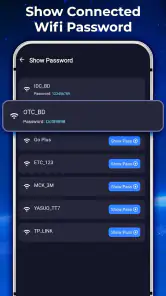
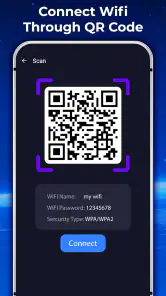
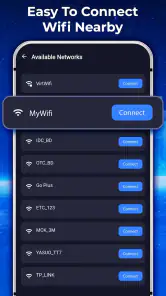
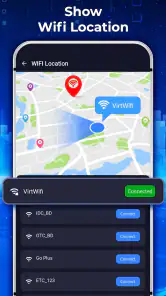
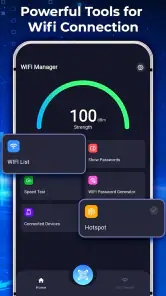
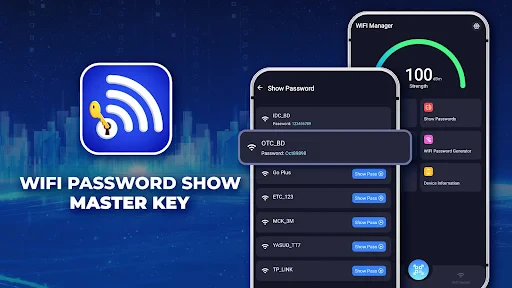
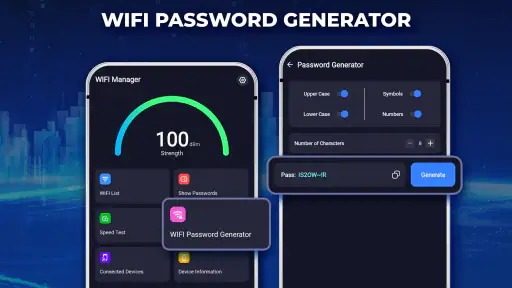
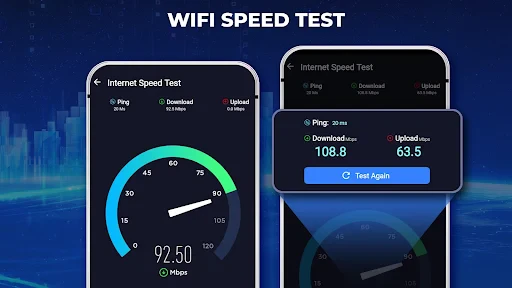
Analysis by Reviewed
I find a saved Wi-Fi password most useful at the moment somebody else needs it: a guest has arrived, a new phone needs joining, and the router label is nowhere nearby. That is the everyday problem Wifi Password Show: Master Key is meant to address. It is a personalization app from QUEEN CITY, and its appeal is practical rather than flashy: help a user get back to a network credential already associated with their device.
A useful handoff in a shared home
Picture a relative visiting with a tablet while the person who usually manages the household Wi-Fi is busy or out. If the network password is saved on your phone, looking it up there may be easier than searching drawers for a note or interrupting someone to log in to the router. That can make this app handy in a home where several people need to connect devices but only one person remembers the password.
I would treat that convenience as a way to recover a credential for a network you are entitled to use, not as a way to obtain access to someone else’s network. The distinction matters in shared homes, rentals, and workplaces: a password can be technically visible on a device while still belonging to an account or network managed by another person. Ask the network owner before sharing it, especially if the device has connected to a guest, work, or school network.
Keep the device owner in control
For household use, the simplest boundary is also the clearest: the person who owns or manages the phone should decide whether to open the app and show a saved credential. I would not hand over an unlocked phone and assume that every saved network is appropriate for everyone to browse. A network list can reflect places a person has visited, not just the home connection, so checking the selected network before sharing helps avoid an awkward disclosure.
If you are helping a child or another family member connect, it is better to make the action collaborative: identify the right network together, confirm that the owner is comfortable sharing it, and then enter the password on the intended device. This is a straightforward workflow, not a substitute for household account boundaries. The app should not be treated as a family-management tool or as a way to set rules for who can use Wi-Fi.
Getting the password without making a muddle
Let me tell you, this app is like having a magic wand for your Wi-Fi. Once you've installed Wifi Password Show: Master Key on your device, it'll reveal all the saved Wi-Fi passwords that your phone has ever connected to. Sounds like a dream, right? The app doesn't actually hack into networks, so it's all safe and sound. It simply taps into the passwords stored on your device, making it a handy tool for forgetful minds like mine!
Easy Peasy Setup
Getting started with this app is a breeze. Just download it from your favorite app store, and you're ready to roll. The interface is super user-friendly, with an intuitive design that even the least tech-savvy person can navigate. Once you've granted the necessary permissions, you'll be greeted with a list of all the Wi-Fi networks you've connected to, along with their passwords. It's like opening a treasure chest of Wi-Fi secrets!
You May Like

Clash of Clans Is Won Between the Battles

Android Auto Makes the Case for Quieter Car Software

MobiOffice: Transforming Mobile Productivity with Seamless Integration

EA SPORTS FC™ Mobile Soccer: Redefining Mobile Sports Gaming

How Microsoft OneDrive Became a Mobile Productivity Giant

How Google Translate Breaks Language Barriers Effortlessly
Check the right network before sharing
A network name is easy to misread when a home has similar labels for a main connection and a guest connection, or when a phone has saved networks from previous visits. My practical tip is to pause before copying or sharing anything: check the network name against the one the other device is supposed to join. That small check can prevent sending an old password or the credentials for a different place.
Sharing is also a moment to think about how long access should last. If a visitor only needs a temporary connection, the household’s guest network may be a better choice than handing out the main password, when the owner has one available. That keeps the decision with the person responsible for the router and avoids treating a saved password as a universally shareable detail. The app can make a credential easier to retrieve, but it does not decide which network is appropriate to disclose.
When Simplicity Meets Functionality
The beauty of Wifi Password Show: Master Key lies in its simplicity. The app doesn't bombard you with unnecessary features or ads; it focuses on doing one thing and doing it right. This makes it lightweight and quick, a perfect companion for anyone who needs to access their Wi-Fi passwords on the fly.
But wait, there's more! You can also share the passwords easily with your friends or family. Just tap on the network you're interested in, and the app gives you options to share the details via different messaging platforms. No more awkward "uh, let me just find that password for you" moments!
Coordinate first, then connect
In a busy household, the snag is often not finding a password but making sure everyone is trying the same connection. I would use the app as one step in a simple handoff: the person who knows which network is current identifies it, shares the credential through a suitable channel, and checks that the guest has selected the matching network name. If the connection fails, confirm the network choice before repeatedly sending the password; a mismatch is an easy mistake when several names look alike.
For a device that belongs to someone else, I would avoid saving or forwarding credentials without asking. A password sent in a group chat can remain there after a guest no longer needs access. If the household wants to keep access temporary, it is worth considering whether a guest connection or a router password change is more suitable than relying on an old message to manage access. Those are household decisions rather than features I would expect this app to handle.
What it can and cannot replace
Compared with the usual alternatives, this app is most attractive when the password is already saved on the phone and the person needs to retrieve it quickly. Looking at a router label works when the label is present and the router is accessible; checking router settings can be better for the person who administers the network but may be inconvenient for a guest or a less technical family member. Asking the network owner remains the right option when the password is not saved on your device or you are unsure whether you should share it.
There is also a useful distinction between retrieving a saved credential and managing a network. This app is positioned around access to saved Wi-Fi passwords, so I would not choose it to change a router password, diagnose weak coverage, or control who is allowed online. For those tasks, the router’s own settings or the household’s established process is the more appropriate route. Knowing that boundary keeps a small convenience tool from being expected to solve a different problem.
Age, trust, and a sensible routine
The app is rated for Everyone, which makes its intended audience broad, but that does not mean every saved password should be freely shown to every person using a shared phone. I would explain to younger users that a Wi-Fi password is access information: it should be shared with permission, and only with the people who need it. In practice, an adult or the device owner can supervise the handoff without expecting the app itself to provide parental controls.
Trust is especially important when a phone has been used in more than one setting. A saved list may include a relative’s home, a shared workspace, or another network whose owner did not intend for its details to be passed along. Before using the share option, I would confirm both the network and the recipient. This is a small habit, but it is more reliable than assuming that anything visible on a personal device is automatically free to distribute.
Availability and a realistic expectation
The app is free to install, with in-app purchases listed at $1.38 to $16.60 per item. Its current version is 1.7.1, and it requires Android 9 or later. The audience rating is Everyone. Those details make it easy to judge basic fit, but I would still approach the app as a focused utility rather than a complete Wi-Fi toolkit.
It has an average rating of 3.2 from around 87,000 ratings, and it has been installed over 10 million times. I read that combination as a reason to keep expectations practical: plenty of people have tried it, but it is not a guarantee that it will fit every phone, saved-network situation, or household routine. If a password is not available from the device, the sensible next step is to ask the network owner or use the router’s normal access method rather than assuming the app can recover every credential.
Who will appreciate it, and who should pass
I can see the appeal for someone who often helps visitors connect, regularly sets up a replacement device, or has forgotten a password that their own phone already uses. It may also suit a less technical family member who would rather find a saved network credential than navigate router configuration. The benefit is most concrete when the phone is in hand, the network is familiar, and the person using the app has permission to share access.
I would skip it if your main goal is to discover passwords for networks your device has never joined, administer a router, or enforce rules across a family’s devices. It is also not the right answer if the household prefers not to expose its main network password to guests; asking the owner for a guest connection is a better fit in that case. And if you only need to connect one new device once, the router label or a direct message from the network owner may be simpler than installing another app.
Why You Might Need It
Now, you might be thinking, "Why on earth would I need this app if I can just check my router settings?" Well, my friend, not everyone is keen on diving into the maze of router configurations. Plus, if you're always on the move, constantly connecting to new networks, having a quick way to check your passwords is a lifesaver. Whether you're at a friend's house, a café, or a co-working space, Wifi Password Show: Master Key makes it easy to keep track of all those pesky passwords.
For me, the best version of that on-the-move use is modest: retrieve a password saved from a network you are allowed to use, then share it only if the owner is comfortable with that. A café or workplace connection can come with expectations that differ from a home network, so I would not treat a credential as something to pass around just because it appears on a phone. When in doubt, ask staff or the person responsible for the network.
A household verdict
Overall, I see this as a narrow convenience for password recovery, not a magic key to every Wi-Fi problem. QUEEN CITY’s personalization app can be useful in a household when people coordinate openly and the person managing the network approves sharing. Its strongest case is a simple one: a forgotten password is already saved on your device, and you need to retrieve it without digging through router settings.
My recommendation is conditional rather than universal. If you regularly help trusted people connect and understand that saved credentials still deserve care, it may save a little time. If you need network administration, stronger access boundaries, or a password that was never saved on your phone, choose the router’s tools or ask the owner instead. Used with that distinction in mind, it is a straightforward option for a small but familiar household hassle.
In summary, if you're looking for a straightforward, no-nonsense solution to keep your Wi-Fi passwords at your fingertips, this app is a must-have. It's simple, effective, and a real time-saver. So go ahead, give it a try, and never struggle with forgotten passwords again. Happy browsing!
Wifi Password Show: Master Key Frequently Asked Questions
Is Wifi Password Show: Master Key suitable for children?
The app has an Everyone content rating, so its stated age classification is suitable for a general audience. Keep in mind that it includes optional in-app purchases, so parents may want to review purchase settings and supervise any spending. The app concerns saved Wi-Fi credentials, which are private information; children should understand that they should only view or use passwords they are allowed to access.
How popular is Wifi Password Show: Master Key, and when was it released?
Wifi Password Show: Master Key has more than 10 million installs, and it was released on January 27, 2024. Those figures can help show that many people have downloaded it, but popularity alone does not guarantee that it will suit every phone or need. Before installing, check the Android version requirement and consider whether the app’s password-recovery purpose fits what you want to do.
What is the current version of Wifi Password Show: Master Key?
The current version is 1.7.1. If you already have the app, checking for updates can help you use the latest available release and address compatibility or performance changes. Before downloading, confirm that your phone meets the Android requirement. As with any app, an updated version does not change the need to use saved Wi-Fi credentials responsibly and only on networks you are authorized to access.
Is Wifi Password Show: Master Key free to download, and are there in-app purchases?
The app is free to download, so you can try it without paying an upfront purchase price. It also offers in-app purchases, with individual items ranging from about $1.38 to $16.60. Check the purchase details shown in the app before confirming anything, especially if you are downloading it for a child or want to avoid optional spending.
Will Wifi Password Show: Master Key work with my phone’s operating system?
Wifi Password Show: Master Key is an Android app, and its listed minimum operating system is Android 9. Before downloading, check your device’s Android version in its settings; an older system may not be compatible. The app is categorized under personalization and is rated for Everyone, but those details do not change the operating-system requirement.
Pros
- Easy to retrieve saved network passwords
- Simple and intuitive user interface
- Lightweight app
- minimal storage use
- No need for root access
- Supports multiple languages
Cons
- Requires access to saved networks
- Potential security risk if misused
- Limited to WiFi networks only
- No password cracking capabilities
- Must be connected to network to retrieve password

- Category
- Personalization
- Version
- 1.7.1












