Web Video Caster Receiver
- 233.00
- 3.6
- Installs
- 5.00M
- Price
- Free

Screenshots
Analysis by Reviewed
I see Web Video Caster Receiver as a companion for people who already use Web Video Caster on a phone and want to watch web video on a larger screen. That focused role matters: this is not a general-purpose streaming service or a replacement for a TV’s built-in apps. It is a free video-player companion from InstantBits Inc, and its usefulness depends on whether its receiver role fits the way you watch.
How the receiver fits into a viewing routine
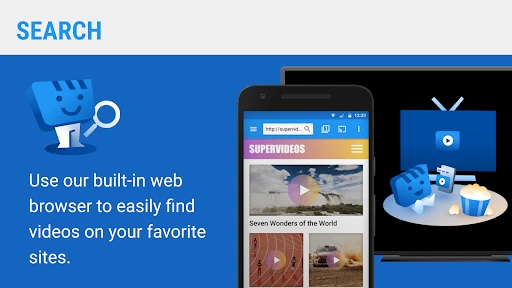
The practical question is whether you want to move something you found on your phone to a TV, rather than search for it again with a television remote. In an everyday situation, I might come across a video while browsing on my phone, then use the mobile app to send it to a compatible receiver for shared viewing. That can be more convenient than balancing a phone between people or passing it around the room.
The receiver is best understood as one part of that handoff, not as a standalone browser for finding and choosing everything to watch. If you expect to open this app and browse a full catalog, you may find its purpose narrower than you had in mind. I would check that the mobile app and the playback device are ready before settling in, because the receiver’s value comes from the connection between them.
Seamless Streaming Experience
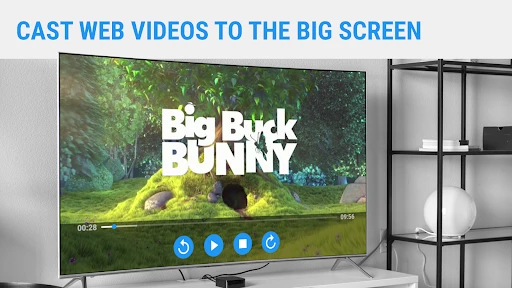
First things first, let’s talk about what Web Video Caster Receiver actually does. It’s like having a magic wand for your TV, allowing you to cast videos, music, and even photos from your phone directly to your TV screen. The app supports a variety of formats, which is a huge relief because, let’s be real, who has the time to convert files these days?
User-Friendly Interface
One thing that stood out to me immediately was the user interface. It's so straightforward and easy to navigate that even my tech-challenged aunt could use it without calling me every five minutes. The layout is intuitive, and everything is where you’d expect it to be, making the whole experience smooth and hassle-free.
Compatibility and Connectivity
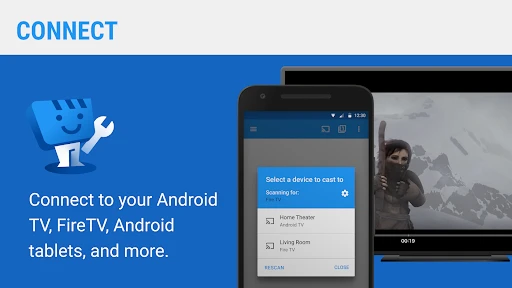
Now, onto compatibility. This app works with a plethora of devices. I’ve tried it with my Chromecast and also my old Roku, and it ran without a hitch. I love how I didn’t have to perform any complicated setups – just a few taps, and bam, it’s running!
That convenience is most helpful when you are using a device you already own, rather than trying to build a new viewing setup around the app. Before relying on it for a group watch, I’d test the connection with the specific phone and receiver you plan to use. A quick check beforehand is a simple way to avoid troubleshooting while everyone is waiting for a video to start.
More From Our News Desk

Weather by Xiaomi Review: Clear at a Glance, Less Clear Up Close

X Under Pressure: Can It Recover When Posting Goes Wrong?

Clash of Clans Is Won Between the Battles

Android Auto Makes the Case for Quieter Car Software

MobiOffice: Transforming Mobile Productivity with Seamless Integration

EA SPORTS FC™ Mobile Soccer: Redefining Mobile Sports Gaming
Where it differs from other viewing options
Compared with opening a video directly in a TV’s own app, casting from a phone can save time when you have already found what you want to watch on the mobile web. Compared with mirroring an entire phone screen, sending video through a casting workflow can keep the phone available for other tasks. The trade-off is that this depends on the mobile app and receiver working together; if you mainly watch services already installed on your TV, using those native apps is likely the simpler routine.
It also helps to separate the receiver’s job from the quality of the network or source video. A receiver cannot make a weak connection reliable or improve a poor-quality source, so I would not treat smooth playback as guaranteed in every home. If playback stutters, checking the connection and trying the same video again is more useful than assuming the receiver alone is at fault.
Making the handoff less fiddly
For a more predictable session, I would treat the phone, mobile app, and receiving device as a small chain rather than expecting the receiver to solve everything by itself. Start with the video you actually want to play, make sure the intended television or compatible device is ready, and then begin the cast. This order helps narrow down where a problem is happening: if the video is hard to locate on the phone, the receiver is not the issue; if the phone sees the receiver but playback struggles, the network or source may be involved.
A useful habit is to test the exact kind of material you plan to watch, not just any short clip. A quick sample can tell you whether that particular source behaves well in your setup before you commit to a longer viewing session. I would also avoid treating a successful test with one device as proof that every phone or receiver in the home will behave identically. The pairing workflow is the app’s central strength, but it is also the part that makes compatibility worth checking in advance.
High-Quality Video Playback
I’m a bit of a stickler for quality, and I was pleasantly surprised by how well the app maintains the video quality when streaming. No annoying buffering or pixelation - just smooth, high-definition streaming. It’s like my TV got a quality upgrade!
And can we talk about the speed? I’ve used other casting apps before, and there’s always that lag that makes you want to pull your hair out. But with this app, the connection is lightning-fast. It’s a breath of fresh air, especially when you’re hosting a movie night and don’t want any awkward pauses.
When casting is the better choice
The strongest case for this receiver is a video that is easier to find on a phone than through a television interface. Think of a friend sharing a web clip in a chat, or a family member spotting something interesting while browsing. Instead of asking everyone to crowd around a small screen, the person who found it can use the mobile workflow to put it on a larger display. That is a modest convenience, but it solves a real annoyance when people are watching together.
It can also make sense when you want the phone to remain useful during playback. Casting is a different approach from mirroring the entire screen: mirroring makes the phone’s display the thing being shared, while a receiver-based workflow is intended to hand video over for viewing. That distinction is helpful if you want to message someone or look up another item without putting every phone activity in front of the room. I would still keep the phone nearby, since it is part of the way this setup is controlled.
Who should choose it—and who should not
I’d point this toward someone who regularly finds videos on a phone and wants to share them on a compatible television without turning the phone into the group’s screen. It may also suit a household that wants a straightforward way to send photos or music to a larger display. The main practical tip is to set up and test the receiving device before guests arrive, rather than making the first connection attempt part of movie night.
I would skip it if you want a self-contained TV app, prefer to browse and control everything with a remote, or only watch through services that already work well on your television. It is also not the best fit if you do not want to depend on a phone-to-receiver workflow. In those cases, built-in TV apps or a familiar screen-sharing option can be less effort, even if they do not match this app’s particular casting routine.
What to expect from the companion setup
A common question is whether installing the receiver alone gives you a complete way to find and play web videos. I would not approach it that way: its value is tied to the Web Video Caster mobile app, which is where the browsing and sending part of the routine begins. If your goal is to sit down with only a television remote and choose from a library, this is the wrong starting point. If you already use the phone to find material, the receiver role makes more sense.
Another practical question is what to do when a video does not play as expected. I would first retry the same item and check that the phone and receiving device are connected as intended, then compare with another source if the problem persists. This is not a guarantee that every web video will behave the same way; the source itself and the home connection can affect the experience. That distinction matters because it prevents blaming the receiver for issues that may begin elsewhere in the viewing chain.
There is also a useful choice between casting and using a TV’s native app. If the content is already easy to reach on the television, the native app is usually the simpler option and avoids an extra phone step. If the content is already open on your phone and difficult to locate from the TV interface, the casting route can be more direct. I would choose based on where the video is easiest to find, rather than trying to make one method replace the other.
Final Thoughts
In the world of streaming apps, finding one that ticks all the boxes is like finding a needle in a haystack. But it does just that. It’s reliable, fast, and supports a wide range of formats and devices. It’s become my go-to app for streaming, and I can’t recommend it enough. Whether you’re a movie buff or just love binge-watching your favorite series, this app is a game-changer.
So, if you haven’t already, give it a whirl. Trust me; you won’t look back. Happy streaming!
A measured recommendation
The app has a 3.6 average from around seven thousand ratings, and more than five million installs. It is rated for Everyone, is listed as free, and version 2.1.1 supports Android 5.0 and up. Those details make it easy to try, but I would judge it by whether your regular viewing device works smoothly with the mobile casting setup, not by popularity alone.
My verdict is positive for a specific kind of viewer: someone who discovers web video on a phone and wants a convenient route to a larger screen. For that job, the receiver can remove a few irritating steps. For people who want a full-featured television streaming hub, its narrow companion role is a real limitation rather than a flaw to overlook.
Web Video Caster Receiver Frequently Asked Questions
What devices and setup do I need before using Web Video Caster Receiver?
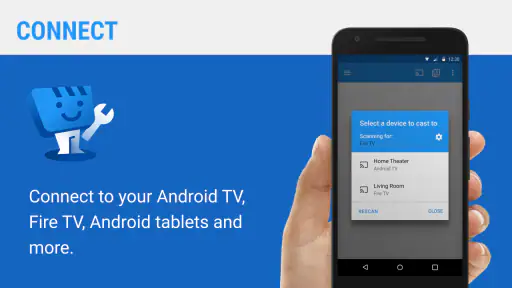
Web Video Caster Receiver works as the receiving companion to the Web Video Caster mobile app, so you’ll need a compatible TV or streaming device as well as the mobile app that sends the video. A Wi-Fi connection is part of the usual casting setup. Before downloading, check that your TV or device supports a casting method that works with Web Video Caster, then connect the devices to your home network.
Is Web Video Caster Receiver free, and what is its age rating?
Web Video Caster Receiver is free to download and is rated for Everyone, making it suitable for a broad audience. It is a receiver for the Web Video Caster mobile app rather than a standalone video browsing experience, so the two apps have different roles: one sends content and the receiver plays it on a compatible screen. The app is listed in the Video Players & Editors category.
What is Web Video Caster Receiver and how does it work?
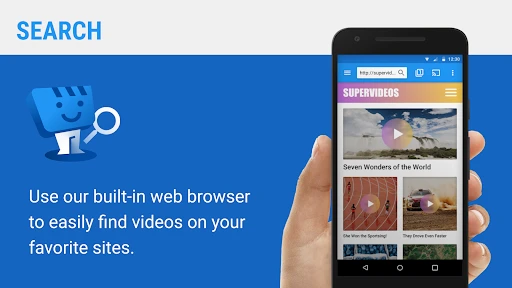
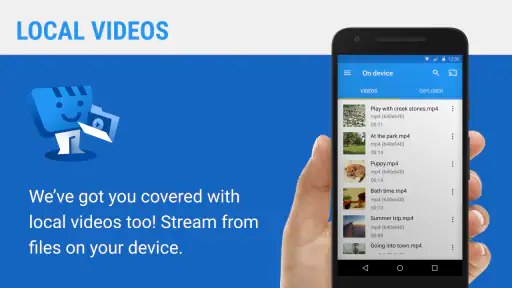
Web Video Caster Receiver is an app that allows users to stream videos from their phone to their TV. It connects your phone to the TV using Wi-Fi. The app supports a wide range of video formats and can stream content from websites, social media, or local storage. Users can enjoy videos on a bigger screen by simply navigating through the app interface and selecting the desired video to cast.
Is Web Video Caster Receiver compatible with all TVs?
Web Video Caster Receiver is compatible with most smart TVs and devices that support DLNA, Chromecast, Roku, and other common casting protocols. However, it is important to check the specifications of your TV or streaming device to ensure compatibility. Some older models may not support casting, so it’s advisable to verify before downloading the app.
Does Web Video Caster Receiver support subtitles?
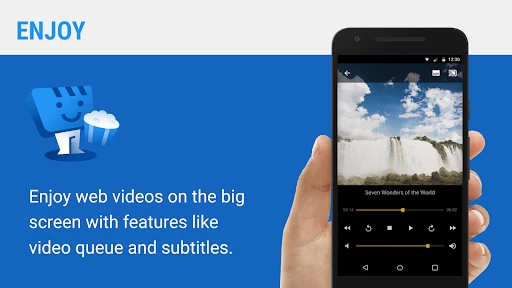
Yes, Web Video Caster Receiver supports subtitles, allowing users to enjoy videos in various languages. Subtitles can be loaded automatically if they are embedded in the video file, or they can be added manually if available as separate files. This feature enhances the viewing experience, especially for foreign films or videos.
Pros
- Supports casting from a wide range of sites.
- Easy to connect with various devices.
- High-quality video streaming.
- User-friendly interface.
- Supports subtitles.
Cons
- Requires stable internet connection.
- Ads in free version can be intrusive.
- Limited features without premium.
- May not support all video formats.
- Occasional connectivity issues.
- Category
- Video Players & Editors
- Version
- 2.1.1












