Web Scan - Dual Accounts
- 2.00
- 4.5
- Installs
- 500.00K
- Price
- Free

Screenshots

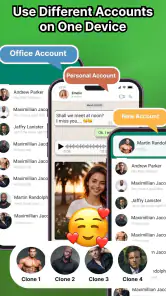

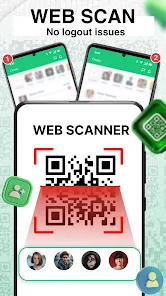
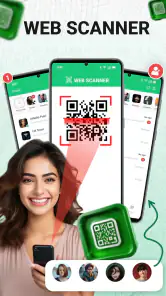

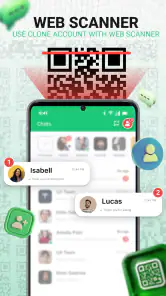

Analysis by Reviewed
In the ever-evolving world of apps, finding one that truly optimizes your digital experience can be a game-changer. Enter Web Scan - Dual Accounts, an app that promises to streamline your online interactions, especially if you juggle multiple accounts across different platforms. I’ve taken a deep dive into this app to see if it lives up to the hype.
First Impressions and Interface
When I first opened Web Scan - Dual Accounts, the minimalist design caught my eye. It doesn’t overwhelm you with unnecessary frills, which I appreciate. The clean interface makes navigation intuitive, even for those who might not be tech-savvy. Everything is laid out in a straightforward manner, so you can easily find what you need without sifting through a maze of menus.
Features that Stand Out
This app is packed with features that cater to the multitasker in all of us. One of the coolest features is the ability to manage multiple accounts simultaneously. Whether you’re balancing work and personal profiles or handling several client accounts, this app makes it seamless. No more logging in and out repeatedly, which is a massive time-saver.
Another standout feature is the integrated web scanner. It’s not just a gimmick; it’s genuinely useful. The scanner allows you to quickly access and scan QR codes without needing a separate app. This is particularly handy for accessing web content or logging into accounts securely. Plus, the added layer of security with scanning makes it a must-have for privacy-conscious users.
Performance and Usability
In terms of performance, Web Scan - Dual Accounts runs smoothly. During my testing, I didn’t experience any crashes or significant slowdowns, which is crucial for an app that’s meant to boost productivity. Switching between accounts is instantaneous, and the app doesn’t hog your device’s resources.
Usability-wise, it caters well to both basic and advanced users. The app includes helpful tips and guides if you’re new to the concept of dual accounts. On the flip side, if you’re already a pro, you’ll appreciate the customizability and advanced settings that let you tweak your experience as per your needs.
Final Thoughts
In a world where efficiency is key, Web Scan - Dual Accounts is a nifty tool that deserves a spot on your phone. It’s not just about managing multiple accounts; it’s about doing it effortlessly and securely. Whether you're a busy professional or someone who just likes to keep things organized, this app can make a noticeable difference in how you handle your digital life.
More From Our News Desk

Clash of Clans Is Won Between the Battles

Android Auto Makes the Case for Quieter Car Software

MobiOffice: Transforming Mobile Productivity with Seamless Integration

EA SPORTS FC™ Mobile Soccer: Redefining Mobile Sports Gaming

How Microsoft OneDrive Became a Mobile Productivity Giant

How Google Translate Breaks Language Barriers Effortlessly
Overall, I’d say give it a whirl. The combination of its user-friendly interface, robust features, and reliable performance makes it a standout option in the crowded app marketplace. It’s time to simplify your online interactions with a tool that truly understands your multitasking needs.
Web Scan - Dual Accounts Frequently Asked Questions
What is Web Scan - Dual Accounts and how does it work?
Web Scan - Dual Accounts is a mobile application designed to allow users to manage multiple accounts on the same device seamlessly. It works by creating a virtual space within your phone, enabling you to clone and run multiple instances of apps like social media, messaging, or gaming applications. This allows you to keep your personal and professional accounts separate and easily accessible without logging in and out repeatedly.
Is Web Scan - Dual Accounts safe to use?
Yes, Web Scan - Dual Accounts is generally considered safe to use. The app ensures that your data is kept secure and does not share your information with third parties. However, as with any app that accesses sensitive data, it's important to download it from a reputable source and ensure your device's security settings are up to date to avoid potential risks.
Does using Web Scan - Dual Accounts affect my phone's performance?
Using Web Scan - Dual Accounts might slightly impact your phone's performance, particularly if you are running multiple resource-intensive applications simultaneously. The extent of the performance impact depends on your device's hardware specifications. Newer devices with more RAM and processing power will handle dual accounts more efficiently, while older devices might experience some lag.
Are there any costs associated with using Web Scan - Dual Accounts?
Web Scan - Dual Accounts is available for free with basic features. However, there may be in-app purchases or a premium version available that offers additional features, such as removing ads or accessing more customization options. It's advisable to check the app details on the Google Play Store or Apple App Store for the most accurate information regarding pricing.
Can I use Web Scan - Dual Accounts for all types of apps?
Web Scan - Dual Accounts supports a wide range of applications, including social media, messaging, and gaming apps. However, not all apps may be fully compatible, especially those with advanced security protocols or restrictions on multiple instances. It's recommended to test the specific apps you intend to clone to ensure they function correctly within the dual accounts environment.
Pros
- Supports multiple accounts simultaneously.
- Easy to switch between accounts.
- Secure data encryption.
- User-friendly interface.
- Low resource consumption.
Cons
- Limited free features.
- Contains ads.
- Requires stable internet connection.
- Occasional sync issues.
- Premium version is expensive.
- Category
- Libraries & Demo
- Version
- 5.7










