

Wallpo: 3D live wallpaper
- 1.25K
- 4.1
- Installs
- 1.00M
- Price
- Free

Screenshots



Analysis by Reviewed
I judge a wallpaper by what happens after the first glance: whether I can read a notification, spot an app quickly, and still enjoy looking at my phone a week later. Wallpo: 3D live wallpaper is aimed at people who want more than a still picture, but its moving, depth-focused style also makes comfort and readability worth considering before you commit to a design.
Choosing a background for the way you read
A useful first test is to look at the wallpaper with the screen doing its normal job. Check whether notification text stays easy to pick out and whether icons remain distinct against the image. I’d avoid placing the busiest part of a design behind the apps I open most often; an attractive preview is not much use if I have to search through visual clutter every time I unlock the phone.
This matters especially if you use your phone for short, practical checks rather than lingering on the home screen. A calmer image can make a better everyday lock screen, while a more elaborate 3D scene may be enjoyable behind a less crowded home screen. You can keep the visual effect and still make a deliberate trade-off between atmosphere and clarity.
Motion, comfort, and control
The depth effect is tied to the phone’s movement, so the experience is not purely decorative: how you hold and move the device affects what you see. I’d preview a design while holding the phone in my usual position, not by making exaggerated tilts to chase the strongest effect. That gives a more honest sense of whether the motion feels pleasant, distracting, or simply unnecessary in daily use.
If movement on screen bothers you, or you prefer a predictable visual field, a static wallpaper is likely a better fit. The same goes for anyone who wants to keep the phone steady and does not want a background whose appeal depends on movement. I see the 3D effect as an optional accent, not something every user should feel they need to use.
Unveiling a New Dimension
So there I was, scrolling through the app store, when I landed on Wallpo: 3D live wallpaper. It promised to transform my screen into a dynamic 3D space, and boy, did it deliver. The app offers a rich collection of 3D wallpapers that respond to your phone’s motion, creating a captivating experience every time you unlock your device. It's like having a little slice of magic right at your fingertips.
Feature-Packed Fun
First off, the installation process was smooth sailing. Once you’ve got it up and running, you’re greeted with a user-friendly interface that makes browsing through the wallpaper collections a breeze. What caught my eye was the sheer variety – from stunning landscapes to abstract designs, there’s a little something for everyone. And the best part? The app updates regularly, so there’s always something new to discover.
More From Our News Desk

 Gmail
GmailGmail in a Busy Inbox: Who Benefits Most?
From first account to crowded workday, Gmail earns its place through dependable search and flexible sorting—but its best fit depends on how much inbox maintenance you can tolerate.

 Prime Video
Switching to Prime Video: What Changes in Your Viewing Routine
Prime Video can make a compelling second home for streaming, but switching means learning a different catalog, rental layer, and route from browsing to playback.

 Universal TV Remote Control
Universal TV Remote Control Works Best as a Reliable Backup
A phone remote earns its place through quick setup and reliable habits. Here is how to get more from Universal TV Remote Control—and where its limits show.

 Weather - By Xiaomi
Weather by Xiaomi Review: Clear at a Glance, Less Clear Up Close
Xiaomi’s weather app makes everyday forecasts quick to scan, but its calm surface can leave useful details and recovery paths harder to find than they should be.

 X
XX Under Pressure: Can It Recover When Posting Goes Wrong?
A resilience-focused review of X, examining setup, mistaken posts, interruptions, weak connections, and the gaps that matter when recovery needs to be dependable.

 Clash of Clans
Clash of Clans Is Won Between the Battles
Its raids are quick; its community is a long-term project of coordination, teaching, rivalry, and shared responsibility—with all the friction that entails.
Latest News



The app is a free personalization tool from Poison Studio LLC, with in-app purchases ranging from $1.99 to $9.99 per item. Its current version is 11.8, and it needs Android 7.0 or later. The Teen content rating is worth keeping in mind if you are choosing wallpapers for a younger user. I would start with the free experience and only consider a purchase if a particular option feels worth it to you.
The real showstopper, though, is the gyro-controlled wallpapers. Imagine your wallpaper shifting subtly as you tilt your phone, giving a sense of depth that’s absolutely mesmerizing. It’s these little touches that make the app stand out in a sea of static images.
Reading the screen and using motion
Motion can be charming, but it is not automatically comfortable for everyone. If you find shifting visuals distracting, or if you mainly use your phone in brief, focused sessions, a still background may be the kinder choice. I’d test a motion design for a few unlocks before making it your everyday setting, especially if you rely on the screen for quick reading or have notifications crowding the lock screen.
For motor access, the important trade-off is that the visual effect responds to how the phone is moved. You can enjoy the idea without deliberately tilting the device every time, but users who prefer to keep their phone steady may get less from the depth effect. When previewing a design, I’d hold the phone as I normally do and check whether the movement feels subtle or distracting rather than trying to make the effect as dramatic as possible.
Battery Life Concerns? Not Here!
One of the common gripes with live wallpapers is their tendency to drain battery life faster than a kid with a new toy. However, Wallpo seems to have found a sweet spot. The app is optimized to ensure that the visual delight doesn’t come at the cost of your phone’s stamina. I noticed no significant dip in battery performance, which was a huge relief.
My experience is only a useful starting point, not a guarantee for every phone or every wallpaper. If battery life matters most, try one design during your normal routine and pay attention to how your own device behaves before settling on it. Live backgrounds are also less appealing if you want a screen that never moves or if even a small change in power use would bother you.
Getting Creative
If you’re feeling a bit adventurous, Wallpo also lets you create your own 3D wallpapers. The customization options are pretty extensive, allowing you to tweak everything from colors to motion effects. It’s a fun way to personalize your device and lets you unleash your inner artist.
That creative side gives the app a different role from the usual wallpaper picker, which often focuses on choosing a finished still image and applying it. Here, I’d treat customization as a gradual process: begin with a design you already like, change one element at a time, and preview it against your icons before adjusting more. This makes it easier to tell whether a color or motion tweak actually improves everyday legibility instead of just looking striking in a preview.
There are more than a million installs, and the average rating is 4.3 from around 33,000 ratings. Those figures suggest plenty of people have tried it, but they can’t tell you whether its visual style or motion will suit your own habits. I’d use the app’s variety to look for backgrounds with enough contrast and visual breathing room, rather than choosing solely by how dramatic a design looks.
For an everyday example, imagine changing your wallpaper on a quiet evening, then checking it the next morning while reading a notification before leaving home. A high-detail scene may be lovely in the gallery but less practical when text appears over it. I would keep a favorite immersive design for the home screen and choose a less busy option for the lock screen if quick glances are more important than a unified look.
Everyday situations and a practical setup
One workflow I find useful is to make the first choice for the lock screen, where incoming text and quick checks compete with the wallpaper. I’d start with a design whose important details sit away from the areas where notifications and icons appear, then see how it looks in ordinary lighting. If the image is hard to read in a bright room or feels too animated during a rushed morning, I’d try a quieter option rather than assuming the most striking preview is the best choice.
For someone who enjoys personalizing a phone but does not want to spend time adjusting it every day, the app is best approached as a short selection session: browse, shortlist a few looks, and test each in the places where the phone is actually used. That avoids repeatedly changing the screen whenever a design becomes tiring. It also helps answer a practical question before paying for anything: whether the visual style itself suits you, not merely whether a preview caught your eye.
Where it may not fit
Now, I’m not saying it’s perfect. There were a few times when the app lagged a bit, especially when loading high-resolution wallpapers. But honestly, it’s a small price to pay for the overall experience.
That pause matters more if you change backgrounds often, have limited patience for loading, or want a lightweight, no-fuss way to set one picture and move on. In those cases, the phone’s built-in wallpaper picker or a simple static-image collection is likely the more straightforward option. Wallpo makes more sense when motion, depth, and creative adjustment are part of the point, not when you just need a readable backdrop quickly.
It is also worth separating the app’s appeal from the question of who will enjoy it. I’d recommend trying it if you like visual personalization, want to experiment with 3D effects, and are comfortable checking how a moving background feels in daily use. I’d skip it if you strongly prefer still screens, find motion distracting, or need the quickest possible route to a plain wallpaper.
Access in different settings
Context changes what counts as a good wallpaper. At home, I may enjoy pausing to notice the depth effect; on a commute or while walking between tasks, I mostly want a screen that is easy to scan and put away. A design that feels lively during a relaxed moment can become needless visual activity when I’m trying to check a message quickly, so I’d choose according to the setting where I look at the phone most.
It may also help to consider who else uses the device. If a younger family member shares it, the Teen content rating is a sensible reason for an adult to review the experience and choose wallpapers together. For anyone who needs a highly consistent, low-distraction display, the built-in static options are a more predictable alternative; Wallpo’s appeal depends on enjoying its visual movement rather than avoiding it.
Final Thoughts
In a world where smartphones are an extension of our personalities, having a unique wallpaper can make a big difference. Wallpo: 3D live wallpaper offers that extra flair, turning your screen into a canvas of ever-changing visuals. If you’re looking to add a touch of dynamism and creativity to your phone, I’d definitely recommend giving it a try. Who knew your phone could look this cool, right?
For me, its strongest use is as a personal visual accent rather than an essential phone tool. The motion and custom options give it more character than a basic static picker, while the loading hesitation and the possibility of visual distraction are real reasons to be selective. I’d start with a calmer design, judge it on both screens during an ordinary day, and keep it only if the effect stays enjoyable without getting in the way.
Who I would recommend it to
I’d point a friend toward this app if they enjoy changing the look of their phone, want to explore depth effects, and are willing to test a design in real use before settling on it. It is especially appealing to someone who sees a wallpaper as part of the phone’s personality rather than a background they set once and forget. The free starting point makes it easier to decide whether that kind of personalization is enjoyable before considering an optional purchase.
I would steer away from it for a person who prioritizes a still, uncluttered screen or finds motion uncomfortable. It is also not my first choice for someone who needs the fastest possible setup or is frustrated by occasional loading delays. A conventional wallpaper picker is less adventurous, but it can be the better tool when simplicity, calm, and immediate readability matter more than a dimensional effect.
A balanced way to decide
My practical recommendation is to judge Wallpo on three things: whether the preview is easy to read with your usual icons, whether the motion remains comfortable after repeated unlocks, and whether the loading experience feels acceptable when you are choosing a design. If those checks go well, the app offers a more expressive alternative to static wallpaper collections. If one fails, there is little reason to force the effect; a still image can be a better fit without making your phone feel less personal.
Overall, I see it as a focused personalization app with a clear strength and a clear compromise. Its moving, adjustable backgrounds can make a familiar screen feel more individual, but that added character asks for a little more attention to readability, comfort, and patience. I’d try it with a restrained design first, keep the lock screen practical, and let the more immersive look earn its place through everyday use.
Wallpo: 3D live wallpaper Frequently Asked Questions
Is Wallpo: 3D live wallpaper available for iPhone and iPad?
Wallpo is an Android personalization app, so it is intended for compatible Android devices rather than iPhone or iPad. If you use an iPhone or iPad, check the relevant app store for alternatives before deciding what to install. Android users should also check their operating system version, since Wallpo requires Android 7.0 or later.
What can I browse in Wallpo’s wallpaper collection?
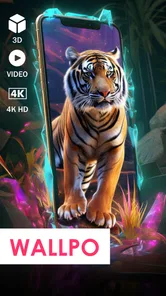
Wallpo brings together 4K backgrounds, 3D backgrounds, and video wallpaper options, with wallpapers for the lock screen as well. That gives you several kinds of visual styles to consider instead of limiting you to a single type of static image. You can browse the collection and choose a look that suits the screen you want to personalize.
Who develops Wallpo, and what is its age rating?
Wallpo is developed by Poison Studio LLC and is categorized as a Personalization app. Its content rating is Teen, so it may be more appropriate for teen users and adults than for younger children. If you are choosing apps for a family device, consider that rating along with the kinds of wallpapers and visual themes you are comfortable having available.
Can I use Wallpo on my device?
Wallpo: 3D live wallpaper is an Android personalization app, and its minimum operating system requirement is Android 7.0. Check your device’s Android version before downloading so you know it meets that requirement. The app focuses on backgrounds and live wallpaper features, including 3D designs and video wallpaper options, making it suited to users who want more than a static home-screen image.
What should I know about the cost before downloading Wallpo?
Wallpo is free to download, and it offers a selection of wallpapers to try without an immediate purchase. Some content or features may require an in-app purchase, with items priced from $1.99 to $9.99. You can explore the free options first and decide whether the paid choices are worthwhile for the styles or features you want.
Pros
- High-quality 3D wallpapers
- Easy to use interface
- Regular updates with new designs
- Battery-efficient design
- Customizable settings
Cons
- Limited free options
- Ads in free version
- May slow older devices
- Requires internet for updates
- Occasional app crashes











