

Wallpaper 3D Live
- 458.00
- 4.6
- Installs
- 10.00M
- Price
- Free

Screenshots




Analysis by Reviewed
I judge a live wallpaper by what happens after the novelty wears off: does it still look good under icons, feel pleasant when I check my phone, and suit the way I use the screen? Wallpaper 3D Live is appealing when I want a moving, dimensional accent without turning personalization into a complicated project. Its strongest point is the immediate visual change; its main trade-off is that motion and detail will not suit everyone’s home screen or battery priorities.
I would approach it as a focused wallpaper app rather than a complete theme makeover. It changes the background, while the rest of the interface still depends on the icons, widgets, and layout already on the phone. That can be exactly what I want when a screen feels stale, but it is worth knowing before expecting a coordinated redesign.
Choosing a moving background that works day to day
What makes a moving background worth keeping is not just its first impression, but whether it still feels comfortable after a week of ordinary use. I’d treat this app as a way to give a phone a distinct mood rather than as a complete makeover: the wallpaper is the visual accent, while icons and widgets remain part of the overall look. That distinction matters if you want a lively screen without making every element compete for attention.
Plenty of visual choice, with a little curation needed
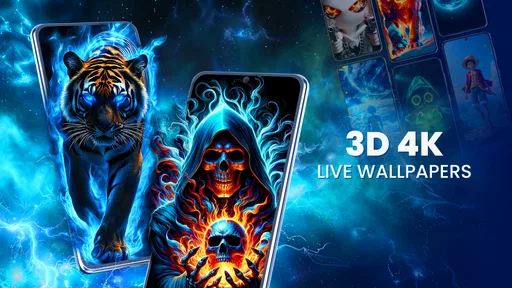
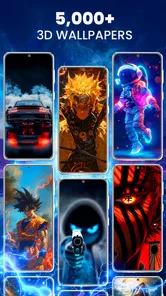
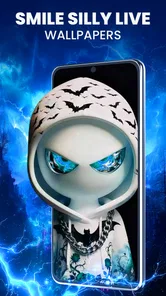
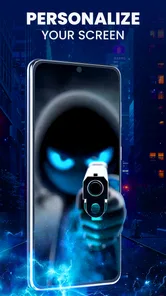
One of the coolest features of Wallpaper 3D Live is the sheer variety of options it provides. We're talking about a vast library of 3D wallpapers that seem to pop right off the screen. Whether you're into nature, abstract art, or even futuristic cityscapes, there's something here for everyone. The app is super intuitive, making it easy to scroll through the collections and find the perfect fit for your home or lock screen.
My practical advice is to shortlist a few candidates before setting one, then look at each against the icons and text you use most. Strong depth effects can look impressive in a preview but make a busy home screen feel visually crowded. A darker or simpler design may be the better everyday choice if you rely on clear icon labels, while a more detailed scene can work nicely on a lock screen that you mostly glance at.
That quick comparison is useful if you use a compact layout or keep several widgets on the first page. Rather than choosing the most elaborate preview, I’d ask whether its brightest or busiest area falls behind the places where I need to read labels. A more restrained image can make the phone feel polished without drawing attention away from the things I open most often.
Motion is most enjoyable in short, familiar moments
The level of detail in these wallpapers is simply stunning. I never thought I'd find myself staring at my phone screen just to admire the depth and movement of a background! The live aspect of these wallpapers makes your device feel more dynamic. The animations are smooth and don't lag, which is a huge plus. It's like having a mini artwork exhibition right on your phone.
More From Our News Desk

 Gmail
GmailGmail in a Busy Inbox: Who Benefits Most?
From first account to crowded workday, Gmail earns its place through dependable search and flexible sorting—but its best fit depends on how much inbox maintenance you can tolerate.

 Prime Video
Switching to Prime Video: What Changes in Your Viewing Routine
Prime Video can make a compelling second home for streaming, but switching means learning a different catalog, rental layer, and route from browsing to playback.

 Universal TV Remote Control
Universal TV Remote Control Works Best as a Reliable Backup
A phone remote earns its place through quick setup and reliable habits. Here is how to get more from Universal TV Remote Control—and where its limits show.

 Weather - By Xiaomi
Weather by Xiaomi Review: Clear at a Glance, Less Clear Up Close
Xiaomi’s weather app makes everyday forecasts quick to scan, but its calm surface can leave useful details and recovery paths harder to find than they should be.

 X
XX Under Pressure: Can It Recover When Posting Goes Wrong?
A resilience-focused review of X, examining setup, mistaken posts, interruptions, weak connections, and the gaps that matter when recovery needs to be dependable.

 Clash of Clans
Clash of Clans Is Won Between the Battles
Its raids are quick; its community is a long-term project of coordination, teaching, rivalry, and shared responsibility—with all the friction that entails.
Latest News



That visual impact is most rewarding when you actually see the screen often: a quick check during a commute, a pause between messages, or a moment when you pick up your phone to check the time. I’d choose motion that complements those brief glances instead of demanding attention every time. If you prefer a calm, nearly invisible background, a static image is likely a better fit; it avoids movement and keeps the screen looking consistent.
A realistic test is to set a design before an ordinary day rather than judging it while browsing. I might see it briefly while checking a notification in the morning, again when opening a message, and later when looking at the time. Those short encounters reveal whether the movement feels like a pleasant detail or an interruption. If I find myself noticing the animation when I want to focus on an icon or read a widget, that is a sign to try a simpler design.
A simple workflow, but not a full customization suite
Installing and navigating through the app is a breeze. The developers did a fantastic job of ensuring that you don't need to be tech-savvy to enjoy all the features. Everything is laid out neatly, and the app guides you through the process of selecting and setting a wallpaper with ease. Plus, the app doesn't bombard you with ads, which is a relief in today's ad-heavy app world.
For a realistic routine, I’d browse while I have a few spare minutes, choose a wallpaper that suits the day-to-day layout, and then leave it in place long enough to judge it beyond the preview. Changing backgrounds too often can make it hard to tell whether the motion is genuinely enjoyable or simply novel. If you share a device with someone who prefers a quieter screen, choosing a restrained design is an easy compromise without giving up personalization altogether.
The distinction from launcher and theme apps matters in practice. Those tools can be a better fit if I want icons, menus, and other screen elements to change as a set. Here, I’d start with the wallpaper itself and keep the rest of the phone familiar. That narrower scope makes the choice feel approachable, but it also means I should not expect one background app to solve every mismatch in the look of my home screen.
Battery comfort depends on your habits
Now, I know what you might be thinking: "Won't live wallpapers drain your battery?" Surprisingly, Wallpaper 3D Live seems pretty efficient in managing battery consumption. While live wallpapers traditionally use more power than static ones, I didn't notice a significant drain, which is a big win in my book.
Battery experience can still vary with how often you wake the screen and how your device handles animated backgrounds, so I wouldn’t assume every phone will behave exactly like mine. If you are trying to stretch a charge during a long day, switching to a still background is a sensible fallback. That trade-off is especially relevant for people who keep their display active frequently or already manage battery use closely.
If battery life is a priority, I’d make the decision based on my own routine instead of treating one good experience as a guarantee. A person who checks the phone constantly may notice a different result from someone who mostly leaves it idle. Keeping a favorite static image in mind as a fallback also makes the choice low-stakes: I can enjoy the animated look when it suits the day and simplify the screen when I need to conserve power.
Cost, compatibility, and who should choose it
There are a few useful questions to settle before making it your regular wallpaper. Can you use it without paying? The app is free to install, though optional in-app purchases range from ten cents to just under fifty dollars per item, so check the price shown for anything you choose to buy. Is it suitable for a family device? Its Everyone age rating makes it broadly suitable. Will it work on an older phone? It requires Android 8.0 or later, so checking your system version first can save a frustrating download attempt.
For a shared family phone, I’d focus less on picking something dramatic and more on whether the result stays readable for everyone who uses the device. A background can be expressive without making icons harder to spot. And while the app costs nothing to install, the range of optional purchase prices is wide enough that I’d take a moment to inspect an item’s displayed price before confirming anything. That is a more comfortable way to browse than assuming every choice is included.
As a personalization app from VideoRoom Editor, it sits between the simplicity of choosing a static image from my gallery and the broader customization offered by launcher or theme tools. I’d pick it when the moving, dimensional background is the main thing I want to change; I’d choose a static wallpaper for maximum simplicity, or a full theme app if I wanted icons and other screen elements to change together. The app has a 4.4 average from around 22,000 ratings and over 5 million installs, which suggests it has found an audience, though those figures alone can’t guarantee that every design will suit my taste.
That comparison helps me decide before I spend time browsing. If I already have a photograph I love and just want a quiet background, using it directly is simpler. If I want a coordinated visual overhaul, a broader theme tool makes more sense. I’d choose this app for the narrower, more specific goal of adding depth and motion to the background while leaving familiar controls and icons alone.
One small but important way to judge the result is to check both the home screen and lock screen after applying a design. A wallpaper that looks striking on an uncluttered preview may sit differently behind notifications or app icons. I’d also try a design for a full day before deciding whether its movement feels pleasant or distracting; that simple test is more useful than repeatedly switching based on a quick first impression.
The app is best for someone who enjoys changing the look of a phone and wants motion without learning a complicated customization workflow. I’d skip it if I strongly prefer static backgrounds, want every part of the interface redesigned, or are careful about any extra battery use. Version 2.8.5 is the current release, and the app was released on October 23, 2024; neither detail changes the central choice, which is whether a moving background fits the way you use your phone.
My clearest recommendation is for people who enjoy a visual refresh but do not want to rebuild their home screen. It is also a reasonable choice for someone who likes to switch between a lively lock screen and a more legible home screen, provided the available setup suits their preferences. I would steer away from it if motion itself bothers you, if you want a still image with no animation, or if your goal is a complete visual system rather than a background change.
In conclusion, if you're looking to spruce up your phone with vibrant and dynamic backgrounds, Wallpaper 3D Live is the way to go. The app offers a seamless experience with high-quality wallpapers that truly stand out. Give it a try, and you might just find yourself mesmerized by your phone's new look!
Wallpaper 3D Live Frequently Asked Questions
Is Wallpaper 3D Live suitable for someone who wants a simple way to personalize a phone?
Wallpaper 3D Live is a personalization app centered on 3D live and moving wallpapers. Its store description highlights wallpaper options in 4K and HD, making it relevant for people who want a more animated look than a static background. Whether the visual style suits you is a matter of taste, so consider whether moving wallpapers fit the way you like your phone’s screen to look.
What age group is Wallpaper 3D Live intended for?
Wallpaper 3D Live has a content rating of Everyone, so it is presented as suitable for a general audience. The app focuses on personalizing a device with wallpapers rather than on age-specific content. Parents can still take a moment to review the app and its purchase options with younger users, particularly if they share a device or use payment controls.
What devices and operating systems can run Wallpaper 3D Live?
Wallpaper 3D Live is an Android personalization app, and it requires Android 8.0 or later. Check your device’s Android version before downloading, especially if you use an older phone or tablet. The app is listed for Android rather than iOS, so iPhone and iPad users should not assume they can install this version on their devices.
Who makes Wallpaper 3D Live, and is it a widely used app?
Wallpaper 3D Live is developed by VideoRoom Editor. It has an average rating of 4.4 from around 22,000 ratings, with over 5 million installs. Those figures suggest that many Android users have tried it, though personal preferences for animated backgrounds can vary. The app is in the Personalization category and is rated for Everyone.
What is Wallpaper 3D Live and how does it enhance my device?
Wallpaper 3D Live is an innovative app that brings dynamic 3D live wallpapers to your smartphone or tablet. It enhances your device by providing visually stunning and interactive backgrounds that react to your touch and movements. This app is perfect for users looking to personalize their devices with eye-catching and immersive wallpapers, making their screens come alive with vibrant colors and animations.
Pros
- High-quality 3D wallpapers
- Smooth performance
- Battery-friendly
- User-friendly interface
- Regular updates
Cons
- Limited free options
- Ads in free version
- Requires internet for updates
- May not support all devices
- Occasional crashes on older devices











