Voi - AI Avatar Portrait Maker
- 866.00
- 2.1
- Installs
- 1.00M
- Price
- Free

Screenshots
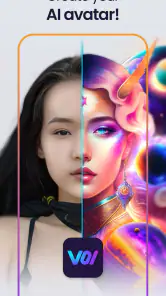
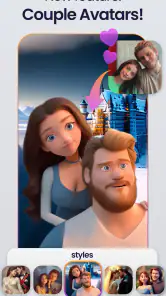
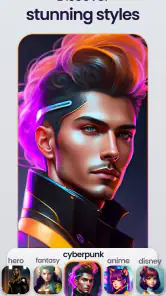
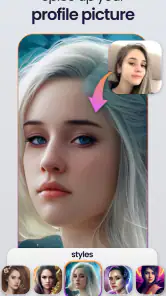
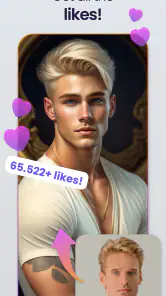
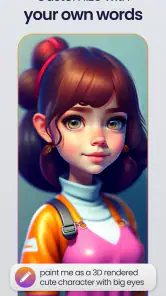
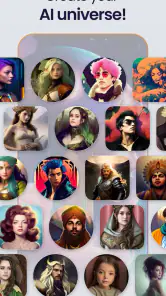
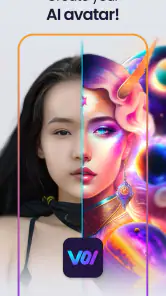
Analysis by Reviewed
I tried Voi - AI Avatar Portrait Maker as a quick way to turn ordinary selfies into profile images with a more illustrated, AI-made look. It sits in the Art & Design category, but I found its most practical use much narrower: creating a fresh avatar for a social profile, messaging account, gaming identity, or casual online community without opening a full photo editor.
The app is free to install, and Holypic presents it for Everyone. That makes the first step feel approachable, especially on a shared household phone where someone may simply want to experiment with a portrait for a few minutes. My overall impression is mixed. The idea is easy to understand and can be fun when the source photo suits the selected style, but the low average rating of 2.1 from about 11 thousand ratings is a useful warning that the experience does not work equally well for everyone.
How Voi works when more than one person uses the device
A simple household scenario
Imagine a family member needs a new profile picture before joining a group chat, while another person already uses the same tablet or phone for their own photos. Voi can fit that small task well because the basic concept is direct: choose a selfie or another photo, apply an AI portrait treatment, and decide whether the result is good enough to use.
What I would not do is treat it as a shared gallery or a family photo workspace. The app is designed around individual portrait creation, not household organization. If several people take turns using the same device, each person should handle their own original images and final exports rather than assuming the app will separate everyone’s work automatically.
That distinction matters more than it first appears. A portrait app can feel harmless when used casually, yet a selfie is still personal material. Before handing over a phone, I would close the current editing session, remove any selected image from view, and check the device’s normal photo picker or gallery afterward. Those are sensible boundaries for any portrait tool, especially when the phone belongs to several people.
What the first session feels like
My first useful test was not a carefully staged studio portrait. It was a normal selfie with a clear face and reasonably even lighting. That is the kind of image I recommend starting with because AI portrait effects have less visual clutter to interpret. A busy background, sunglasses, a side-facing pose, or several people in one frame can make the result less predictable.
I also found it better to test one image at a time instead of immediately processing a large collection. The purpose of Voi is usually to find one convincing avatar, not to build a complete personal photo library. Trying a small number of strong source images makes comparison easier and reduces the chance of filling the device with near-duplicates that are difficult to sort later.
More From Our News Desk

Clash of Clans Is Won Between the Battles

Android Auto Makes the Case for Quieter Car Software

MobiOffice: Transforming Mobile Productivity with Seamless Integration

EA SPORTS FC™ Mobile Soccer: Redefining Mobile Sports Gaming

How Microsoft OneDrive Became a Mobile Productivity Giant

How Google Translate Breaks Language Barriers Effortlessly
The app’s store summary focuses on AI-generated art from selfies and photos, and that is the right expectation. This is not a replacement for manual retouching, layered illustration, or a professional portrait workflow. I would use it when I want a recognizable image with an artistic twist, not when I need exact control over facial proportions, colors, typography, or a brand identity.
Keeping household identities separate
On a shared device, I would create a simple routine: one person chooses the source photo, previews the result, saves only the preferred version, and then checks that the next user starts from their own image. Avoiding a mixed folder is especially helpful when children, parents, or roommates all use the same camera roll.
There is another practical reason to keep the workflow separate. A portrait that looks good for one person may not suit another person’s online context. A playful style might be ideal for a gaming avatar but feel inappropriate for a work profile. Treating each result as an individual choice prevents the household from assuming that one visual style works for everyone.
Boundaries, trust, and deciding who should use it
Age context matters even with an Everyone label
Voi carries an Everyone content rating, which makes it broadly accessible from an age-label perspective. I still would not interpret that label as a reason to let a young child use a photo-generation app without any conversation. The important questions are practical: whose face is being uploaded or selected, where the finished image will be used, and whether the child understands that an avatar can still identify them.
For a younger user, I would begin with a parent or guardian present and use a photo that the family is comfortable turning into an online profile image. I would also explain the difference between making an image for private experimentation and posting it publicly. The app can create the picture, but it does not remove the responsibility of choosing an appropriate image or destination.
This is also where a shared-device boundary becomes useful. One person should not casually process another household member’s portrait as a joke or publish it without permission. The creative effect may be lighthearted, but the source photo belongs to a real person. In my view, consent is more important here than the novelty of the filter.
Free access versus optional spending
The app is free, but optional in-app purchases range from $2.99 to $29.99 per item. That price range makes it worth checking the screen carefully before confirming anything, particularly if a child uses the device or if the phone is connected to a household payment method.
I would start by seeing what can be achieved without paying and only consider an upgrade after deciding that the result is genuinely useful. There is little reason to spend immediately on an avatar that may not fit the intended profile, may not preserve the person’s likeness well, or may simply be less appealing than the original selfie. The best household rule is straightforward: no purchase without the account holder’s permission.
This is also a point where Voi differs from a conventional free photo editor. A manual editor may offer more predictable adjustments at no extra cost, while an AI avatar app can make experimentation feel faster but may place more emphasis on locked styles or optional purchases. If your priority is maximum control over every edit, a standard editor is likely the better choice.
Account boundaries and personal images
I would avoid assuming that a shared device means shared ownership of the app’s working space. Each person should use their own photos and make their own decisions about saving or posting the outcome. If the app presents any sign-in or purchase step during use, I would make sure the correct household member is handling it rather than tapping through automatically.
That cautious approach is not meant to make the app sound dangerous. It is simply good practice for any service that works with faces. A profile picture can appear on a public account for a long time, and an AI-styled version may communicate a different mood from the original. Before publishing, I would inspect the finished portrait at a small size, check that it still looks like the intended person, and confirm that no unwanted background detail has become prominent.
Coordinating the final image
In a household, the most useful coordination happens after generation. Ask where the avatar will be used and what impression it should create. A bright illustrated portrait may work for a casual chat account, while a restrained result may be more suitable for a school community or professional setting. Voi can produce the visual starting point, but the user still needs to choose the right context.
I also recommend keeping the original selfie until the final avatar has been accepted. AI-styled images are interpretations, not replacements. If the result changes a facial detail, makes the expression look unnatural, or loses an important feature, the original gives you a reliable fallback for another app or a later attempt.
When several people are comparing results, do not judge only from the large preview. Look at the image in the place where it will actually appear. Profile pictures are often displayed as small circles or squares, and subtle details can disappear. A portrait with a strong silhouette and clear face may work better than a more elaborate image that looks impressive only when enlarged.
Three practical techniques that improve the decision
First, prepare a small set of source photos with different lighting rather than repeating the same weak image. This helps reveal whether an unsatisfying result comes from the chosen style or from the original photo. A front-facing image with a simple background is usually the fairest test, while a more expressive pose can be useful once you know the app’s general look.
Second, compare the avatar against the account’s purpose before saving several versions. If the image is for a messaging profile, recognition at a glance matters more than artistic complexity. If it is for a creative community, a stronger visual treatment may be worthwhile. This prevents the common mistake of selecting the most dramatic result instead of the most usable one.
Third, keep the household’s finished images organized outside the editing session. Give each person a clearly named album or folder in the device’s ordinary photo system, if that is how the household already manages pictures. This is more reliable than expecting a portrait app to act as a family archive, and it makes it easier to remove an image later if someone changes their mind.
Where the app is weaker than usual alternatives
Compared with a traditional photo editor, Voi is less attractive when you need precise cropping, selective retouching, text, logos, or repeatable brand colors. Manual tools may take longer, but they let you decide exactly what changes. For a business profile or a creator identity that must remain consistent across platforms, I would choose a controlled editor or a professional design tool instead.
Compared with a camera app’s built-in filters, Voi is more focused on turning a portrait into an avatar-like artwork rather than making a quick color adjustment. That focus can be appealing, but it also means the output may feel less natural. If you only want better lighting or a subtle enhancement, a normal photo editor is likely to be faster and more predictable.
Compared with commissioning a human illustrator, Voi is obviously more convenient for experimentation, but it cannot replace a tailored visual identity. An illustrator can respond to detailed preferences and create a coherent set of images. Voi makes more sense when the goal is a quick personal portrait, not a carefully art-directed character package.
Who will enjoy it, and who should skip it
I can recommend trying Voi to someone who wants a quick profile image, enjoys experimenting with AI art, and is comfortable judging several imperfect results before choosing one. It is also a reasonable fit for a household member who does not want to learn a complicated editor and only needs one attractive avatar for a casual account.
I would steer away from it if you need guaranteed likeness, exact editing control, a polished professional headshot, or a dependable workflow for many people on one device. I would also skip it if optional purchase screens would create tension in your household or if you are not comfortable making decisions about personal photos and online sharing.
The current version is 2.0.6 and supports devices running Android 7.0 or later. That gives it a fairly broad technical reach for Android users, although compatibility alone does not solve the more important question of whether the artistic result matches your expectations. The app has passed one million installs, so it is clearly reaching a sizeable audience, but popularity does not change the need to test it with your own photos.
My household verdict
After using it as an avatar-making tool rather than a full design suite, I see Voi as a convenient experiment with a narrow but understandable purpose. The free starting point is useful, the Everyone rating makes it easy to consider for a shared household device, and the AI portrait idea can produce a more distinctive profile image than a plain selfie.
My reservation is that the experience demands realistic expectations. Results can vary with the source photo and the chosen style, and the optional purchases deserve attention before anyone confirms them. The low 2.1 average from roughly 11 thousand ratings reinforces my own advice: try it cautiously, inspect the output closely, and do not assume the first generated portrait will be the one you want.
My recommendation is to treat Voi as a low-commitment creative test, not as a complete portrait solution. For a teenager working with a parent, roommates sharing a tablet, or an adult who wants a playful new avatar, it may be worth exploring. For a household that needs strict separation, professional consistency, or detailed control, a conventional editor will usually be the calmer and more dependable choice.
Voi - AI Avatar Portrait Maker Frequently Asked Questions
What devices and operating systems can run Voi - AI Avatar Portrait Maker?
Voi is an Art & Design app from Holypic for turning photos into AI-generated portraits. Its listed minimum operating system is Android 7.0, so check your device’s software version and available storage before downloading. The app is rated for Everyone. If you are using an iPhone or iPad, check the relevant app store’s compatibility details before installing.
What is Voi - AI Avatar Portrait Maker and how does it work?
Voi - AI Avatar Portrait Maker is an AI-powered app that transforms uploaded selfies or personal photos into stylized avatar portraits. After selecting images and, in some cases, a preferred visual theme, the app processes them through its artificial intelligence system and generates a collection of edited portraits. Results can vary depending on lighting, facial visibility, image quality, and the chosen style.
Is Voi - AI Avatar Portrait Maker free to download and use?
The app is free to download, but access to all portrait styles, higher-quality exports, or additional features can depend on in-app purchases. Individual purchases are listed from $2.99 to $29.99. Before buying, carefully review the price and terms displayed in the app store. Some features may also be limited for users who do not pay.
What kind of photos should I upload for the best AI avatar results?
For more accurate and attractive portraits, use clear, well-lit photos in which your face is visible and not covered by sunglasses, masks, heavy shadows, or other people. Front-facing or slightly angled selfies usually work best. Avoid blurry images, extreme filters, and heavily cropped pictures, since the AI may produce distorted facial details or results that do not closely resemble you.
Does Voi protect my photos and personal data?
Because the app needs to process your images, privacy is an important consideration before uploading personal photos. Check Voi’s current privacy policy to understand how images are collected, processed, stored, shared, and deleted, as well as whether third-party AI services are involved. Avoid uploading sensitive photographs unless you are comfortable with the stated data practices and permissions.
Pros
- Creates polished AI portraits from ordinary selfies.
- Offers many artistic styles for different profile needs.
- Simple interface makes avatar creation quick and accessible.
- Useful for social profiles
- messaging apps
- and digital branding.
- Results can provide creative inspiration for photos and artwork.
Cons
- High-quality generations may require a paid subscription or credits.
- Some styles can produce inconsistent facial details or expressions.
- Processing times may vary depending on demand and connection speed.
- Uploading selfies raises privacy concerns for cautious users.
- Results may look less natural when source photos are poorly lit.

- Category
- Art & Design
- Version
- 2.0.6