

VocalMe Music: AI Cover Songs
- 700.00
- 3.5
- Installs
- 100.00K
- Price
- Free

Screenshots

Analysis by Reviewed
I tried VocalMe Music with one main question in mind: does its AI cover-song idea make creating a convincing vocal track easier, or does it merely produce a quick novelty? My answer is mixed but positive. The app is most interesting when you treat it as a creative sketchbook rather than a replacement for a recording studio. It can help turn a familiar song into a playful experiment, test how a different vocal character might fit a melody, or give a casual singer something entertaining to share with friends.
That focus matters because the app sits in the Music & Audio category, where people usually expect either a dependable player, a serious recording tool, or a library of ready-made tracks. VocalMe Music takes a different route. Its central appeal is AI-assisted cover song generation, and nearly every strength and weakness comes from that choice. I found it more compelling for experimentation than for polishing a finished release.
The app is free to install, with optional in-app purchases ranging from $4.99 to $49.99 per item. It is rated for Everyone, runs on Android 8.0 and later, and comes from TALENT ME TECH. The current version is 2.19.5. Those details make it accessible to a broad audience, although the purchase model is worth keeping in mind before spending time building a workflow around it.
What the AI cover idea really changes
A normal karaoke app generally asks me to sing along with an instrumental track. A standard voice recorder captures whatever I perform. VocalMe Music aims at a different result: it uses an AI voice concept to create a cover-song experience, so the attraction is not only whether I can sing well, but also how a song might sound through an altered vocal presentation.
That changes the creative starting point. Instead of asking, “Can I perform this song accurately?” I can ask, “What happens if this melody is interpreted in another way?” For a music fan, that can be enough to make a familiar track feel new. It is also useful for someone who writes lyrics or melodies and wants a fast way to imagine a vocal direction before committing to a full recording.
In my experience, the best results come when I keep expectations realistic. AI-generated singing is not automatically expressive just because it is technically generated. A cover can still feel flat, mismatched, or less natural than a human performance. The app’s value is therefore tied to curiosity. If I want a polished master ready for professional distribution, I would use a dedicated digital audio workstation and a real vocal chain instead. If I want to explore an idea in minutes, this is much more approachable.
The distinction also helps explain why the app may appeal to people who are not confident singers. A traditional karaoke service exposes every hesitation, breath, and pitch problem in my own recording. An AI cover workflow can shift attention toward the song concept itself. That does not make it a substitute for learning to sing, but it lowers the barrier to trying an arrangement or sharing a playful interpretation.
More From Our News Desk

 Gmail
GmailGmail in a Busy Inbox: Who Benefits Most?
From first account to crowded workday, Gmail earns its place through dependable search and flexible sorting—but its best fit depends on how much inbox maintenance you can tolerate.

 Prime Video
Switching to Prime Video: What Changes in Your Viewing Routine
Prime Video can make a compelling second home for streaming, but switching means learning a different catalog, rental layer, and route from browsing to playback.

 Universal TV Remote Control
Universal TV Remote Control Works Best as a Reliable Backup
A phone remote earns its place through quick setup and reliable habits. Here is how to get more from Universal TV Remote Control—and where its limits show.

 Weather - By Xiaomi
Weather by Xiaomi Review: Clear at a Glance, Less Clear Up Close
Xiaomi’s weather app makes everyday forecasts quick to scan, but its calm surface can leave useful details and recovery paths harder to find than they should be.

 X
XX Under Pressure: Can It Recover When Posting Goes Wrong?
A resilience-focused review of X, examining setup, mistaken posts, interruptions, weak connections, and the gaps that matter when recovery needs to be dependable.

 Clash of Clans
Clash of Clans Is Won Between the Battles
Its raids are quick; its community is a long-term project of coordination, teaching, rivalry, and shared responsibility—with all the friction that entails.
Latest News



One practical insight is to use the app as a decision tool. Before spending an evening recording harmonies or arranging backing parts, I can use an AI cover as a rough preview of the mood I am chasing. If the result feels wrong even at the sketch stage, that may save time. If it sparks an idea, I can then return to a more controlled recording setup and build the final version properly.
Using it as a creative sketchbook
I would not begin by judging every output as if it were a finished song. I would listen for broader signals: does the melody suit the chosen vocal character, does the chorus remain recognizable, and does the emotional direction feel right? Those questions are more useful than obsessing over small imperfections during the first experiment.
This approach also makes the app more useful for short sessions. I can imagine opening it while commuting, during a break, or when a song idea arrives unexpectedly. The goal is not to replace a full production session. It is to capture a possibility while the idea is still fresh.
Another non-obvious use is comparing interpretations rather than chasing one “perfect” take. A songwriter could test whether a gentle delivery, a stronger pop approach, or a darker mood better suits the same melody. Even when none of the outputs is release-ready, the contrast can reveal which direction deserves more work.
How the experience works in practice
The first thing I noticed is that the app is easy to understand conceptually. It is presented as VocalMe Music, while the store’s short description calls it VocalMe Music. The purpose becomes clear quickly: this is an app for AI voice and cover-song experiments, not a conventional audio library or a full multitrack studio.
For a first attempt, I would choose a song with a clear melody and a manageable vocal range. That is a better test than selecting a track whose appeal depends on subtle phrasing, complex runs, or highly personal emotion. AI processing has an easier job when the musical idea is obvious, and I get a clearer sense of what the app can contribute.
My recommended workflow is deliberately simple. Start with one familiar song, listen to the generated result without immediately comparing every detail to the original, and note where the interpretation works or loses character. Then try a different musical style or vocal direction if the app offers that choice in the current experience. This prevents the first imperfect result from becoming an unfair verdict.
The most useful habit is to treat each generation as a rough draft, not a final performance. That mindset changes how I evaluate the app. A rough draft can succeed by revealing a chorus idea, a mood, or a vocal identity. It does not need to satisfy the standards of a studio master to be useful.
There is also a practical reason to avoid generating endlessly. AI music tools can encourage passive scrolling: create one version, listen briefly, create another, and repeat without making a decision. I get more value when I define a small question before starting. For example, I might ask whether a song works better with a softer tone or whether the chorus remains memorable in a different vocal treatment. A focused question turns the app from a toy into a creative aid.
People often wonder whether they need strong singing skills to enjoy it. I would say no, not for the main appeal. The app is better suited to listeners, casual creators, lyric writers, and curious singers than to someone seeking detailed coaching. It can make experimentation less intimidating, but it does not replace practice, breath control, pitch training, or the feedback of a human teacher.
Another question is whether it can replace karaoke. Only partly. Karaoke is about my live participation and the feeling of performing along with a track. VocalMe Music is more about transforming or imagining a vocal presentation. If I mainly want to sing in real time with friends, a dedicated karaoke service is likely a better fit. If I want to explore how a cover concept might sound beyond my own immediate performance, this app has the more distinctive purpose.
It is also important to think about listening conditions. I would check an output through headphones first, then through a phone speaker. Headphones make vocal artifacts and awkward transitions easier to notice, while a phone speaker gives a better impression of how a casual friend might hear a shared clip. This two-step check is a small but useful way to avoid overestimating a result that sounds impressive only in one setup.
A realistic everyday scenario
Imagine I am helping a friend choose a song for a small informal celebration. We know the melody we like, but we are unsure whether it should feel warm and relaxed or more energetic. Instead of debating abstractly, I can use VocalMe Music to explore the cover idea and listen for which direction feels more natural. The output does not need to be played at the event. It simply helps us make a creative decision faster.
For a songwriter, the scenario is even clearer. I might have a chorus written in my notes but no confidence about its vocal identity. A generated cover can act as an audible placeholder. I can notice whether the words feel too crowded, whether the hook needs more space, or whether the melody wants a different emotional tone. I would still rewrite and record the song myself, but the experiment can expose problems that are difficult to hear on the page.
For a casual user, the appeal may be social rather than musical. Creating a surprising version of a well-known song can be a fun conversation starter. The important limitation is that sharing should be thoughtful. A generated cover may be entertaining, but that does not automatically settle questions about ownership, permission, or where it is appropriate to publish it. I would keep casual experiments separate from commercial plans unless I had checked the relevant rights and terms myself.
Where the trade-offs become noticeable
The biggest trade-off is control. A dedicated recording app gives me direct control over microphone placement, takes, editing, effects, and the final mix. VocalMe Music is attractive precisely because it simplifies the process, but that simplicity means I should not expect the same depth. The more particular my production goal becomes, the more likely I am to outgrow it.
Naturalness is another consideration. AI voices can be engaging, but a generated vocal may not carry the tiny timing changes, breath choices, and emotional imperfections that make a human cover memorable. Some listeners will enjoy the artificial character; others will hear it as a distraction. For me, the result works best when the novelty supports the song rather than becoming the only thing I notice.
The free entry point is helpful, especially for deciding whether the concept suits me. At the same time, optional purchases between $4.99 and $49.99 per item mean I would avoid assuming that every creative path is included at no cost. Before buying anything, I would first test the free experience with a few different types of songs and decide whether the output quality and workflow justify further spending.
The rating sits at a 3.5 average from around 3K ratings, with roughly 700 written reviews. I read that as a sign to approach the app with curiosity rather than certainty. It has enough public use to show that the concept attracts people, but the middle-of-the-road score also fits an app whose results may feel exciting to one person and disappointing to another. Expectations, song choice, and tolerance for AI artifacts will strongly affect the experience.
Its install base is over 100K, which gives the project a meaningful audience without making it feel like an unavoidable mainstream tool. I see that as a reason to judge it on its particular creative purpose instead of expecting the breadth of a giant music platform. It is a focused experiment, and focused tools can be enjoyable when their limits match the user’s needs.
One trade-off that deserves more attention is repeatability. When I am working on a song idea, I want to know which choices led to a particular result. AI generation can make that less intuitive than traditional recording. My practical solution is to keep notes about the song, the intended mood, and what I liked or disliked in each attempt. That turns a sequence of impressions into a usable creative process.
I would also skip this app if my main goal is detailed vocal improvement. It may make singing technology feel approachable, but it is not the same as a vocal coach explaining why I am flat on a phrase or how to support a note. Likewise, musicians who need precise stems, automation, mixing tools, or a carefully repeatable production pipeline will probably be happier with professional audio software.
Who gets the most from it
The strongest audience is people who enjoy music experiments without needing every result to be perfect. That includes curious listeners, amateur creators, lyric writers, casual singers, and anyone who likes hearing familiar material in an unexpected vocal context. I can also see value for people who feel blocked by the pressure to perform well before they are willing to explore an idea.
It is especially useful when speed matters more than precision. If I have ten minutes and a melody in my head, the app can help me test the direction before the idea disappears. If I have several hours to produce a release-quality track, I would choose a more controllable tool from the start.
Families and younger users may appreciate the Everyone age rating, but I would still guide children toward responsible use of songs and sharing. The rating makes the app broadly approachable; it does not remove the need for sensible supervision around online publishing or purchases.
Existing musicians may find it valuable in a narrower role. I would not use it as the center of a serious recording setup, but I might use it during pre-production to challenge my assumptions. Hearing an alternate vocal treatment can reveal that a melody is too dependent on one singer’s personality or that a chorus needs stronger contrast.
People who should skip it are those looking for a conventional music player, a complete karaoke environment, or a professional vocal-production suite. The app’s identity is too specific for those needs. Choosing it because it is free, then expecting it to behave like a different category of tool, would lead to frustration.
My recommendation after using the concept seriously
I enjoy VocalMe Music most when I use it with a small creative objective. I might test the emotional direction of a chorus, imagine a different vocal identity, or create a playful cover concept for friends. In those situations, the AI capability does more than decorate the app; it changes how quickly I can move from an idea to something audible.
I would not recommend treating it as a magic button for perfect singing. The generated result may lack the nuance I want, and the simplified workflow cannot offer the detailed control of a proper recording environment. Those are not minor footnotes; they define who will be satisfied. The app rewards experimentation and patience, not perfectionism.
My advice is to begin with the free experience, choose a song whose melody is easy to recognize, and listen critically through both headphones and a phone speaker. Keep the first sessions short and purposeful. If the results help you discover musical ideas, the app has earned a place in your toolkit. If you mainly want live karaoke, vocal lessons, or studio-level editing, another category of app will serve you better.
Overall, I see VocalMe Music as a friendly entry point into AI cover songs. TALENT ME TECH. has built its appeal around making vocal experimentation approachable, and that is where I think it succeeds. It will not replace a human singer, a teacher, or a professional producer, but it can make a blank page feel less intimidating. For the right user, that small push from imagination to sound is the reason to try VocalMe Music.
VocalMe Music: AI Cover Songs Frequently Asked Questions
What devices can run VocalMe Music: AI Cover Songs?
VocalMe Music is an app for Android, and it requires Android 8.0 or later. Check your device’s Android version before downloading, especially if you use an older phone or tablet. The app is listed in the Music & Audio category, so it is aimed at people who want to experiment with AI-generated vocals and cover-song ideas on a compatible device.
Who makes VocalMe Music, and what is its age rating?
VocalMe Music is developed by TALENT ME TECH. Its content rating is Everyone, making it suitable for a broad audience based on the app’s age classification. As with any app that lets you create or process audio, parents may still want to review its features and privacy practices with younger users before they upload recordings or share generated tracks.
What is VocalMe Music: AI Cover Songs?
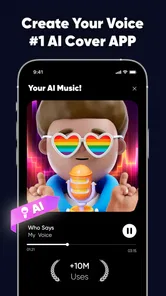
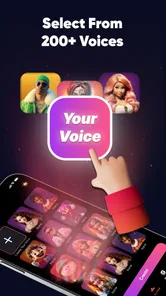
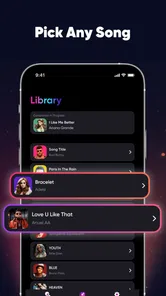
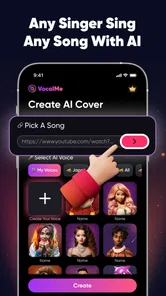
VocalMe Music: AI Cover Songs is an entertainment app that uses artificial intelligence to create or transform vocal performances into cover-song style audio. It is designed for users who enjoy experimenting with music, different vocal sounds, and creative song concepts. Depending on the available tools and licensing, the app may offer features such as selecting a song, choosing a voice or style, generating a cover, and listening to the finished result.
How does VocalMe Music create AI cover songs?
The app generally works by combining a selected song or vocal input with artificial-intelligence processing. After choosing the available track, voice style, or transformation option, VocalMe analyzes musical elements such as melody, timing, and vocals before producing a new version. Processing time can vary according to the song length, audio quality, device performance, and whether generation is completed locally or through an online service.
Is VocalMe Music: AI Cover Songs free to use?
VocalMe Music is free to download, but some functions can require in-app purchases, credits, a subscription, or other usage limits. In-app purchases range from $4.99 to $49.99 per item, so check the app’s current pricing page and purchase details before creating multiple covers. Also review whether trials automatically renew, how many generations are included, and whether exported audio or premium voice options are restricted.
Pros
- Creates AI cover songs in multiple vocal styles.
- Simple interface makes song creation quick for beginners.
- Useful for experimenting with melodies and vocal arrangements.
- Supports sharing finished creations with friends and social platforms.
- Can inspire original music ideas without advanced production skills.
Cons
- Output quality can vary noticeably between songs and vocal styles.
- Some features or song generations may require paid credits.
- Processing may take time
- especially for longer audio files.
- AI vocals can sound unnatural in difficult passages.
- Copyright rules may limit how generated covers can be shared or used.












