Virtual Hair Style Changer
- 70.00
- 3.4
- Installs
- 1.00M
- Price
- Free
Screenshots
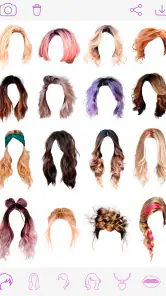
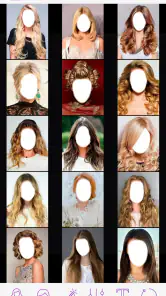
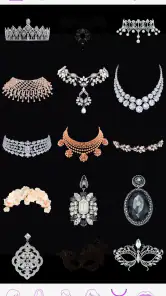
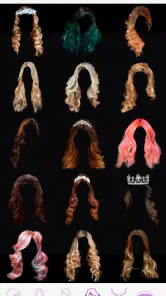
Analysis by Reviewed
I like to treat a virtual hairstyle as a low-stakes rehearsal, not a promise of exactly how a salon result will look. That distinction makes Virtual Hair Style Changer most useful: it gives you a quick way to test the general direction of a new cut or color before you commit, and it can help you explain an idea that is otherwise hard to describe. If you are opening a hair-editing app for the first time, a little care with the photo you choose will make the first try much more informative.
What to expect from a photo-based preview
This is a beauty app from Hairstyle Photo Apps, built around trying hair looks on a picture rather than changing your hair in real life. It is free to use, has an average rating of 3.4 from around 1,900 ratings, and has been installed over a million times. It is rated for Teen audiences and runs on Android 5.1 or later. Those figures give a sense of its reach, but they are not a guarantee that every hairstyle will fit every face or photo equally well.
The most useful way to judge a result is to ask whether the broad idea suits you: Do you like the length? Does a warmer or cooler color feel right? Would you be comfortable with more volume around your face? I would not use a single composite as a technical blueprint for a stylist. Hair texture, lighting, natural growth patterns, and the exact way a cut is shaped can all change the real outcome.
That makes the app better for exploration than precision. It can help you narrow a vague thought such as “I want a change” into something more concrete, like “I want to keep some length but try a shorter shape” or “I prefer a darker tone.” If you already know exactly what you want and need a realistic preview of a particular salon cut, a consultation with a stylist and reference photos of real hair are a stronger next step.
Choose a photo that gives the editor a fair chance
For a first attempt, use a clear, front-facing image with your hair and face visible. Even light helps you judge shades more fairly, while a busy background or strong shadows can make the result harder to read. Keep your head upright and avoid a photo where your hair is hidden behind a hat, hands, or another person. These are practical ways to reduce distractions in the image, not a promise that every overlay will line up perfectly.
If the first result looks odd, I would change the photo before deciding the app itself cannot help. A side angle, a strand crossing your face, or hair blending into a dark background can make any added style look misplaced. Try a second picture with a simpler composition, then compare the two. That small test helps separate a poor photo match from a hairstyle that simply is not your taste.
It is also worth keeping one unedited copy of the image nearby. Switching between the original and the edited version makes it easier to notice what the app changed and whether the preview still feels like you. If you plan to show the result to someone else, choose a picture you are comfortable sharing and keep the discussion focused on the hair idea rather than treating the edit as a final portrait.
More From Our News Desk

Clash of Clans Is Won Between the Battles

Android Auto Makes the Case for Quieter Car Software

MobiOffice: Transforming Mobile Productivity with Seamless Integration

EA SPORTS FC™ Mobile Soccer: Redefining Mobile Sports Gaming

How Microsoft OneDrive Became a Mobile Productivity Giant

How Google Translate Breaks Language Barriers Effortlessly
Make the first experiment useful
Rather than tapping through styles at random, begin with one decision. If you are considering a bob, compare a few shorter options against your current length. If color is the question, keep the general style steady while you explore shades. Changing one variable at a time makes the comparison easier and helps you understand what you actually like.
Color previews are especially easy to misread. A bright screen, warm indoor light, or a photo with a color cast can make a shade seem more vivid or muted than expected. I would use the app to decide whether you are drawn to a broad family of tones, not to settle on an exact salon formula. When you find a direction you like, save or share the image if those options are available in your version, and show it alongside your own description of the result you want.
For a practical everyday example, imagine you are thinking about cutting your hair before an upcoming event but feel unsure whether to go noticeably shorter. Take a clear photo, compare a few lengths, and pause on the options that still feel appealing after you have looked away for a while. Then bring the most useful example to a stylist and ask what would work with your hair and routine. The preview can make that conversation easier without asking it to replace professional judgement.
Transform Your Look Instantly
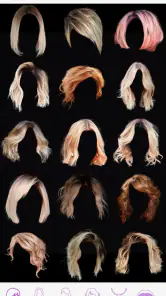
The Virtual Hair Style Changer is like having a personal stylist right in your pocket. No more regretting a haircut or hair color! With just a few taps, you can see yourself in a multitude of hairstyles and shades. Whether you’re contemplating a chic bob, luscious curls, or even a bold color change, this app has got you covered.
User-Friendly Interface
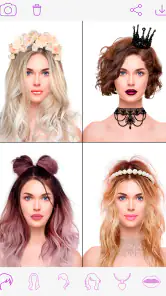
One of the first things that struck me about this app is how easy it is to use. The interface is intuitive and user-friendly, which is great for tech-savvy individuals and newbies alike. Simply upload your photo, and you’re ready to explore an array of hairstyles. The app does a fantastic job of aligning hairstyles with your face, giving you a realistic preview of your potential new look.
For a new user, the reassuring part is that the basic idea is straightforward: start with a photo, choose a look, and judge the overall impression. Do not feel pressured to find the perfect result on the first try. If the first placement looks wrong, return to a clearer photo or a different angle before drawing a conclusion. A quick side-by-side comparison can be more useful than spending a long time adjusting one image that was never a good match.
There is a trade-off between speed and realism here. A quick overlay is convenient for playful experiments and broad decisions, but it cannot show how a cut behaves when you move, how your hair naturally falls, or what maintenance a style will require. Treat the image as a conversation starter, especially for a major change. A stylist can assess details a photo editor cannot, including your current hair condition and the amount of daily styling you are willing to do.
A Palette of Possibilities
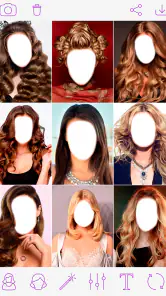
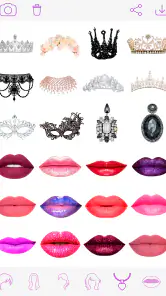
What’s super exciting about the Virtual Hair Style Changer is the variety it offers. Not only can you try different styles, but you can also experiment with colors. Fancy a fiery red or a subtle balayage? No problem! The app allows you to adjust the intensity of the color, giving you full control over your virtual transformation.
A useful way to explore that control is to make a small set of deliberate comparisons instead of changing everything at once. Keep the cut similar and test a softer shade beside a stronger one; then return to the original photo before choosing. If you prefer a particular intensity only after seeing it next to your natural color, that is a more reliable preference than one formed by scrolling through unrelated edits. The image is still a simulation, but the comparison can clarify your taste.
There is a limit to what a color overlay can communicate. It can suggest whether you enjoy a warmer, cooler, lighter, or bolder look, but it cannot reproduce how a specific dye will interact with your starting color or hair texture. If a dramatic change appeals to you, use the preview to describe the mood you want and ask a colorist what is realistic. That extra step is especially sensible when the result would be difficult to reverse.
When it helps—and when another approach is better
If you’re anything like me and can never decide on a hairstyle, this app is a game-changer. You can save your favorite looks and even share them with friends to get their opinions. It’s like having a trial run before making any permanent decisions. Plus, it’s a lot of fun to play around with different looks!
I think it is a good fit for someone who wants a light, accessible way to brainstorm: a person growing out a cut, considering bangs, curious about a different length, or trying to communicate a broad color preference. It can also be an easy activity with a friend when you want to compare ideas without making a real appointment first. The best result is often not a perfect mock-up but a clearer answer to “Which direction feels more like me?”
It is less suitable if you need an exact likeness, detailed salon planning, or a dependable preview for a complicated cut. In those cases, collect real reference images showing hair similar to yours and talk through them with a professional. Compared with general photo editors, a hairstyle-focused app is more direct because the central task is trying hair looks; a broad editor may offer more flexible image tools, but usually asks you to do more of the visual work yourself. Neither approach turns a still image into a guarantee.
One point that can cause confusion is the difference between saving a favorite and deciding that it is the right choice. I would keep a small shortlist rather than treating every appealing edit as a candidate. Look at the shortlist later, ideally beside the original photo, and notice which option still feels comfortable. If you share it, ask a friend a focused question such as whether the length feels too dramatic; open-ended reactions can be entertaining, but they are not always useful for making a decision.
The app is free, which makes casual experimentation easy to justify, but I would still keep expectations grounded. Its average rating of 3.4 suggests that experiences vary, so photo quality and personal expectations may matter. It has been available since July 17, 2019, and its developer is Hairstyle Photo Apps. I would approach it as a simple visual aid rather than a polished replacement for a salon consultation or a dedicated professional design process.
Take a promising idea into the real world
Once you have a favorite, the next step is to turn the picture into a useful description. Note what attracted you: the length around the jaw, the amount of volume, a softer fringe, or the overall color family. You do not need technical hairdressing terms. A clear explanation of what you like—and what you want to avoid—can help a stylist respond with practical options.
If you are still undecided, use the app in short sessions rather than endlessly cycling through looks. Set a simple question for each session, such as whether you prefer a shorter outline or a different tone, and stop when you have learned something. That keeps experimentation fun and prevents a stream of unrelated edits from making the choice feel more confusing than it was at the start.
In conclusion, the Virtual Hair Style Changer is a must-have for anyone looking to experiment with their hairstyle without the commitment. It’s easy to use, offers a wide variety of options, and makes trying new looks exciting and risk-free. So why not give it a go and unleash your inner stylist?
Virtual Hair Style Changer Frequently Asked Questions
What does the Teen content rating mean for Virtual Hair Style Changer?
Virtual Hair Style Changer has a Teen content rating, so it may be a better fit for older children and adults than for younger users. If you are considering it for a teenager, you can also review the app together and discuss how photos are used and shared. The app is a beauty tool for trying hairstyle filters and stickers on photos.
What is Virtual Hair Style Changer and how does it work?
Virtual Hair Style Changer is an innovative app designed to help users experiment with different hairstyles before making any real-life changes. By using advanced augmented reality technology, the app allows users to upload a photo and virtually try on various hairstyles and colors to see how they'd look. It's a fun and practical tool for anyone considering a new hairstyle or color without the commitment.
Is Virtual Hair Style Changer free to use?
Virtual Hair Style Changer is free to download. It offers a free version with basic features that allow users to explore hairstyles. However, to access premium features such as an extended library of hairstyles, advanced color options, and an ad-free experience, users may need to purchase a subscription or make in-app purchases. This tiered pricing ensures that users can choose the option that best fits their needs and budget.
What are the device requirements for Virtual Hair Style Changer?
To use Virtual Hair Style Changer effectively, users need a smartphone or tablet with a decent camera and an updated operating system. The app is compatible with most Android and iOS devices, but for the best performance, it's recommended to use a device with a recent OS version and a good processor. Ensuring these requirements will lead to a smoother and more responsive experience. On Android, it requires version 5.1 or later.
Can I save and share my hairstyle try-ons?
Yes, Virtual Hair Style Changer allows users to save their hairstyle try-ons directly to their device. Additionally, the app facilitates easy sharing options, enabling users to share their new looks with friends and family via social media or messaging apps. This feature is especially useful for those who want feedback before making a final decision on their new hairstyle.
Pros
- Wide variety of hairstyles available.
- Realistic hair color options.
- User-friendly interface.
- Quick photo upload feature.
- No internet needed for basic features.
Cons
- Limited free hairstyle options.
- Ads can be intrusive.
- In-app purchases required for premium styles.
- Occasional app crashes.
- Limited editing tools for face shape.
- Category
- Beauty
- Version
- Varies with device












