Video Downloader - Save Videos
- 3.59K
- 4.6
- Installs
- 10.00M
- Price
- Free

Screenshots
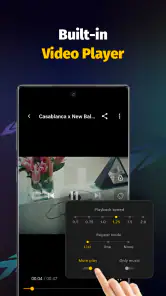
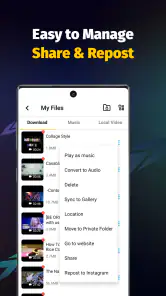
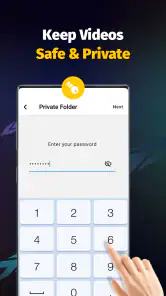
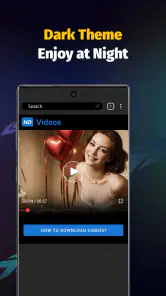
Analysis by Reviewed
I tend to judge a video downloader by one practical question: does it make a clip easier to watch later, without turning a simple task into a project? Video Downloader - Save Videos is built around that promise. It focuses on saving videos and playing them back, which can be useful when I want a tutorial, recipe, or short explainer available beyond the moment I find it.
That convenience has a sensible boundary. A download is useful for personal viewing, but it does not give me permission to repost someone else’s work or ignore a platform’s rules. I’d also check that the source allows saving and keep the creator’s rights in mind before using a clip elsewhere.
Saving a clip changes when and where you can watch
The core appeal is straightforward: instead of depending on a live feed and a steady connection, I can keep a video ready for a later viewing session. That matters on a commute, in a room with weak reception, or when I want to follow a cooking or repair demonstration without repeatedly searching for it again.
The app is free and sits in the video player and editing category, although its main job is not editing. I wouldn’t choose it to trim footage, add captions, or assemble a finished post. Its narrower focus is an advantage when I just want to save and play clips, but it also means people looking for a creative editing workspace should use a dedicated editor instead.
Easy Peasy Video Saving
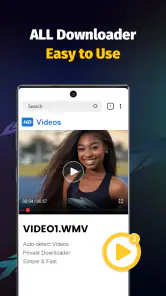
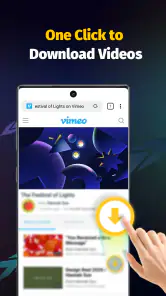
First things first, let me tell you about the user interface. It’s as straightforward as it gets. From the moment you launch Video Downloader - Save Videos, you’re greeted with a clean and simple layout. No unnecessary clutter, just the essential tools to get your job done. I loved how intuitive it was; even if you’re not tech-savvy, you’ll find your way around in no time.
The app is free, and its focus is firmly on saving and playing videos rather than editing them into a finished project. That distinction matters: if your goal is to trim footage, add captions, or build a polished social post, a dedicated editor is the better fit. I’d also check that a saved clip is actually available to play offline before relying on it for a trip or a presentation; a file sitting in a download area is only helpful if you can find and open it when you need it.
Compatibility and Functionality
One of the standout features of this app is its compatibility. It works seamlessly with a multitude of platforms. Whether you’re trying to save a hilarious meme from Instagram or a tutorial from Facebook, this app has got you covered. I tested it with several sites, and it worked like a charm each time.
More From Our News Desk

Weather by Xiaomi Review: Clear at a Glance, Less Clear Up Close

X Under Pressure: Can It Recover When Posting Goes Wrong?

Clash of Clans Is Won Between the Battles

Android Auto Makes the Case for Quieter Car Software

MobiOffice: Transforming Mobile Productivity with Seamless Integration

EA SPORTS FC™ Mobile Soccer: Redefining Mobile Sports Gaming
In everyday use, the main question is less about collecting clips and more about being able to locate the right one later. I’d save videos with a clear purpose in mind, then check the app’s saved-video area after each download instead of assuming every site handles the process in the same way. A quick playback check is a practical habit, especially for a tutorial you plan to follow without a connection. Platform rules and access can differ, so I wouldn’t count on every video being downloadable in every circumstance.
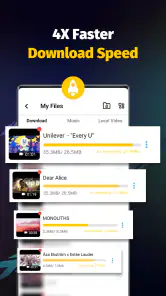
Moreover, the download speed is impressive. I was able to download a 3-minute video in just under a minute, which is quite fast compared to other apps I’ve tried. Plus, the quality of the saved videos is top-notch, maintaining the original resolution without any hiccups.
For a realistic use case, imagine finding a repair walkthrough at home and wanting to consult it later in a place with unreliable reception. Saving it ahead of time can make that viewing more dependable than reopening a social feed and searching through posts. I’d still keep an eye on available device storage: video files can take up room, and keeping only the clips I expect to revisit makes a downloader more useful than an overflowing archive.
No More Worries About Formats
Another cool feature is its support for various formats. Whether it’s MP4, AVI, or FLV, Video Downloader - Save Videos handles it all. I didn’t have to worry about converting files post-download, which saved me a lot of hassle. Just pick your preferred format before downloading, and you’re all set.
That flexibility is most valuable when you already know how you plan to watch a clip. If you expect to open it in a particular player or move it between devices, checking that the chosen format suits that workflow can save a frustrating extra step. Compared with relying on a browser’s built-in playback, a downloader can be more convenient for keeping a copy ready, but browser viewing is often simpler when you only need to watch once and have a stable connection.
Safety and Security
Security is always a concern when using apps that interact with your social media accounts. Thankfully, this app respects your privacy. There’s no need to log in or provide personal information, which gave me peace of mind while using it. Plus, there were no annoying pop-up ads, making the experience smooth and enjoyable.
Even without an account step, I’d use sensible caution: avoid downloading unfamiliar files from sources you don’t trust, and make sure you understand where saved videos are kept on your device. The app’s developer is All Video Downloader, Saver & Player Studio. It sits in the video player and editing category, though its main appeal here is downloading and keeping clips rather than making edits. Its audience rating is 4.6 from around 118,000 ratings, and it has passed 10 million installs. Those figures suggest broad interest, but they don’t replace checking whether the app’s particular workflow suits you.
The app is rated for Everyone, and it runs on Android 5.0 or later. Version 1.28.5 is the current version. I’d recommend it most to someone who regularly wants a few videos available offline and values format flexibility over a full editing toolkit. If you mainly watch once, prefer official offline-viewing options inside a streaming service, or need advanced editing controls, the usual app for that specific job is likely a better choice.
Making the saved library useful, not messy
A small habit makes this kind of app considerably more practical: decide why you’re saving a clip before you download it. I’d use a short, recognizable name if the app allows it, or otherwise make a mental note of the subject and source so I can find it again. A collection of unnamed clips may solve the connection problem but create a new search problem later.
For a busy day, I might save a recipe before going into the kitchen, then play it from the saved-video area rather than leaving the phone open to a social feed. That keeps the viewing task focused and makes it easier to pause and replay a step. For travel, I’d do the same preparation while connected, then open the clip once before leaving. That quick check is more dependable than discovering at the destination that I saved the wrong item or cannot locate it.
There is also a useful trade-off between saving everything and saving selectively. Keeping a handful of clips for a specific trip or task makes the benefit obvious; treating the app as a permanent archive can consume device space and make the useful material harder to spot. Once I’ve finished with a one-off guide, deleting it is a sensible part of the workflow.
Where it fits among other ways to watch
Compared with simply watching in a browser or social app, a downloader adds preparation: I spend a moment saving the clip, then gain the option to return to it when a connection is inconvenient. If I’m watching casually while online, the original platform is usually the easier choice because there is nothing extra to manage. If I need a clip repeatedly for a task, a local copy can be more convenient, provided downloading is permitted.
Official offline viewing inside a streaming service is a better fit when I want content from that service and its own saved-viewing controls meet my needs. A dedicated media player is preferable when I already have video files and mainly need playback tools. An editor is the clear choice when the next step is changing the footage. This app makes most sense in the narrower gap between finding a video online and wanting a saved copy ready to play.
Users may wonder whether it can save every video they encounter. I would not plan around that assumption. Availability can depend on the source and its access rules, so I’d treat compatibility as broad rather than universal and test the specific kind of content I care about. If a clip cannot be saved through the app, watching it through its original service is the straightforward fallback.
Another sensible question is whether saving a file guarantees it will be easy to watch later. Not by itself: I’d confirm the download has completed, locate it in the app, and play it before relying on it. If I need to transfer it to another device, I’d also check that the selected format works with the player I intend to use. These are small checks, but they prevent the most frustrating surprise: having a saved video that is not ready for the situation I saved it for.
The developer, All Video Downloader, Saver & Player Studio, presents this as a free tool, and the broad audience is reflected in its 4.6 average from around 118,000 ratings and more than 10 million installs. It is rated Everyone, with Android 5.0 or later required; version 1.28.5 is the current version. I see those details as useful context, not a substitute for deciding whether downloading suits the way you watch.
Who will get the most from it
I’d point this app toward someone who repeatedly returns to short online videos and wants a practical offline option: students reviewing an allowed lesson clip, home cooks following a technique, or anyone preparing a few useful videos before a journey. Its format flexibility may help people who already know what player they prefer, while the simple save-and-play focus avoids the extra controls of an editor.
I’d skip it if I rarely watch clips twice, have reliable access to the original platform, or depend on a service’s official offline feature. I’d also choose another app if my priority is detailed editing, organizing a large media library, or creating finished videos. For those jobs, the downloader’s focused role is a limitation rather than a reason to install it.
In a nutshell, Video Downloader - Save Videos is a must-have tool for anyone who loves saving videos for offline viewing. It’s fast, efficient, and doesn’t compromise on quality. If you’re looking for a reliable video downloading app, give this one a shot. It certainly made my digital life a lot easier!
Video Downloader - Save Videos Frequently Asked Questions
Does Video Downloader - Save Videos work on Android, and what should I check before installing it?
Video Downloader - Save Videos is an Android app in the Video Players & Editors category, developed by All Video Downloader, Saver & Player Studio. It requires Android 5.0 or later, so check your device’s operating system and available storage before installing. The app is free and has an Everyone content rating. Its current version is 1.28.5.
Who develops the app, and how widely is it used?
The app is developed by All Video Downloader, Saver & Player Studio. It has more than 10 million installs, around 118,000 ratings, and a 4.6 average, giving prospective users a sense of its reach and overall reception. Those figures can be useful context, but they do not guarantee that every feature or download source will work the same way for every user.
Can I watch saved videos without an internet connection?
Saving a video is useful when you want to watch it later without relying on a live connection. Video Downloader - Save Videos is described as a tool for downloading and saving videos to a device for offline viewing. Before downloading, check that you have enough storage space and that you are allowed to save the content for personal viewing.
What is Video Downloader - Save Videos and how does it work?
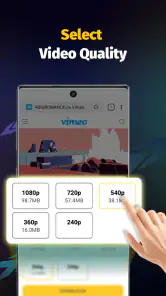
Video Downloader - Save Videos is an app designed to help users download and save videos from various online platforms directly to their devices. Once installed, users can simply paste the video URL into the app, choose their desired video quality, and download it for offline viewing. This app supports a wide range of video formats and sources, making it a versatile tool for video enthusiasts.
Is Video Downloader - Save Videos free to use?
Yes, Video Downloader - Save Videos is free to use, allowing users to download videos without an upfront cost. Its free price makes it easy to try the basic workflow of finding a video, entering its URL, and saving it to a device. As with any downloader, check that you have permission to save the content and enough storage for the files you want to keep.
Pros
- Easy-to-use interface for quick downloads.
- Supports multiple video formats for versatility.
- Fast download speeds save time.
- Allows batch downloading for efficiency.
- Works with most popular video sites.
Cons
- Contains ads that can be intrusive.
- Limited editing tools post-download.
- Requires permissions that may concern privacy.
- Not all sites are supported for download.
- May consume significant storage space.
- Category
- Video Players & Editors
- Version
- 1.28.5












